0
0 Created: Nov 1,2025 | Steal a Brainrot
How to Use Infinite Lasers to Conquer the Map in Steal a Brainrot?

Have you ever dreamed of completely dominating the map in Steal a Brainrot? Imagine locking down every player's base while you roam freely, stealing brainrots at will. Sounds impossible, right? Well, today I'm going to show you how one player pulled off this genius plan using infinite lasers. By the end of this guide, you'll know exactly how to recreate this insane strategy and become the ultimate laser overlord in the game.
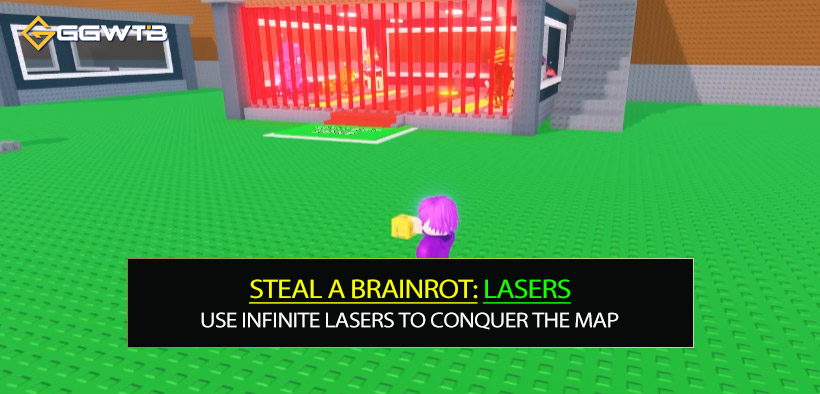
The Idea: Using Lasers to Trap Everyone
In Steal a Brainrots, locking your base activates laser walls that prevent other players from entering. But what if you could duplicate those laser walls and place them all over the map, including around other players' bases? That's the core of this strategy.
By copying and pasting your laser walls around every base, you can effectively trap players inside their own bases—or outside of them—while you roam freely. When you press the "Lock Base" button, all the laser walls activate simultaneously, locking down the entire server. This means you can steal brainrots without resistance, while other players are stuck helplessly.
Step-by-Step: How to Set Up the Laser Walls
To execute this plan, you'll need access to Admin Tools. Here's how to set everything up:
Step 1: Get the Building Tools (BTools)
Use the admin command ;BTools to unlock the building tools. These tools allow you to edit the game map, including duplicating and moving objects like laser walls.
Step 2: Locate the Laser Walls
Open the Explorer tab in your building tools.
Navigate to your base folder and find the Lasers subfolder.
Select the laser walls around your base entrance (you can ignore the ones on upper floors for now).
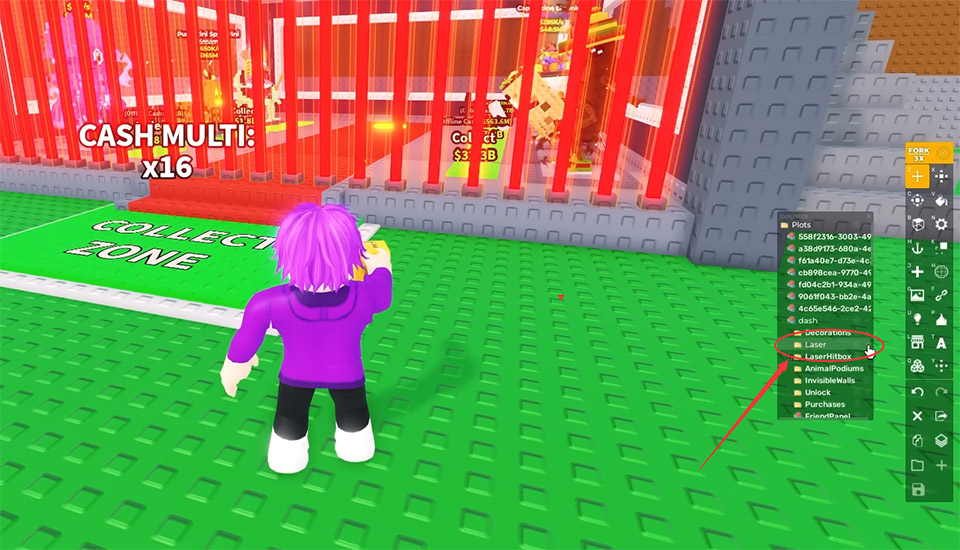
Step 3: Group and Duplicate the Lasers
Group the selected laser walls into a folder (e.g., name it Laser Wall).
Clone the group and place copies around your base to fully enclose it. Don't forget the roof to prevent players from flying in!
Step 4: Cover Other Bases
Once your base is fully protected, duplicate the entire laser wall group and position it around other players' bases. Rotate and align each set carefully to ensure no gaps remain.
Step 5: Test the Setup
Unlock and relock your base to confirm that all the lasers activate and deactivate correctly. If any lasers fail to function, delete and re-clone them until the issue is resolved.
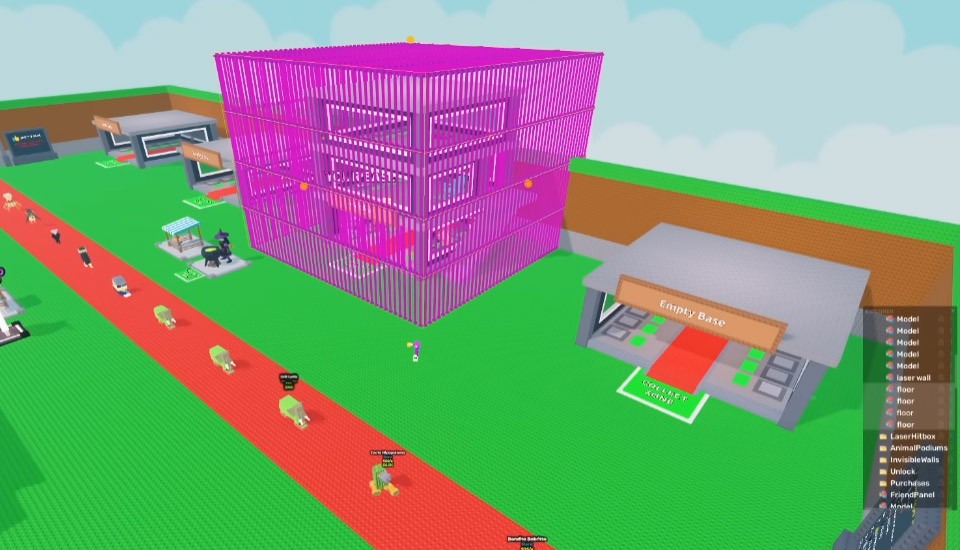
Customizing Your Laser Walls
Want to make your laser walls stand out? You can change their color to make your base look even cooler. For example, switch the lasers to purple for a unique aesthetic.
How to do it: Open the laser folder in your building tools and modify the color property of each laser. Choose any color you like to personalize your setup.
Executing the Plan
Now that your laser walls are set up, it's time to invite your friends to the private server.
Here's how to maximize your strategy:
- Wait for the perfect moment: Let your friends leave their bases before locking them down. This way, they'll be trapped outside and unable to defend their brainrots.
- Steal their brainrots: With your friends immobilized, you can freely enter their bases and take whatever you want.
- Enjoy their reactions: Watch as your friends struggle to understand how you pulled off this master plan!
Troubleshooting Common Issues
While setting up the lasers, you might encounter some challenges:
- Laser walls disappearing: This can happen if you clone too many lasers. Try reducing the number or grouping them more efficiently.
- Building tool glitches: If your tools stop working, use the ;BTools command to get a fresh copy.
- Game lag: Excessive lasers may cause performance issues. Consider simplifying your setup if the server starts lagging.
FAQ
Q1: Will using this strategy get me banned?
A1: If you're using admin tools in a private server, this strategy is usually allowed. However, abusing it in public servers could lead to reports or penalties.
Q2: Can other players bypass the laser walls?
A2: No, unless they also have admin tools. The lasers block all regular players from entering the protected areas.
Q3: What happens if the lasers glitch?
A3: If lasers fail to activate or align properly, delete the problematic ones and re-clone them. Regular testing helps prevent issues during gameplay.
Q4: Is there a faster way to duplicate lasers?
A4: Advanced players can use scripts to automate the process, but this requires programming knowledge and may not be allowed in all servers.
Conclusion
Using infinite lasers to conquer the map in Steal a Brainrots is a brilliant way to dominate the game and surprise your friends. With the right tools and setup, you can create an impenetrable fortress and lock down the entire server. Whether you're looking to steal brainrots or simply enjoy the chaos, this strategy is sure to make you the ultimate laser overlord.

Most Popular Posts
- Steal a Brainrot Best Los Tangcitos Crafting Guide: Recipes, Traits, Mutations, and Odds
- Steal a Brainrot Los Dragons Unit Recipe and Craft Guides
- Steal a Brainrot Tier List for Brainrots: Best Units Ranked by Aura
- Steal a Brainrot Guide: Rebirth Requirements, Lucky Blocks & Steals
- Steal a Brainrot Crafting Rare Los Cornis: Fusion Odds & Best Combos That Actually Work
- Steal A Brainrot Trades Guides: OG Spawn Sniping Guide
Popular Category Lists
- ARC Raiders / (350)
- Grow a Garden / (294)
- CoD: Black Ops 7 / (167)
- Star Citizen / (162)
- MLB 26 / (159)
- Monopoly Go / (152)
- ARK Survival Ascended / (127)
- Steal a Brainrot / (99)
- Blox Fruits / (74)
- Adopt Me / (74)
- Forza Horizon 6 / (72)
- Sailor Piece / (68)
- Grow a Garden 2 / (68)
- Diablo IV / (62)
- CoD: BLACK OPS 6 / (55)
- Aion 2 / (50)
- Path of Exile 2 / (48)
- Monster Hunter Wilds / (46)
- Windrose / (44)
- Donut SMP / (41)