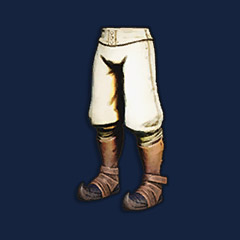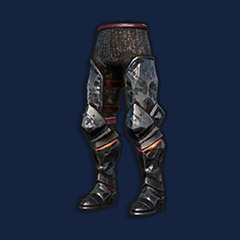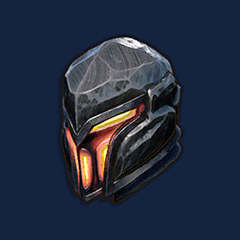
Conseguir el equipamiento exacto en RuneScape: Dragonwilds puede ahorrar decenas de horas farmeando recursos, pero comprar el nivel o variante equivocada malgastará tu presupuesto al instante. Antes de comerciar, adapta la compra directamente a los cuellos de botella de tu build y aplica protocolos seguros de intercambio en sala.
Prioriza las compras: Cuellos de botella de progresión vs. trampas de equipamiento
Un arma de alto nivel no salvará una build desoptimizada si tus suministros de munición o hechizos se agotan. Evalúa las dificultades actuales de progresión de tu personaje con la siguiente tabla de prioridades:
| Categoría de cuello de botella | Activo prioritario | Inspección previa a la compra | Error de compra común |
|---|
| Límite de DPS a distancia | Arcos / Ballestas de nivel de poder | Perfil de munición y alineación elemental | Comprar el Arco de Elidinis cuando tu build depende de acumulaciones de veneno/sangrado |
| Disponibilidad de lanzadores de conjuros | Runas catalíticas / Tomos de combate | Niveles de hechizo requeridos y estado comerciable | Acumular tomos de alto nivel que tu personaje aún no puede leer |
| Ritmo de combate cuerpo a cuerpo | Cuerpo a cuerpo rápido / Envenenado de nivel medio | Velocidad de fotogramas del moveset y escalado de estadísticas | Comprar un Látigo abisal cuando una Daga de hueso de dragón alcanza umbrales de velocidad más rápidos |
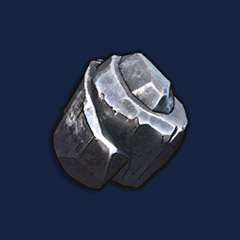
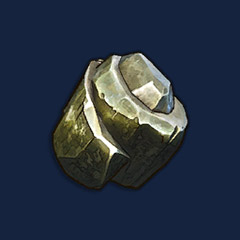
| Bloqueos de artesanía | Lingotes refinados / Esencias raras | Nivel exacto de receta y uso de casillas de inventario | Comprar mineral base en lugar del componente refinado necesario para obras maestras |
Selección de armas: Estadísticas, movesets y restricciones estrictas
Nunca compres armas basándote únicamente en etiquetas de nivel arbitrarias. En Dragonwilds, los rasgos mecánicos tienen prioridad sobre el daño base plano.
El equilibrio entre utilidad y daño
El Arco de Elidinis ofrece utilidad orientada al elemento agua e impactos base continuos, pero bloquea por completo las flechas de veneno, sangrado y fuego. Si tu ciclo de daño depende de estados alterados progresivos (DoT), esta compra arruinará tu build.
Opciones de transición vs. objetivos finales
La transición entre niveles de combate requiere rentabilidad. En el nivel de poder 4, adquirir una Daga de hueso de dragón ofrece un daño explosivo a un solo objetivo inmediato sin el elevado coste de mercado de un Látigo abisal. Elige la daga si necesitas despejar mazmorras rápidamente mientras ahorras capital para packs de runas catalíticas.
Ejecución de intercambios en sala: Lista de verificación en 3 pasos
La mayoría de las entregas de tiendas externas en Dragonwilds se realizan a través de sesiones multijugador privadas con credenciales asignadas. Sigue estos pasos para eliminar errores en las transacciones:
1. Confirma las especificaciones del anuncio: Asegúrate de que el vendedor detalle la variante exacta del objeto, la cantidad y el nivel de refinamiento. Nunca pagues si el anuncio utiliza categorías genéricas sin los nombres completos del objeto.
2. Obtén las credenciales de la sala: Accede al panel de tu tienda para consultar el nombre de la sala privada y la contraseña de la sesión. Únete al servidor indicado de inmediato para evitar desconexiones por inactividad.
3. Aplica una verificación de doble comprobación: Cuando el vendedor abra la ventana de comercio en la sala, pasa el cursor por cada casilla. Revisa el icono, el nivel y la cantidad de objetos apilados. Si algo no coincide con tu factura, cancela el intercambio al instante y contacta con soporte.
Preguntas frecuentes (FAQ)
¿Cómo funcionan los intercambios en sala para los objetos de Dragonwilds?
Tras completar un pedido, el vendedor te facilitará un nombre de sala y una contraseña de sesión específicos. Entras al servidor asignado, accedes a esa sala privada y realizas el intercambio a través de la ventana comercial habitual del juego.
¿Se pueden intercambiar todas las runas y tomos de Dragonwilds?
No. Algunos tomos vinculados a misiones y objetos ligados a la cuenta no pueden transferirse entre jugadores. Verifica siempre si un objeto tiene la marca de no comerciable antes de pagar en cualquier plataforma externa.
¿Comprar equipo de alto nivel permite eludir los requisitos de nivel?
No. Para equipar armas avanzadas y usar ciertos tomos de combate, tu personaje debe cumplir los umbrales de atributos mínimos. Revisa tu nivel de combate y habilidades antes de tramitar el pedido.
¿Con qué rapidez se entregan los objetos?
El plazo de entrega depende íntegramente del stock del vendedor y de la disponibilidad del operador. Los intercambios en sala suelen demorarse entre 5 y 30 minutos, ya que no son traspasos automáticos inmediatos.
¿Qué debo hacer si el vendedor coloca el objeto incorrecto en la ventana de comercio?
Cancela la transacción al momento y realiza una captura de pantalla de la ventana de intercambio. No aceptes entregas parciales ni sustitutos; reporta la incidencia directamente abriendo un ticket en el soporte del marketplace con tu número de pedido.




 0
0