



 0
0×
En stock

Sierra Helmet
En stock
Sierra Vest
En stock
Sierra Suit
En stock
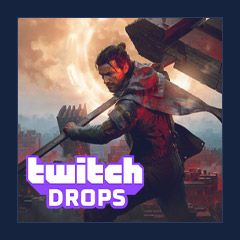
CONTROL Resonant Twitch Drops are meant to reward us for watching eligible live streams, not for grinding missions or buying cosmetics. The practical challenge is that Twitch campaigns can involve account-linking issues, claim deadlines, and reward descriptions that change between promotional material and the live Drops tracker.
1. Link Your Account
2. Watch An Eligible Live Stream
3. Check Your Progress
4. Claim Each Completed Reward
5. Restart The Game
The supplied campaign information lists Sierra cosmetic milestones at 60, 120, and 240 minutes of cumulative viewing. It also contains a conflicting six-hour Sierra Set reference, so the active timer and reward list in Twitch Drops Inventory should be treated as the final authority.
Account linking is the step that determines where the reward is delivered. If we connect the wrong account, then the Drop may be attached to a profile we do not use.
Before Starting the Timer: Link the Account
Use the direct campaign link if Twitch provides one. Otherwise, use Twitch account settings:
The connection screen can differ by publisher. If Twitch does not display a CONTROL Resonant connection, check the official game website or the active Twitch campaign card for the approved linking route.
Note: Confirm That You Linked the Correct Profile
Stanard Methods To Get CONTROL Resonant Twitch Drops Cons
Buy ONTROL Resonant Twtich Drops Pros:
Q. Do We Need To Watch The Same Control Resonant Streamer For Every Reward?
No. The supplied campaign material says progress is cumulative across eligible CONTROL Resonant streams. Switch only to another live stream that shows Drops Enabled, then check Drops Inventory to confirm the timer continues.
Q. How Long Does The Complete Sierra Outfit Take?
The supplied reward list places the three named items at 60, 120, and 240 minutes of cumulative viewing. However, a separate six-hour Sierra Set reference conflicts with that list. Check the active Twitch Drops Inventory card for the final confirmed requirement.
Q. Why Is Our Twitch Drops Progress Not Tracking?
First, confirm that the stream is live, is in the CONTROL Resonant category, and shows Drops Enabled. Then confirm that you are signed into the Twitch account linked to your game account. Check Drops Inventory after a few minutes rather than waiting for a full milestone.
Q. Can We Claim Control Resonant Drops On Mobile?
The supplied material states that Twitch mobile supports Drops. Sign in to the linked Twitch account, watch an eligible live stream, and use the mobile Drops Inventory to claim completed rewards. Check the app’s live campaign card for any device-specific notices.
Q. What Should We Do If A Claimed Reward Is Missing In-game?
Confirm that Twitch marks the reward as Claimed, verify the linked account, and restart CONTROL Resonant. Keep screenshots of the claim screen and account connection. If the item remains unavailable, contact the official publisher support channel with those records.

Nous utilisons des cookies pour assurer le bon fonctionnement du site et améliorer votre expérience. Cliquez sur « Tout accepter » pour donner votre consentement ou sur « Personnaliser » pour gérer vos préférences. Voir notre Politique de confidentialité.