



 0
0×
Em estoque

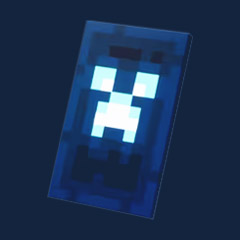
Corrupted Creeper Cape Code
Em estoque
For a Cape code supplied with Dungeons II redemption instructions, use Settings → General → Redeem a promotional code, then check Inventory → Collectibles → Capes. This route comes from the supplied gameplay demonstration; the seller's offer does not include a Java or Bedrock cape.
Minecraft's official cape announcement confirms that the Corrupted Creeper Cape comes through events and promotional activities. It does not document the menu route or validate third-party codes.
Check your Microsoft account before submitting the code. The supplied listing describes a single-use code, so do not assume you can redeem it again on another account.
1. Launch Minecraft Dungeons II and sign into your intended Microsoft account.
2. Open Settings → General.
3. Select Redeem a promotional code or Enter code.
4. Paste the code and remove accidental leading or trailing spaces.
5. Submit it and read the result.
If the option is missing, stop. Ask the code provider to confirm the correct game, platform, and redemption instructions rather than trying unrelated code pages.
Open Inventory → Collectibles → Capes and select Corrupted Creeper Cape. The supplied PC demonstration uses I for inventory; use your displayed control prompt if your bindings differ.
A success message confirms redemption—not that the cape is equipped.
Buy for the named game, not the generic Minecraft cape label. We recommend checking the listing's compatibility and replacement policy before comparing prices.
The supplied offer makes these distinctions:
| Item | Included in This Listing? | Buying Decision |
|---|---|---|
| Corrupted Creeper cosmetic for Dungeons II | Yes | Appropriate for the named game |
| Java or Bedrock cape | No | Skip for vanilla Minecraft |
| Dungeons II game license | No | Arrange game access separately |
| Microsoft account or Minecoins | No | Do not expect either |
| Future cross-game compatibility | Not promised | Do not buy on speculation |
Skip this listing if you want a cape for Java servers or Bedrock worlds.
The official announcement separately identifies Hero and Twisted as cross-game capes and Aurora as Minecraft-only. Those rewards do not establish compatibility for a Corrupted Creeper code.
Separate a rejected code from a missing cosmetic. Changing accounts after a successful redemption can make diagnosis harder because you may be checking a different collection.
Use the failure stage to choose your next action.
| Problem | Action |
|---|---|
| Invalid code | Check copied characters and spaces; request eligibility details from the provider |
| Already redeemed | Check previous attempts and accounts; preserve the exact error |
| Success, but no cape | Recheck the account and cape collection; restart once |
| Redemption menu missing | Confirm platform-specific instructions with the provider |
| Missing in Java or Bedrock | Check the purchase terms; this offer excludes those rewards |
Resolve the original purchase before buying another code.
For support, provide your order number, platform, exact error, and whether redemption ever succeeded. Hide the full code and personal account information in screenshots.
Looking for a Corrupted Creeper Cape code at GGWTB? Check the exact reward, supported game, and seller terms before paying—different Minecraft Dungeons II promotions grant different items.
Match the reward name before comparing prices.
| Cape | Official Acquisition Details | Compatibility Detail |
|---|---|---|
| Corrupted Creeper | Events and promotional activities | Java/Bedrock support is not stated |
| Hero | Follow the game's acquisition instructions | Java/Bedrock access uses the same Microsoft account |
| Twisted | Pre-order reward; no longer available through purchase | Java/Bedrock access uses the same Microsoft account |
| Aurora | Separate promotional reward | Minecraft only—not Dungeons II |
Do not buy Corrupted Creeper expecting the cross-game benefits described for Hero or Twisted.
Official confirmation that a cape exists does not verify a third-party code's validity.
We recommend choosing clear eligibility and failed-code support over a lower advertised price. GGWTB's current product terms must establish those benefits; the official Minecraft announcement does not endorse the seller.
Use this checklist before checkout.
| Check | What You Need Before Paying |
|---|---|
| Product | Exact cape name and code quantity |
| Eligibility | Supported game, platform, region, and expiry |
| Contents | Whether the purchase is cosmetic-only |
| Price and delivery | Final cost, delivery channel, and timeframe |
| Failed-code policy | Support process and replacement or refund conditions |
Pause the purchase if the seller cannot confirm account eligibility or explain its invalid-code remedy.
A listing title alone is not enough.
Save the offer before using the code. Product terms and an order record are more useful in a dispute than a screenshot of the cape artwork.
1. Review the GGWTB listing. Confirm the checklist above and capture the terms.
2. Complete checkout. Save your order number and retrieve the code through the stated delivery channel.
3. Check the destination account. Use the Microsoft account where you intend to keep the reward.
4. Follow the exact promotion instructions. Confirm the redemption destination rather than assuming every Minecraft code uses the same page.
5. Record the result. Keep the confirmation and check the relevant cosmetics collection.
The official announcement does not specify a Corrupted Creeper redemption menu. Obtain those instructions from the code provider before submitting.
Separate rejection from a missing reward. They require different evidence.
Send support your order number, exact error, platform, and confirmation status. Conceal the full code in screenshots.
It grants the named cosmetic according to the specific promotion's terms. Confirm the GGWTB listing's contents; do not assume a game license, account, or additional rewards are included.
The official announcement does not confirm Java or Bedrock support for Corrupted Creeper. Do not apply Hero or Twisted Cape compatibility rules to this reward.
Use the redemption destination specified for your exact promotion. The official cape announcement does not provide a Corrupted Creeper-specific menu route.
Instant delivery is not verified here. Check the current listing's delivery timeframe and channel before placing your order.
Contact the seller with your order number and exact redemption error. Keep the code private and request the resolution stated in your purchase terms.
The supplied instructions specify Settings → General → Redeem a promotional code inside Dungeons II. Follow your promotion's instructions if they differ; the official announcement does not document this menu route.
The supplied listing includes no Java or Bedrock entitlement. Do not purchase it for vanilla Minecraft or assume later cross-game support.
Minecraft's official announcement says the cape appears through events and promotional activities. It does not identify a universal purchase route or guarantee a third-party seller's code.
Preserve the error and contact the code provider with your purchase record. Check your previous attempts first, and conceal the full code in screenshots.
No—the supplied offer includes only the cosmetic code. You need separate game access, your own Microsoft account, and an internet connection.

Usamos cookies para garantir a funcionalidade do site e melhorar sua experiência. Clique em "Aceitar tudo" para consentir, ou em "Personalizar" para gerenciar suas preferências. Veja nossa Política de Privacidade.