0
0 Created: May 25,2026 | Car Parking Multiplayer
Car Parking Multiplayer Time Attack Guide: Best T1–T5 Cars, Checkpoints, Tuning, and Rewards

Time Attack is not just a speed event. It is a class control + checkpoint accuracy test. If your car is in the wrong tier, you cannot enter. If you miss a checkpoint, the run is wasted. If you overdrive T5, the timer eats you alive.
The clean strategy is simple: use one low-class car for T1, one flexible tuned car for T2–T5, pass all 30 checkpoints, and keep the T5 run under roughly 7 minutes.
- Car Parking Multiplayer Time Attack Event Basics
- Best T1–T5 Car Strategy
- How to Change Car Class in Time Attack
- Best Time Attack Driving Settings
- How to Pass All 30 Checkpoints
- T5 Time Attack: How to Finish Under 7 Minutes
- T1 Time Attack: Best Low-Class Setup
- Common Time Attack Mistakes
- New Update Notes: Paid Camry-Style Car and Editor Tools
- FAQ
- What is the Time Attack event in Car Parking Multiplayer?
- Do I need to play Time Attack online?
- What is the best car for T1 Time Attack?
- How do I beat T5 Time Attack under 7 minutes?
- Is the paid Camry-style car worth buying for Time Attack?
- Summary
Car Parking Multiplayer Time Attack Event Basics
Time Attack must be played in online / multiplayer mode. You enter from the event menu, drive into the start circle, then follow the route through 30 checkpoints.
The event uses car classes from T1 to T5. Your car must match the required class before you start.
| Class | Best Approach | Main Requirement |
|---|---|---|
| T1 | Use a naturally slow car | Stay under T2 rating |
| T2 | Mild tuned car | Stable, not overbuilt |
| T3 | Balanced setup | Good control and speed |
| T4 | Stronger engine setup | Faster exits |
| T5 | Best eligible build | Finish under about 7 minutes |
For rewards, expect cash and possibly gold coins depending on the event version and account status. Gold rewards may require a premium account.
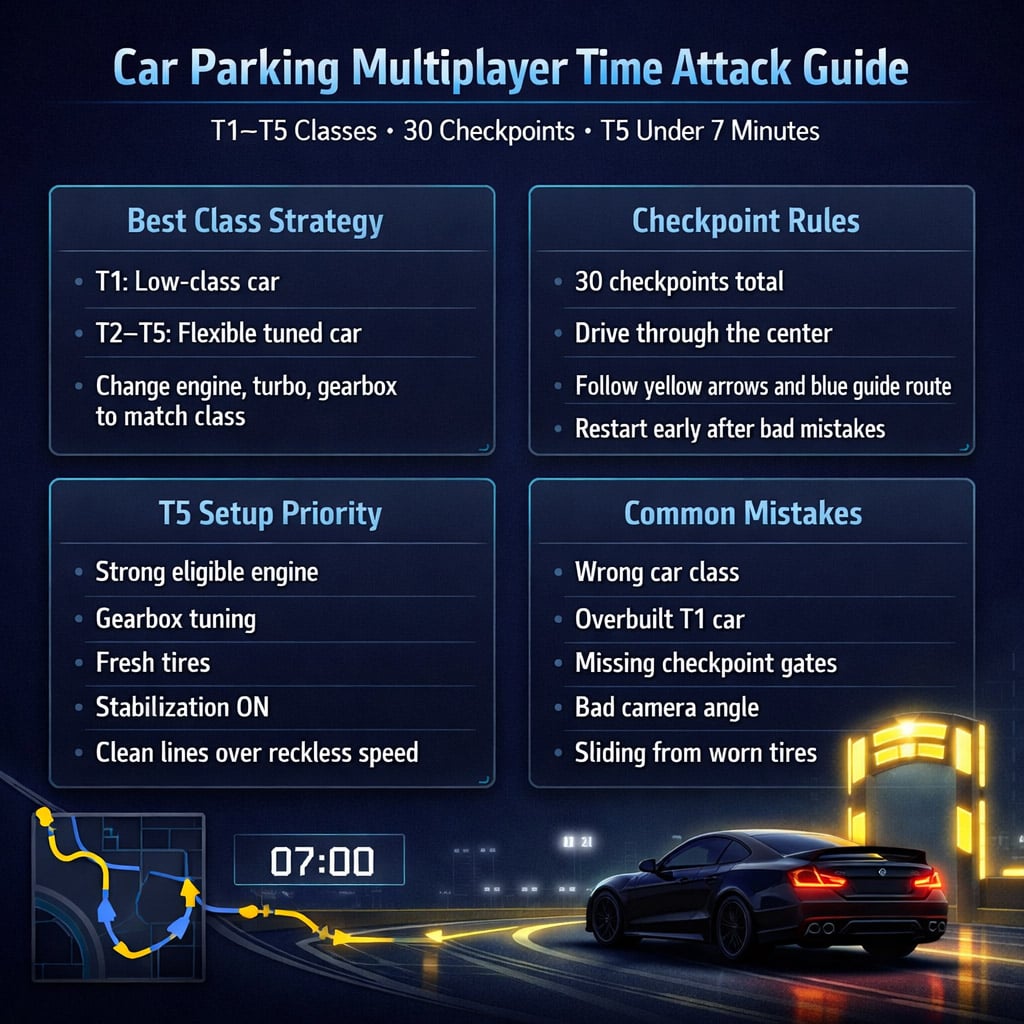
Best T1–T5 Car Strategy
Do not try to force one car through every class. It wastes time.
Use this setup:
| Slot | Use For | Why |
|---|---|---|
| Low-class car | T1 | Some cars cannot drop low enough, even fully reset |
| Flexible tuned car | T2–T5 | Engine and gearbox swaps can move it between classes |
In testing, one upgraded car handled T2, T3, T4, and T5 by changing engine and gearbox settings. It still failed T1 because its base class was too high.
That is the key lesson: T1 needs a true low-tier car, not just a detuned fast car.
How to Change Car Class in Time Attack
Your car class changes when you adjust performance parts.
Focus on these first:
| Part | Class Impact | Use Case |
|---|---|---|
| Engine | Very high | Main way to jump between T2–T5 |
| Turbo | Medium to high | Fine-tune power |
| Gearbox | Medium | Improves acceleration without always overclassing |
| Tires | Low class impact, high grip impact | Better control |
| Other performance parts | Varies | Use one change at a time |
If your car jumps above the required class, remove the last upgrade first. Do not reset everything unless you have to.
If your T1 car becomes T2, reduce turbo, engine, or power upgrades. Keep it barely inside T1 for the best result.
Best Time Attack Driving Settings
Before starting, fix your setup. Bad settings cause more failed runs than bad cars.
| Setting / Prep | Recommended Choice | Why It Matters |
|---|---|---|
| Tires | Replace or refresh before runs | Reduces sliding |
| Stabilization | Turn on | Keeps the car planted |
| Camera | Use camera 5 or wide view | Better road reading |
| Map view | Adjust for visibility | Helps predict turns |
| Restart button | Use flag icon | Saves time after early mistakes |
If the car keeps sliding, check tires first. Then check stabilization. Then blame your right thumb.
How to Pass All 30 Checkpoints
Every checkpoint must be crossed properly. Do not cut beside the gate.
| Action | Result |
|---|---|
| Drive through the center of the checkpoint | Counts safely |
| Pass beside the checkpoint | May not count |
| Brake before sharp checkpoint turns | Cleaner line |
| Follow yellow markers | Easier route reading |
| Chase the blue guide car direction | Better navigation |
Take the first run slowly. Learn the route. Mark the nasty turns in your head.
The fastest run is usually not the wildest run. It is the cleanest one.
T5 Time Attack: How to Finish Under 7 Minutes
T5 is the real test. You need speed, but control wins the run.
Prioritize:
1. Eligible high-power setup
2. Good gearbox
3. Fresh tires
4. Stabilization on
5. Clean checkpoint lines
If you miss the 7-minute mark by a few seconds, tune the gearbox first. Bad gearing kills acceleration after corners.
If you crash or slide wide often, stop adding power. Fix grip and braking points.
| Problem | Fix |
|---|---|
| Slow after corners | Shorten or retune gearbox |
| Sliding wide | Fresh tires + earlier braking |
| Missing checkpoints | Aim center, reduce entry speed |
| Over 7 minutes by small margin | Improve route line and gear ratios |
| Big crash early | Restart with flag icon |
For T5, restart bad runs early. Continuing after a terrible first section is usually wasted time.
T1 Time Attack: Best Low-Class Setup
T1 is not about raw speed. It is about staying legal.
Use a naturally slow car. Then add small upgrades carefully.
Good T1 upgrades:
- Light turbo
- Gearbox tuning
- Better tires
- Minor performance upgrades only
Avoid heavy engine swaps. If the car becomes T2, it is no longer useful for T1.
For T1–T3, the timer is usually forgiving. Drive clean. Pass all 30 checkpoints. Do not panic if the car feels slow.
Common Time Attack Mistakes
| Mistake | Why It Fails | Fix |
|---|---|---|
| Using wrong class car | Cannot enter or qualify | Check class before start |
| Overbuilding T1 | Car jumps to T2 | Upgrade slowly |
| Missing checkpoint center | Run may not count | Drive through the middle |
| Ignoring tires | Car slides | Refresh tires |
| Driving T5 too aggressively | Crashes waste more time than braking | Slow in, fast out |
| Bad camera angle | Late reactions | Use wider camera |
| Not restarting bad runs | Wastes time | Use flag icon |
Most players fail because they treat Time Attack like a drag race. It is not. It is a route discipline test.
New Update Notes: Paid Camry-Style Car and Editor Tools
The new paid Camry-style sedan costs around $10 USD, depending on region. It includes the car and outfit items.
It is not required for Time Attack.
| Feature | Value |
|---|---|
| Stock power | Around 230 hp |
| Engine swaps | Supports strong swaps |
| Body kits | Basic |
| Interior / animations | Standard |
| Time Attack advantage | Not necessary |
| Best reason to buy | Collection or personal taste |
The update also adds useful editor tools:
- Teleporters
- Repair points
- Tire repair zones
- Sale options
These are great for custom maps and race tracks, but they do not change the core Time Attack strategy.
FAQ
What is the Time Attack event in Car Parking Multiplayer?
Time Attack is an online checkpoint event. You drive through 30 checkpoints using a car that matches the required class from T1 to T5.
Do I need to play Time Attack online?
Yes. Time Attack must be played in online / multiplayer mode. Offline mode will not properly run the event.
What is the best car for T1 Time Attack?
Use a naturally low-class car. Do not use a high-class car and try to detune it. Many cars cannot drop into T1, even after removing upgrades.
How do I beat T5 Time Attack under 7 minutes?
Use a strong eligible T5 setup, tune the gearbox, refresh tires, turn on stabilization, and drive clean through all 30 checkpoints. Restart early if the run starts badly.
Is the paid Camry-style car worth buying for Time Attack?
No, not for performance. It is mainly a collection car. You can complete Time Attack with properly tuned existing cars.
Summary
Time Attack rewards clean setup and clean driving.
Use a dedicated T1 car. Use a flexible tuned car for T2–T5. Adjust engine, turbo, and gearbox to hit the right class. Refresh tires, enable stabilization, and pass every checkpoint through the center.
For T5, the goal is under about 7 minutes. Do not chase reckless speed. A clean run beats a messy fast car every time.
Most Popular Posts
- Car Parking Multiplayer New Update: New Cars, E46 Kit, Silverstone Track, Body Kit Editor
- Cybertruck Build in Car Parking Multiplayer: Stance, Paint & Tuning Guide That Actually Works
- Car Parking Multiplayer: Body Kit Removal Flip Guide
- Car Parking Multiplayer Money Guide: Smarter Cash Flips Without Cheats
Popular Category Lists
- ARC Raiders / (338)
- Grow a Garden / (292)
- CoD: Black Ops 7 / (167)
- MLB 26 / (159)
- Star Citizen / (159)
- Monopoly Go / (152)
- ARK Survival Ascended / (125)
- Steal a Brainrot / (98)
- Blox Fruits / (74)
- Adopt Me / (72)
- Forza Horizon 6 / (72)
- Sailor Piece / (68)
- Grow a Garden 2 / (68)
- Diablo IV / (62)
- CoD: BLACK OPS 6 / (55)
- Path of Exile 2 / (48)
- Monster Hunter Wilds / (46)
- Windrose / (44)
- Aion 2 / (42)
- Donut SMP / (40)