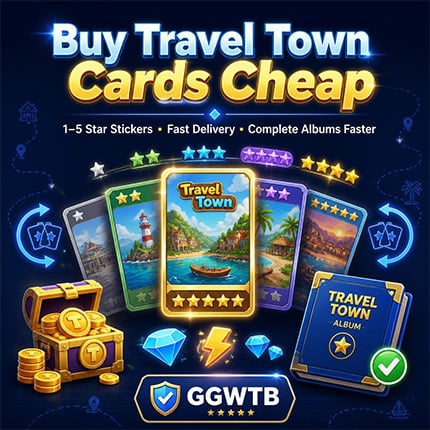
Travel Town Cards, also known as album stickers, are collectible cards stored in the game's seasonal album. They are separate from the merge items on your main board. Each sticker belongs to a specific album set. Completing every card in a set can unlock rewards that support your regular gameplay progress.
What Are Travel Town Cards Used For?
Travel Town Cards support game progress by rewarding players who complete album sets. While cards do not directly create merge items or fulfill orders, their rewards can provide useful resources for continued play.
- Complete Sets and Earn Rewards
- Completing eligible card sets may reward players with:
- Energy
- Diamonds
- Crates
- Card packs
- Other album, event, or progression resources
How to Get Cards Through Travel Town?
Players can earn Travel Town Cards through normal in-game activities, including:
- Daily challenges and weekly goals
- Travel Pass milestones
- Limited-time events
- Orders and merge crates
- Album gifts and card packs
Because card packs are random, it is common to receive duplicate stickers while still missing one specific card.
How to buy Travel Town Cards at GGWTB?
- Buying a card at GGWTB is straightforward:
- Go to the GGWTB Travel Town Cards page.
- Find the sticker you need by album set, card name, and star rating.
- Confirm that the card is eligible for delivery.
- Click Add to Cart.
- Review your order details carefully, including the selected card and invitation link.
- Complete payment through the checkout process.
Note: Before paying, verify the card's name, set number, star rating, and delivery eligibility.
How does GGWTB deliver Travel Town cards?
For cards currently eligible for gifting, GGWTB uses the in-game friend and gifting process to deliver an order.
- Enter a valid Travel Town invitation link during checkout.
- GGWTB adds your account as a friend in the game.
- The eligible card from your order is sent through the available in-game gifting process.
- Open your Card Album in Travel Town.
- Tap the Gifts or inbox tab on the right side of the album screen.
- Find the gifted card and tap Tap to Collect.
- The card will be added to your album automatically.
How long will it take to receive the Travel Town card I purchased from GGWTB?
With a valid invitation link, most eligible Travel Town Card orders are normally visible in-game within 5 to 20 minutes.
What should I do if there is a problem with my order?
GGWTB provides customer-service support for eligible order changes and refund requests before card delivery is completed.
- Ordered the Wrong Card - Contact Custome server through Live Chat before receiving the card. Customer service may help exchange the order for the correct eligible card or process a refund according to the applicable policy.
- Requesting a Refund - You can submit a refund request through the order system or contact the customer-service team via Live Chat.
Refund Note: Order changes and refunds apply only before the card has been successfully delivered or received.
Why Choose GGWTB for Travel Town Cards?
GGWTB is designed for players who want to search for a specific missing eligible Travel Town Card rather than depend entirely on random card packs.
- A More Targeted Way to Complete Your Album
- GGWTB may be a practical choice because it offers:
- Card selection by album set, name, and star rating
- A clear checkout flow for entering delivery details
- Guidance for receiving cards through the in-game album
- An estimated delivery window for eligible orders
- Live Chat customer-service access
- Support for qualifying pre-delivery order corrections or refund requests




 0
0