0
0 Created: Oct 2,2026 | Aion 2
Aion 2 Twitch Drops: Full Schedule, Account Link & Claim Fixes

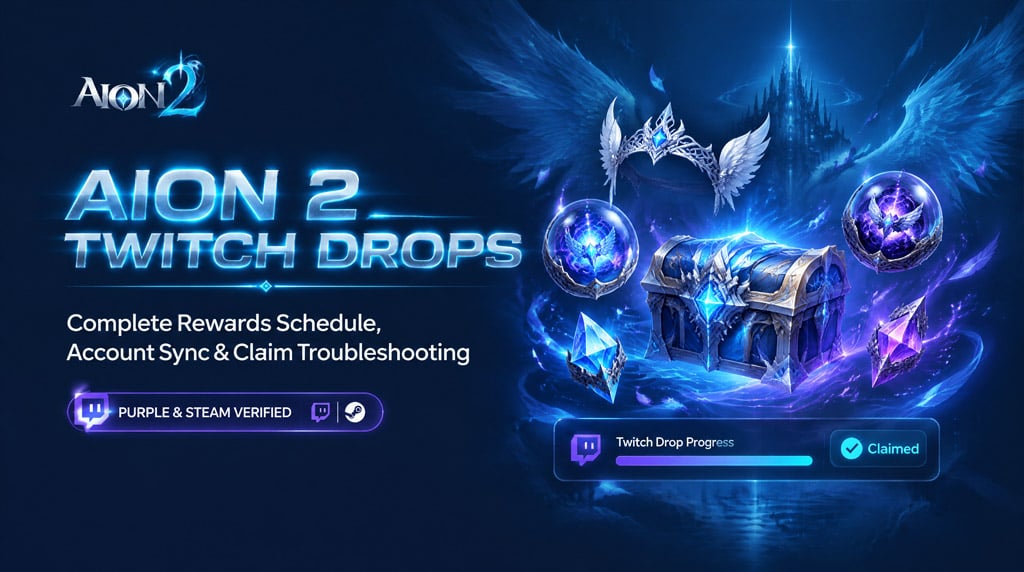
Claiming Aion 2 Twitch Drops requires a verified NCSOFT/PURPLE connection, active viewing time on drop-enabled streams, and manual redemption in your Twitch Inventory. If your watch progress stalls or claimed rewards fail to appear in your in-game mailbox, follow this verified field guide to resolve the sync pipeline immediately.
- Active Drops Schedule & Reward Milestones
- Step-by-Step Account Linking: PURPLE & Steam
- Troubleshooting Stalled Progress & Missing Rewards
- Proven In-Game Delivery Edge Cases
- FAQ (Frequently Asked Questions)
- How do I start earning Aion 2 Twitch Drops?
- Why is my Aion 2 drop progress not increasing?
- How long do Aion 2 Twitch Drops take to arrive in-game?
- Can I earn rewards on Korean or Taiwanese Aion 2 servers?
- What should I do if a claimed reward never arrives?
Active Drops Schedule & Reward Milestones
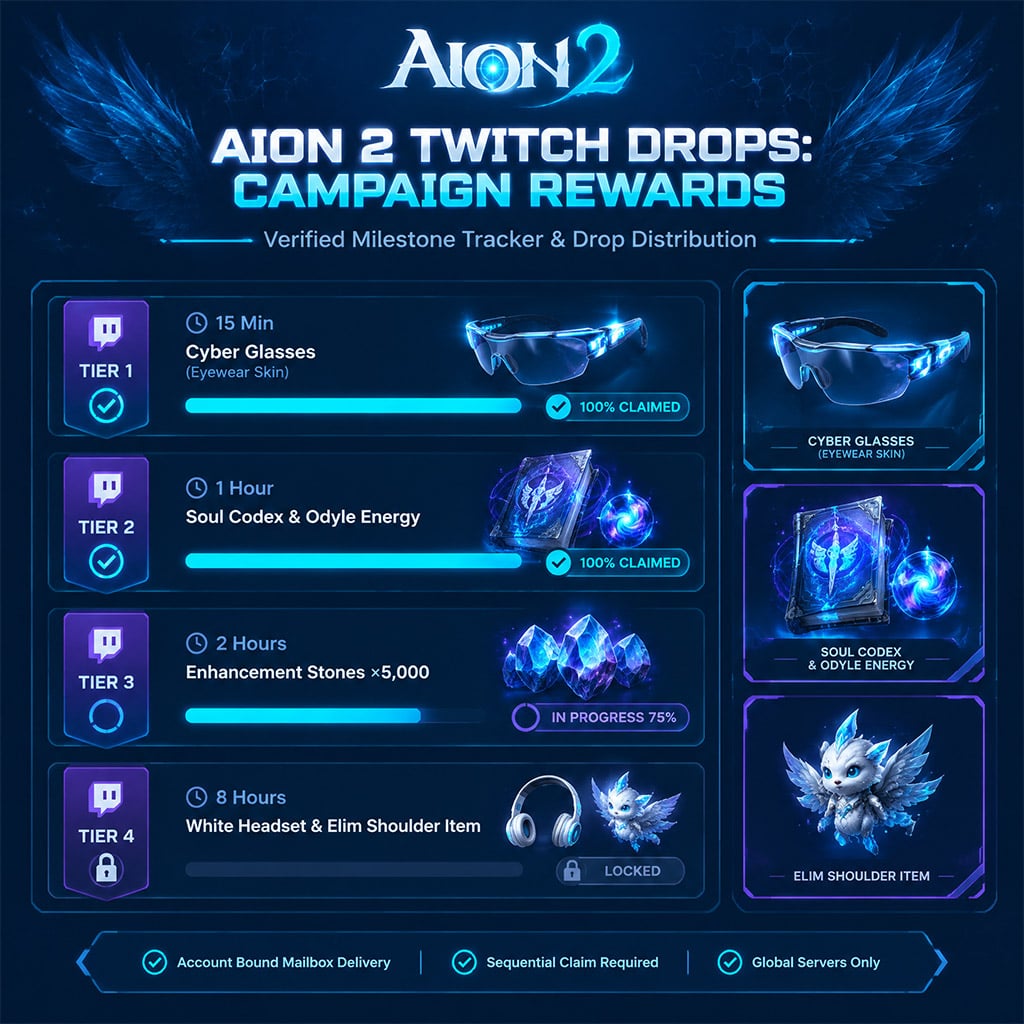
Twitch tracks progress sequentially: you cannot earn progress toward a higher-tier reward until the preceding tier is completed and claimed. Drops are delivered directly to the Account Mailbox of the primary character bound to your linked NCSOFT profile.
| Campaign Window | Watch Milestone | Reward Item | Qty | Item Binding & Restrictions |
|---|---|---|---|---|
| Phase 1 (Early Launch) | 15 Minutes | Cyber Glasses (Eyewear Skin) | 1 | Account-Bound; Cosmetic only |
| Phase 1 (Early Launch) | 30 Minutes | Customization Voucher | 1 | Character-Bound; Single use |
| Phase 1 (Early Launch) | 45 Minutes | Odyle Energy | 2 | Account-Bound; Progression consumable |
| Phase 1 (Early Launch) | 1 Hour | Soul Codex | 3 | Account-Bound; Stat system |
| Phase 1 (Early Launch) | 2 Hours | Enhancement Stone | 5,000 | Account-Bound; Gear upgrade |
| Phase 1 (Early Launch) | 4 Hours | Resurrection Spiritstone | 10 | Character-Bound; Consumable |
| Phase 1 (Early Launch) | 6 Hours | Kinah Bundle (500,000) | 1 | Account-Bound; Currency |
| Phase 1 (Early Launch) | 8 Hours | White Headset (Head Skin) | 1 | Account-Bound; Cosmetic only |
| Phase 2 (Mid Launch) | 1 Hour | Odyle Energy | 4 | Account-Bound; Progression consumable |
| Phase 2 (Mid Launch) | 2 Hours | Skin Chest ×10 | 1 | Account-Bound; Random pool |
| Phase 2 (Mid Launch) | 3 Hours | Enhancement Stone | 5,000 | Account-Bound; Gear upgrade |
| Phase 2 (Mid Launch) | 4 Hours | Head Ribbon (Helmet Skin) | 1 | Account-Bound; Cosmetic only |
| Phase 2 (Mid Launch) | 6 Hours | Soul Codex: Reset | 2 | Character-Bound; Spec re-roll |
| Phase 2 (Mid Launch) | 8 Hours | Resurrection Spiritstone | 10 | Character-Bound; Consumable |
| Phase 2 (Mid Launch) | 10 Hours | Adorable Young Elim (Shoulder Skin) | 1 | Account-Bound; Cosmetic only |
Note: Campaign schedules default to UTC. Players on Korean and Taiwanese regional servers are excluded from global Twitch Drops distribution.
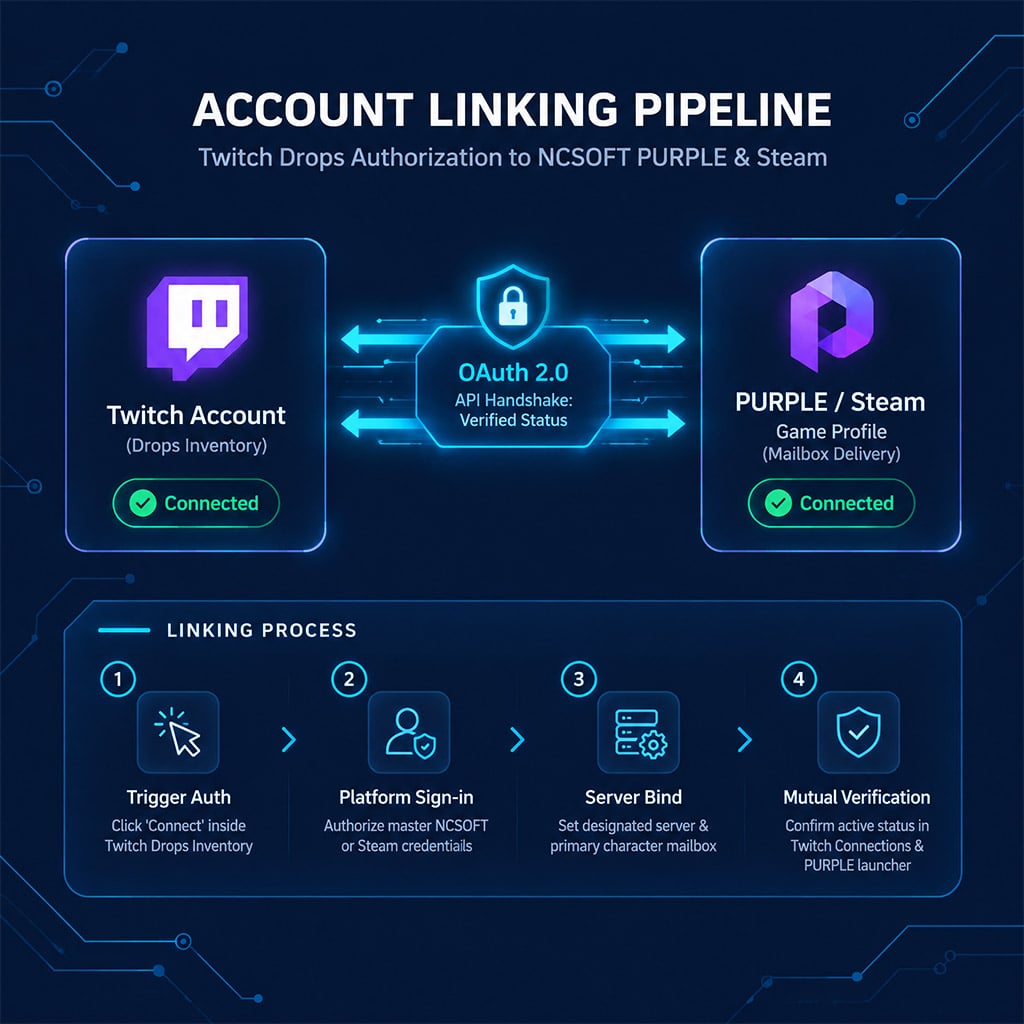
Step-by-Step Account Linking: PURPLE & Steam
To prevent drops from routing to an empty secondary profile, link your accounts directly through the publisher authentication pipeline rather than third-party portals.
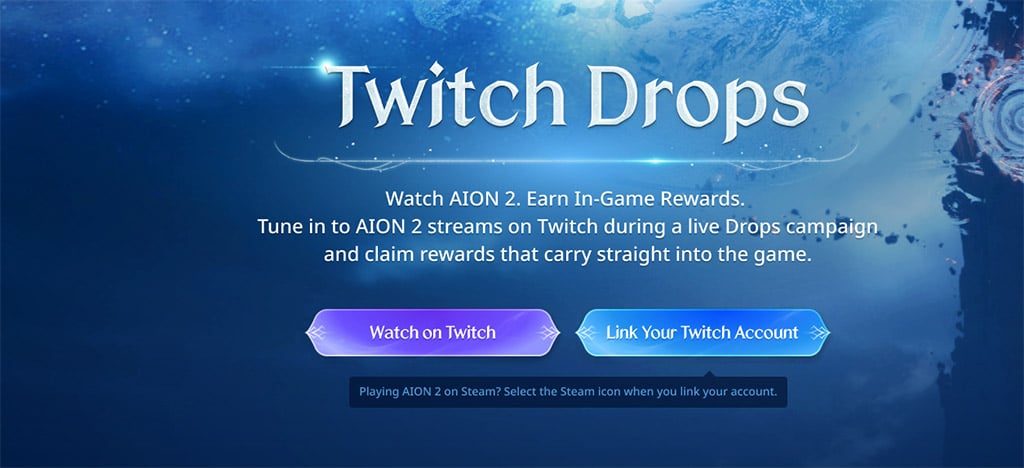
1. Sign into Twitch: Log into your target Twitch profile in an active browser tab.
2. Access Drops Inventory: Navigate to the Twitch Drops Campaigns menu and select Aion 2.
3. Trigger Auth Link: Click Connect. This redirects you to the official NCSOFT PURPLE account portal.
4. Authorize Credentials:
Direct PURPLE Users: Sign in using your primary NCSOFT master email.
Steam Users: Select Sign in with Steam on the NCSOFT page to ensure Steam ID matching.
5. Set Primary Server & Character: If prompted, designate your main server and active character to establish mailbox routing.
6. Verify Mutual Status:
On Twitch: Open Settings > Connections and confirm NCSOFT appears under Other Connections.
On PURPLE: Check External Accounts to confirm your Twitch ID is registered.
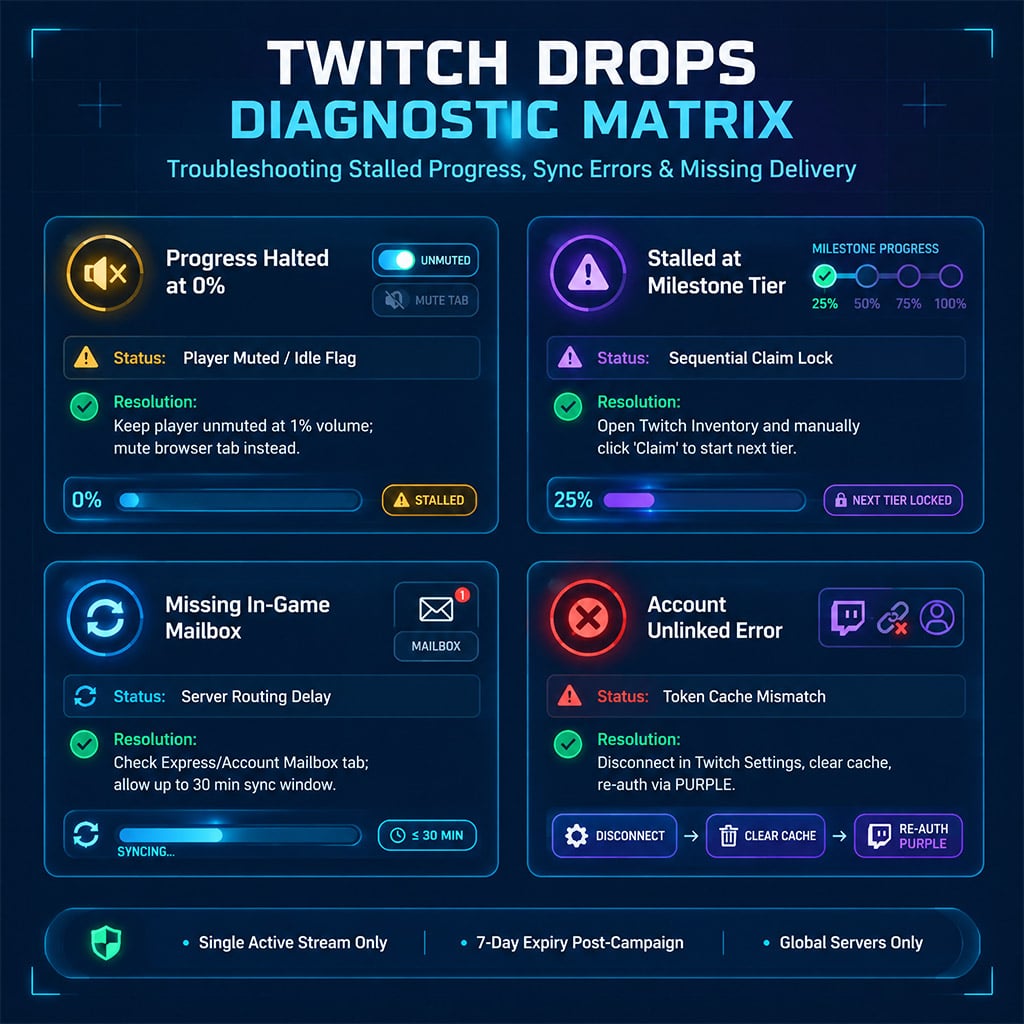
Troubleshooting Stalled Progress & Missing Rewards
If your progress meter stops climbing or an item marked Claimed never reaches your character, identify the point of failure using the diagnostic matrix below.
| Symptom | Root Cause | Immediate Fix | Support Channel |
|---|---|---|---|
| 0% Progress Recorded | Audio muted on video player or non-participating channel | Unmute the stream player (mute your OS tab instead); confirm the channel has the active DropsEnabled badge. | Twitch Support |
| Meter Halts at Tier Boundary | Sequential claim lock | Open Twitch Drops Inventory and click Claim on the completed item to unlock progress on the next reward. | Twitch Support |
| Account Not Connected Error | Token timeout or cross-browser session mismatch | Clear browser cookies, disconnect NCSOFT from Twitch Connections, and reconnect via an Incognito window. | NCSOFT Support |
| Claimed on Twitch, Empty Mailbox | In-game mail lag or wrong server routing | Log completely out of the PURPLE launcher, wait 15 minutes for server sync, and check the Account Storage tab. | NCSOFT Support |
| Dual Stream Conflict | Multiple channels open simultaneously | Twitch only credits one stream at a time; close all duplicate streams and background pop-out players. | Self-Resolution |
Proven In-Game Delivery Edge Cases
The Browser Audio Trap: Muting the Twitch embedded video player automatically flags your session as idle. To run streams quietly in the background, set the player volume to 1% or right-click the browser tab and select Mute Tab.
Character Mailbox Segregation: Twitch Drops are sent to the Express/Account Mailbox, not standard player-to-player mail. Ensure your inventory space has at least 5 empty slots before pulling claim attachments.
* The 7-Day Claim Window: While you must watch during the active broadcast window, completed rewards stay claimable in your Twitch Inventory for 7 days post-campaign. Items left unclaimed after 7 days expire permanently.
FAQ (Frequently Asked Questions)
How do I start earning Aion 2 Twitch Drops?
Link your NCSOFT or Steam account to Twitch via the Drops Inventory, then watch any live stream broadcasting under the Aion 2 category with the DropsEnabled tag. Once you hit the required watch threshold, manually click Claim in your Twitch inventory.
Why is my Aion 2 drop progress not increasing?
Progress halts if the Twitch video player is muted, if you run multiple drop-enabled streams simultaneously, or if an ad-blocker blocks the Twitch tracking script. You must also claim your current reward before progress begins on the subsequent tier.
How long do Aion 2 Twitch Drops take to arrive in-game?
Deliveries typically process within 10 to 30 minutes, but heavy server launch loads can delay delivery up to 24 hours. If items do not appear after restarting your PURPLE launcher, check your Account Mailbox rather than character-specific mail.
Can I earn rewards on Korean or Taiwanese Aion 2 servers?
No. Published publisher terms restrict current Twitch Drops campaigns to global live-service servers. Accounts registered on regional Korean or Taiwanese servers are ineligible for item delivery.
What should I do if a claimed reward never arrives?
Verify that your Twitch account links to your active NCSOFT UID under account settings. If the connection is verified and 24 hours have elapsed, submit a ticket to NCSOFT Support containing your Twitch ID, character name, server, and a screenshot of your claimed Twitch Inventory entry.

I’m Emily Zhang, an American Research Writer at GGWTB covering Korean MMORPGs and games based on classic franchises. My guides focus on class choices, leveling routes, and long-term character progression. I look at what a class needs beyond its starter skills—and which upgrades are worth your materials before the next gear tier arrives.
Most Popular Posts
- AION 2 Global Best Classes: Current Meta, PvE/PvP Roles, and Class Picking Guide
- Aion 2 Global Class Tier List: Best for PvE, PvP & Solo Play
- AION 2 Global PvE Guides: Dungeons, Raids and Weekly Priorities
- AION 2 PvE DPS Tier List: Highest-DPS Classes Ranked by Dungeon Data
- AION 2 Pet Guide: Souls, Genus Insight, Owned Effects and What to Farm First
- Aion 2 Best Leveling Build for All Classes: Fast 1–45 Global Launch Guide
Popular Category Lists
- ARC Raiders / (354)
- Grow a Garden / (294)
- CoD: Black Ops 7 / (167)
- Star Citizen / (163)
- MLB 26 / (159)
- Monopoly Go / (153)
- ARK Survival Ascended / (128)
- Steal a Brainrot / (99)
- Blox Fruits / (74)
- Adopt Me / (74)
- Forza Horizon 6 / (72)
- Sailor Piece / (68)
- Grow a Garden 2 / (68)
- Diablo IV / (62)
- CoD: BLACK OPS 6 / (55)
- Aion 2 / (52)
- Path of Exile 2 / (48)
- Monster Hunter Wilds / (46)
- Windrose / (44)
- Maplestory Classic / (42)