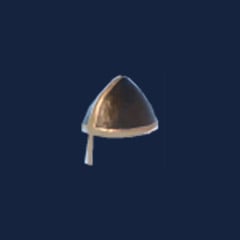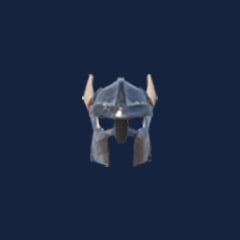
Valheim's progression loop revolves around exploring biomes, gathering ore, and expanding settlements. For players constrained by limited playtime or repetitive farming, third-party marketplaces like GGWTB offer an alternative route to acquire weapons, armor, tools, and bulk materials.
However, external purchases carry operational and account considerations. Success comes down to purchasing strictly what you need, verifying delivery terms, and ensuring your current game progress supports the gear you receive.
What to Check Before Purchasing Valheim Items
Ordering high-tier equipment without preparation often leads to frustration. Valheim requires specific workbench levels for maintenance, and your character's combat effectiveness remains tied to baseline skill levels regardless of equipment quality.
Before buying, align your order with your current objective:
| Category | Best Use Case | Critical Pre-Purchase Check |
|---|
| Weapons | Upgrading combat capability | Station level required for repairs; character skill levels |
| Armor | Preparing for biome progression | Quality rank, movement speed penalties, environmental resistances |
| Woods | Base building and furnishings | Specific wood type (Fine, Core, Yggdrasil) and inventory weight |
| Metals | Crafting gear and base structures | Unprocessed ore vs. smelted bars (portal travel limitations) |
| Materials | Completing high-tier recipes | Exact ingredient name and stack limitations |
| Consumables | Boss encounters and exploration | Stat durations, health/stamina ratios, inventory space |
| Tools | Accelerating gathering operations | Tool tier relative to targeted resources |
If you enjoy the crafting process but dislike gathering logistics, purchasing raw materials or intermediate bars offers better gameplay value than buying finished weapons.
3-Step Verification Process to Prevent Order Errors
A low price provides little value if an order delivers incorrect quality tiers or causes server issues. Protect your purchase by adhering to a structured verification process:
1. Verify In-Game Compatibility
Confirm that your dedicated or multiplayer server explicitly permits externally spawned or traded items.
2. Review Delivery Mechanics and Platform Terms
Item delivery typically occurs via dedicated server visits or player-to-player transfers. Review seller completion windows, server connection requirements, and refund terms in writing prior to checkout. Never share Steam credentials, account passwords, or two-factor authentication codes.
3. Inspect Delivered Goods Immediately
Keep a record of your order reference, itemized counts, and item upgrade ranks. Join the delivery server, verify that the quantities and quality ranks match your receipt, and document any discrepancy immediately with screenshots before leaving the session.
For your initial order, start with a single low-cost material rather than an expensive bundle to confirm delivery reliability and customer support responsiveness.
FAQ (Frequently Asked Questions)
What are the delivery times for purchased Valheim items?
Delivery times vary by vendor schedule, inventory availability, and chosen transfer method (such as server drop-off or co-op join). Always verify active operator status and clear completion estimates directly on the seller's storefront before completing payment.
Can purchased weapons and armor be used immediately?
An item can be equipped as soon as it enters your inventory, but practical use depends on your progression. High-tier gear requires corresponding station tiers (e.g., an upgraded Forge or Black Forge) to repair after durability loss, and damage scales with your character's actual weapon skills.
Will purchasing Valheim items cause server bans?
On local single-player and private cooperative servers hosted with friends, external items generally carry no enforcement risk. However, strictly moderated community or role-play servers often enforce anti-cheat rules that flag or ban unearned progression items. Verify server policy before ordering.
Can raw metal or ore orders be moved through portals?
In unmodded Valheim, standard portal restrictions apply to all physical items once placed in inventory. Unless your server runs custom world modifiers that permit ore teleportation, purchased metals and ores must be hauled manually via cart, ship, or direct personal transfer.
What should you do if an order arrives incomplete or incorrect?
Document the issue immediately by capturing screenshots of the received items alongside your order receipt. Contact support through official merchant channels without altering the delivery state, and retain transaction reference numbers for any dispute or replacement request.
Summary
Purchasing Valheim items can save significant farming time, but it works best as a targeted supplement rather than a complete replacement for in-game progression. Focus on specific material bottlenecks, confirm server rules and repair capabilities beforehand, and protect your account by sticking to transparent delivery practices.




 0
0