0
0 Created: Aug 18,2026 | Aion 2
AION 2 Best Settings: FPS, DLSS/FSR, Combat & PvP Visibility Guide

Maxing every slider in AION 2 will tank your FPS and clutter your screen in every crowded fight. That's not optimization — that's just noise.
After grinding through KR and TW servers since launch, here's the setup that actually matters: combat mode, upscaling, effect density, and UI clarity. Skip the fluff. Copy these settings and get back to playing.
- Combat Mode: Pick AION 2 Mode
- Auto Potion: Set It by Content, Not Once and Forget
- FPS: DLSS, FSR, and Upscaling by GPU
- Presets by Hardware Tier
- Visibility Settings That Actually Matter
- UI & Combat Floaters: Cut the Noise
- PvE vs PvP Quick Configs
- Practical Checklist
- FAQ
- What is the best combat mode in AION 2?
- DLSS or FSR — which one?
- What settings boost FPS the most?
- What's the best auto potion threshold?
- Should I turn off damage numbers?
- Bottom Line
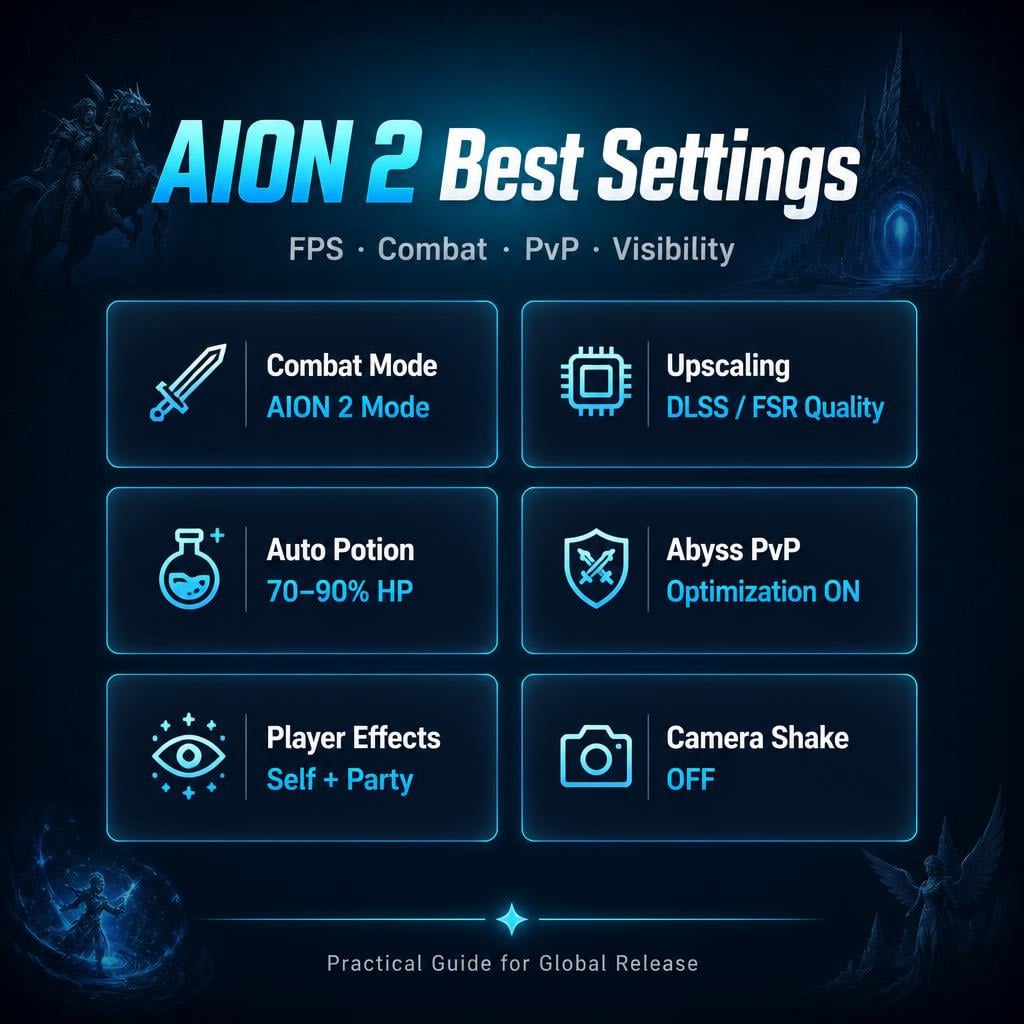
Combat Mode: Pick AION 2 Mode
Two options. One clear winner for most players.
| Mode | Feel | Best For |
|---|---|---|
| AION 2 Mode | Hybrid tab-target/action | Default pick |
| AION 1 Mode | Classic cursor-based MMO | OG AION veterans only |
AION 2 mode matches the new combat system better — faster, more reactive. Need your cursor for UI? Hold Alt. You lose nothing.
Warning: Don't touch targeting options on day one. Change one setting at a time, test in real combat, then adjust. Over-tuning before you understand the flow makes combat feel worse, not better.
Skill clicking: Stop. Keybind everything. Clicking costs you reaction time in PvP — full stop.
Auto Potion: Set It by Content, Not Once and Forget
| Content | HP Threshold |
|---|---|
| Normal leveling | 70% |
| Elite mobs | 75–80% |
| Dungeons | 75–85% |
| PvP / Abyss | 80–90% |
| Farming trash | 60–70% |
Baseline: 70–80%. Dying before potions trigger? Push it higher. Burning pots on weak mobs? Drop it down.
This isn't a set and forget slider — treat it like a difficulty dial.
FPS: DLSS, FSR, and Upscaling by GPU
| GPU | Setting |
|---|---|
| NVIDIA RTX | DLSS Quality/Balanced |
| AMD Radeon | FSR Quality/Balanced |
| Older cards | TAA or FSR Performance |
| 1440p/4K high-end | DLSS/FSR Quality |
Tested on RTX 4070 Ti + Ryzen 5 7600X + 32GB DDR5: high settings + DLSS = smooth. RAM usage hits 18GB+ in-game, so 16GB works but 32GB gives headroom for Discord/overlays.
Key insight: stable FPS in open world but drops hard in cities? It's not terrain. It's players, pets, and nameplates.
Presets by Hardware Tier
| Tier | Resolution | Upscaling | Priority |
|---|---|---|---|
| Entry | 1080p | FSR/TAA Performance | FPS over eye candy |
| Mid | 1080p/1440p | DLSS/FSR Balanced | Best all-round pick |
| High-end | 1440p | DLSS Quality | Limit player effects even here |
| Enthusiast | 4K | DLSS/FSR Quality | Watch GPU temps |
Visibility Settings That Actually Matter
Forget lowering world textures first. Player-related clutter kills FPS and readability way more than terrain ever will.
| Setting | Value | Why |
|---|---|---|
| Player Particle Effects | Self + Party | Everyone = visual soup in dungeons/PvP |
| Abyss Optimization | On | Smoother large-scale PvP, better target ID |
| Other Players' Pets | Off | Cleaner towns and fights |
| View Distance | 4 / Max | Critical for open-world PvP awareness |
| Camera Shake | Off | Reading boss tells > cinematic flair |
| Teleport Effect | Dark | Bright = white flash every teleport, brutal on the eyes |
Turn on Abyss Optimization before you need it — not mid-siege when your FPS craters.
UI & Combat Floaters: Cut the Noise
| Floater | Setting | Reason |
|---|---|---|
| Damage on Target | Off/Reduced | Stops number spam, boss tells stay visible |
| Damage on You | On | Survival info, non-negotiable |
| Healing on You | On | Track incoming support |
| Enemy Names | On | You need this to target properly |
| Pet Names | Off in crowds | Less clutter, faster scanning |
Turning off damage numbers on target is the single biggest visibility upgrade most players skip. AION 2's skill effects already flash enough — stacking floating numbers on top just buries boss animations.
PvE vs PvP Quick Configs
| Setting | PvE/Dungeon | PvP/Abyss |
|---|---|---|
| Auto Potion | 75–85% | 80–90% |
| Boss Orientation | On/Front | N/A |
| Player Effects | Self + Party | Self + Party |
| Camera Shake | Off | Off |
| Damage on Target | Off/Reduced | Off/Reduced |
Boss orientation indicator = mandatory for melee. Know where the boss is facing before it cleaves you.
Practical Checklist
1. Combat Mode → AION 2
2. Upscaling → DLSS/FSR by GPU
3. Auto Potion → 70–80% baseline
4. Teleport Effect → Dark
5. Player Effects → Self + Party
6. Abyss Optimization → On
7. Camera Shake → Off
8. View Distance → Max
9. Damage on Target → Reduced/Off
10. Other Players' Pets → Off
FAQ
What is the best combat mode in AION 2?
AION 2 mode, for most players. It fits the hybrid tab-target/action design. AION 1 mode only makes sense if you specifically want classic cursor-based controls.
DLSS or FSR — which one?
DLSS on NVIDIA RTX cards. FSR on AMD or if DLSS isn't available. Start with Quality, drop to Balanced if FPS is unstable.
What settings boost FPS the most?
Set Player Effects to Self + Party, turn Abyss Optimization on, hide other players' pets, and reduce combat floaters. In crowded MMORPG zones, this beats lowering textures every time.
What's the best auto potion threshold?
70–80% baseline. Push to 80–90% for PvP. Drop to 60–70% for easy farming to save potions.
Should I turn off damage numbers?
Yes — damage on target off/reduced. Keep damage on you and healing on you on. This single change makes boss mechanics dramatically easier to read.
Bottom Line
Keep AION 2 beautiful, but strip out anything that blocks your FPS or your eyes.
AION 2 combat mode. DLSS/FSR on. Player effects Self + Party. Abyss Optimization on. Teleport Dark. Camera shake off. Damage numbers reduced. Other players' pets off.
That's the entire global release baseline — no fluff, just what works.
Most Popular Posts
- AION 2 Global Best Classes: Current Meta, PvE/PvP Roles, and Class Picking Guide
- Aion 2 Global Class Tier List: Best for PvE, PvP & Solo Play
- AION 2 Global PvE Endgame Guide: Raids, Dungeons, Bosses & Crafting Priority
- Aion 2 Global Release Guide: Early Access Servers, Marketplace, PvP, and Server Transfers
- AION 2 PvE DPS Tier List: Highest-DPS Classes Ranked by Dungeon Data
- AION 2 Global PvE Guides: Dungeons, Raids and Weekly Priorities
Popular Category Lists
- ARC Raiders / (351)
- Grow a Garden / (294)
- CoD: Black Ops 7 / (167)
- Star Citizen / (162)
- MLB 26 / (159)
- Monopoly Go / (152)
- ARK Survival Ascended / (128)
- Steal a Brainrot / (99)
- Blox Fruits / (74)
- Adopt Me / (74)
- Forza Horizon 6 / (72)
- Sailor Piece / (68)
- Grow a Garden 2 / (68)
- Diablo IV / (62)
- CoD: BLACK OPS 6 / (55)
- Aion 2 / (51)
- Path of Exile 2 / (48)
- Monster Hunter Wilds / (46)
- Windrose / (44)
- Donut SMP / (41)