0
0 Created: Mar 17,2026 | MLB 26
Best Hitting Tips & Settings in MLB The Show 26

If you want to become a better hitter in MLB The Show 26, the biggest improvements usually come from a few simple changes: a cleaner setup, better hitting settings, smarter PCI movement, and more focused practice.
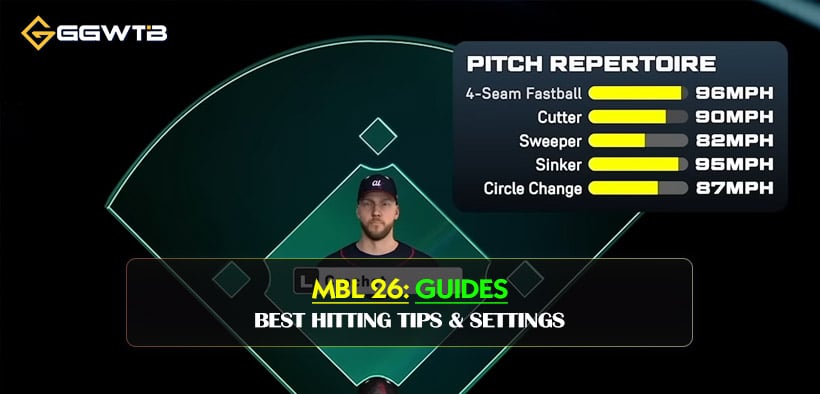
This guide breaks down the settings and habits that actually help in games. The goal is not to overcomplicate things. It is to make your swings more consistent, your reads faster, and your practice more useful.
- Best Hitting Settings
- Why Zone is the best choice
- Best Camera and PCI Setup
- Best camera views
- PCI tips
- Best PCI Approach
- Best Practice Routine
- Custom Practice
- Adjust based on your misses
- Use Challenge of the Week
- Ranked Is Where Improvement Becomes Real
- FAQ
- What is the best hitting interface in MLB The Show 26?
- What is the best hitting camera?
- Should I leave my PCI in the middle?
- Is PCI sensitivity important?
- Do I need thumbstick accessories?
- Final Thoughts
Best Hitting Settings
For most players, this is the best starting setup.
| Setting | Recommended Option | Why It Works |
|---|---|---|
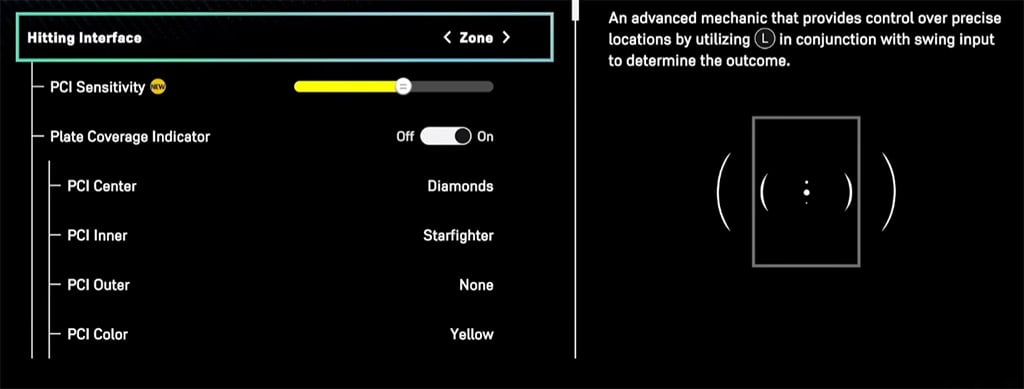
| Hitting Interface | Zone | Gives you full PCI control and the highest skill ceiling |
| Swing Input | Buttons | Most reliable input method |
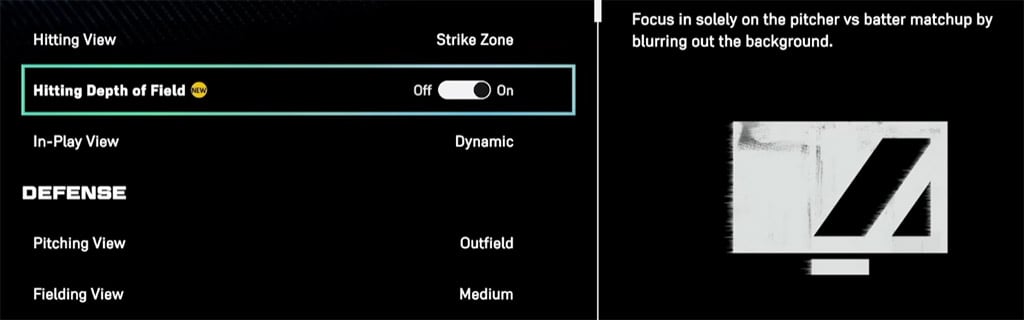
| Hitting View | Strike Zone | Best view for reading pitches clearly |
| Alternate View | Strike Zone High | Good if Strike Zone feels too tight |
| PCI Fadeout | Off | Keeps visual feedback consistent |
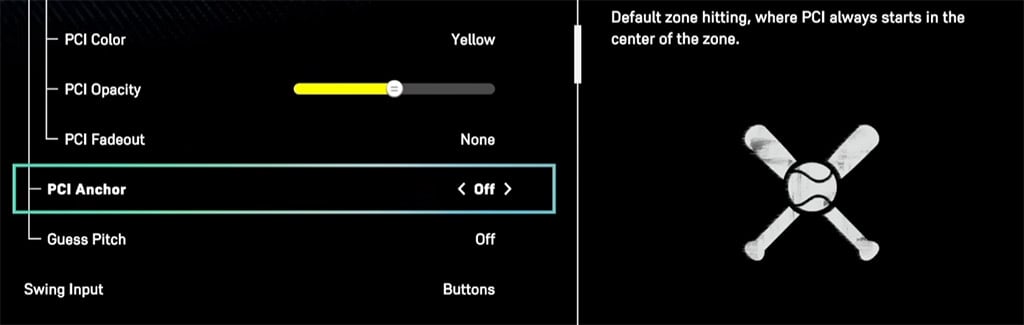
| PCI Anchor | Off | Better to keep things simple at first |
| PCI Sensitivity | Start in the middle and test | Too high causes overcorrection, too low makes you late |
Why Zone is the best choice
If you want to improve long-term, Zone is the best hitting interface. It gives you direct control over PCI placement, which means your results connect more clearly to your actual input.
That matters because it helps you understand why you missed:
- late swing
- bad PCI placement
- chasing a bad pitch
- poor pitch recognition
Best Camera and PCI Setup
Your camera and PCI visuals should help you see the ball earlier and keep your movement under control.
Best camera views
The two best options are:
- Strike Zone
- Strike Zone High
Strike Zone is the standard competitive view because it gives the clearest read on release point and pitch movement.
Strike Zone High is a good alternative if you feel cramped or uncomfortable with the default Strike Zone view.
PCI tips
There is no single perfect PCI style, but these rules help:
- If you chase too much, use a simpler-looking PCI
- If you lose track of it, make it brighter
- If it feels distracting, lower the opacity
The important thing is comfort and discipline. A cleaner PCI setup often leads to better swing decisions.
Best PCI Approach
A lot of players leave the PCI in the middle and try to react to everything. That can work, but it is not always the most consistent approach.
A better method is to apply light pressure toward the most likely pitch location.
| Matchup | Recommended PCI Bias | Why It Helps |
|---|---|---|
| Righty vs Righty | Up and In | Covers one of the most common fastball lanes |
| Lefty vs Lefty | Up and In | Helps against inside velocity |
| Opposite-handed matchup | Slightly toward release side | Makes tracking feel more natural |
The key is not to force the PCI into a corner. Just lean slightly toward the area you want to protect.
This works because high inside fastballs are the hardest pitches to react to. If you are already prepared for that lane, it becomes easier to adjust to offspeed pitches later.
Best Practice Routine
Good settings help, but practice is what turns them into better results.
Custom Practice
Start with this setup:
| Practice Setting | Recommended Option |
|---|---|
| Mode | Batting Practice |
| Pitcher | Someone with velocity and movement |
| Pitch Location | All Strikes |
| Difficulty | Your current level, then increase later |
| Goal | Track your miss pattern |
Using All Strikes at first helps you focus on:
- timing
- PCI movement
- pitch tracking
- building confidence
Adjust based on your misses
| Problem | Likely Cause | Adjustment |
|---|---|---|
| Late on inside fastballs | Slow reaction or low sensitivity | Start PCI up and in, or raise sensitivity slightly |
| Overmoving the PCI | Sensitivity too high | Lower it a bit |
| Chasing too many pitches | Poor discipline or visual comfort | Simplify PCI and take more pitches |
| Good in practice, bad in ranked | Pressure affects recognition | Warm up before online games |
This is the part many players skip. Do not just swing and hope. Watch how you miss, then adjust.
Use Challenge of the Week
Challenge of the Week is one of the best low-pressure ways to improve.
It helps because:
- you see a lot of pitches
- you practice plate discipline
- difficulty increases over time
- there is no ranked penalty
If you struggle with chasing pitches or staying calm at the plate, this mode is a great tool.
Ranked Is Where Improvement Becomes Real
Practice helps you build mechanics, but ranked games teach you how real opponents pitch.
That is where you learn:
- how players attack your weaknesses
- what pitch sequences give you trouble
- whether your timing holds up under pressure
- whether your plate discipline is improving
A simple warm-up routine works well:
1. 5 minutes of Custom Practice
2. 1 run in Challenge of the Week
3. Then jump into Ranked
That is usually enough to settle your timing before real games.
FAQ
What is the best hitting interface in MLB The Show 26?
Zone is the best option for players who want the most control and the most room to improve.
What is the best hitting camera?
Strike Zone is the best overall choice.
If it feels too tight, try Strike Zone High.
Should I leave my PCI in the middle?
You can, but many players get better results by lightly cheating toward the most likely pitch lane, especially up and in.
Is PCI sensitivity important?
Yes. If it is too high, your PCI will fly past the ball. If it is too low, you may struggle to catch up to fastballs.
Do I need thumbstick accessories?
No, but they can help if you tend to overmove the PCI. They are useful tools, not requirements.
Final Thoughts
The best way to improve hitting in MLB The Show 26 is to keep things simple and repeatable:
- use Zone
- stick with Strike Zone
- test PCI sensitivity carefully
- start your PCI with a purpose
- practice with structure before jumping into ranked
Once your reads get earlier and your PCI movement gets cleaner, your hitting becomes much more consistent.

Most Popular Posts
- MLB The Show 26 God Squad Guide: Best Lineup, 98 Tarik Skubal, Bullpen Picks, and Legend Tips
- MLB The Show 26 Tier List: Best Diamond Dynasty Cards by Position
- MLB The Show 26 Hall of Fame Guide: 99 Hoffman, Best Spotlights & Chase Pack Value
- MLB The Show 26 Top 20 Endgame Cards Ranked for New Seasons
- MLB The Show 26 New Threads 2.0 Tier List Guide: Best Cards, Budget Picks, and Meta Fits
- MLB The Show 26 New 99 OVR Tier List: Best Cards Ranked
Popular Category Lists
- ARC Raiders / (354)
- Grow a Garden / (294)
- CoD: Black Ops 7 / (167)
- Star Citizen / (163)
- MLB 26 / (159)
- Monopoly Go / (153)
- ARK Survival Ascended / (128)
- Steal a Brainrot / (99)
- Blox Fruits / (74)
- Adopt Me / (74)
- Forza Horizon 6 / (72)
- Sailor Piece / (68)
- Grow a Garden 2 / (68)
- Diablo IV / (62)
- CoD: BLACK OPS 6 / (55)
- Aion 2 / (52)
- Path of Exile 2 / (48)
- Monster Hunter Wilds / (46)
- Windrose / (44)
- COD: Modern Warfare 4 / (43)