0
0 Created: Jun 8,2025 | Dune: Awakening
Dune: Awakening Current Twitch Drops and Redeem Process

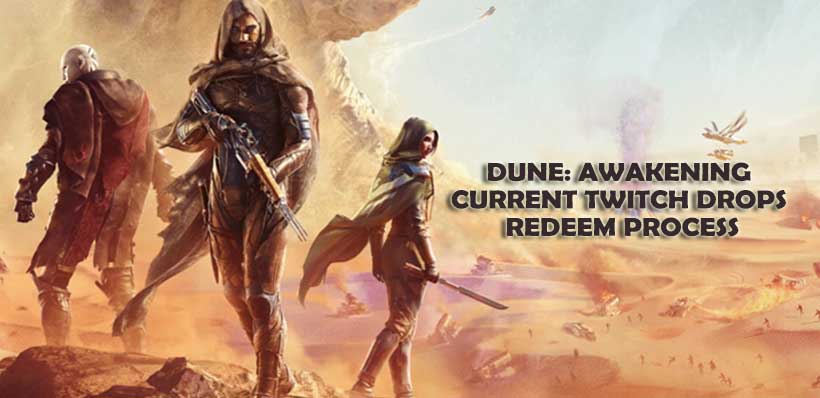
Dune: Awakening is one of the most awaited games and if you're an avid gamer, securing some exclusive items would certainly enhance your overall gaming experience. So we bring you all the Twitch Drops that could be earned by watching participating streamers. This guide has everything you require to know related to Twitch Drops for Dune: Awakening.
What are Twitch Drops and How To Earn Them?
Twitch Drops are in-game rewards that can be attained by simply watching Twitch streams. Here are the two things that you'll have to do in order to get through the earning process:
- Ensure you are watching a streamer who has enabled Drops.
- Twitch account must be linked to Dune: Awakening account.
- Watch streams for the required time.
The predefined account linking and viewing Twitch streams will credit your account with the necessary rewards after watching eligible streams.
Available Twitch Drops at the Moment
Twitch Drops for Dune: Awakening are available from June 5 to June 24, 2025. Twitch Drops are achieved by watching defined time slots.
| Reward | Time Watched |
| Observer Foundation | 30 Minutes |
| Observer Floor | 1 Hour |
| Observer Wall | 2 Hours |
The rewards will show up in your Twitch inventory after the time milestones have been achieved. You will be able to claim those rewards and use them in the game.
Steps to Redeem Twitch Drops
Your Twitch Drops are ready to be claimed and can be redeemed on any platform of your choice. PlayStation, Steam, and Xbox users are provided with a guide below:
- PlayStation
- Open the PlayStation Store and select your profile at the top of the screen.
- Choose Redeem Code.
- Provide the 12-digit code you were given, then press the Continue button.
- The items will now be incorporated into your game account.
- Steam
- Launch Steam on your PC and sign into your account.
- Click on the top bar menu named Games.
- Click Activate a Product on Steam.
- Complete all the required steps to unlock your items.
- Xbox
- Select Store in the menu after pressing the Xbox button, then proceed to the store.
- Select Redeem from the submenu.
- Insert your 15 digit code, hit Next, and follow all given prompts until the process finishes.
Important Notes
Ensure that your Twitch account is properly linked with Dune: Awakening to allow watching eligible streams for rewards.
Do note that codes for redeeming items differ for various platforms; PlayStation users get 12-digit codes while Xbox users receive 15 digit codes.
Twitch Drops are only available for redemption during certain periods; make sure to redeem them in a timely manner.
Enjoy exploring the expansive sands of Arrakis while watching the streams as you unlock exclusive items using Twitch Drops.
Most Popular Posts
- Dune: Awakening Spice Guide: How to Find, Harvest, Refine, and Use Spice
- Dune Awakening Guide: Everything You Need To Know
- Dune: Awakening 20 Secrets Tips and Essential Beginner Tricks
- How to Build an Ornithopter in Dune: Awakening - Guide for Solo Players
- Best Dune Awakening Endgame Base Locations: Fast Progression vs Story Exploration
- How to Locate and Farm Dune: Awakening Jasmium and Erythrin Crystals?
Popular Category Lists
- ARC Raiders / (354)
- Grow a Garden / (294)
- CoD: Black Ops 7 / (167)
- Star Citizen / (163)
- MLB 26 / (159)
- Monopoly Go / (153)
- ARK Survival Ascended / (128)
- Steal a Brainrot / (99)
- Blox Fruits / (74)
- Adopt Me / (74)
- Forza Horizon 6 / (72)
- Sailor Piece / (68)
- Grow a Garden 2 / (68)
- Diablo IV / (62)
- CoD: BLACK OPS 6 / (55)
- Aion 2 / (52)
- Path of Exile 2 / (48)
- Monster Hunter Wilds / (46)
- Windrose / (44)
- Maplestory Classic / (42)