0
0 Created: Sep 18,2025 | Grow a Garden
Grow a Garden Boost Your Efficiency and Discover Hidden Tricks

Have you ever struggled with limited pet space, slow resource gathering, or cluttered garden layouts in Grow a Garden? If so, you're not alone! Today, I'm sharing 10 advanced tips that will completely transform your gameplay experience. Whether you're a beginner or a seasoned player, these strategies will help you efficiently manage your garden, gather resources faster, and uncover hidden secrets in the game. Ready to level up your gardening skills? Let's dive in!
- Expand Pet Space to Maximize Your Collection
- Move While Gathering for Faster Results
- Rare Pet Variants – Black Swans and Blue Lobsters
- Use Pancake Stacks to Control Pet Movement
- Stack Cosmetics for Better Functionality and Appearance
- Use Squirrels and Chipmunks for Infinite Tools
- Sell All Pets Instantly with One Button
- How to use it safely?
- Plant Dense Layouts to Save Space
- Use the Search Function for Event Plants
- Master the Favorite/Unfavorite System
- FAQ
- Conclusion
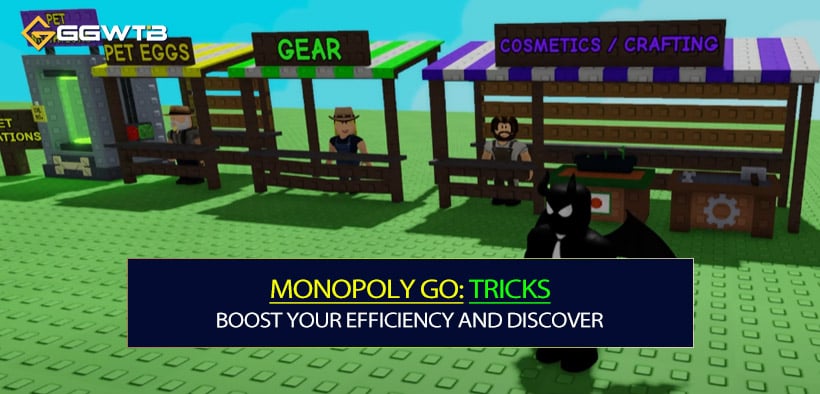
Expand Pet Space to Maximize Your Collection
Running out of pet space is a common problem. By default, you can store 60 Grow a Garden pets, but did you know you can expand this to a whopping 185 slots?
Here's how:
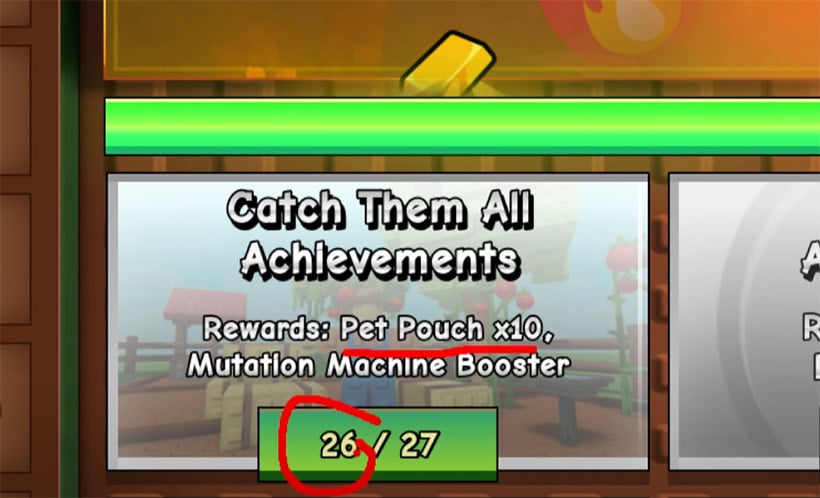
- Step 1: Complete pet age turn-ins. By raising pets to ages 10, 25, 40, 60, and 75, you can unlock an additional 25 slots.
- Step 2: Craft pet pouches. Using items like common eggs, small toys, and corn dogs, you can craft up to 50 pet pouches, increasing your capacity to 135 slots.
- Step 3: Use garden coins. Through ascension, you can exchange garden coins for 50 more slots.
Why does this matter?
More pet space means you can keep rare pets and those with useful abilities without sacrificing your collection. This is especially crucial as new pets are added to the game.
Move While Gathering for Faster Results
Standing still while gathering resources might seem efficient, but moving while gathering is actually much faster. My tests showed that stationary gathering took 39 seconds, while moving gathering took only 21 seconds for the same amount of resources.
How to do it?
Simply keep moving while collecting resources, and water nearby areas to ensure faster regrowth of plants.
What does this mean for you?
If you often need to gather large amounts of resources, such as fruits or seeds, this trick will save you significant time and make your gameplay smoother.
Rare Pet Variants – Black Swans and Blue Lobsters
Did you know there are ultra-rare pet variants in the game? Two examples are the Black Swan and the Blue Lobster, which mimic real-life genetic anomalies.
How to find them?
These pets are extremely rare, but you can try hatching eggs or trading with other players to get them.
Why are they valuable?
Rare pets not only enhance your collection but can also be traded for high-value items, making them a prized possession in the community.
Use Pancake Stacks to Control Pet Movement
The Pancake Stack cosmetic is more than just decoration—it's a powerful tool for keeping pets in a specific area.
How to use it?
Place multiple Pancake Stacks in your garden, and pets will stay close to them, making it easier to manage their abilities.
Additional uses
This trick is especially helpful for concentrating pets that gather resources or boost plant growth.
Stack Cosmetics for Better Functionality and Appearance
Did you know you can stack multiple cosmetics in the same spot? For example, stacking multiple fountains or lanterns can enhance their functionality and visual impact.
How to stack?
Stand at the desired location and repeatedly click the cosmetic item in your inventory.
Why is this useful?
Stacking cosmetics saves space in your garden while amplifying their effects, such as brighter lighting or stronger decorative features.
Use Squirrels and Chipmunks for Infinite Tools
Squirrels can provide infinite harvest tools, while chipmunks can give you infinite reclaimers.
When to use this?
If you frequently reset your garden layout or need tools for large-scale harvesting, these pets are incredibly helpful.
Why is this important?
Infinite tools eliminate the need for constant purchases, saving you time and resources while simplifying garden management.
Sell All Pets Instantly with One Button
Managing your inventory can be tedious, but there's a Sell All button that allows you to instantly clear your unwanted pets.
How to use it safely?
Before clicking Sell All, make sure to favorite (mark with a heart) all the pets you want to keep. You can double-check this by clicking the heart icon twice in your backpack to see unfavored items.
What's the risk?
Using this feature carelessly can lead to accidentally selling rare or valuable pets, so always check before confirming.
Plant Dense Layouts to Save Space
Certain plants, such as coconut trees and bean stalks, can be planted very close together, saving valuable garden space.
How to do it?
Plant seeds in tight clusters before they grow. For example, coconut trees can overlap during planting, maximizing your resource output in a small area.
Why does this matter?
This technique is especially useful during events when you need to grow specific plants quickly and efficiently.
Use the Search Function for Event Plants
Finding the right plants for events can be time-consuming. Instead, use the search feature in your Garden Guide to quickly locate the required seeds.
How to use it?
Go to the Garden Guide, click Plants, and type in keywords like Tropical to filter relevant plants.
Why is this practical?
This saves time and ensures you're planting the correct types for event objectives.
Master the Favorite/Unfavorite System
The favorite system is a lifesaver for organizing your inventory and protecting valuable items.
How to use it?
Click the heart icon in your backpack to mark items as favorites. Double-click the heart to view unfavored items and ensure nothing important is accidentally sold or discarded.
Why is this crucial?
This system helps you avoid costly mistakes, like accidentally selling rare pets or important resources.
FAQ
Q1: Do I need to spend money to expand pet space?
No, pet space can be expanded by completing tasks, crafting pet pouches, and using garden coins—no real-money purchases required.
Q2: How rare are Black Swans and Blue Lobsters?
They are extremely rare, with appearances based on random chance. Their value depends on demand in the trading market.
Q3: Can I stack cosmetics for functional items like fountains?
Yes, stacking fountains or lights can amplify their effects, such as spreading mutations faster or increasing brightness in your garden.
Conclusion
These 10 advanced tips will revolutionize how you play Roblox Grow a Garden. From expanding pet space to optimizing gathering speed and uncovering rare pets, each strategy is designed to boost efficiency and make your gameplay more enjoyable. If you haven't tried these techniques yet, now's the perfect time to implement them and take your garden to the next level. Happy gardening!


The GGWTB Editorial Team features 10 full-time gaming editors and 23 specialist contributors, delivering hands-on tested walkthroughs, easter egg breakdowns, and game updates.
Jordan — who spearheads our in-depth Grow a Garden, Steal a Brainrot guides, and patch notes—every guide is rigorously verified on live servers for accuracy.
Most Popular Posts
- Grow a Garden Secret Badge Walkthrough: Carrot Weight & Puzzle Guide
- Grow a Garden Get Secret Seeds & Rare Pets Guides: DLC Codes + Trading Guide
- Grow a Garden Enfield Guide: Everfallen Roll Rules & Level Loss
- Grow a Garden Moon Harvest Part 4 Guide: Gear Odds, Reset Rewards, Cornling Strategy, New Seeds
- Grow a Garden: Beanpod Chest Farming and Elder Beanstalk Guides
- Grow a Garden Arctic Fox Guide: Best AFK Setup for Seeds, Gears, Eggs & Pet XP
Popular Category Lists
- ARC Raiders / (354)
- Grow a Garden / (294)
- CoD: Black Ops 7 / (167)
- Star Citizen / (163)
- MLB 26 / (159)
- Monopoly Go / (153)
- ARK Survival Ascended / (128)
- Steal a Brainrot / (99)
- Blox Fruits / (74)
- Adopt Me / (74)
- Forza Horizon 6 / (72)
- Sailor Piece / (68)
- Grow a Garden 2 / (68)
- Diablo IV / (62)
- CoD: BLACK OPS 6 / (55)
- Aion 2 / (52)
- Path of Exile 2 / (48)
- Monster Hunter Wilds / (46)
- Windrose / (44)
- Maplestory Classic / (42)