0
0 Created: Dec 4,2025 | Grow a Garden
Grow a Garden Trading World: How to Bypass RAP Traps & Make Tokens Insanely Fast

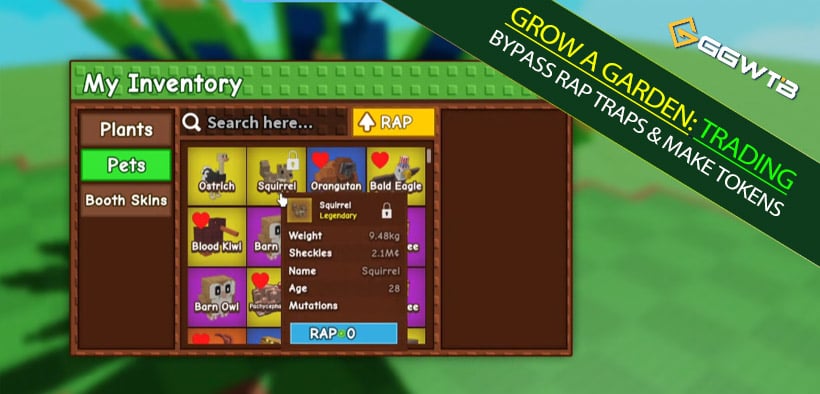
The new Trading World in Grow a Garden feels like the Wild West right now. RAP values are all over the place, basic pets are being listed for thousands, and yet, you see players walking away with massive GaG Trade Token profits from a single trade.
If you've ever stared at your screen thinking:
Why is that guy selling the same pet for 300 when mine won't move at 100?
RAP says this is worth 11, but everyone is selling for 200+... what is going on?
I keep buying high and selling low without meaning to.
Then you are exactly who this guide is for. We are going to strip away the luck and break this down into a coherent, actionable system. We aren't just talking about buying low—we're talking about how to read a rigged market, avoid locking your inventory, and turn your backpack into a Token-printing machine.
The 7-Day Lock: Don't Let Your Tokens Get Stuck
Before you think about getting rich, you need to understand the one mechanic that kills profit: The 7-Day Listing Lock.
What gets locked?
When you try to list a pet in the shop, you might find it's greyed out. This happens if:
1. You just bought it from another player's shop.
2. You received it via a Trading Ticket.
What does this mean for you?
If you are a flipper (someone who buys to resell immediately), this lock is your enemy. It freezes your liquid Tokens into assets you can't sell for a week. By the time the lock expires, the market hype might be gone.
The Alt Account Trap
If you move pets between your main account and your alt account, listen closely:
Alt-to-Alt Transfers: Always use Gift.
Never use Tickets for self-transfer: If you use a ticket to move a pet to your alt, you trigger the 7-day lock.
Rule of Thumb:
Use Tickets for deals with strangers (to save money, which we'll get to next), but use Gift for your own logistics. This one change keeps your inventory liquid.
Trading Tickets: The Zero-Fee Negotiation Tool
Now that you know how to avoid the lock, let's talk about how to use Tickets to squeeze out extra profit.
Stop Insta-Buying from the Shop
The Trade World shop takes a 1% listing fee. Sellers know this, so they pad their prices to cover it. If you just walk up and click Buy, you are paying that lazy tax.
Try this instead:
1.Find a pet you want in the shop.
2.Don't buy it yet. DM or trade the seller.
3.Negotiate a price and pay via Trading Ticket.
Why does this work?
Tickets now allow you to set exact Token values with zero system fees.
The seller saves their 1%.
You get to negotiate a lower price because they are saving money.
It's a win-win. If you stop auto-buying and start negotiating via ticket, you instantly shave 3–10% off your costs. Over a hundred trades, that's a massive amount of free Tokens.
RAP & Valuation: Why the Numbers Lie
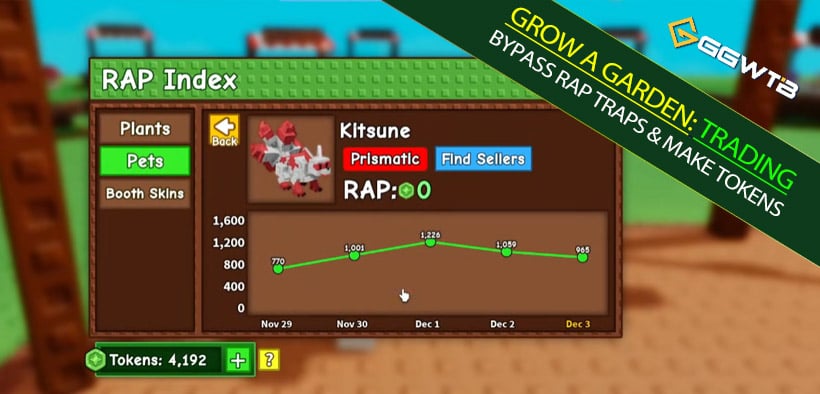
Click Index and check the RAP (Recent Average Price).
Here is the hard truth: RAP is currently broken.
The Heat Meter Strategy
In real lobbies, you'll see a Dragonfly with a RAP of 11 being listed for 300.
Why? RAP records history, but it doesn't account for Weight (kg) or Variants (Nightmare/Diamond).
The Risk: If you blindly follow RAP, you will either sell a rare 50kg pet for pennies, or buy an inflated trash pet because someone manipulated the average.
Use RAP only as a Heat Meter:
Low RAP, Low Lobby Price → Cold/Dead item.
Low RAP, High Lobby Price → Hype or High Specs.
The Real Value Formula:
True Price = Base Rarity + Weight Bonus (kg) + Variant (Nightmare/Diamond) + Server Hype
Real Example:
We saw a Diamond Panther (RAP ~65). A novice might list it at 70. A pro listed it at 300 because of the Diamond variant and high kg. After some negotiation, it sold for 265.
The Lesson: If you had followed RAP, you would have lost 200 Tokens instantly.
The Art of Pricing: Upsell vs. Undersell
You need to switch between two modes depending on what you are holding.
Mode 1: The Upsell (Pushing the Ceiling)
Use this when: Your pet is genuinely special (High kg, Nightmare, Diamond).
Don't be afraid to list way above RAP. You aren't just selling a pet; you are selling a flex.
Strategy: List high (e.g., 250-300 for a 65 RAP item).
Watch: If people inspect it but don't buy, lower it slightly. You are probing for the maximum a buyer is willing to pay for quality.
Mode 2: The Undersell (The Fast Flip)
Use this when: You have a generic pet (like a standard Nightmare Kitsune) and the lobby is flooded with them.
If five other people are selling the same pet for 1.8k and nobody is buying, undercut them.
Strategy: List at 1.5k or 1.6k.
Why? You become the most attractive option in the room. You get your Tokens back now (instant liquidity) while the other sellers are left holding the bag for days.
Display & Movement: You Are a Walking Billboard
Pricing is only half the battle. If nobody sees your pet, nobody buys it.
The Equip Tactic
If you leave your pet sitting in the shop listing while you stand AFK in a corner, you are losing money.
Visual presence matters.
Equip your best pet: Walk around holding that massive, glowing Nightmare pet.
Create FOMO: When players see a cool pet in-hand, they think, Wow, I want that. They inspect you, see the price, and are more likely to buy.
Server Hopping: Change the Room
If you've been in a lobby for 15 minutes and the market is dead (people just chatting, no trades), leave.
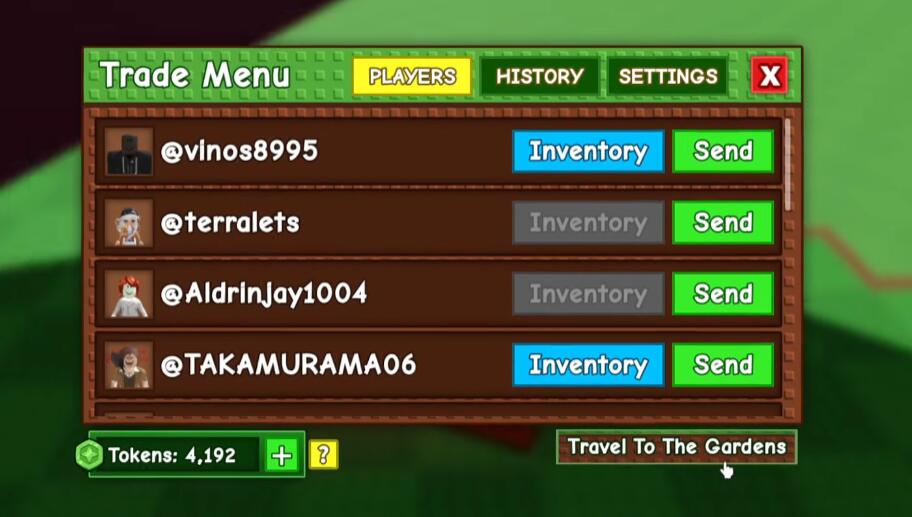
1. Go to Trade -> Travel to Gardens.
2. Re-enter Trading World.
3. Boom, new server, new buyers.
Don't waste time trying to sell to people who have no Tokens. Find a server where the money is moving.
Scams & Soft Pressure
As your Token count grows, you become a target. Watch out for Soft Scams.
The Trust Me Sniper
If a stranger keeps telling you: Bro, set your 50kg pet to 15. Nobody buys at that price, trust me, just lower it, they are lying.
They are trying to snipe your valuable pet for cheap.
Defense: Check other listings. Ask a friend. Never trust the person trying to buy from you to set the price.
The You Buy Mine, I Buy Yours
This is the oldest trick in the book. Help me out, buy my pet for 500, and I promise I'll buy yours for 1000 after.
Spoiler: They won't. Stick to one-way, secure trades.
FAQ
Q1: Is RAP completely useless?
No, but it's just a baseline. Use it to spot trends, but never use it as your final price tag, especially for heavy (high kg) or variant pets.
Q2: When should I use Tickets vs. Shop?
Use Tickets for high-value trades with other players to save fees and negotiate. Use the Shop for low-value items or when you want to sell while AFK.
Q3: Does holding the pet really help sell it?
Absolutely. It acts as a free advertisement. A Nightmare variant looks much cooler in your hand than as a text line in a shop menu.
The Bottom Line
The Trading World in Grow a Garden rewards knowledge, not just luck. The players making thousands of Tokens aren't guessing; they are:
1.Avoiding the 7-day lock on their flipping stock.
2.Ignoring RAP when the item has high weight or rare variants.
3.Undercutting the competition to keep cash flowing.
4.Server hopping until they find active buyers.
Stop treating the market like a lottery. Treat it like a business, protect your assets, and start designing your own profit.
Most Popular Posts
- Grow a Garden Clam Event Guide: Tide Tokens, Coastal Eggs & Best Summer Update 2 Strategy
- Grow a Garden Planting Trick Guide: Best Tomato Method, High Tide Radar Leak, Rewards
- Grow a Garden Secret Badge Walkthrough: Carrot Weight & Puzzle Guide
- Grow a Garden Get Secret Seeds & Rare Pets Guides: DLC Codes + Trading Guide
- Grow a Garden Moon Harvest Part 4 Guide: Gear Odds, Reset Rewards, Cornling Strategy, New Seeds
- Grow a Garden Enfield Guide: Everfallen Roll Rules & Level Loss
Popular Category Lists
- ARC Raiders / (339)
- Grow a Garden / (292)
- CoD: Black Ops 7 / (167)
- Star Citizen / (160)
- MLB 26 / (159)
- Monopoly Go / (152)
- ARK Survival Ascended / (125)
- Steal a Brainrot / (98)
- Blox Fruits / (74)
- Adopt Me / (73)
- Forza Horizon 6 / (72)
- Sailor Piece / (68)
- Grow a Garden 2 / (68)
- Diablo IV / (62)
- CoD: BLACK OPS 6 / (55)
- Path of Exile 2 / (48)
- Monster Hunter Wilds / (46)
- Windrose / (44)
- Aion 2 / (43)
- Donut SMP / (40)