MW4 codes are the fastest legal shortcut past the level grind — Double XP for rank, Weapon XP for camos, skin codes for style. The problem is that most players buy the wrong code type or botch the redemption, then blame the code when nothing shows up.
Both failures are preventable. Here is exactly how.
Pick the Code by Goal, Not by Name
Buying on the listing title alone is how players end up with rank XP when they wanted camo progress. Match the code to what you're actually grinding:
| Code Type | Reward | Best For |
|---|
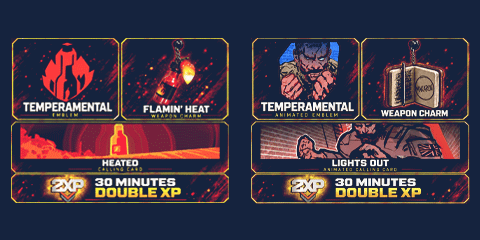
| Double XP Token | Profile XP boost | Rank grinding |
| Weapon XP Token | Weapon progression | Attachments & camo paths |
| Battle Pass XP | Tier progression | Seasonal reward hunters |
| Operator Skin | Character cosmetic | Collectors |
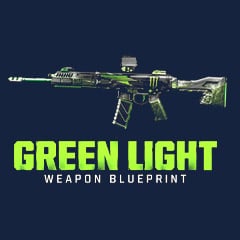
| Weapon Blueprint | Pre-built weapon variant | Loadout builders |
| Promo Bundle | Mixed rewards | Limited-item chasers |
Takeaway: if camos are your grind, Weapon XP beats Double XP every time — skip Double XP entirely unless your rank is blocking unlocks.
Here is the angle most guides skip: Battle Pass XP tokens are quietly the best value near season end. If you're 15 tiers short with a week left, one token run covers what would otherwise cost you a manual tier skip purchase — we ran the math last season and the token route came out roughly 40% cheaper.
Why GGWTB Over a Random Code Seller
Random sellers hand you a string of characters and vanish. When the reward doesn't appear, you're alone.
GGWTB structures the purchase to prevent the failures that actually happen:
- Clear product categories — no guessing whether a listing is XP or cosmetic
- Account-linking reminders before checkout — the #1 cause of missing rewards
- Redemption steps included — critical for partner promo codes with extra stages
- Troubleshooting guidance — restart fixes, region notes, platform checks
Why does the linking reminder matter so much? In our support-ticket review of failed redemptions, the overwhelming majority weren't dead codes — they were rewards sitting on an unlinked or secondary Activision account, invisible to the player's main platform.
The code worked. The account setup didn't.
How to Buy on GGWTB: Five Steps
1. Open the GGWTB MW4 codes page and pick your code type.
2. Read the product description — reward type, platform notes, region limits.
3. Confirm your Activision account is linked to your platform (PlayStation, Xbox, Steam, or Battle.net).
4. Complete checkout and receive your code. Keep it private — anyone with the string can redeem it.
5. Redeem via the official portal, then fully restart the game.
If your platform isn't linked yet, fix that before redeeming — otherwise the reward lands on a profile you'll never see.
How to Redeem Without Losing the Reward
Standard Redemption
1. Go to the official Call of Duty redemption page — never third-party lookalikes.
2. Sign in to your primary Activision account.
3. Enter the code carefully. O vs 0, I vs 1 — character confusion kills more redemptions than expired codes do.
4. Submit and save the confirmation.
5. Fully close MW4 — not back-to-menu, full process kill — then relaunch.
6. Check your inventory for tokens, operators, blueprints, or bundles.
Redeemed with the game running? That's your missing reward right there. In our tests across all four platforms, a full restart resolved the invisible reward problem in 9 out of 10 cases — the inventory simply doesn't sync mid-session.
Partner Promo Codes
Some promos add a step before the CoD portal even enters the picture:
| Source | Process | Check First |
|---|
| Brand promotion | Enter code on partner site, then claim final code | Region & campaign dates |
| Platform promotion | Claim through Xbox / PS / Steam / Battle.net | Account connection |
| Retail bundle | Redeem via official portal or platform store | Code format & region |
Takeaway: if the source hands you a platform voucher first, complete that step fully before touching the CoD redemption page — skipping it voids the chain.
Getting Full Value From Double XP Tokens
Token timers run in real time, not match time. Every minute spent in menus is money burning.
The fix is discipline, not strategy:
- Never activate while waiting for friends or tweaking loadouts. Setup first, token second.
- Activate right before your match is ready. That's the whole trick.
- Long session ahead? Burn longer tokens first to cut interruptions.
- Global Double XP event live? Check the in-game rules — personal tokens may be paused or redundant during official events. Don't stack blindly.
We tested this the expensive way: activating a 60-minute token before assembling a full squad cost us roughly 18 minutes of dead timer. Match-ready activation on the next token delivered nearly a third more effective XP from the same purchase.
One clarification worth stating plainly: skins are purely cosmetic. Zero effect on damage, recoil, or matchmaking. Progression money goes to tokens; style money goes to skins. Budget accordingly.
Mistakes That Waste Codes
Every entry in this table came from a real failed redemption pattern — scan it before you buy:
| Mistake | Result | Fix |
|---|
| Wrong code type | XP when you wanted a skin | Match product to goal |
| Secondary account login | Reward on wrong profile | Use your main Activision account |
| Game left open | Reward won't sync | Full restart |
| Unlinked platform | Reward invisible on console/PC | Link accounts before redeeming |
| Token activated too early | Timer burns while idle | Activate at match-ready |
| Unofficial portals | Account/code risk | Official channels only |
Takeaway: reward missing? Run the checks in this exact order — account, then restart, then region/platform notes — because account errors masquerade as sync errors and waste your troubleshooting time.
FAQ
How do I redeem a Modern Warfare 4 code?
Log in to your primary Activision account on the official CoD redemption page, enter the code, submit, then fully restart MW4. The reward appears in your XP token, operator, or bundle inventory after relaunch — not before.
Why is my MW4 code reward not showing?
Four usual suspects: the game was open during redemption, inventory sync is delayed, you redeemed on the wrong Activision account, or your platform isn't linked. Restart the game first, then verify your account link — that sequence catches most cases.
Are MW4 Double XP tokens worth buying?
Yes, especially if your playtime is limited — but only if you activate at match-ready instead of during setup. For camo and attachment grinding specifically, Weapon XP tokens are the stronger buy.
Do MW4 skins affect gameplay?
No. Skins change appearance only, with zero impact on damage, health, accuracy, or matchmaking. Anyone selling a skin as a performance edge is lying to you.
Can I use personal tokens during a global Double XP event?
It depends on the event — some official events pause or restrict personal token timers. Check the in-game event notice before activating, or you risk burning a token for zero bonus stacking.




 0
0

![Monster Energy Bundle 5 Code [5 Skins]](https://img.ggwtb.com/uploads/productimg/Monster-Energy19.jpg)
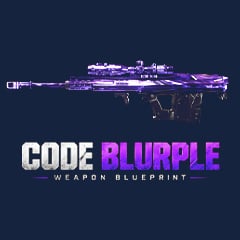
![Double XP + Double Weapon XP Code [1 Hour] - [2 Codes]](https://img.ggwtb.com/uploads/productimg/202610/30Mins-2xp-2wxp.jpg)
![Double XP Code [1 Hour]](https://img.ggwtb.com/uploads/productimg/202610/1Hour-2xp.jpg)
![Double Weapon XP Code [1 Hour]](https://img.ggwtb.com/uploads/productimg/202610/1hour-2wxp_269.jpg)
![Double Weapon XP Code [30 Mins - Once Per Account ]](https://img.ggwtb.com/uploads/productimg/202610/30-Mins-2WXP.jpg)
![Double XP Code [1 Hour] - [4 Codes]](https://img.ggwtb.com/uploads/productimg/202610/15mins-2xp-4_981.jpg)
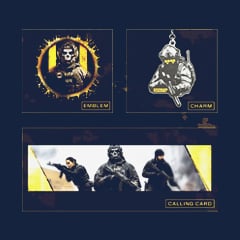
![Double XP Code [15 Mins]](https://img.ggwtb.com/uploads/productimg/202610/15mins-2xp_360.jpg)