0
0 Created: Aug 15,2026 | COD: Black Ops 2
Best Black Ops 2 1.07 Settings: Controller, Sensitivity, Audio, and PS5 Setup

Black Ops 2 after the 1.07 update still plays like classic BO2. That is the good part. The bad part is that the settings menu is old, limited, and missing modern controller tools.
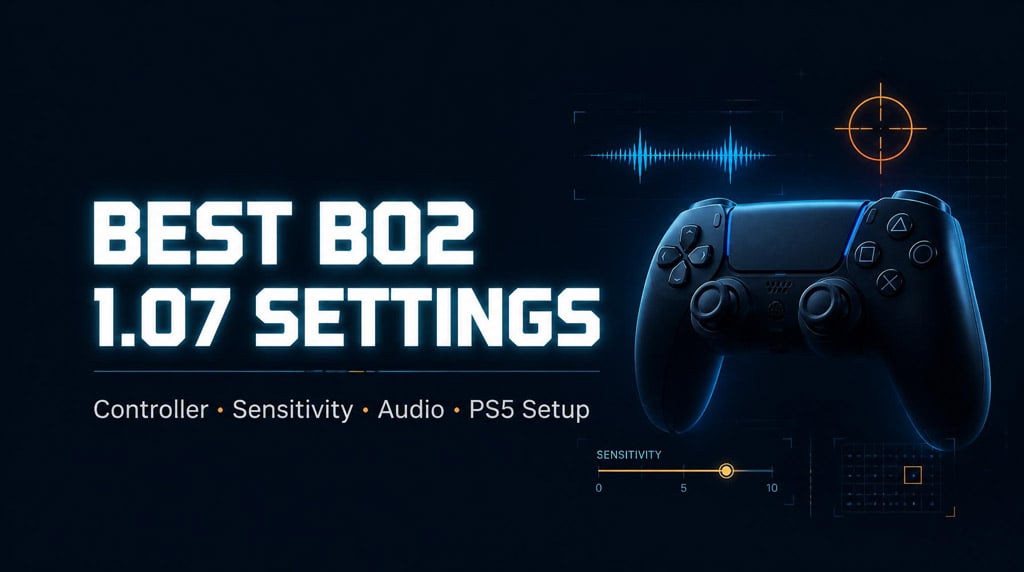
The goal is simple: cleaner aim, better audio, less visual clutter, and faster movement without ruining the BO2 feel.
- Best BO2 1.07 Settings at a Glance
- BO2 1.07 Update: What Actually Matters
- Best BO2 Controller Settings
- Why Tactical Is the Best BO2 Button Layout
- Best BO2 Sensitivity Settings
- Best DualSense Edge Settings for BO2
- DualSense Edge Button Mapping
- Best DualSense Edge Stick Settings
- Trigger Deadzone Tip
- Best BO2 Audio Settings
- Best BO2 Audio Preset
- Best BO2 Graphics and PS5 Display Settings
- In-Game Graphics Settings
- Best PS5 Settings for BO2
- Monitor Settings That Actually Help
- Best BO2 Settings by Playstyle
- Should BO2 Weapons Be Buffed or Nerfed?
- FAQ
- What is the best sensitivity for BO2 1.07?
- What is the best controller layout in Black Ops 2?
- What is the best audio preset for BO2?
- Should HDR, VRR, and 120Hz be on for BO2?
- What are the best DualSense Edge settings for BO2?
- Summary
Best BO2 1.07 Settings at a Glance
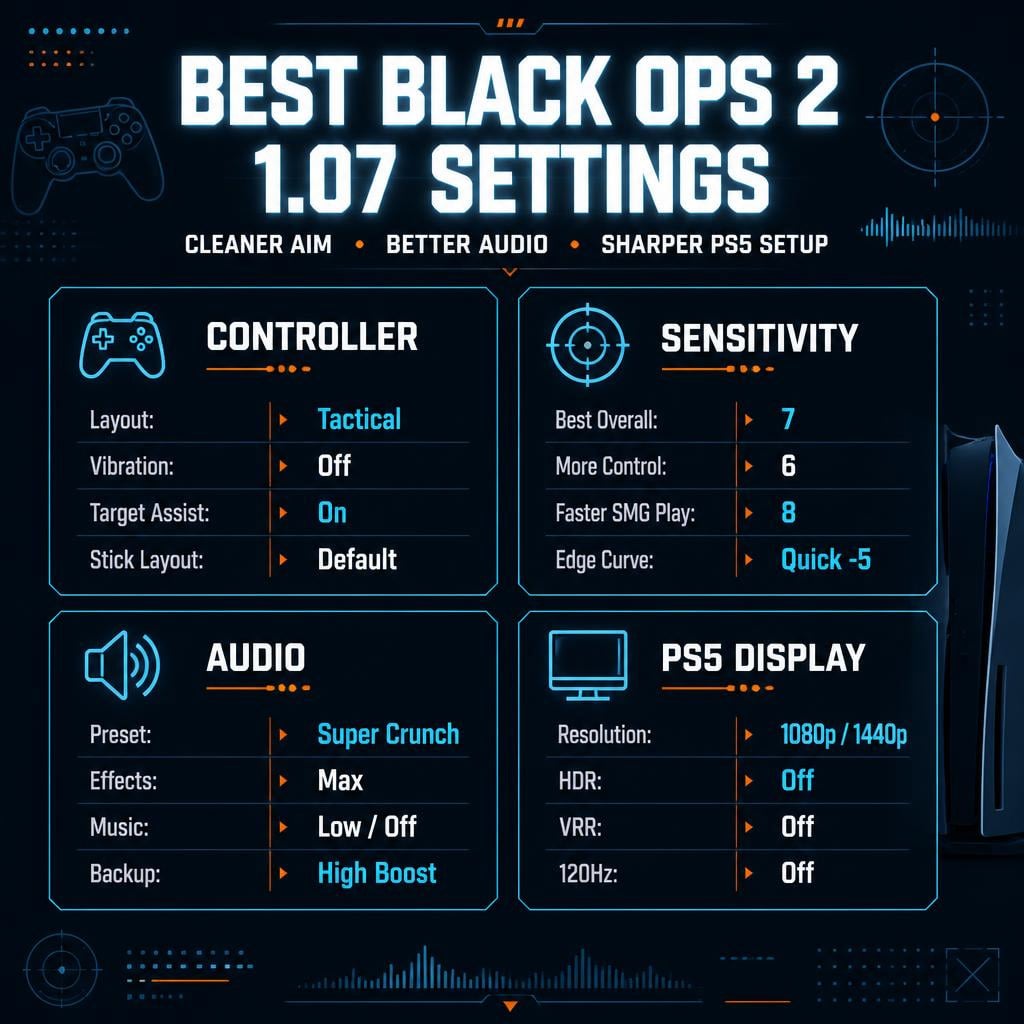
Use this if you just want the setup and want to get back into matches.
| Setting Category | Best Value |
|---|---|
| Look Sensitivity | 7 |
| Button Layout | Tactical |
| Stick Layout | Default |
| Target Assist | Enabled |
| Controller Vibration | Disabled |
| Audio Preset | Super Crunch |
| Effects Volume | Max |
| Music Volume | Low or Off |
| PS5 Resolution | 1080p or 1440p |
| HDR | Off |
| VRR | Off |
| 120Hz Output | Off |
This is the best all-around setup for public matches, prestige grinding, and consistent gunfights.
BO2 1.07 Update: What Actually Matters
The Black Ops 2 1.07 update is not a weapon tuning patch. Do not expect a new meta.
The useful changes are mostly stability, security, and UI fixes.
| Update Area | Player Impact |
|---|---|
| Security updates | May reduce modded lobbies, resetters, and exploit abuse |
| Depth of field toggle | Cleaner custom games, useful for competitive matches |
| Custom game UI fixes | Fewer issues when adding bots |
| FFA Combat Axe fix | Less chance of final killcam bugs |
| UGC setting adjustments | Better platform-level content setting behavior |
The big one is security. BO2 has had modder problems for years. If the patch holds, public matches should feel safer. Still, back out fast if a lobby looks wrong. Do not gamble a main account in a sketchy room.
Best BO2 Controller Settings
BO2 does not give us modern controller customization. That means every setting matters.
Use this baseline.
| Controller Setting | Recommended Value | Why |
|---|---|---|
| Look Inversion | Disabled | Standard aiming |
| Controller Vibration | Disabled | Better aim consistency |
| Stick Layout | Default | Best classic BO2 feel |
| Button Layout | Tactical | Easier dropshots |
| Look Sensitivity | 7 | Best balance of speed and control |
| Target Assist | Enabled | Mandatory on controller |
| Player Name Indicator | Full Name | Faster target recognition |
| Color Blind Assist | Preference | Use only if visibility improves |
Why Tactical Is the Best BO2 Button Layout
Use Tactical if you care about winning close fights.
It moves crouch/prone to the right stick. That means you can dropshot while keeping your thumb on aim.
Pain point: Default layout forces awkward movement.
Strategy: Switch to Tactical.
Execution: Learn crouch/prone on the right stick.
Result: Better close-range control and cleaner panic fights.
If you are new to Tactical, expect a few ugly matches. After that, it starts to feel natural.
Best BO2 Sensitivity Settings
The best BO2 sensitivity is 7.
Not max. Not ultra-low. 7 is the sweet spot.
| Sensitivity | Best For |
|---|---|
| 5 | Slow AR players, newer players |
| 6 | More control, less over-aiming |
| 7 | Best all-around setting |
| 8 | Fast SMG rushing |
| 9+ | High-risk, twitch-heavy play |
In real matches, 7 sensitivity gives enough turn speed for close fights while keeping mid-range aim stable.
If you overshoot targets, drop to 6.
If you die because you cannot turn fast enough, try 8.
If your aim feels shaky, do not raise sensitivity. Fix control first.
Best DualSense Edge Settings for BO2
If you use a DualSense Edge, you can make BO2 feel closer to modern Call of Duty.
DualSense Edge Button Mapping
| Button | Remap To | Result |
|---|---|---|
| L2 | X / Jump | Jump with left hand |
| L1 | L2 / ADS | Aim with bumper |
| R1 | R2 / Fire | Shoot with bumper |
| R2 | R1 / Lethal | Throw equipment |
| X | L1 / Tactical | Tactical equipment |
This creates a bumper-style setup:
- L2 = Jump
- L1 = Aim
- R1 = Shoot
- R2 = Lethal
- X = Tactical
Result: better jump-shotting, cleaner movement, less thumb travel.
The downside: you will probably throw a few accidental C4s at first. That is the tax.
Best DualSense Edge Stick Settings
| Stick Setting | Recommended Value |
|---|---|
| Left Stick | Default |
| Right Stick | Quick |
| Curve Adjustment | -5 |
| Deadzone | Default |
BO2 has no proper in-game deadzone tools. The Edge profile helps compensate.
Use Quick -5 if you want snappier aim without going full chaotic.
If aim feels twitchy, move the curve closer to default.
If aim feels heavy, keep Quick and test slowly.
Trigger Deadzone Tip
If you accidentally throw equipment, adjust the trigger range.
| Trigger | Recommended Range | Why |
|---|---|---|
| R2 | 60–100 | Prevents accidental C4/lethal throws |
This is useful if R2 is mapped to lethal equipment. It makes the press more deliberate.
Best BO2 Audio Settings
BO2 audio is old, but still useful. You can hear reloads, footsteps, equipment, and movement cues if your mix is clean.
| Audio Setting | Recommended Value |
|---|---|
| Voice Volume | Medium |
| Music Volume | Low or Off |
| Effects Volume | Max |
| Master Volume | Max |
| Audio Preset | Super Crunch |
Best BO2 Audio Preset
Use Super Crunch.
It pushes important sounds forward. Footsteps are still not as loud as modern COD, but this is the clearest preset for awareness.
| Audio Preset | Use Case |
|---|---|
| Treyarch Mix | Default casual sound |
| Bass Boost | Heavy explosions, less clean |
| High Boost | Sharper audio, good alternative |
| Super Crunch | Best for footsteps and combat cues |
If Super Crunch sounds too harsh, use High Boost.
Keep Effects Volume maxed. That is where the real information is.
Best BO2 Graphics and PS5 Display Settings
Do not overthink BO2 graphics. The game is old. You want visibility, not fake modern gloss.
In-Game Graphics Settings
| Graphics Setting | Recommended Value |
|---|---|
| Safe Area | Default |
| Brightness | Preference |
| View Other Players' Emblems | Enabled |
| Depth of Field | Off for clarity |
Turn Depth of Field off in custom games if you want a cleaner image. Blur does not help gunfights.
Best PS5 Settings for BO2
| PS5 Setting | Recommended Value |
|---|---|
| Resolution | 1080p or 1440p |
| VRR | Off |
| 120Hz Output | Off |
| HDR | Off |
| Enhance Image Quality for PS4 Games | On if using PS4 version |
Use 1080p if you want the most classic, stable look.
Use 1440p if you play on a modern monitor and want a sharper image.
Keep HDR off. It can wash out older games.
Keep VRR off. BO2 does not benefit enough.
Keep 120Hz off. It does not meaningfully help this game.
Monitor Settings That Actually Help
Most clean BO2 visuals come from your monitor, not the game.
| Monitor Setting | Practical Adjustment |
|---|---|
| Sharpness | Slightly above default |
| Contrast | Small increase |
| Saturation | Small increase |
| Brightness | Adjust to room lighting |
| Black Equalizer | Use lightly |
| Response Time | Fast, not extreme |
If enemies blend into shadows, raise brightness or black equalizer slightly.
If the image looks grainy or fake, lower sharpness.
Do not max every setting. That is how you make BO2 look worse.
Best BO2 Settings by Playstyle
Use your playstyle to fine-tune the setup.
| Player Type | Sensitivity | Layout | Audio |
|---|---|---|---|
| SMG Rusher | 7–8 | Tactical / Custom Edge | Super Crunch |
| AR Player | 6–7 | Tactical | Super Crunch |
| Casual Player | 5–7 | Default / Tactical | Treyarch Mix |
| Competitive Custom Player | 6–7 | Tactical / Custom | Super Crunch |
| DualSense Edge User | 7 | Custom Mapping | Super Crunch |
If you are unsure, start here:
- Sensitivity: 7
- Layout: Tactical
- Target Assist: Enabled
- Vibration: Off
- Audio: Super Crunch
- Effects Volume: Max
- HDR/VRR/120Hz: Off
That setup works for most BO2 multiplayer players.
Should BO2 Weapons Be Buffed or Nerfed?
BO2 balance is sensitive. Change too much and the game stops feeling like BO2.
The SCAR-H is strong. No mystery there. It hits hard and dominates mid-range lobbies.
But heavy nerfs are risky.
| Balance Move | Result |
|---|---|
| Leave weapons alone | Keeps classic BO2 intact |
| Nerf top guns | More variety, but risks backlash |
| Buff weak guns | Safer way to improve variety |
| Playlist tuning | Best for competitive, harder to maintain |
The smart move is small buffs to weaker guns, not huge nerfs to iconic weapons.
Keep the classic feel. Improve variety carefully.
FAQ
What is the best sensitivity for BO2 1.07?
The best sensitivity is 7. It gives strong turn speed without ruining mid-range accuracy. Use 6 if you over-aim. Use 8 if close-range tracking feels too slow.
What is the best controller layout in Black Ops 2?
Tactical is the best layout for most serious players. It lets you dropshot with the right stick while keeping your thumb on aim.
What is the best audio preset for BO2?
Super Crunch is the best BO2 audio preset for hearing combat cues. Use High Boost if Super Crunch sounds too sharp.
Should HDR, VRR, and 120Hz be on for BO2?
No. Keep HDR off, VRR off, and 120Hz output off. BO2 does not meaningfully benefit from them, and HDR can make the image look washed out.
What are the best DualSense Edge settings for BO2?
Use Quick right stick response with -5 curve adjustment and default deadzone. For advanced movement, map L2 to jump, L1 to ADS, and R1 to fire.
Summary
The best BO2 1.07 settings are simple:
- Sensitivity: 7
- Button Layout: Tactical
- Target Assist: Enabled
- Vibration: Disabled
- Audio Preset: Super Crunch
- Effects Volume: Max
- HDR: Off
- VRR: Off
- 120Hz: Off
- Resolution: 1080p or 1440p
If aim feels loose, lower sensitivity to 6.
If enemies are hard to hear, max Effects Volume and use Super Crunch.
If the image looks washed out, turn HDR off and fix monitor settings.
BO2 still works best when it feels fast, readable, and familiar. These settings keep the classic feel while removing the junk that gets in the way.
Most Popular Posts
- Best Black Ops 2 1.07 Settings: Controller, Sensitivity, Audio, and PS5 Setup
- CoD: Black Ops 2 Zombies Max Rank: The Shotgun Rank Grind That Actually Works
- Black Ops 2 Best M27 Class Setup : Low-Recoil Loadout for Easy Streaks
- COD Black Ops 2 MSMC Class Setup 2026: Best Aggressive SMG Loadout
- BO2 SCAR-H Loadout Guide 2026: Best Attachments, Perks & Class Setup for PS5
- Black Ops 2 Remington 870 Best Class Setup: Aggressive Shotgun Guide for PS5 BO2
Popular Category Lists
- ARC Raiders / (366)
- Grow a Garden / (298)
- CoD: Black Ops 7 / (167)
- Star Citizen / (166)
- MLB 26 / (159)
- Monopoly Go / (153)
- ARK Survival Ascended / (130)
- Steal a Brainrot / (100)
- Adopt Me / (75)
- Blox Fruits / (74)
- Forza Horizon 6 / (72)
- Sailor Piece / (68)
- Grow a Garden 2 / (68)
- Diablo IV / (62)
- Aion 2 / (61)
- CoD: BLACK OPS 6 / (55)
- COD: Modern Warfare 4 / (51)
- Maplestory Classic / (49)
- Path of Exile 2 / (48)
- Monster Hunter Wilds / (46)