0
0 Created: Apr 27,2026 | CoD: Black Ops 7
Best BO7 Sticky Aim Assist Settings: Fix Broken Aim, Deadzones, ADS Sensitivity

If your aim in Black Ops 7 feels like it slides around enemies, the issue usually is not your thumbs alone. In most cases, your settings are making aim assist harder to control.
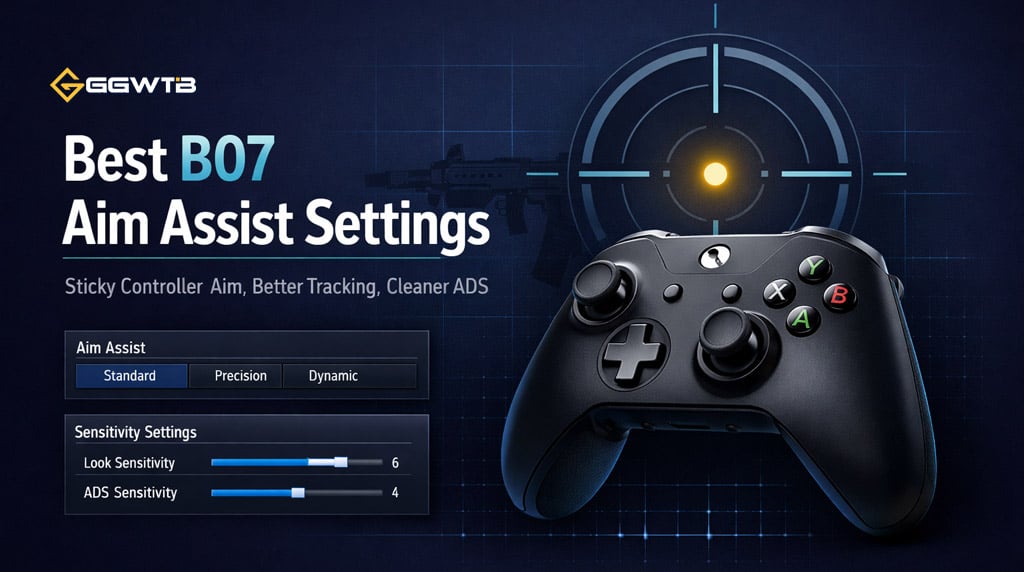
After testing different controller setups in firing range drills and live matches, the biggest difference came from four things: lower right-stick noise, smoother ADS timing, better centering, and small left-stick movement. When those work together, aim assist feels much more reliable.
- Best BO7 Controller Settings for Sticky Aim
- Recommended Sensitivity Settings
- Why This Works
- Best Deadzone Settings in BO7
- Recommended Deadzone Settings
- Quick Deadzone Rule
- Use Gradual ADS Transition Timing
- Turn On the Crosshair Dot
- Best Crosshair Dot Settings
- Move Slightly to Activate Rotational Aim Assist
- Movement Tips for Better Aim Assist
- Simple Firing Range Drill
- Sticky Aim Warm-Up
- Recommended BO7 Sticky Aim Setup
- FAQ
- What are the best BO7 aim assist settings?
- Should I use 0 right stick deadzone?
- Why does my aim feel like it avoids enemies?
- Is Gradual ADS better than Instant?
- Does movement make aim assist stronger?
- Summary
We are not chasing weird secret settings. We are building a setup that feels stable in real gunfights.
Best BO7 Controller Settings for Sticky Aim
A lot of players run sensitivity too high because fast camera movement feels good. The problem is that high sensitivity also makes every tiny right-stick movement stronger.
That means if your thumb moves even slightly while tracking, you can accidentally fight aim assist.
Recommended Sensitivity Settings
| Setting | Recommended Value | Why We Use It |
|---|---|---|
| Horizontal Sensitivity | 1.60–2.00 | Stable tracking without feeling too slow |
| Vertical Sensitivity | 1.60–2.00 | Easier recoil control |
| ADS Sensitivity | 0.80–0.90 | Slows aim enough for precision |
| Controller Vibration | Off | Removes thumb shake during fights |
| ADS Transition Timing | Gradual | Smoothest ADS feel |
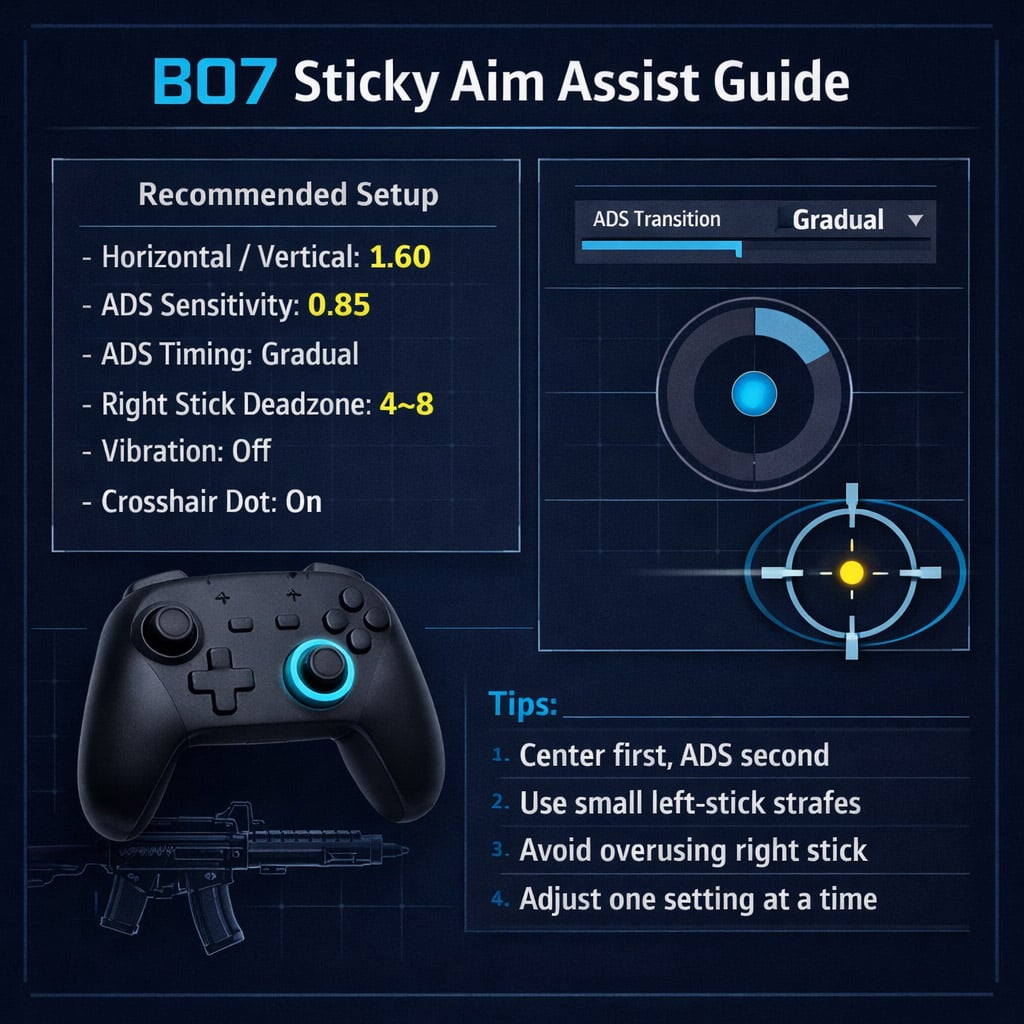
For most players, we recommend starting at 1.60 horizontal / 1.60 vertical with 0.85 ADS sensitivity.
If you play aggressively with SMGs, you can raise sensitivity slightly. If you miss shots by dragging past enemies, lower it.
Why This Works
Aim assist feels best when your inputs are calm. Lower sensitivity gives your reticle more time to stay inside the aim assist bubble.
Fast sensitivity is not bad, but it demands cleaner thumb control. If you are still building consistency, a moderate setup will win more fights.
Best Deadzone Settings in BO7
Deadzones are one of the biggest reasons aim feels broken. If your right stick minimum deadzone is too low, the game may register tiny movements you did not mean to make.
That can make your aim feel floaty, shaky, or like it is being pushed away from enemies.
Recommended Deadzone Settings
| Setting | Recommended Value | Notes |
|---|---|---|
| Left Stick Minimum | 0 | Better movement response |
| Left Stick Maximum | 50–100 | Personal preference |
| Right Stick Minimum | 4–8 | Best range for sticky aim |
| Right Stick Maximum | 100 | Keeps full turn speed |
| Trigger Deadzones | 0–5 | Faster ADS and shooting |
The most important one is Right Stick Minimum.
Do not automatically copy 0 deadzone settings. On many controllers, 0 picks up tiny stick drift or thumb pressure. In our testing, 4 felt like the best starting point because it removed accidental micro-inputs without making aiming feel delayed.
Quick Deadzone Rule
| If You Notice… | Change This |
|---|---|
| Reticle moves by itself | Raise right stick minimum by 1–2 |
| Aim feels delayed | Lower right stick minimum by 1 |
| Aim shakes while tracking | Raise right stick minimum slightly |
| Aim feels clean and responsive | Keep it where it is |
Small changes matter here. Do not jump from 4 to 12 unless your controller has clear stick drift.
Use Gradual ADS Transition Timing
ADS Transition Timing controls how your sensitivity changes when you aim down sight.
For sticky aim, Gradual is the best option for most controller players.
| ADS Timing | How It Feels | Recommendation |
|---|---|---|
| Instant | Slows aim as soon as ADS starts | Can feel too heavy |
| Gradual | Smoothly slows during ADS animation | Best overall |
| After Zoom | Slows after fully zoomed | Can overshoot targets |
Gradual works well because most gunfights happen while you are already pulling into ADS. You need enough speed to snap near the target, then enough slowdown to stay on them.
If your aim often lands short, Instant may be slowing you too early.
If your aim flies past enemies, After Zoom may be staying too fast for too long.
Turn On the Crosshair Dot
Good aim assist starts before you ADS. If your crosshair is already near the enemy, you do not need a big correction. That makes aim assist feel much stronger.
The center dot helps with this. It gives you a clear point to place on doorways, windows, head glitches, and common lanes.
Best Crosshair Dot Settings
| HUD Setting | Recommended Value |
|---|---|
| Crosshair Dot | On |
| Dot Size | Largest |
| Dot Opacity | 100 |
| Dot Color | Bright Yellow |
| Brightness / Saturation | High |
Use the dot like your pre-aim marker. If you expect someone to come through a doorway, keep the dot on that doorway before they appear.
This one habit wins fights because you spend less time correcting your aim after ADS.
Move Slightly to Activate Rotational Aim Assist
If you stand still in gunfights, aim assist often feels weaker. BO7's rotational aim assist is strongest when you use movement.
You do not need to strafe like a maniac. Small left-right movement is enough.
Movement Tips for Better Aim Assist
| Situation | What To Do |
|---|---|
| Close-range fight | Strafe left and right slightly |
| Holding an angle | Micro-move instead of standing still |
| Enemy crossing your screen | Move with the target |
| Long-range fight | Move less and focus on recoil |
| Tracking with SMGs | Let the left stick help more |
A common mistake is overusing the right stick. The right stick should center and correct. The left stick should help track.
When we tested this in close-range fights, small strafes made aim assist feel noticeably stickier, especially against enemies moving sideways.
Simple Firing Range Drill
Settings help, but practice locks them in. Use this short drill before matches.
Sticky Aim Warm-Up
| Step | What To Do |
|---|---|
| 1 | Pick any low-recoil weapon |
| 2 | Stand near a target |
| 3 | Trace around the target's body with your right stick |
| 4 | Add small left-stick strafes |
| 5 | ADS and fire only when your center dot is already close |
Do this for 3–5 minutes.
If your reticle shakes, your right stick deadzone may be too low.
If your aim feels slow, your deadzone or ADS sensitivity may be too low.
This drill is simple, but it teaches the main habit: center first, ADS second, correct last.
Recommended BO7 Sticky Aim Setup
Here is the setup we would use as a reliable baseline.
| Category | Setting | Value |
|---|---|---|
| Sensitivity | Horizontal | 1.60 |
| Sensitivity | Vertical | 1.60 |
| ADS | ADS Sensitivity | 0.85 |
| ADS | Transition Timing | Gradual |
| Deadzone | Left Stick Minimum | 0 |
| Deadzone | Right Stick Minimum | 4 |
| Deadzone | Right Stick Maximum | 100 |
| Controller | Vibration | Off |
| HUD | Crosshair Dot | On, largest, 100 opacity |
Use this as a starting point, then adjust slowly. Change one setting at a time so you know what actually helped.
FAQ
What are the best BO7 aim assist settings?
The best starting setup is 1.60 horizontal and vertical sensitivity, 0.85 ADS sensitivity, Gradual ADS Transition Timing, right stick minimum deadzone at 4, and controller vibration off.
This gives aim assist enough room to work without making your aim feel slow.
Should I use 0 right stick deadzone?
Usually, no. A 0 right stick deadzone can pick up tiny stick drift or accidental thumb movement.
Start at 4. If your controller still drifts, raise it to 5–8.
Why does my aim feel like it avoids enemies?
This usually happens when your sensitivity is too high, your right stick deadzone is too low, or you are overcorrecting with the right stick.
Lower your ADS sensitivity slightly and use small left-stick strafes to help rotational aim assist.
Is Gradual ADS better than Instant?
For most players, yes. Gradual feels smoother because your sensitivity slows down during the ADS animation instead of changing all at once.
It helps with snapping onto targets and staying on them.
Does movement make aim assist stronger?
Yes. Small left-stick movement helps activate rotational aim assist. Even slight strafing can make tracking feel stickier, especially in close-range fights.
Summary
Sticky aim in BO7 comes from clean settings and better habits. Use moderate sensitivity, set right stick minimum deadzone around 4–8, turn vibration off, use Gradual ADS Transition Timing, and enable a bright crosshair dot.
In gunfights, keep moving slightly. Let your left stick help with tracking and use your right stick only for small corrections.
Best quick setup:
| Setting | Value |
|---|---|
| Horizontal / Vertical Sensitivity | 1.60 |
| ADS Sensitivity | 0.85 |
| ADS Transition Timing | Gradual |
| Right Stick Minimum Deadzone | 4 |
| Controller Vibration | Off |
| Crosshair Dot | On |
These settings will not aim for you, but they make your controller feel more predictable. And in BO7, predictable aim is what turns close gunfights into wins.


The GGWTB Editorial Team features 10 full-time gaming editors and 23 specialist contributors, delivering hands-on tested walkthroughs, easter egg breakdowns, and game updates.
ELSA — who spearheads our in-depth COD: BLACK OPS 7, ARC Raiders guides, and patch notes—every guide is rigorously verified on live servers for accuracy.
Most Popular Posts
- Black Ops 7 Endgame Exotic Affinity Weapons Guide: Best Bonuses, Full Weapon List, and Farming Tips
- Black Ops 7 Season 1 Endgame Boss Fast Passing Guide: Colossus of Avalon & Toxic Tyrant Z‑Rex
- CoD BO7 Bot Lobbies Guide: Everything You Need To Know
- Black Ops 7 Endgame Skill Track Guides: Tactician + Bulldozer + Berserker
- Black Ops 7 Endgame Reloaded: Nightmare Boss, Exotic Upgrades, Best Skills & Fastest Progression
- Black Ops 7 Fast Weapon & Operator Leveling Max Mode-by-Mode Strategies
Popular Category Lists
- ARC Raiders / (357)
- Grow a Garden / (295)
- CoD: Black Ops 7 / (167)
- Star Citizen / (163)
- MLB 26 / (159)
- Monopoly Go / (153)
- ARK Survival Ascended / (128)
- Steal a Brainrot / (99)
- Blox Fruits / (74)
- Adopt Me / (74)
- Forza Horizon 6 / (72)
- Sailor Piece / (68)
- Grow a Garden 2 / (68)
- Diablo IV / (62)
- CoD: BLACK OPS 6 / (55)
- Aion 2 / (55)
- Path of Exile 2 / (48)
- Monster Hunter Wilds / (46)
- Windrose / (44)
- Maplestory Classic / (44)