0
0 Created: Nov 19,2025 | CoD: Black Ops 7
Black Ops 7 Sniping Guides: Best Weapon Tips, Settings, and Loadouts

Sniping is one of the most satisfying roles in Call of Duty, but Black Ops 7 has raised the bar for difficulty. Have you ever missed a shot because your aim was shaky? Or struggled to keep up with fast-moving enemies? Don't worry—this guide is here to help. Whether you're a newcomer or a seasoned player, we'll cover everything from essential settings to advanced techniques and loadouts to make you a sniping pro.
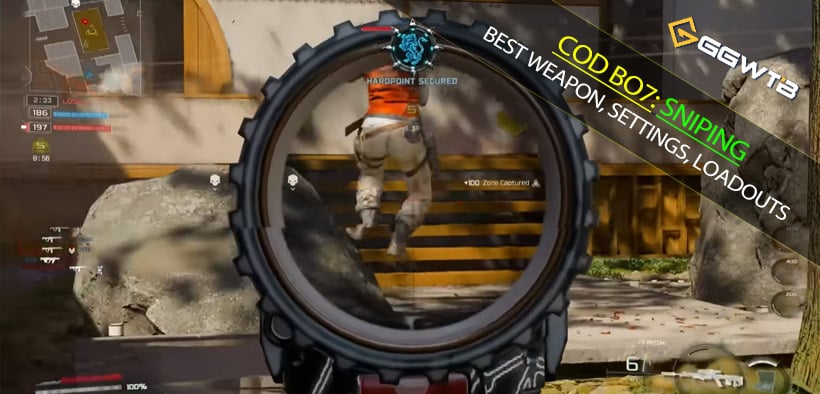
Why is sniping harder in Black Ops 7?
Several gameplay changes in Black Ops 7 make sniping more challenging:
- Complex Movement Mechanics: With dolphin diving, backward sliding, and wall bouncing, enemy movements are harder to predict.
- Reduced Aim Assist: To balance controller and keyboard/mouse players, aim assist has been significantly nerfed. This means you need sharper aiming skills.
- Slow ADS Speed vs. Fast TTK: Snipers have slower aim-down-sight speeds, while the game's time-to-kill is faster, leaving less room for error.
What does this mean for you?
To succeed, you'll need to refine your aiming precision, master movement techniques, and optimize your settings for better reactions.
How to improve your sniping skills?
Use Wall Bouncing for Stability
Jump shots cause heavy scope wobble, making it hard to hit targets. Wall bouncing eliminates this wobble entirely. Use walls near cover or corners to reposition while keeping your aim steady.
Predict Enemy Movements
Instead of aiming directly at fast-moving enemies, focus on where they're likely to go. By centering your aim ahead of their movement, you'll be ready to land your shot as they move into position.
Center Your Screen for Faster Scoping
The built-in center dot feature helps you keep track of the middle of your screen. Set it to static mode to avoid misalignment during chaotic moments.
Optimize Challenge Completion
- One-Shot Kill Challenges: Play in Hardcore mode where almost every kill counts as a one-shot.
- Long-Range Kill Challenges: Switch to the 20v20 Skirmish mode for larger maps and quicker progress.
Optimal Settings: Make sniping smoother
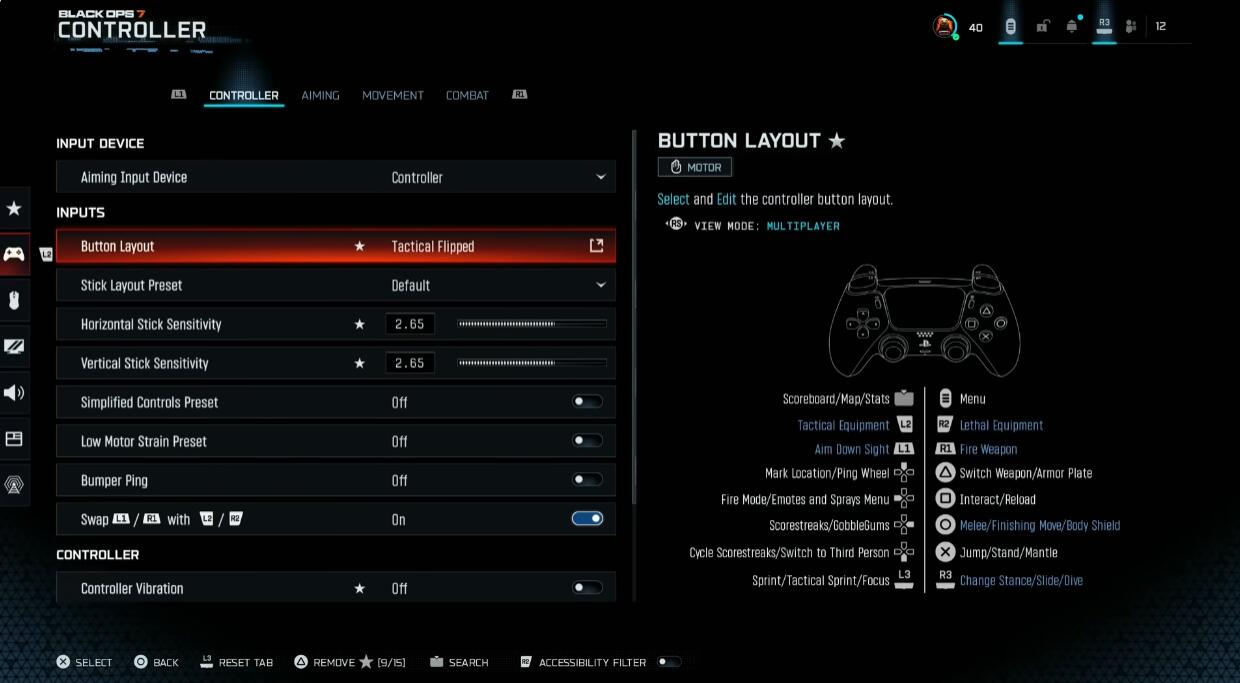
Controller Settings:
- Button Layout: Use Tactical Flipped for quicker aiming and shooting.
- Sensitivity: Set horizontal and vertical sensitivity to 2.65 for balanced speed and precision.
- Zoom Sensitivity: Lower your low zoom and 2x-3x zoom sensitivity to 0.85 for better control when aiming.
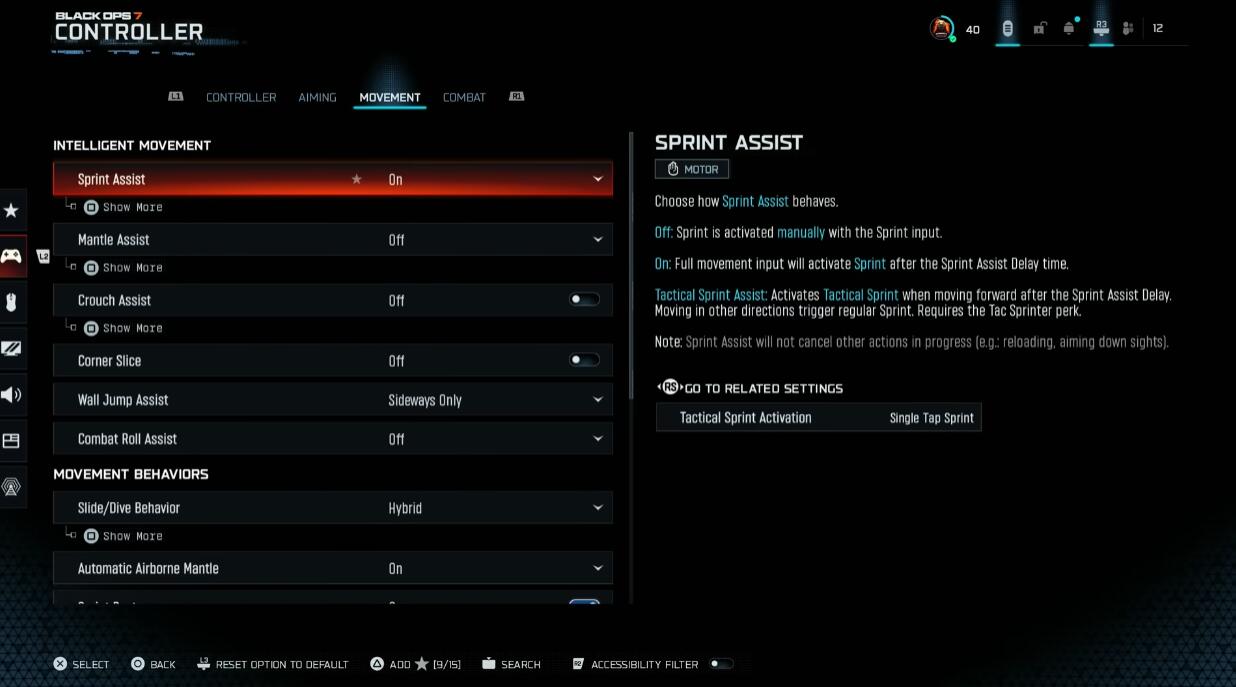
Movement Settings:
- Slide/Dive Behavior: Set to hybrid to make sliding and diving more fluid.
- Wall Jump Assist: Configure to Sideways Only to avoid accidental bounces indoors.
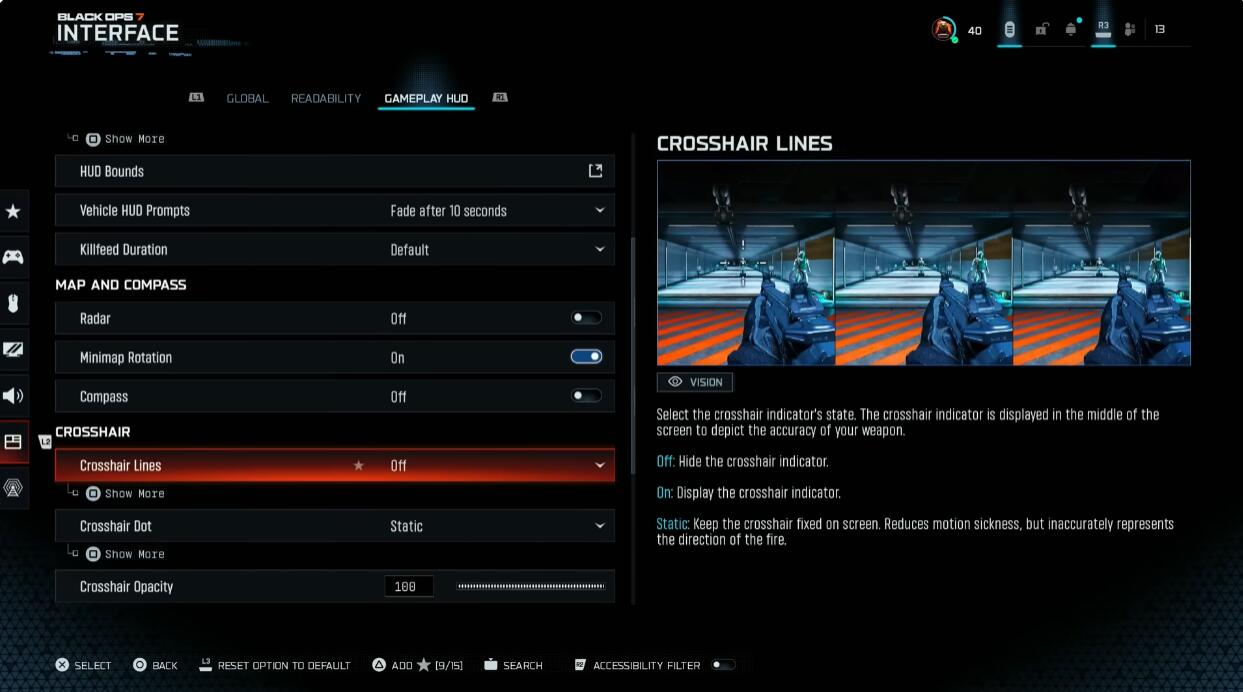
Display Settings:
- Field of View (FOV): Set to 105 for a broader view without sacrificing clarity.
- Blur Settings: Turn off motion blur for both weapons and the world to reduce visual distractions.
Recommended Loadouts: Build the ultimate sniper class
VS Recon (Bolt-Action Sniper)
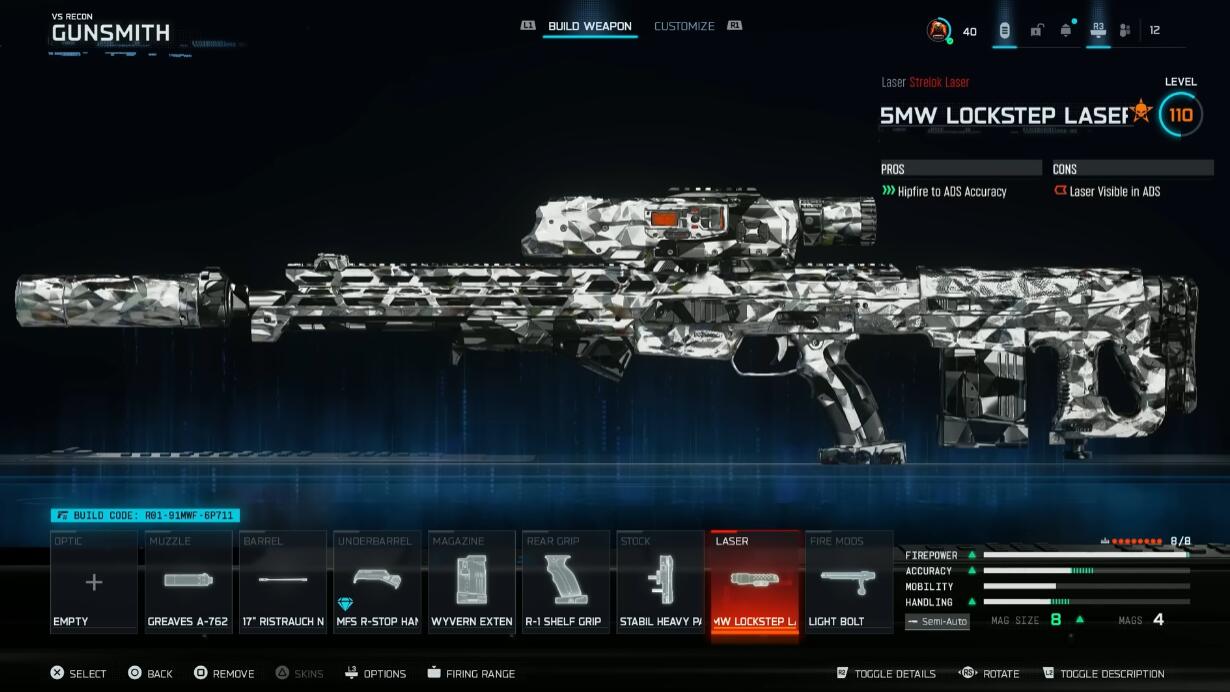
Must-Have Attachments:
- Strellock Laser (tightens crosshairs for better accuracy)
- MFS RTOP Handguard (reduces recoil and improves ADS speed)
Other Suggestions:
Rapid Fire Bolt, Heavy Stock (flinch resistance), Short Barrel (faster ADS).
Shadow SK (Semi-Auto Sniper)
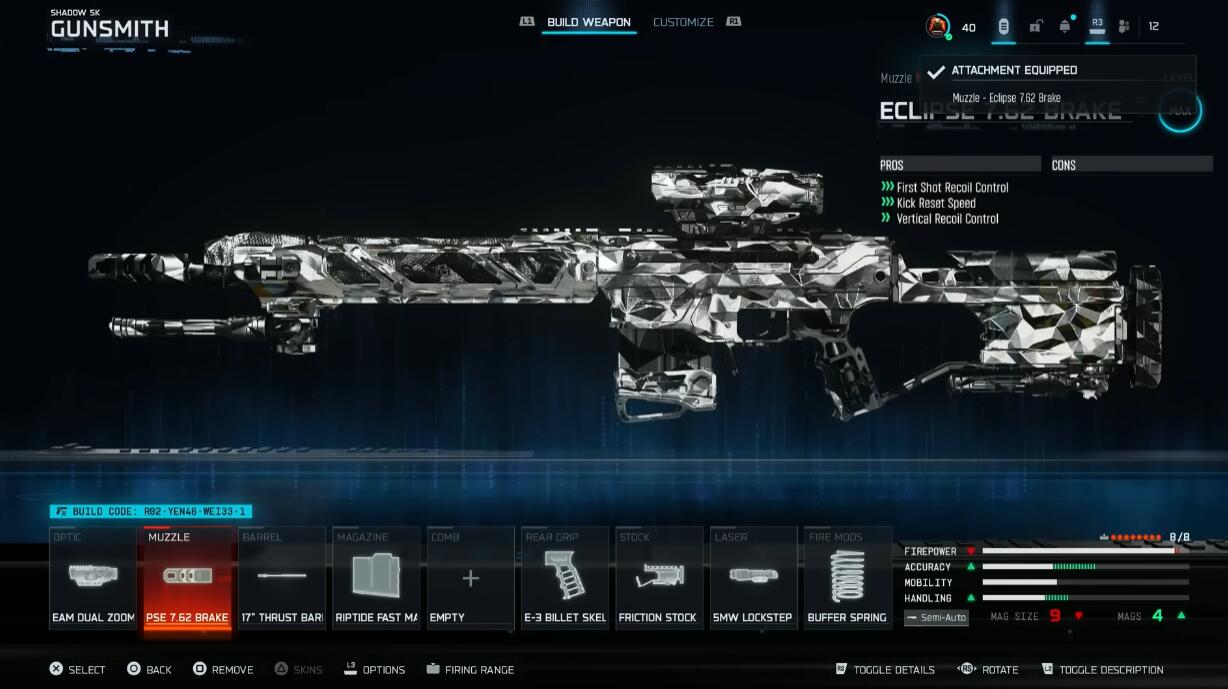
Must-Have Attachments:
- EAM Dual Zoom Optic (reduces recoil while improving visibility)
- Nine-Round Fast Mag (better ammo capacity)
Other Suggestions:
Short Barrel, Strellock Laser, Control Stock.
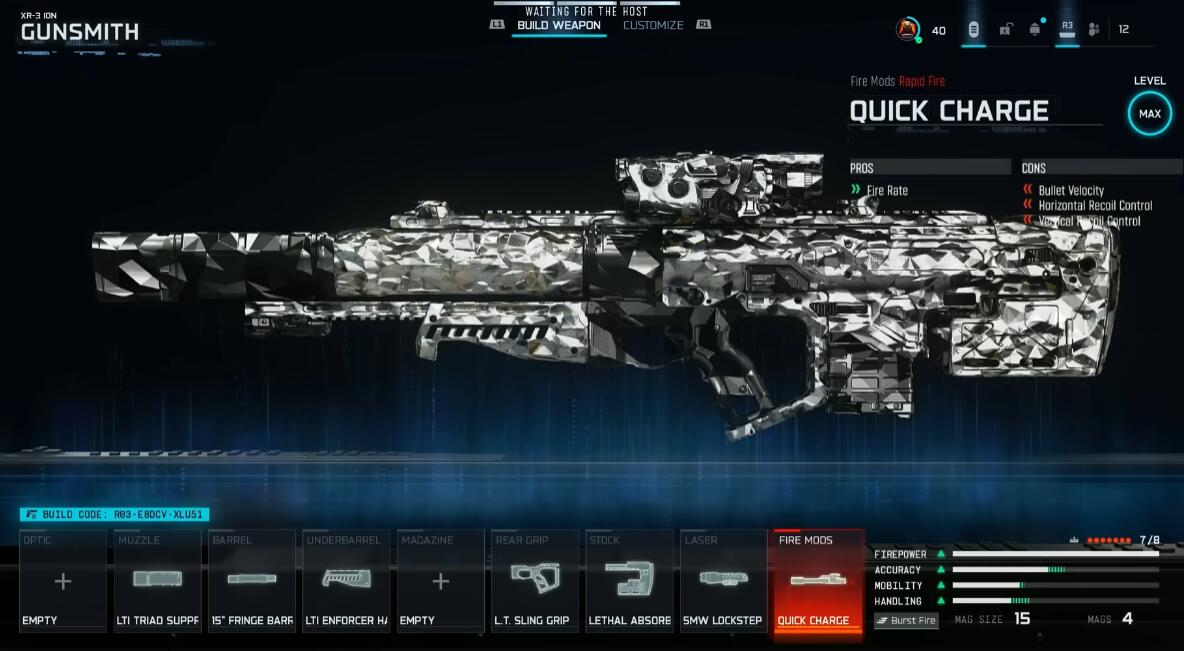
XR3 Ion (Burst Sniper)
Must-Have Attachments:
- Rapid Fire Module (reduces charge delay)
- Strellock Laser (precision boost)
Other Suggestions:
Mobile Handguard, Short Barrel, Suppressor or Muzzle Brake.
FAQ
Q1: Why does my scope wobble so much during jumps?
Jumping causes significant scope instability. Try wall bouncing instead—it eliminates wobble and keeps your aim steady.
Q2: Why aren't my one-shot kills registering for challenges?
The XR3's one-shot challenge is currently bugged. Switch to Hardcore mode, where almost every kill counts as a one-shot.
Q3: How can I make enemies easier to spot?
Enable Color Filter 2 in the interface settings and set color intensity to 100. This makes enemy health bars and icons more vibrant and easier to detect.
Conclusion
Sniping in Black Ops 7 is tough, but mastering it is incredibly rewarding. With optimized settings, refined techniques, and the right loadouts, you'll be able to dominate the battlefield. If you're struggling with any specific aspect, start by practicing key tips from this guide. Whether you're a beginner or a veteran, persistence and adaptability will make you the ultimate sniper!


The GGWTB Editorial Team features 10 full-time gaming editors and 23 specialist contributors, delivering hands-on tested walkthroughs, easter egg breakdowns, and game updates.
ELSA — who spearheads our in-depth COD: BLACK OPS 7, ARC Raiders guides, and patch notes—every guide is rigorously verified on live servers for accuracy.
Most Popular Posts
- Black Ops 7 Endgame Exotic Affinity Weapons Guide: Best Bonuses, Full Weapon List, and Farming Tips
- Black Ops 7 Season 1 Endgame Boss Fast Passing Guide: Colossus of Avalon & Toxic Tyrant Z‑Rex
- CoD BO7 Bot Lobbies Guide: Everything You Need To Know
- Black Ops 7 Endgame Skill Track Guides: Tactician + Bulldozer + Berserker
- Black Ops 7 Endgame Reloaded: Nightmare Boss, Exotic Upgrades, Best Skills & Fastest Progression
- Black Ops 7 Fast Weapon & Operator Leveling Max Mode-by-Mode Strategies
Popular Category Lists
- ARC Raiders / (356)
- Grow a Garden / (295)
- CoD: Black Ops 7 / (167)
- Star Citizen / (163)
- MLB 26 / (159)
- Monopoly Go / (153)
- ARK Survival Ascended / (128)
- Steal a Brainrot / (99)
- Blox Fruits / (74)
- Adopt Me / (74)
- Forza Horizon 6 / (72)
- Sailor Piece / (68)
- Grow a Garden 2 / (68)
- Diablo IV / (62)
- CoD: BLACK OPS 6 / (55)
- Aion 2 / (54)
- Path of Exile 2 / (48)
- Monster Hunter Wilds / (46)
- Windrose / (44)
- COD: Modern Warfare 4 / (44)