0
0 Created: Aug 2,2025 | Grow a Garden
Grow Garden Cooking and Trading Guides for New Update

The Cooking and Trading Update is finally here in Grow Garden! This much-asked-for patch adds cool new features and rewards to the game. In this guide, you'll find everything you need to know about trading mechanics, cooking recipes, rewards, and brand-new items. Whether you're a long-time player or just starting, this guide will help you get the most from the update.
What You Need to Know About Trading
Trading is a game changer for Grow Garden. Now you can swap items and coins directly with other players.
Here's how it all works:
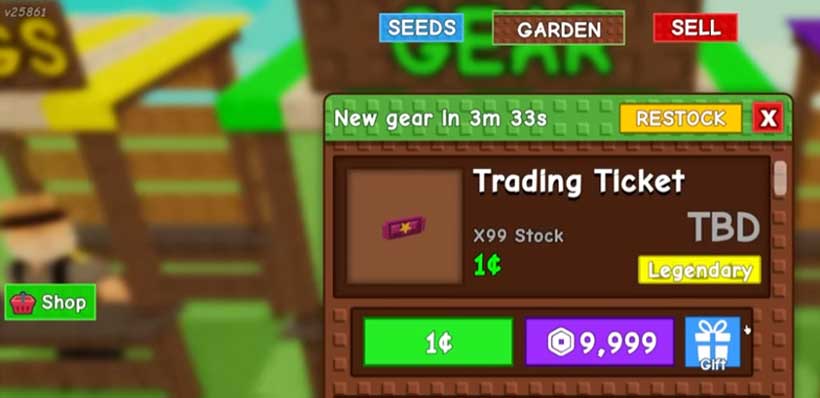
1. Get Your Trading Tickets
- First, visit the Gear Shop and tap Show me the gear shop.
- Scroll to the trading ticket section. Each ticket costs just one Sheckles, so it's easy to grab a few.
2. Start a Trade
- Find a friend or any other player and send them a trade request.
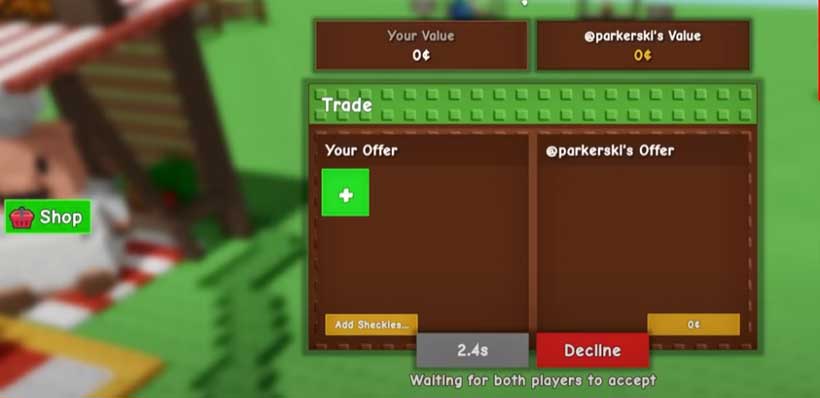
- When both of you accept, the trade screen will pop up.
3. Swap Gear
- In the trade window, you can offer Sheckles, pets, and most seeds. (Keep in mind you can't trade any favored seeds.)
- The screen will show the value of each item, so you'll always know if the trade is fair.
4. Confirming Trades
- After you drag items into the trade window, you'll wait 5 seconds before the Accept button lights up.
- Both players need to hit Accept to lock the trade in, which helps prevent scammers from getting away with your stuff.
Cooking System and Chris P's Kitchen
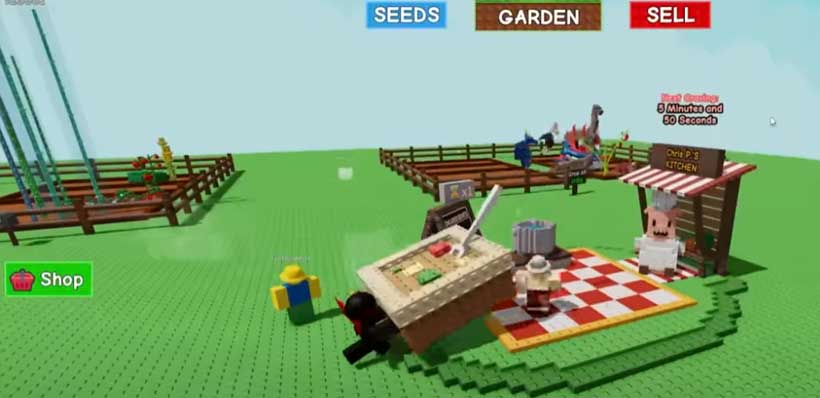
This update brings in cooking, so you can whip up chow for Chris P and score cool rewards. Make him meals, and he'll pay you back with goodies that level up your game.
How Cooking Works
Cooking Basics:
- Grab food items from your backpack and dump them in the cooking station.
- Each meal takes 5 minutes to cook, but you can shave time off with Robux.
Feeding Chris P:
- When the meal is done, click on it and pick Try this food I cooked up to serve Chris P.
- How he reacts will tell you what reward tier you hit. His cravings change every hour, so serve the food he's in the mood for to boost the tier.
Recipes:
Here's what you can whip up right now:
| Dish | Ingredients | Notes |
|---|---|---|
| Hot Dog | Pepper + Corn or Banana | Either Pepper and Corn, or Banana alone |
| Pie | Pumpkin + Apple | Both Pumpkin and Apple required |
| Burger | Pepper + Corn + Tomato | All three needed |
| Salad | Two Tomatoes | Double Tomato |
| Waffle | Pumpkin + Sugar Apple or Orange Tulip + Watermelon | Alternative combinations |
| Sandwich | Two Tomatoes + Orange | Stacked ingredients |
| Soup | Any single fruit or veggie | Safety-net recipe |
Rewards Overview
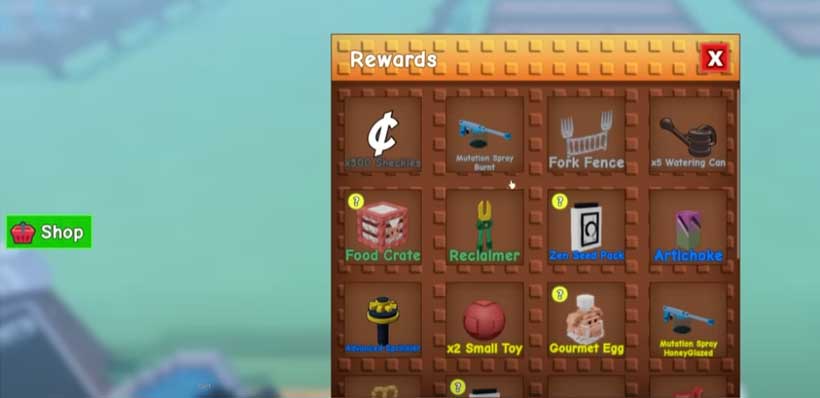
When you whip up dishes in Chris P's Kitchen, you unlock cool rewards. Think cosmetics, pets, seeds, and other handy goodies.
Reward Tiers
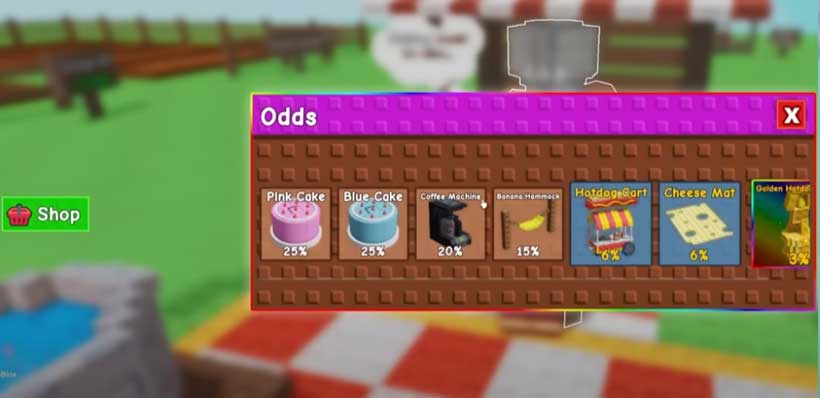
Food Crate: This crate is packed with fun cosmetics—pink cakes, sleek coffee machines, floppy banana hammocks, shiny hot dog carts, cheese maps, and a golden hot dog statue.
Gourmet Eggs: Collect these fancy eggs to hatch quirky pets.
Each one has a different chance to drop:
- Bagel Bunny
- Pancake Mole
- Sushi Bear
- Spaghetti Sloth
- French Fry Ferret (only 1% chance!)
Taco Fern: Score this rare plant to spice up any garden.
New Items in the Gear Shop
Check out the latest Gear Shop drop: the Grandmaster Sprinkler.
What the Grandmaster Sprinkler Does:
- Speeds up growth and plumps up fruit.
- Powers up pets for a full 10 minutes.
- Perfect for boosting any garden's output.
Price still TBA, but this sprinkler is already warming up to be a must-have for serious farmers.
Final Thoughts on the Update
The Cooking and Trading Update marks a big moment for Grow Garden, bringing in fresh mechanics, fun challenges, and rewarding surprises. The trading system opens the door for players to connect, and its clear rules keep everything fair. At the same time, Chris P's Kitchen lets everyone play around with new recipes and earn special items you can't get anywhere else.
Most Popular Posts
- Grow a Garden Secret Badge Walkthrough: Carrot Weight & Puzzle Guide
- Grow a Garden Get Secret Seeds & Rare Pets Guides: DLC Codes + Trading Guide
- Grow a Garden Enfield Guide: Everfallen Roll Rules & Level Loss
- Grow a Garden Moon Harvest Part 4 Guide: Gear Odds, Reset Rewards, Cornling Strategy, New Seeds
- Grow a Garden: Beanpod Chest Farming and Elder Beanstalk Guides
- Grow a Garden Arctic Fox Guide: Best AFK Setup for Seeds, Gears, Eggs & Pet XP
Popular Category Lists
- ARC Raiders / (354)
- Grow a Garden / (294)
- CoD: Black Ops 7 / (167)
- Star Citizen / (163)
- MLB 26 / (159)
- Monopoly Go / (153)
- ARK Survival Ascended / (128)
- Steal a Brainrot / (99)
- Blox Fruits / (74)
- Adopt Me / (74)
- Forza Horizon 6 / (72)
- Sailor Piece / (68)
- Grow a Garden 2 / (68)
- Diablo IV / (62)
- CoD: BLACK OPS 6 / (55)
- Aion 2 / (53)
- Path of Exile 2 / (48)
- Monster Hunter Wilds / (46)
- Windrose / (44)
- COD: Modern Warfare 4 / (43)