0
0 Created: Aug 30,2025 | Path of Exile 2
How to Claim Path of Exile 2 The Third Edict Free 6 Items & Discord Profile Frame?

Why is this launch weekend almost a must log in moment if you care about long‑term account cosmetics? Because Grinding Gear Games is stacking multiple limited windows: three in‑game Act 1 milestones, two Twitch Drop phases, and a Discord quest—together that's 6 cosmetic pieces plus a profile frame at zero direct cost. This guide gives you the exact timelines, fastest Act 1 routing benchmarks from practical race experience, and the common pitfalls (like watching 3 hours but forgetting to claim) so you walk away with everything instead of regret. If you set things up in the first 30 minutes, the rest becomes simple execution.
- 1) Log into your Path of Exile account (official site).
- 2) Navigate: Account > Manage Connections > Twitch > Authorize.
- 3) On Twitch: Settings > Connections > verify Path of Exile shows Connected.
- 4) Visit Twitch Drops Inventory page so you can visually confirm progress later.
- - Time is cumulative across channels.
- - Muting the Twitch tab via browser may sometimes block tracking; mute the player volume instead if you're paranoid.
- - VOD (past broadcasts) typically do not count; it must be a live channel with Drops enabled (look for Drops Enabled tag).
- Window: Aug 29 22:00 – Sep 1 22:00 CEST.
- Milestone 1: Enter Clearfell Encampment (Act 1 hub) → Exile's Hood.
- Milestone 2: Reach and kill Rotten Druid in Grim Tangle → Exile's Staff Skin.
- Milestone 3: Defeat Count Geonor at near Act 1 end → Exile's Cloak.
- - Clearfell hub: ~10–15 min.
- - Rotten Druid kill: ~25–35 min.
- - Count Geonor kill: ~40–55 min.
- - Skip optional side content until after Milestone 3.
- - Prioritize movement skill acquisition; every ~5 seconds saved per zone compounds.
- - Vendor check once for a usable weapon base; over‑vendor browsing kills early tempo.
- - If you notice your time to Rotten Druid exceeding 40 minutes, reassess: are you over‑clearing or backtracking?
- - T0 (Launch +0m): Link accounts (5m).
- - T+5m to +60m: Push Act 1 to Count Geonor—earn 3 in‑game cosmetics.
- - Simultaneously: Have a second screen or mobile device running a Drop channel. (If bandwidth limited, set 720p or lower; do NOT fully pause stream.)
- - After Act 1 completion: You likely already banked ≥1h watch time. Leave stream running while you take breaks, craft, or experiment with a second character to finish the 3h requirement same day.
- - Only link through official https domain; never enter credentials on embedded iframes from unknown sources.
- - Avoid viewbot services—Twitch may flag irregular patterns and you risk disqualification.
- - Periodically re-open Account > Connections to ensure Connected still shows (revoked tokens happen if you changed Twitch password).
- - Do not buy or trade these cosmetics; they are account-bound.
What You Can Claim and Why It Matters
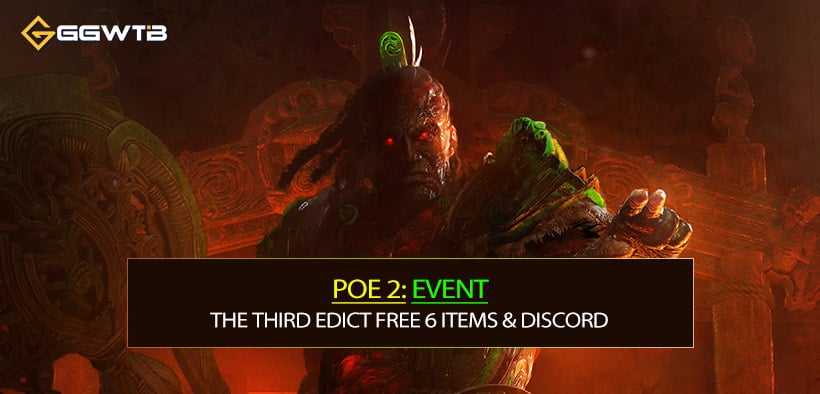
You can currently secure:
| Item | Method | Window CEST (UTC) | Requirement | Player Time / Watch Time | Key Note |
|---|---|---|---|---|---|
| Exile's Hood | In-game | Aug 29 22:00 – Sep 1 22:00 | Enter Clearfell Encampment | ~10–15 min | Weekend only |
| Exile's Staff Skin | In-game | Same as above | Kill Rotten Druid | ~25–35 min total run | Do after Hood |
| Exile's Cloak | In-game | Same as above | Defeat Count Geonor | ~40–55 min total run | Finish Act 1 before window ends |
| Clam Stash Skin | Twitch Drop Phase A | Aug 29 22:00 – Sep 6 10:00 | 3h cumulative live viewing | Watch 3h | Must click Claim |
| Helmet of the Abyssal | Twitch Drop Phase A | Same as above | Same 3h viewing (shared) | Watch 3h | Claim after progress hits 100% |
| Cape of the Abyssal | Twitch Drop Phase B | Sep 6 14:00 – Sep 13 14:00 | 3h new cumulative viewing | Watch 3h | Phase A hours don't carry |
Plus: a Discord profile frame via a limited quest.
Account‑wide visuals snowball—future leagues, trade impressions, and identity. Missing time‑gated base season freebies usually means later FOMO or paying for something different. More importantly, none of these require hardcore progression: your gating variables are time windows and proper claim flow, not mechanical difficulty.
Twitch Drops Phase Details (Account Linking First!)
True gating factor isn't luck—it's setup. If you forget to link before watching, retroactive credit won't apply.
Link Flow:
Phase A (Clam Stash Skin + Helmet of the Abyssal)
Window: Aug 29 22:00 – Sep 6 10:00 (likely CEST / UTC+2; Beijing UTC+8: Aug 30 04:00 – Sep 6 16:00). Watch any Drop‑enabled channel(s) for cumulative 3 hours.
Phase B (Cape of the Abyssal)
Window: Sep 6 14:00 – Sep 13 14:00 CEST (Beijing: Sep 6 20:00 – Sep 13 20:00). Again 3 cumulative hours.
Extra: Gift (not Prime) two paid subscriptions to any participating streamer during Phase B to receive the Storm of Valako Portal. Prime subs usually do NOT count; check the on‑screen Gift Sub progress prompt.
Important mechanics:
Claiming: When the progress bar hits 100%, you MUST click Claim in Twitch Drops Inventory, or progress to the next Drop might pause. After claiming, the item enters your PoE microtransaction stash (may require a relog).
In game, open the cosmetics panel or microtransaction stash to confirm. If absent after 10–15 minutes, logout/login, then re‑sync by re‑opening the MTX stash.
In‑Game Act 1 Weekend Route (Exile's Hood, Staff Skin, Cloak)
Practical pacing:
If you're new or experimenting with an unfamiliar build, add 15–25 minutes buffer.
Route Efficiency Tips:
Each milestone reward should appear immediately or after a zone transition; if not, relog before pushing further so you catch potential server flag issues while still in window.
Time Management Strategy (Parallel Watching + Playing)
Real constraint: overlapping early weekend play and the first Twitch window.
Suggested 1‑Session Plan (assuming Friday launch night CEST):
Distributed Alternative: 1 hour per day over three days; Twitch hours stack without decay.
Watching While Away: Avoid suspicious background farming extensions or automation—risk > reward.
Security & Legitimacy Reminders
True emphasis is not mechanical difficulty: it's safeguarding your account.
FAQ:
Q1: I watched over 3 hours but progress shows 0%. Why?
Likely not a Drop-enabled channel or you linked after most of the viewing. Start a confirmed Drops Enabled channel post-link; only new time counts.
Q2: Can I AFK the stream muted?
Muting inside the player generally still counts; muting the browser tab system-wide sometimes invalidates tracking. Safer: set volume to 1–5% instead of tab mute.
Q3: Does watching VODs or clips count?
No—must be live content on a channel with the active Drop campaign.
Q4: Can I earn the in-game Act 1 cosmetics on multiple characters?
The rewards are account-wide; once unlocked they don't duplicate per character.
Q5: I missed the first weekend. Can I still get Hood/Staff/Cloak later?
Current communication frames them as launch‑window only; historically such one-time launch freebies rarely return. Assume no.
Q6: My item isn't in-game after claiming on Twitch.
Relog, then open the microtransaction stash. Still absent? Check you claimed under same account email; if mismatch, contact support with timestamp and screenshot.
Q7: Does partial progress in Act 1 before the window counts?
You must achieve the trigger (enter hub / kill bosses) during the active window; pre-progress doesn't auto-award retroactively if the event flag wasn't active yet.
Q8: If I gift subs before watching, does the portal still arrive?
Yes, gifting and viewing are independent; just satisfy both criteria inside the portal campaign window.
Summary:
You now have a concrete plan: sprint Act 1 inside the first weekend window for three instant cosmetics, passively accrue 3 Twitch hours across two phases for three more, optionally secure a themed portal via gifted subs, and finish with a 15‑minute Discord quest for a profile frame. The real separator isn't skill—it's whether you front‑load account linking and structure your first 60 minutes efficiently. If you start now: link, load, push Act 1, keep a stream running, claim promptly, and lock in rewards you won't have to chase later. Miss a window and there's no reliable recourse, so treat the timetable seriously and tick off the checklist as you go. Enjoy the climb in The Third Edict—and spend your saved POE 2 currency on builds, not on cosmetics you could have had for free!
Most Popular Posts
- Path of Exile 2 Witch Class Overview: Blood Mage vs Infernalist
- PoE 2 Passive Tree Guide: Classes and Builds Application
- Path of Exile 2 Mercenary Overview: Witchhunter vs Gemling Legionnaire
- PoE 2 Leech Mechanics: Types, Statistics, Example and Keypoints
- PoE 2 Sanctum Farm Guide: Trial of the Sekhemas
- Path of Exile 2 Warrior Class Overview: Titan vs Warbringer
Popular Category Lists
- ARC Raiders / (354)
- Grow a Garden / (294)
- CoD: Black Ops 7 / (167)
- Star Citizen / (163)
- MLB 26 / (159)
- Monopoly Go / (152)
- ARK Survival Ascended / (128)
- Steal a Brainrot / (99)
- Blox Fruits / (74)
- Adopt Me / (74)
- Forza Horizon 6 / (72)
- Sailor Piece / (68)
- Grow a Garden 2 / (68)
- Diablo IV / (62)
- CoD: BLACK OPS 6 / (55)
- Aion 2 / (52)
- Path of Exile 2 / (48)
- Monster Hunter Wilds / (46)
- Windrose / (44)
- Maplestory Classic / (42)