0
0 Created: Oct 15,2026 | WoW Forever
WoW Forever Best Addons: Essential Setup, Load Fixes & Config Guides

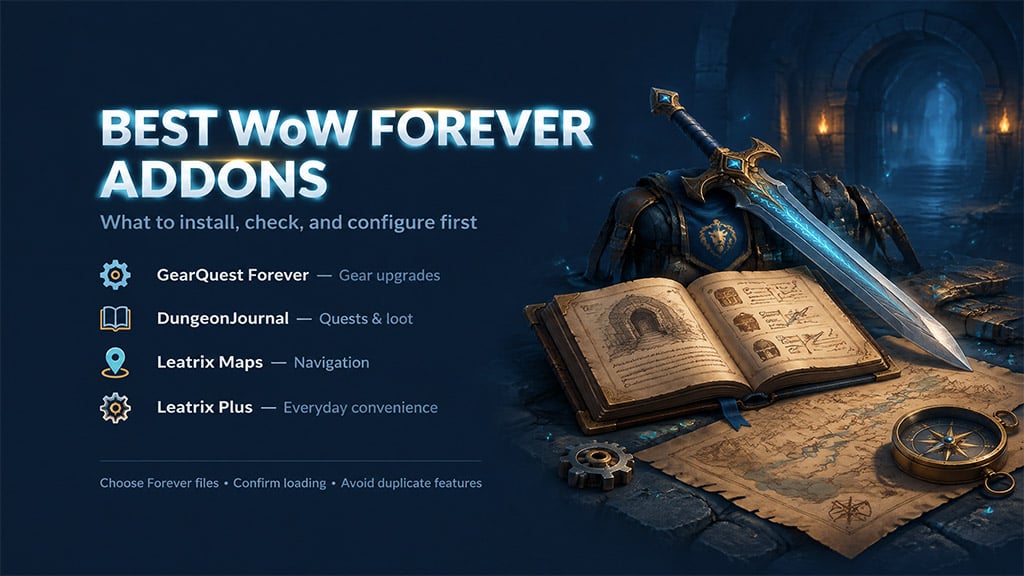
Installing the wrong addon client branch in WoW Forever (Classic Era) breaks your UI with LUA errors and missing dependencies before you even leave the starting zone. Start with GearQuest Forever, DungeonJournal, Leatrix Maps, and Leatrix Plus to cover gear routing, dungeon prep, navigation, and vendor automation—then add Decursive only if your class carries dispels.
- Choose Your Starting Package
- Install and Confirm That Addons Load
- Install Through CurseForge
- Troubleshoot Load Failures in Order
- Configure Gear and Dungeon Tools Around Obtainable Rewards
- GearQuest Forever: Target Your Weakest Slot First
- DungeonJournal: Audit Your Quest Log Before Travelling
- Avoid Overlap in Navigation and Combat Automation
- Maps, Waypoints, and Quest Automation
- Dispels, Nameplates, and Rare Alerts
- FAQ (Frequently Asked Questions)
- Which WoW Forever addons should you install first?
- Why is my addon installed in CurseForge but missing in-game?
- Do you need both AtlasLoot and DungeonJournal?
- Can RareScanner tell whether every rare spawn is currently alive?
- How do you completely reset a broken WoW Forever addon?
Choose Your Starting Package
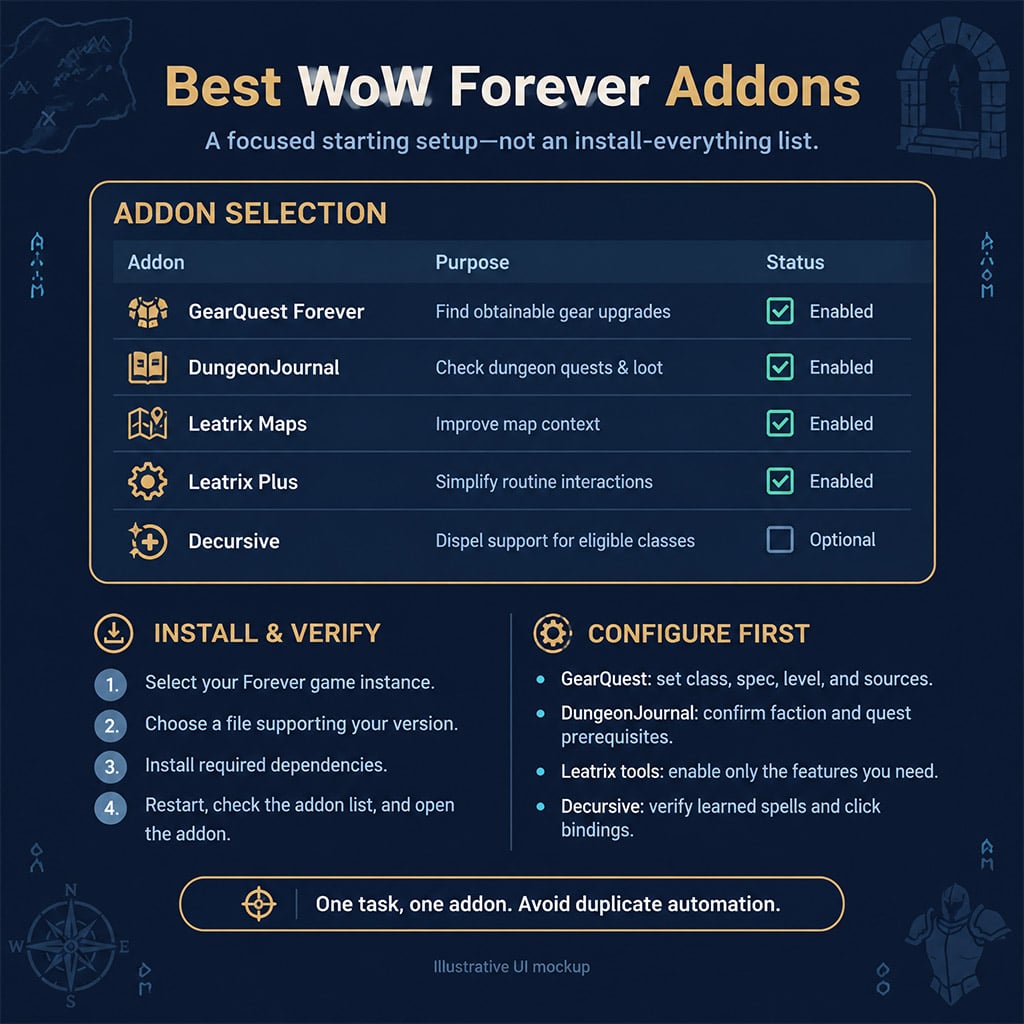
Skip bulky UI replacements if the default client already handles the task. Install only the core tools below that solve an immediate bottleneck in your leveling or dungeon routine, and verify that every file targets the Forever / Classic Era (1.15.x) client branch rather than Cataclysm or Retail.
| Addon | Install When… | Configure First | Skip or Defer When… |
|---|---|---|---|
| GearQuest Forever | You have empty slots or gear 10+ levels behind | Class, active spec, current level range, source filters | You already follow a dedicated pre-raid BiS spreadsheet |
| DungeonJournal | You are planning a 5-man run and need quest chains | Target dungeon, faction filter, prerequisite quests | You are purely solo grinding in the open world |
| Leatrix Maps | Unexplored zones hide layout connections and flight paths | Reveal unexplored areas, cursor coordinates, dungeon icons | You already run a heavy map replacement like Carbonite |
| Leatrix Plus | Vendor trash selling, repairs, and flight dismounts slow you down | Auto-sell junk, auto-repair, faster auto-loot, quest automation | Another suite (such as Forever Plus) handles your automation |
| Decursive | Your class casts Cure, Dispel, Cleanse, Abolish, or Remove Curse | Micro-Unit Frame (MUF) placement, left/right-click spell bindings | Your class lacks dispels or you only play solo content |
| AtlasLoot Classic | You need crafting recipes, reputation rewards, or world boss tables | Module loading on demand, class filter toggles | DungeonJournal already covers your 5-man boss loot checks |
| RareScanner | You hunt rare spawns, treasure chests, or rare Hunter pets | Vignette audio alerts, target unit frame popups, map skull icons | Spawn detours ruin your XP-per-hour leveling route |
The author listings offer Forever files for GearQuest, DungeonJournal, Leatrix Maps, Leatrix Plus, Decursive, and RareScanner. Always verify the individual file's supported game version under the Files tab rather than clicking the default main download button.
Install and Confirm That Addons Load
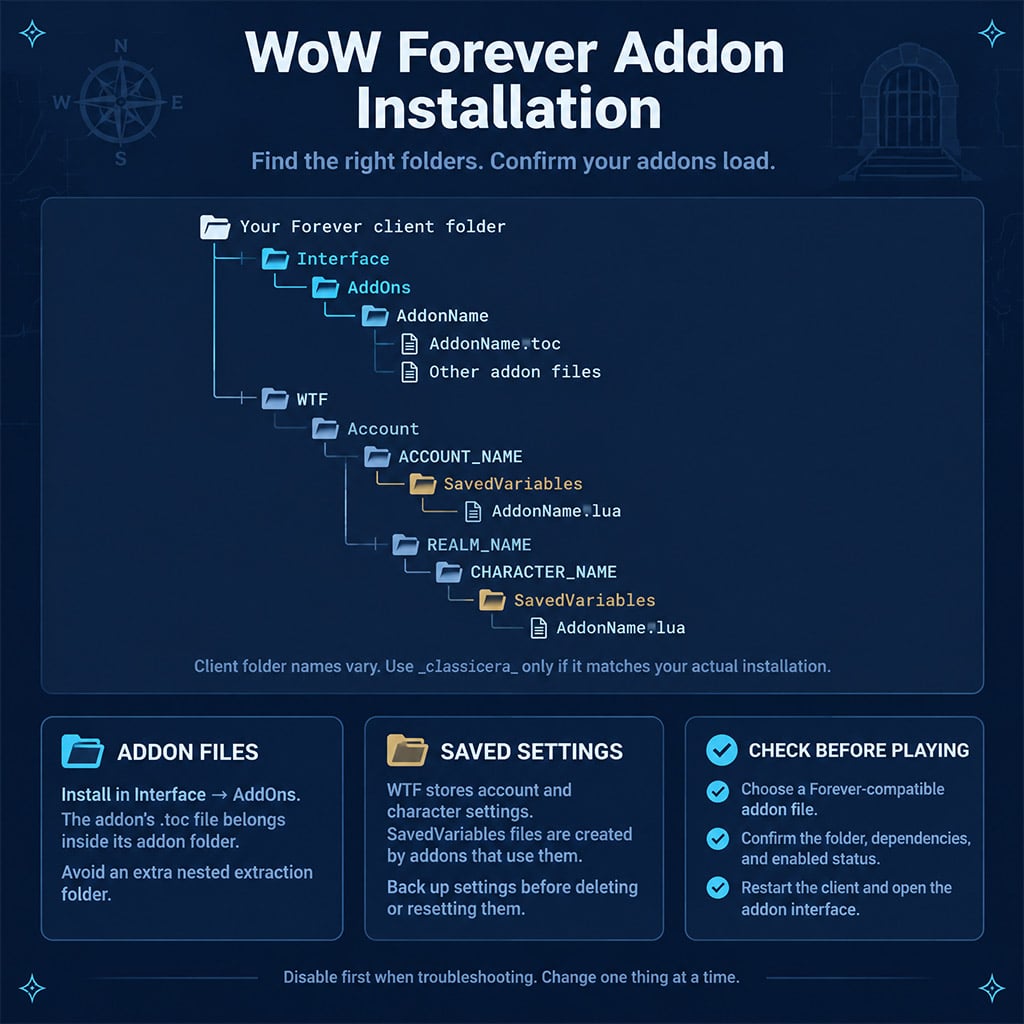
An addon installation fails most often because the manager drops files into the wrong World of Warcraft client folder. Confirm your directory path before launching the game.
Install Through CurseForge
1. Select the correct game flavor: Open CurseForge, click World of Warcraft, and select the game instance corresponding to your Forever (classicera) installation—never classic (Progression) or retail_.
2. Scan or add manually: If the client profile is missing from the dropdown, use the manual folder scan and point it directly to World of Warcraft\classicera_.
3. Verify the directory path: Confirm that downloaded folders extract specifically into World of Warcraft\classicera_\Interface\AddOns.
4. Match the interface version: Select a compatible addon file (1.15.x) and install any required standalone dependencies.
5. Verify in-game loading: Restart WoW, click the AddOns button on the character selection screen, and confirm no red Incompatible or Missing Dependency flags appear.
6. Test in small batches: Enable 2 to 3 addons at a time, log into your character, and open each addon's configuration panel to confirm it loaded cleanly.
Troubleshoot Load Failures in Order
Diagnose broken addons by isolating one variable at a time rather than wiping your entire AddOns folder. Deleting an addon through a manager removes the code in Interface\AddOns, but leaves corrupted profile settings inside WTF\Account\.
| Symptom | Primary Culprit | Immediate Fix |
|---|---|---|
| Missing from character-select AddOn list | Installed into retail or classic folder by mistake | Move the extracted addon folder directly into classicera_\Interface\AddOns and restart the client completely |
| Listed as Incompatible or greyed out | Outdated .toc interface number or wrong client branch | Download the Forever/Classic Era release; enable Load out of date AddOns only for minor patch mismatches |
| Red Dependency Missing warning | Missing core library (e.g., Ace3, LibStub) or unloaded sub-module | Install the required standalone library or check the box for all child modules on the character selection screen |
| LUA error popup on login or combat | Version conflict or corrupted profile variable | Disable the newest addon first; if errors persist, delete its .lua file inside WTF\Account\...\SavedVariables |
| Double auto-repair or conflicting map pins | Two addons fighting over the same API event hook | Disable overlapping modules (e.g., turn off Leatrix Plus map coords if Leatrix Maps already draws them) |
Configure Gear and Dungeon Tools Around Obtainable Rewards
Chasing a 2% dungeon drop while leveling wastes hours of XP progression. Use your gear and dungeon databases to prioritize guaranteed quest upgrades and multi-quest dungeon clears.
GearQuest Forever: Target Your Weakest Slot First
GearQuest filters items from levels 1 to 60 by class and specialization, pulling from quests, vendors, professions, and dungeons. Because automated stat weights rarely account for weapon speed breakpoints or hit rating caps, always inspect the raw item stats before committing to a long travel route.
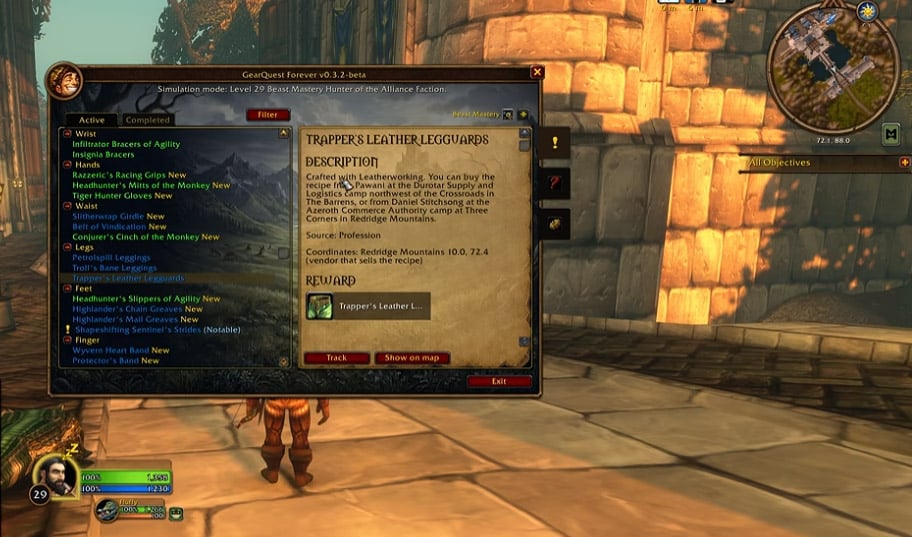
1. Identify your lowest item-level slot: Focus on weapons for melee/hunters or wands for casters before chasing minor armor upgrades.
2. Filter by guaranteed acquisition: Check quest chains and BoE (Bind on Equip) crafted items on the Auction House before queuing for a dungeon drop.
3. Verify tradability: Do not hide crafted gear just because you lack the profession—many crucial leveling upgrades (like Hillman's Shoulders or Green Iron gear) are cheap BoE purchases.
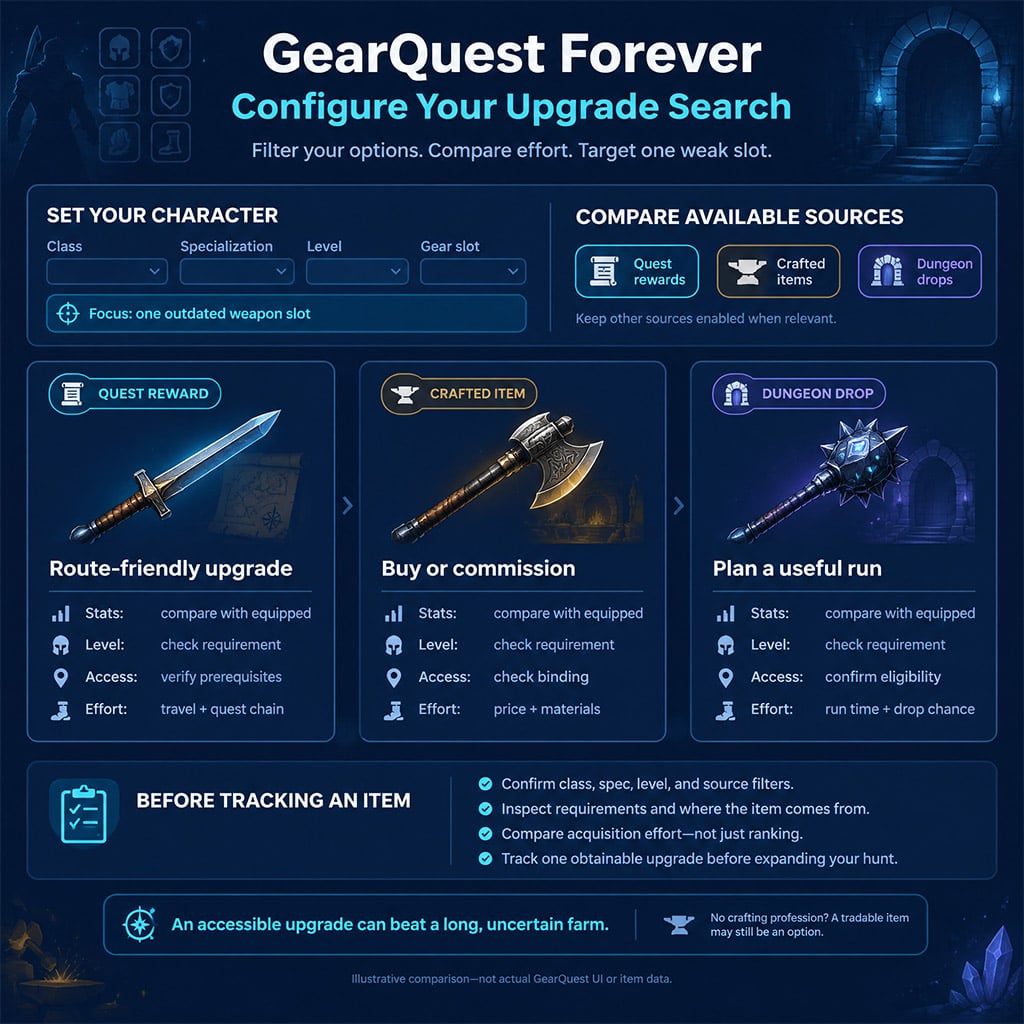
| Upgrade Source | Pre-Departure Check | When to Prioritize |
|---|---|---|
| Quest Chain | Minimum level to pick up the breadcrumb quest and total cross-continent travel time | The chain ends in a guaranteed weapon or ring upgrade along your active leveling zone |
| NPC Vendor | Limited-supply stock timers and exact faction reputation discounts | A quick gold purchase replaces an empty or grey slot immediately |
| Crafted (BoE) | Auction House material cost versus raw buyout price | A crafter or AH listing lets you skip a 5-level gear drought for a few silver |
| 5-Man Dungeon | Total number of completable dungeon quests available for that single run | You hold 3+ yellow or green dungeon quests and multiple bosses drop usable upgrades |
| Rare / World Drop | Exact spawn timer window and mob level range | You are already grinding the surrounding camp for XP and can check the spawn passively |
DungeonJournal: Audit Your Quest Log Before Travelling
Traveling thirty minutes to an instance portal only to realize you missed a pre-quest in a capital city ruins group momentum. Use DungeonJournal to audit every prerequisite chain before joining a party.
1. Filter by dungeon and faction: Open DungeonJournal and select your target instance.
2. Trace breadcrumb chains: Click every listed quest to see if an earlier step starts in another zone (such as the Deadmines or Scarlet Monastery pre-quests).
3. Verify log capacity: Keep at least 4 open slots in your 20-quest limit so you can accept shareable quests at the instance portal.
4. Layer specialized trackers: Add Attune only when tracking complex endgame attunement trees (Onyxia, Molten Core, Blackwing Lair), and load AtlasLoot only when researching reputation rewards or profession patterns not shown in DungeonJournal.
Avoid Overlap in Navigation and Combat Automation
Running multiple automation or combat addons with overlapping triggers causes frame stutters and accidental NPC interactions. Assign one specific role to each addon and use slash commands to access configuration panels quickly.
Maps, Waypoints, and Quest Automation
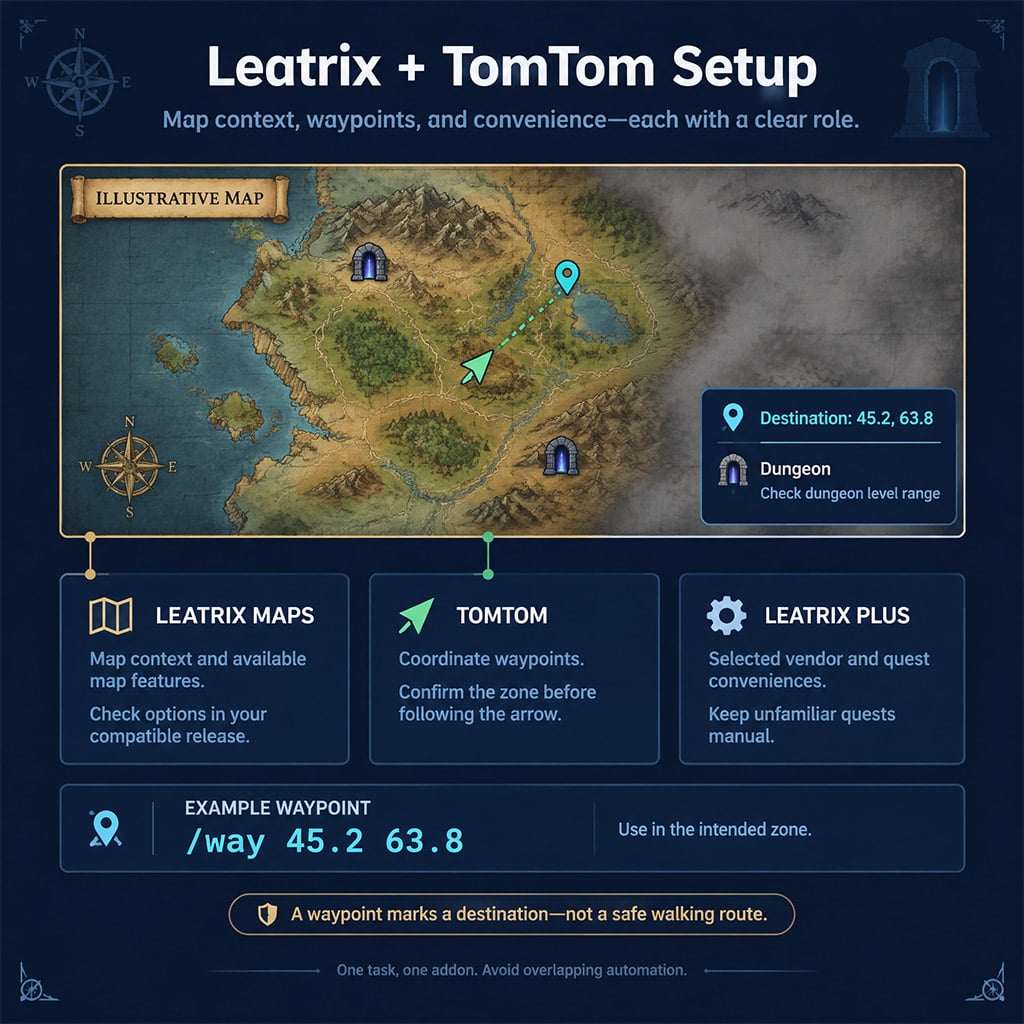
Combine Leatrix Maps (zone reveal, dungeon levels, coordinates) with TomTom (directional crazy-arrow navigation). Keep Leatrix Plus focused on vendor/system speedups, and never enable auto-quest turn-ins alongside another quest helper like Questie or Forever Plus—auto-turn-in modules can stall on escort NPCs or pick the wrong binding reward when a quest offers multiple gear choices.
| Addon / System | In-Game Slash Command | Primary Function & Practical Use Case |
|---|---|---|
| TomTom | /way 45.2 63.8 | Drops a directional arrow pin at X=45.2, Y=63.8 in your current zone; always verify your active map zone first |
| TomTom | /wayb or /cway | Clears your active waypoint arrow when a quest step completes |
| Leatrix Plus | /ltp | Opens the master automation panel to toggle faster auto-loot, auto-repair, and vendor trash selling |
| Leatrix Maps | /ltm | Opens map scaling, unexplored fog-of-war removal, and dungeon entrance icon toggles |
| Decursive | /dcrshow | Displays the movable anchor bar to reposition your Micro-Unit Frames (MUFs) outside of combat |
| System Client | /reload | Reloads the User Interface to save addon settings to disk without logging out |
Dispels, Nameplates, and Rare Alerts
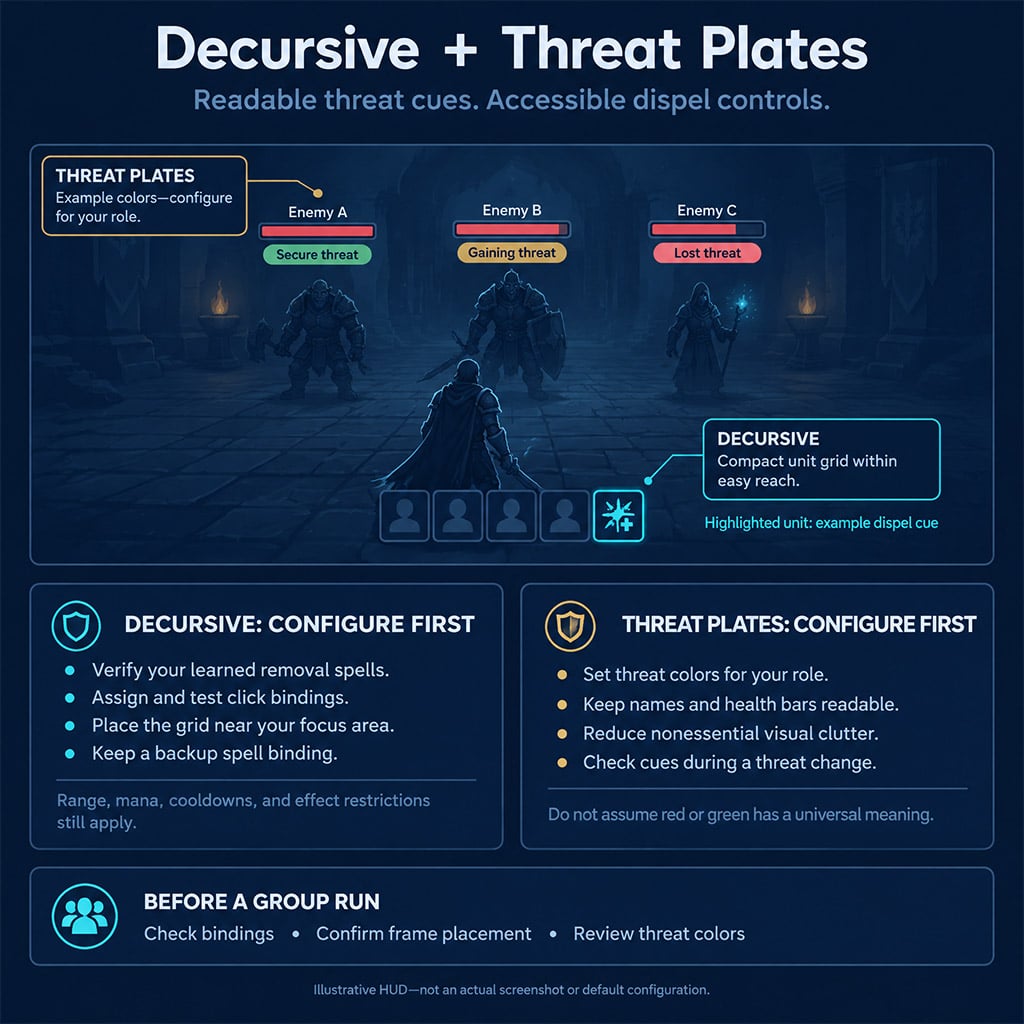
Combat addons are governed by the client's secure frame lockout—you cannot resize or rebind unit frames once an enemy pulls. Configure and test these three systems in a capital city before entering a dungeon:
- Decursive: Drag the Micro-Unit Frame (MUF) grid near the center of your screen before combat starts. Verify that Left-Click and Right-Click match your learned dispel ranks (e.g., Cleanse vs. Purify). Keep the spell on a standard action bar slot as a backup, since Decursive still obeys line-of-sight, 30-yard range limits, and global cooldowns.
- Threat Plates: Set your active role profile explicitly to Tank or DPS/Healer. Without role calibration, Threat Plates may show red nameplates when you lose aggro as a DPS (which is safe) instead of alerting you only when you pull threat off the tank.
- RareScanner: Understand the difference between static map skull icons (historical database spawn points) and active popup vignettes (a live client detection via target/nameplate scanning). Hunters hunting rare pets like Broken Tooth should verify the creature's exact attack speed and level bracket before camping a static skull marker.
FAQ (Frequently Asked Questions)
Which WoW Forever addons should you install first?
Start with GearQuest, DungeonJournal, Leatrix Maps, and Leatrix Plus to cover upgrade routing, dungeon quest prep, map visibility, and fast looting. Add Decursive immediately if you play a Priest, Paladin, Mage, Druid, or Shaman with party dispel responsibilities.
Why is my addon installed in CurseForge but missing in-game?
Your addon manager likely installed the files into the retail or classic folder instead of classicera_\Interface\AddOns. Verify the folder path manually, ensure you downloaded the 1.15.x Forever/Classic Era build, and completely restart the game client (a /reload will not detect newly added folders).
Do you need both AtlasLoot and DungeonJournal?
No—DungeonJournal handles 5-man boss loot tables and prerequisite quest chains in a single lightweight window. Install AtlasLoot Classic only if you need to browse raid sets, faction reputation rewards, PvP honor gear, or high-end crafting recipes.
Can RareScanner tell whether every rare spawn is currently alive?
No—static skull icons on your world map only show where a rare can spawn based on database coordinates. RareScanner triggers an audio and visual alert only when your client enters detection range of an active unit or vignette.
How do you completely reset a broken WoW Forever addon?
Uninstalling an addon deletes its code from Interface\AddOns, but keeps your old settings inside WTF\Account\. To fix a corrupted configuration, close the game, delete the addon's specific .lua and .lua.bak files inside the SavedVariables folder, and log back in.

I’m Priya Raman, an Indian Content Strategist at GGWTB covering fantasy MMORPGs, classic online games, and guild-focused play. I plan coverage around class roles, group coordination, and long-term character growth. A strong solo build is only part of the picture—I focus on what you bring to a party and which investments stay useful as your guild takes on tougher content.

Most Popular Posts
- WoW Forever Level 30 Beta Guide: Respec Rules & Fast Leveling Routes
- WoW Forever Best Addons: Essential Setup, Load Fixes & Config Guides
- WoW Forever Main Class Guide: Choose by Playstyle, Not Beta Hype
- WoW Forever Beta Best Classes: Leveling, DPS and Tank Main Picks
- WoW Forever Priest Leveling Guide: Talents, Wands & Mana Tips
- WoW Forever Best Class Choosing Guide: Leveling, PvE and PvP Picks Compared
Popular Category Lists
- ARC Raiders / (366)
- Grow a Garden / (298)
- CoD: Black Ops 7 / (167)
- Star Citizen / (166)
- MLB 26 / (159)
- Monopoly Go / (153)
- ARK Survival Ascended / (130)
- Steal a Brainrot / (100)
- Adopt Me / (75)
- Blox Fruits / (74)
- Forza Horizon 6 / (72)
- Sailor Piece / (68)
- Grow a Garden 2 / (68)
- Diablo IV / (62)
- Aion 2 / (61)
- CoD: BLACK OPS 6 / (55)
- COD: Modern Warfare 4 / (51)
- Maplestory Classic / (49)
- Path of Exile 2 / (48)
- Monster Hunter Wilds / (46)