We understand how your frustration grows missing out on unique charms and skins because of confusing proprietary linking processes. To simplify your frustration, we have taken steps to make this as easy as possible. Below, we provide an overview of what you may receive, the importance of the proprietary linking rules, and the steps to transfer the items to your main game account and how not to lose your items.
What You Get After You Purchase
After you place your order, we make sure you get what you need to claim your loot and avoid delays. We have combined the items to simplify the process.
Here's what we send out as soon as your payment goes through:
| Item | Description | What This Means For You |
|---|
| Twitch Credentials | Login and password information to your assigned Twitch account. | You instantly get access to a profile with all rewards claimed and ready to transfer. |
| Activation Guide | Instructions on how to transfer rewards, step by step. | You won't have to make any guesses. It takes just a few minutes to complete our activated process. |
You get everything in this package to skip all the grinding and go straight to equipping your brand new cosmetics.
Important Rules for Linking Accounts
Before we activate, we need to explain the EA linking policy. Why do we explain this very clearly? EA's backend system is very unforgiving when it comes to account linking. One error could mean account linking error loses you the chance to earn rewards.
EA's account linking policies are very strict. Here is what you need to know to continue:
| Policy | Description | What Happens When You Violate? |
|---|
| One Time Link | You can only link an EA account to one Twitch account. | Once EA has linked an account, it is impossible to link any other Twitch accounts to EA. If this is true for you, do not purchase. |
| Single claim | Each game account can only receive rewards once. | You may not receive duplicate rewards on the same EA account, regardless of how many account you have. |
| Forever Link | You do not have the option of unlinking the Twitch account from the EA account. | If you remove the bought Twitch account from the EA account, any rewards you earned will be lost. Permanently. |
By following these rules, the chance of permanently losing your digital rewards decreases significantly.
The one-time linking policy is crucial to note before altering your profile again.
Activation Procedure
Follow these exact steps to claim your items if you've determined your account is eligible. This exact workflow has been streamlined hundreds of times to provide the best possible experience to our users.
Here's how to ensure your items transfer correctly:
| Step | Action Required | Pro Tip |
|---|
| 1 | Go to www.twitch.tv, log out from your personal account, and log in using the account details given to you. | Make sure you have completely logged out of all previous sessions to avoid linking the wrong account. |
| 2 | Go to the official linking site: https://ea.com/twitchlinking. | Make sure you are logged in to your EA account on this browser. |
| 3 | Click Allow to grant permission for the purchased Twitch account to be linked to your EA account. | Once you have done this, you cannot go back. Make sure the account names are what you are expecting before you press this button. |
| 4 | Open Apex Legends. | The items you earned should be in your inventory. If after restarting the game you still can't see your items, be patient. |
Your items will be in the lobby for you when you log back into the game if you have followed all the previous guidelines.
List of items to obtain
We have categorized the drops into distinct tiers, and this structure will help you verify your new loot efficiently. Instead of guessing what each item is, use this matrix to understand the exact distribution of your new cosmetics.
| Asset Category | Total Count | Key Highlights & Notable Items |
|---|
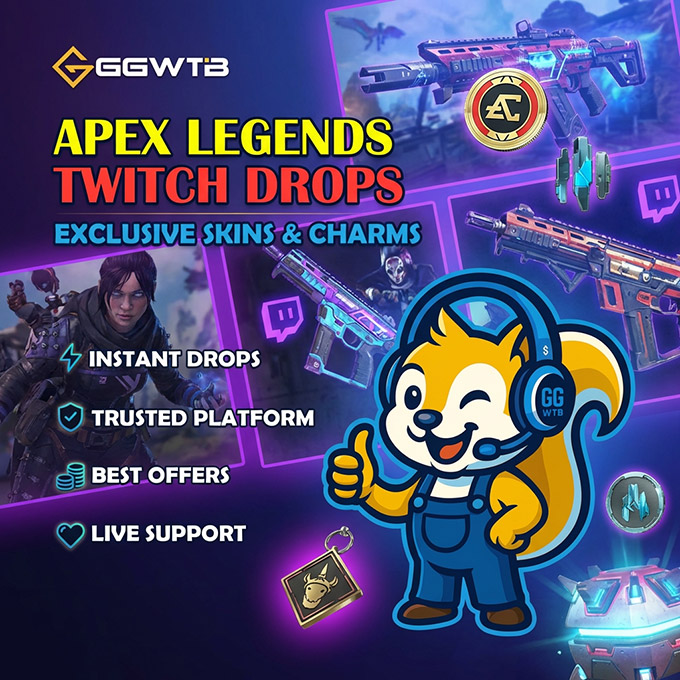
| Character Skins | 7 Items | Includes exclusive looks for Loba (Laser Tagged), Bangalore (Crimson Clash), Lifeline, Wraith (Crimson Crasher), Alter, plus backend code skins for Pathfinder and Valkyrie. |
| Weapon Skins | 8 Items | Covers popular firearms: R99 (Crimson Slash), Wingman (Metal Sunset), RE-45, 30-30 Repeater, Volt, Peacekeeper, and Nemesis. |
| Holosprays | 10 Items | Features legend-specific sprays for Seer, Fuse, Rampart, Loba, and ALGS commemorative drops (e.g., Check the VOD). |
| Weapon Charms | 12 Items | High-visibility gun accessories like Fleet Feet, Shields Engaged, Neon Nights, and Thirst Quencher. |
| Banners, Stickers & Emotes | 17 Items | Contains Ultimate Charge and Victory Lap banners, Heart Wired stickers, and epic emote codes. |
Frequently asked questions
Q: What can I do if I already linked my Twitch account to my EA account before purchasing?
If your EA account is linked to another Twitch account, you will not be able to use our account. Unfortunately, EA's policies do not allow us to link accounts to use them. That is the reason we recommend you check your account connection history before buying.
Q: Will I lose my items if I disconnect the Twitch account later?
You will lose your items. That's the system. If you unlink the Twitch account from your EA account, it will automatically take back the rewards and you won't get them back. You will lose your skins and charms if you unlink the account.
Conclusion
When you have the correct information, claiming your Apex Legends Twitch Drops should be easy. By understanding and acknowledging EA's lifetime linking policies, you will be able to follow our tested activation steps to add more items to your account. We are showing you how to link your accounts to ensure that your main account remains safe. While doing this, you will be able to get new cosmetics to use in-game.




 0
0