0
Created: Oct 14,2026 | ARC Raiders
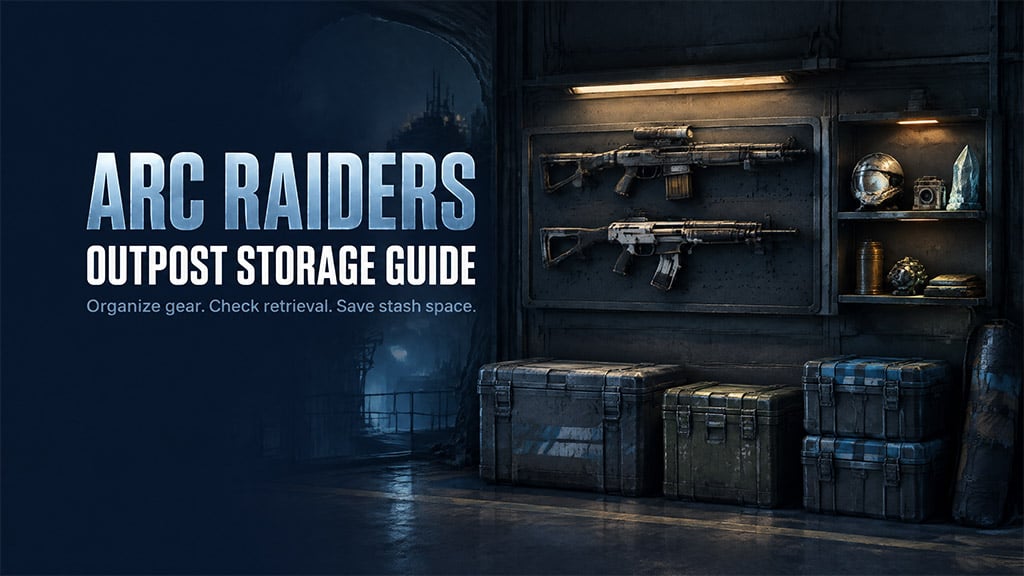
ARC Raiders Outpost Storage Guide: Furniture Choices and Weapon Racks

Outpost furniture can free main-stash space by holding weapons and eligible collectibles, according to current player reports. We recommend using existing shelves and racks first, then checking item retrieval before crafting more storage.
- Move Items Into Furniture Before Buying More
- Check the transfer, not just the display
- Choose furniture by item compatibility
- Check Loaded Racks Before Putting Them Into Storage
- Verify access after restoring the rack
- Keep Useful Shelves and Avoid Destructive Actions
- Spend materials only after checking existing storage
- FAQ (Frequently Asked Questions)
- Does Outpost furniture provide extra storage?
- Can weapon racks keep guns while placed in furniture storage?
- How many items does each Outpost furniture piece hold?
- Should we recycle starter shelves?
- What should we move out of the stash first?
Move Items Into Furniture Before Buying More
Players report freeing stash space by moving collectibles into the Outpost. That supports furniture as supplementary storage—not a claim that it adds ordinary rows to your main stash. See the accessible Outpost storage discussion.
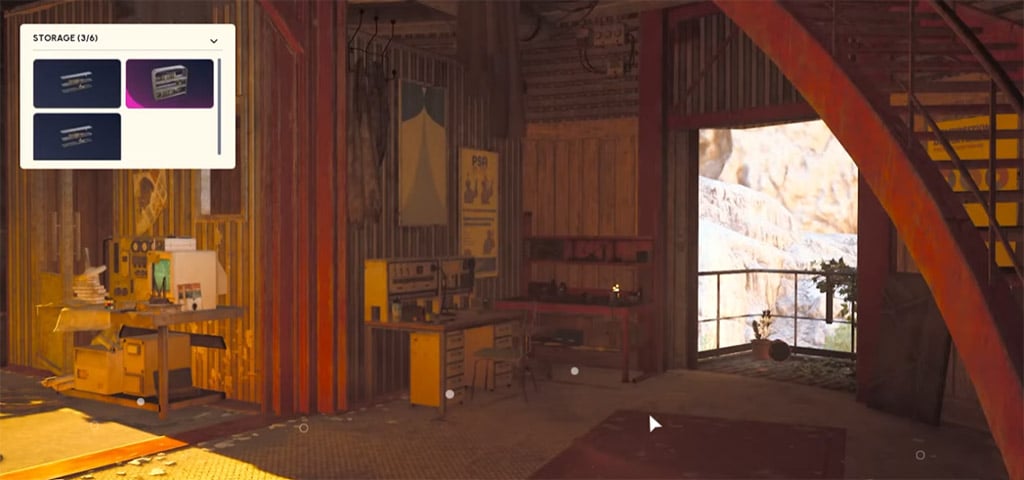
Check the transfer, not just the display
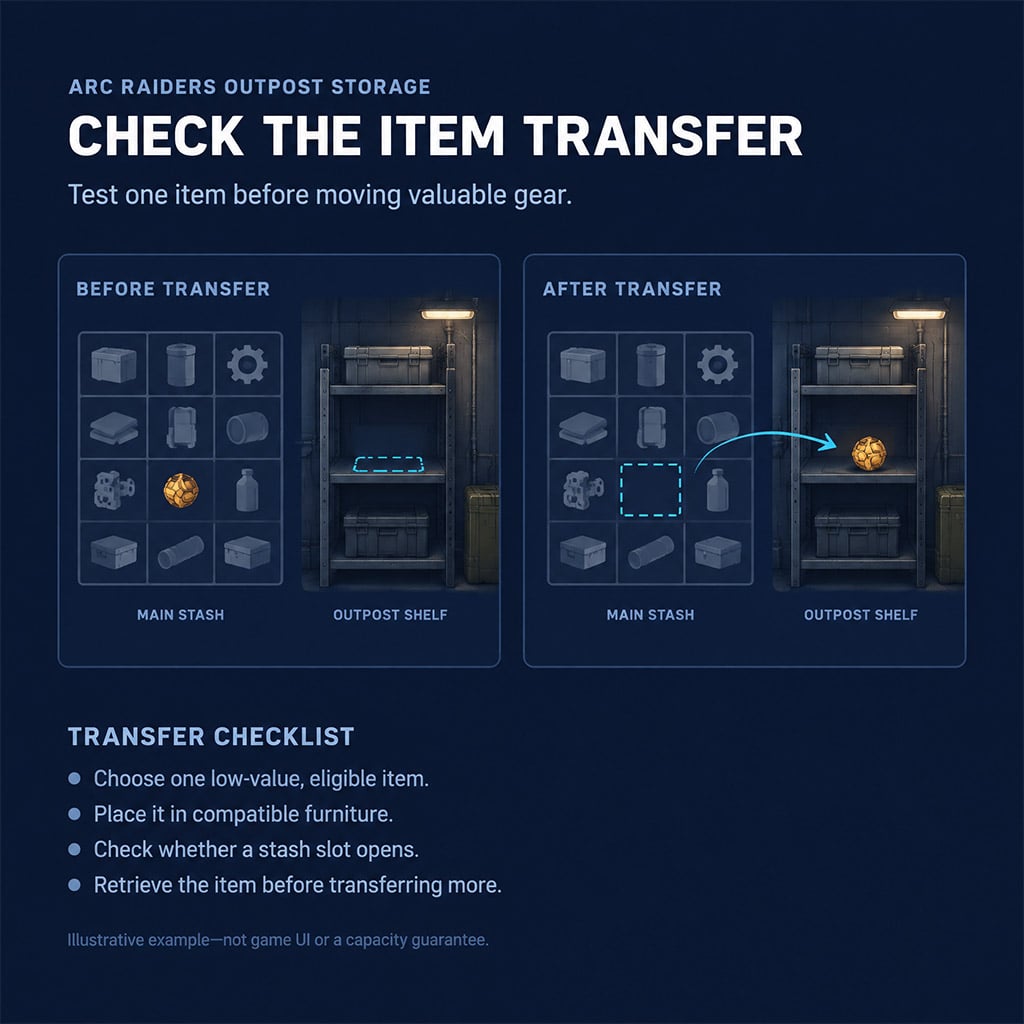
Start with one inexpensive item.
1. Record your main-stash occupancy.
2. Open a shelf or rack's item-selection interface.
3. Choose an eligible item.
4. Return to the stash and check its location and occupied slots.
5. Retrieve the item before transferring a larger collection.
If the stash count does not decrease, do not assume the furniture has provided additional usable storage.
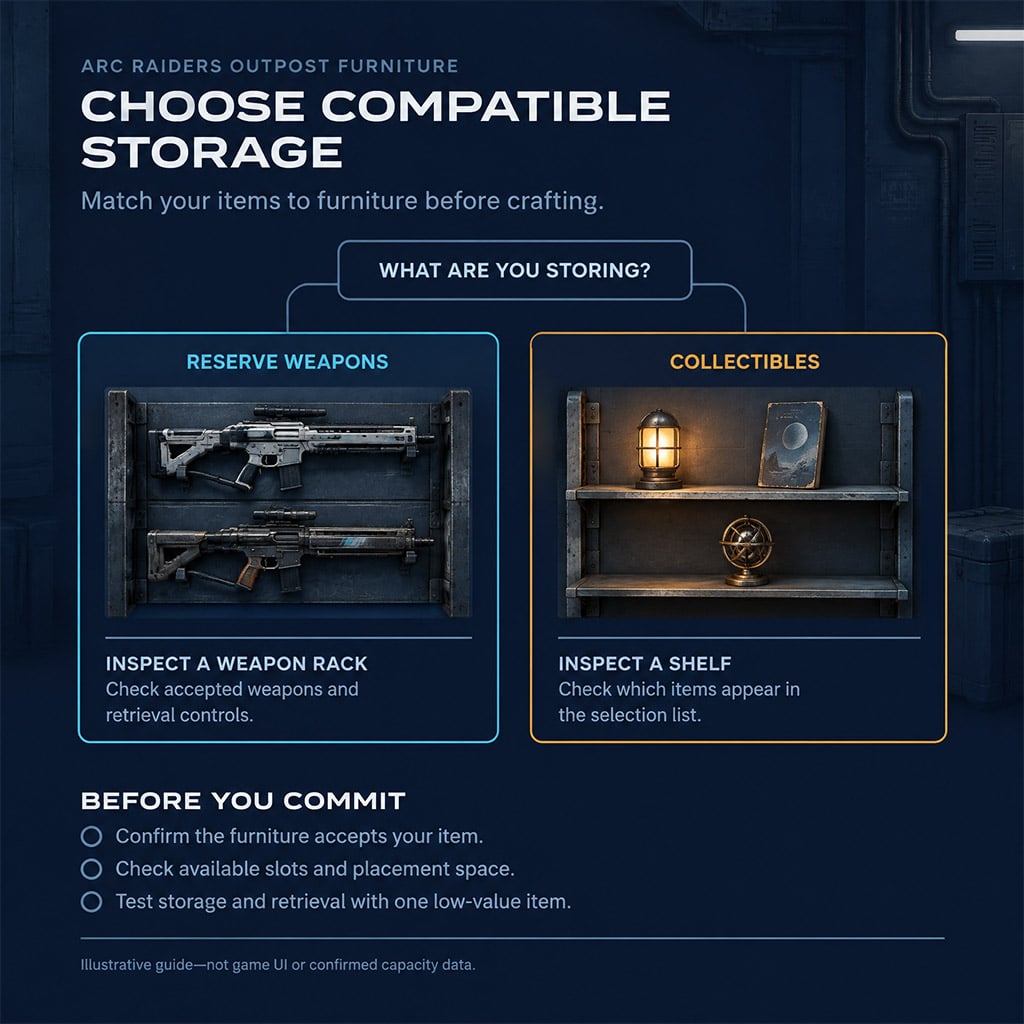
Choose furniture by item compatibility
Exact capacities are omitted because the available sources do not establish them reliably. Use your current furniture panel to compare accepted items and available slots.
| Your storage problem | Furniture to inspect | Check before committing |
|---|---|---|
| Reserve guns occupy stash slots | Weapon rack | Accepted weapons and retrieval controls |
| Collectibles crowd the stash | Shelf or display furniture | Which objects appear in its selection list |
| Small placements remain unused | Smaller compatible furniture | Whether it provides functional item storage |
| You need frequently used equipment | Easily accessible furniture | How many interactions retrieval requires |
Prioritize confirmed storage function over furniture size or appearance.
Do not transfer an entire stack based on a single-object test. Check whether the furniture stores the stack, one object, or neither.
Check Loaded Racks Before Putting Them Into Storage
A player report about Outpost weapon racks describes putting racks into furniture storage while weapons remain loaded. This is community-reported behavior, not an official guarantee of persistence across updates.
Verify access after restoring the rack
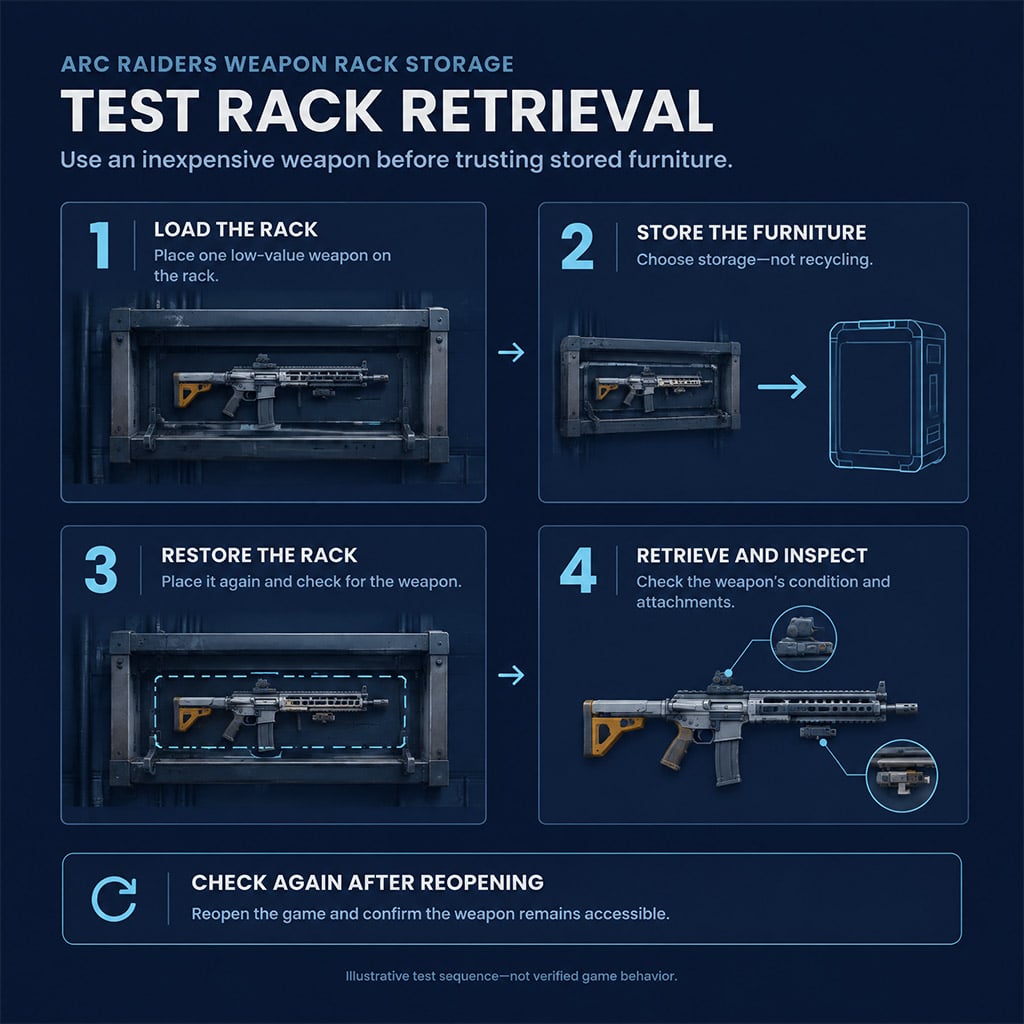
We recommend testing the complete retrieval sequence:
1. Put an inexpensive weapon onto a rack.
2. Choose the furniture's storage action, not recycling.
3. Place the rack again.
4. Retrieve the weapon and inspect its condition.
5. Reopen the game and repeat the access check.
Do not use rare equipment for the first test.
If your reserve weapons carry attachments, check those separately. Successful retrieval of a bare gun does not establish that every attachment or weapon state is preserved.
The useful distinction is stored furniture versus accessible equipment. Even when contents persist, restoring a rack may add steps to your loadout preparation; keep frequently used gear wherever retrieval is simplest.
Keep Useful Shelves and Avoid Destructive Actions
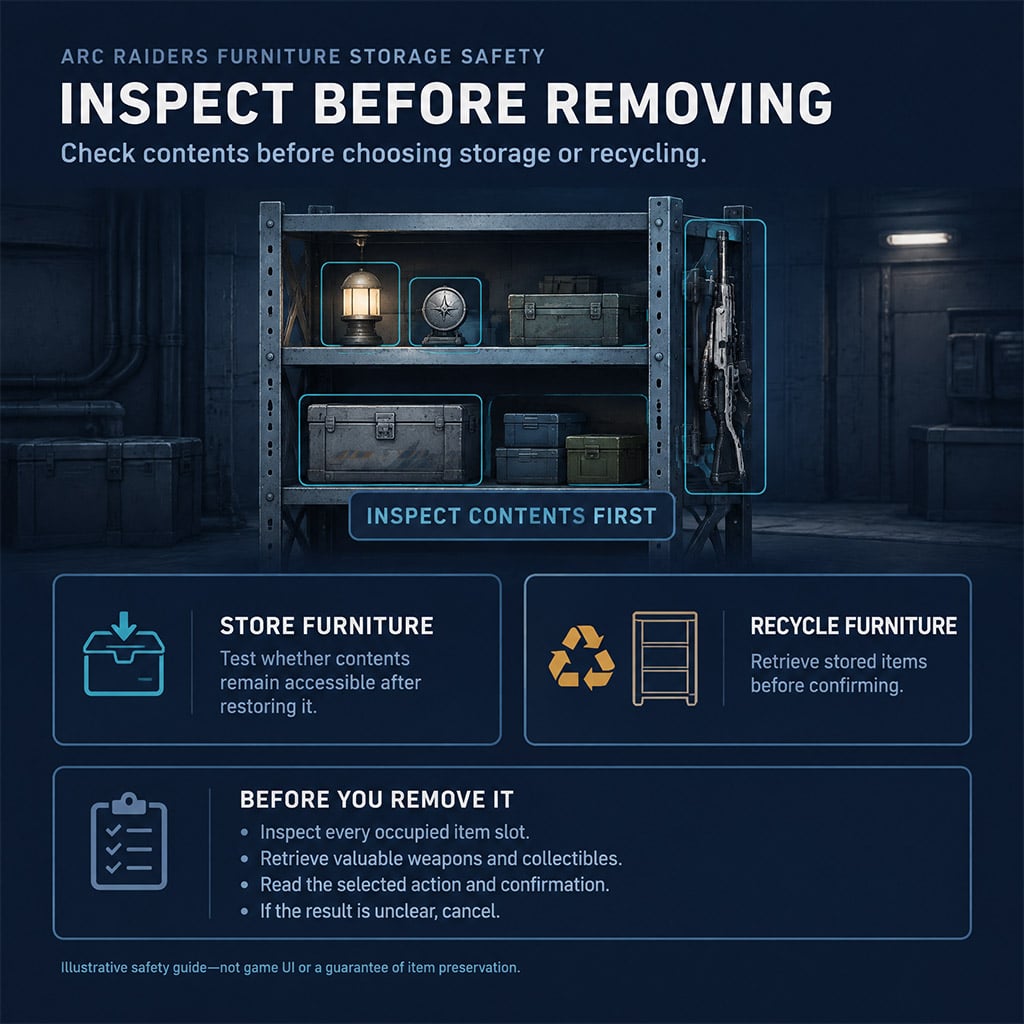
Recycling and storing furniture are different decisions. We recommend inspecting contents and available actions before removing any functional piece.
Spend materials only after checking existing storage
Keep starter shelves until you know what they hold. Test their eligible-item list before replacing them with newly crafted furniture.
Before crafting another rack:
- Compare its capacity with your existing model.
- Check the current recipe rather than relying on an older guide.
- Confirm that you have a compatible placement.
- Decide whether you need more storage or merely a different appearance.
Buy additional function first; pay for a cosmetic alternative only when you prefer its appearance.
FAQ (Frequently Asked Questions)
Does Outpost furniture provide extra storage?
Players report that Outpost furniture holds items outside the main stash and frees occupied stash space. Check your stash count after moving one eligible item before transferring more.
Can weapon racks keep guns while placed in furniture storage?
A current community report says loaded racks can be put into furniture storage. Test restoration and weapon retrieval in your client before relying on this behavior for valuable gear.
How many items does each Outpost furniture piece hold?
Use the current furniture panel for its capacity and accepted items. The accessible sources reviewed do not reliably establish the exact capacities quoted in earlier drafts.
Should we recycle starter shelves?
Keep starter shelves until you have checked their storage function and contents. Recycle only pieces you no longer need, after moving out any stored items.
What should we move out of the stash first?
Start with eligible collectibles or inexpensive reserve weapons, not your active loadout. Confirm both the released stash space and successful retrieval before moving valuable equipment.

I’m Sofia Bergström, a Swedish Managing Editor covering FPS, competitive shooters, and extraction shooters for GGWTB. My guides focus on loadout trade-offs, positioning, and when to commit—or cut your losses. A weapon’s stats tell only part of the story; I focus on how it fits your role and the fight ahead.
Most Popular Posts
- ARC Raiders Frozen Trail Update Guide: Pendola Pass, Frigate & Meta Loadouts
- ARC Raiders Broken Guidance System and Dual Anvil Build Guide
- ARC Raiders Ascending the Mountain: Fast Loot Routes and Item Guide
- ARC Raiders Outpost Storage Guide: Furniture Choices and Weapon Racks
- ARC Raiders Frozen Trail Prep Guide: Skills, Weapon Upgrades & Map Shifts
- ARC Raiders Kinetic Converter Guide: Best Weapons, Builds & Stats
Popular Category Lists
- ARC Raiders / (381)
- Grow a Garden / (303)
- Star Citizen / (175)
- CoD: Black Ops 7 / (168)
- MLB 26 / (159)
- Monopoly Go / (154)
- ARK Survival Ascended / (133)
- Steal a Brainrot / (102)
- Adopt Me / (81)
- Blox Fruits / (74)
- Forza Horizon 6 / (72)
- Aion 2 / (71)
- Sailor Piece / (68)
- Grow a Garden 2 / (68)
- COD: Modern Warfare 4 / (68)
- Diablo IV / (62)
- CoD: BLACK OPS 6 / (55)
- Maplestory Classic / (51)
- Path of Exile 2 / (48)
- Monster Hunter Wilds / (46)