0
0 Created: Apr 5,2026 | Rust
Best Rust Settings for PvP and FPS in 2026: Optimization Guide

If we care about winning more fights in Rust, the goal is not just chasing the biggest FPS number in the corner of the screen. What really matters is stable performance, low input delay, clean visibility, and fewer stutters when fights get chaotic. That is why the best Rust settings are usually the ones that make the game feel consistent, not just ultra low for the sake of it.
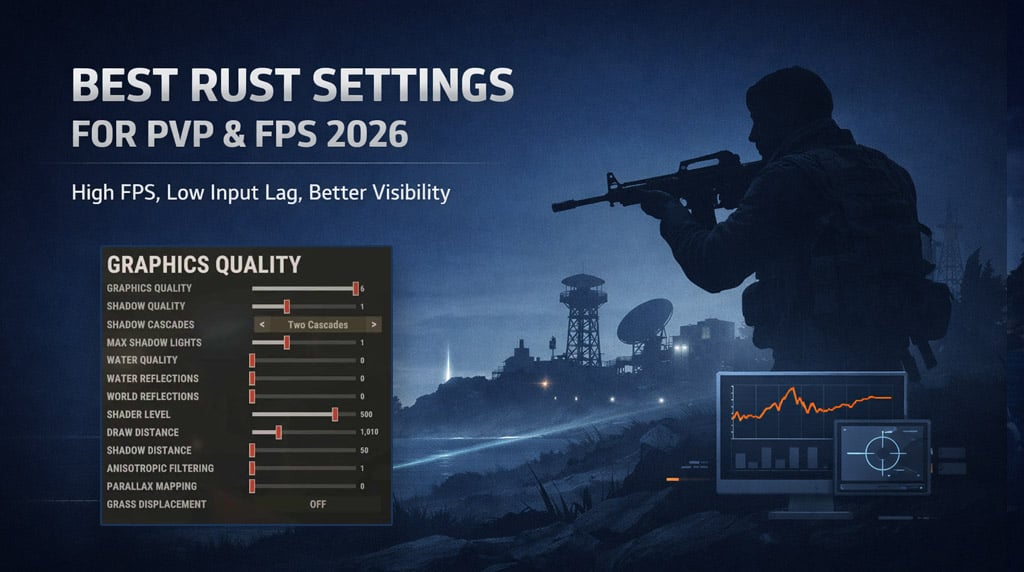
Below is a shorter, practical guide based on what tends to work best in real matches. We will focus on the settings that actually matter for PvP, responsiveness, and smooth gameplay, then finish with a few system tweaks that are worth doing.
- Why These Settings Work
- Best Rust Settings for PvP
- Core in-game settings
- Best Graphics Settings for FPS and Visibility
- Recommended graphics setup
- Best Settings by PC Type
- Windows and Nvidia Tweaks That Are Worth Doing
- Windows settings
- Nvidia settings
- Practical Testing Advice
- FAQ
- What is the best Rust resolution for more FPS?
- Should I use DLSS in Rust?
- What settings improve visibility the most?
- Why does Rust still stutter on a decent PC?
- Final Thoughts
Why These Settings Work
From experience, Rust feels worst when the game is technically high FPS but still has frametime spikes, blurry visuals, or too much clutter during fights. In other words, a clean 110 FPS often feels better than a messy 160 FPS.
For most players, the best setup should do four things:
- Keep FPS stable
- Reduce visual noise
- Improve target visibility
- Lower input latency
That is the baseline we are optimizing for.
Best Rust Settings for PvP
Here is the practical setup most players should start with.
Core in-game settings
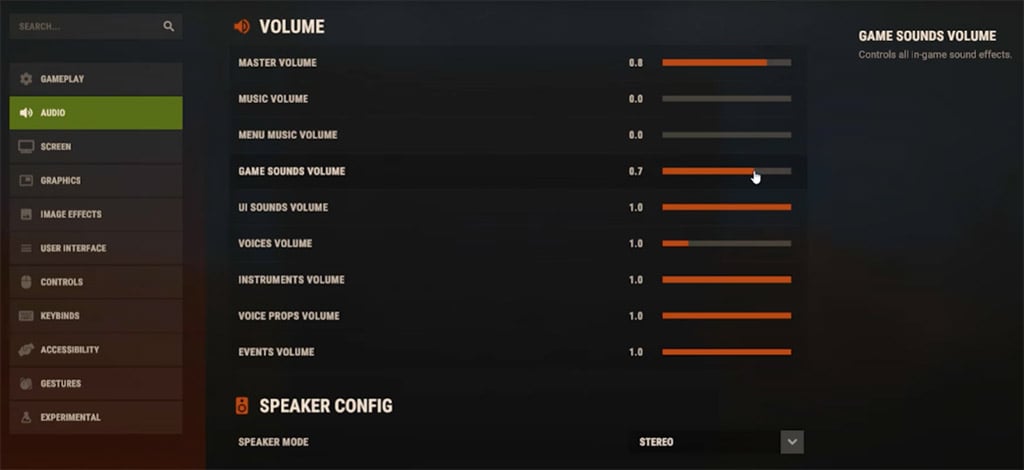
| Setting | Recommended | Why it helps |
|---|---|---|
| FOV | Max | Better peripheral vision |
| Head Bob / Hurt Punch | Off | Less screen shake in fights |
| Show Blood | On | Clear damage feedback |
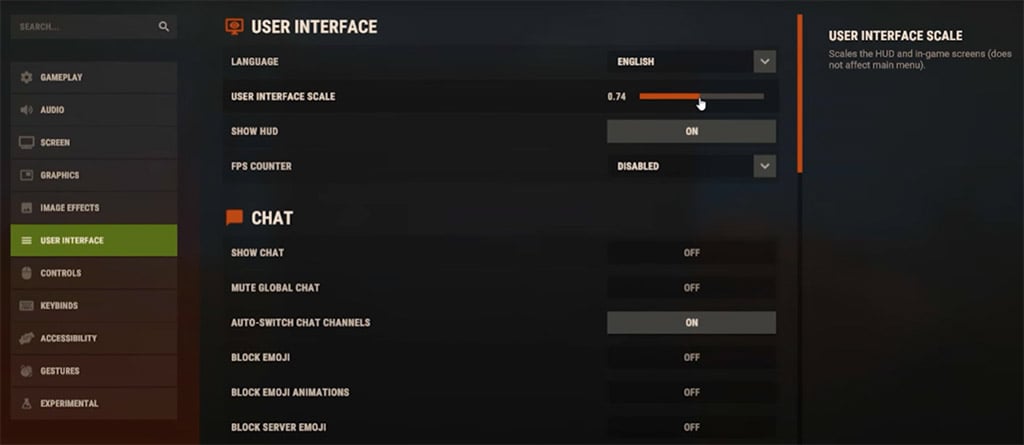
| UI Scale | Lower | More screen space |
| Tree Marker Color | Orange | Easier farming at night |
| Fullscreen | On | Best responsiveness |
| VSync | Off | Reduces input delay |
| FPS Limit | Match monitor refresh rate | Smoother frame pacing |
These are simple changes, but they noticeably improve how the game feels. If you find Rust visually distracting during PvP, this is where we clean it up first.
Best Graphics Settings for FPS and Visibility
This is where most of the performance gain comes from.
Recommended graphics setup
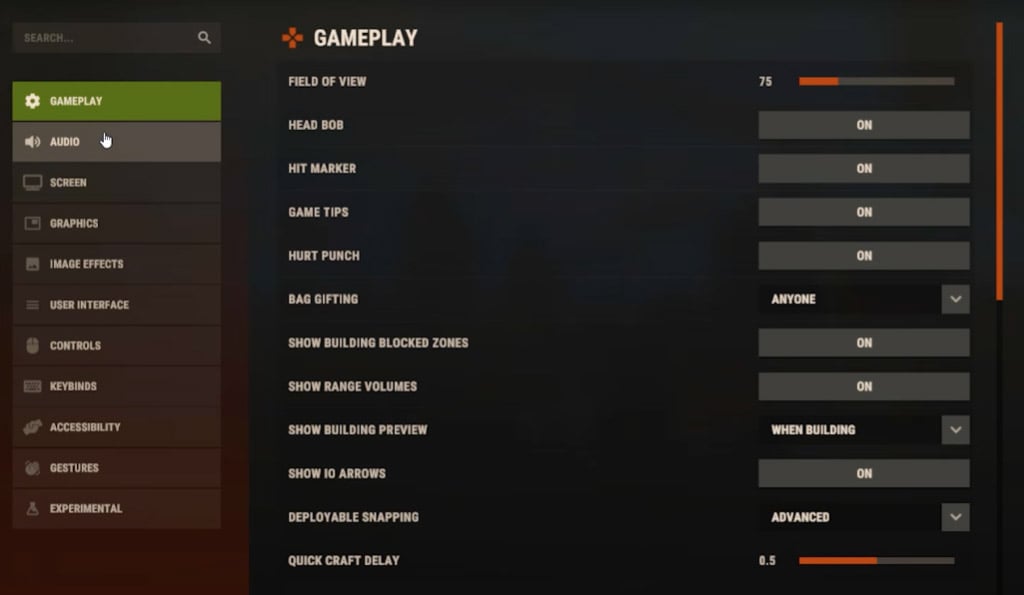
| Setting | Recommended | Notes |
|---|---|---|
| Resolution | Native, or 1600×900 for extra FPS | Great boost on weaker GPUs |
| Render Scale | 1.0 | Keeps image clear |
| Shader Level | Low or Medium | Low for max FPS |
| Nvidia Reflex | On | Better input response |
| Clouds | Off | Usually a free FPS gain |
| Water Reflections | Off | Big performance saver |
| Water Quality | Off | Helps a lot near water |
| Grass Displacement | On | Easier to spot loot |
| Texture Quality | Quarter or Half | Depends on VRAM |
| Parallax Mapping | Off | Little value, extra cost |
| Shadow Quality | Medium or Low | Medium for balance |
| Decor / Grass / Terrain | 0 | Less clutter, more visibility |
| Object Quality | 100 | Better structure readability |
| Particle Quality | 0 | Cleaner fights and raids |
A good rule here is simple: if a setting adds visual noise without helping gameplay, we cut it.
From testing on mid-range systems, lowering resolution to 1600×900, turning off clouds, and disabling water effects usually gives the biggest immediate FPS improvement. On some setups, that can mean 30+ FPS gained, especially on crowded servers.
Best Settings by PC Type
Not every system needs the same setup, so here is the quick version.
| PC Type | Recommended Setup | Main Goal |
|---|---|---|
| Low-end PC / Laptop | 1600×900, low shaders, quarter textures, shadows low | Maximum FPS |
| Mid-range PC | Native or 1600×900, half textures, shadows medium | Smooth PvP balance |
| High-end PC | Native, medium shadows, balanced textures | Stable high refresh gameplay |
If you notice stutters more than low FPS, the problem is often VRAM, memory handling, or background apps, not just raw graphics settings.
Windows and Nvidia Tweaks That Are Worth Doing
We do not need 25 secret tweaks here. A few real ones are enough.
Windows settings
| Tweak | Recommended | Why |
|---|---|---|
| Game Mode | On | Helps game priority |
| Xbox Game Bar | Off | Reduces background overhead |
| Background Captures | Off | Avoids performance hits |
| Mouse Acceleration | Off | More consistent aim |
| Graphics Preference for Rust | High Performance | Uses the right GPU behavior |
Nvidia settings
| Setting | Recommended | Why |
|---|---|---|
| Power Management Mode | Prefer maximum performance | Prevents downclocking |
| OpenGL Rendering GPU | Your GPU | Correct device selection |
| Scaling | GPU | Better lower-res behavior |
| Refresh Rate | Highest available | Makes full use of the monitor |
In practice, these system changes help most when Rust feels inconsistent even after lowering in-game settings.
Practical Testing Advice
The best way to optimize Rust is to change a few settings, then test on the same server and same route. That gives us real results instead of random impressions.
Use this order:
1. Set fullscreen and correct FPS cap
2. Turn off VSync
3. Disable clouds and water effects
4. Lower clutter settings
5. Reduce textures if your GPU is struggling
6. Turn on Reflex
7. Test resolution last if you still need more FPS
That order works because it targets the biggest performance wins first.
FAQ
What is the best Rust resolution for more FPS?
For many players, 1600×900 is the sweet spot. It gives a strong FPS boost without making the game look too blurry.
Should I use DLSS in Rust?
For competitive PvP, usually no. Native resolution often looks cleaner for spotting players. DLSS is only worth testing if your GPU is the clear bottleneck.
What settings improve visibility the most?
The biggest ones are:
- Grass Quality: 0
- Decor Quality: 0
- Terrain Quality: 0
- Clouds: Off
- Head Bob / Hurt Punch: Off
These reduce visual clutter and make fights easier to read.
Why does Rust still stutter on a decent PC?
Usually because of:
- VRAM limits
- background apps
- server load
- memory/asset streaming
- poor frame pacing
That is why system cleanup and stable settings matter just as much as lowering graphics.
Final Thoughts
The best Rust settings in 2026 are the ones that make the game feel clean, stable, and responsive in real fights. We are not optimizing for pretty screenshots. We are optimizing for faster reactions, easier tracking, and fewer moments where the game fights back harder than the enemy does.
If we keep only the essentials, the best formula is straightforward:
- Use fullscreen
- Turn off VSync
- Cap FPS to refresh rate
- Disable clouds and water effects
- Lower clutter settings
- Use Nvidia Reflex
- Reduce textures if VRAM is limited
- Turn off unnecessary Windows background features
That setup gives most players the best mix of FPS, PvP visibility, and smoothness without overcomplicating things. Rust is already stressful enough; our settings do not need to join the raid against us.

Most Popular Posts
- Rust Next Twitch Drops Event - Round 42 Homebrewed 3 (August 10)
- Rust Workbench Upgrades Guide: Best Upgrades, Slot Limits, and What to Use First
- Best Rust Settings for PvP and FPS in 2026: Optimization Guide
- Rust Apartment Raid Guide: Master Key, Room Value, Costs & Best Targets
- Rust Best Weapons Rankings: Economy, and Combat Tactics
- Rust Console 2025 Arctic Update: Research Base, Snowmobiles, Polar Bears, AI
Popular Category Lists
- ARC Raiders / (354)
- Grow a Garden / (294)
- CoD: Black Ops 7 / (167)
- Star Citizen / (163)
- MLB 26 / (159)
- Monopoly Go / (153)
- ARK Survival Ascended / (128)
- Steal a Brainrot / (99)
- Blox Fruits / (74)
- Adopt Me / (74)
- Forza Horizon 6 / (72)
- Sailor Piece / (68)
- Grow a Garden 2 / (68)
- Diablo IV / (62)
- CoD: BLACK OPS 6 / (55)
- Aion 2 / (52)
- Path of Exile 2 / (48)
- Monster Hunter Wilds / (46)
- Windrose / (44)
- Maplestory Classic / (42)