0
0 Created: May 14,2026 | Star Citizen
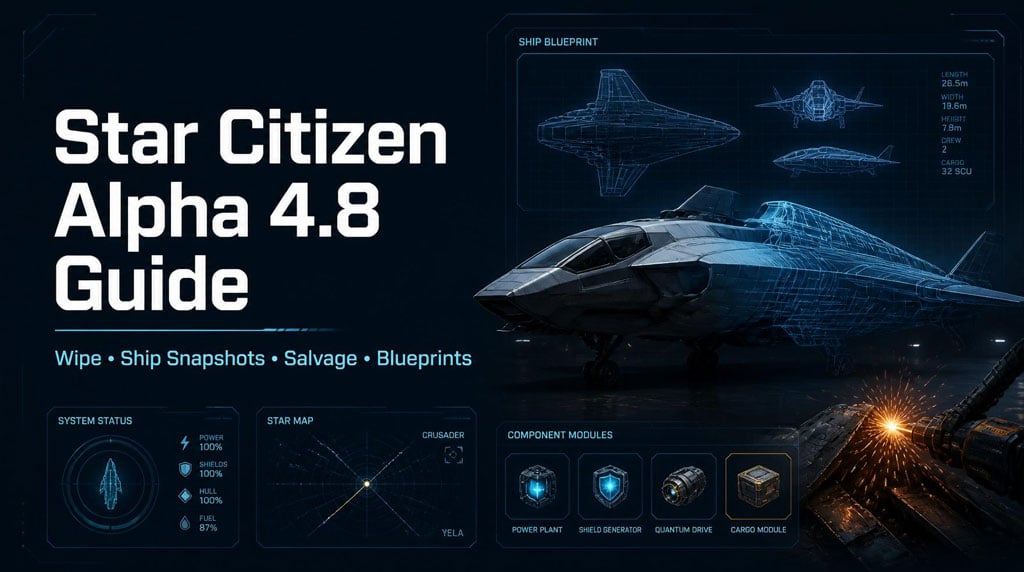
Star Citizen Alpha 4.8: Wipe, Ship Snapshots, Salvage, Blueprints, DefenseCon Priorities

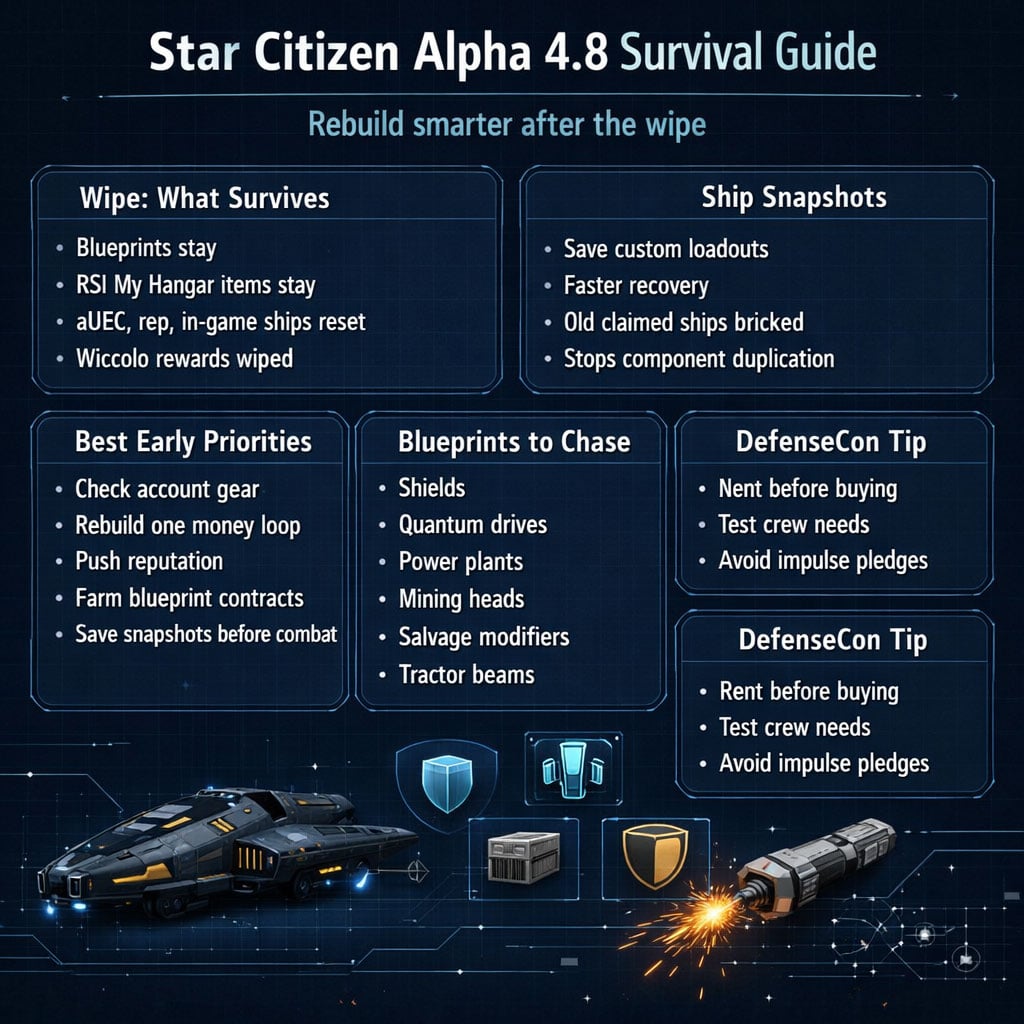
Alpha 4.8 is a reset patch with teeth. aUEC, in-game ships, items, resources, reputation, and Wiccolo rewards are wiped.
The real progression now is blueprints, reputation routes, and smart ship recovery.
Play this patch like a veteran: stop hoarding temporary cash, start building systems that survive or compound.
- Star Citizen Alpha 4.8 Wipe: What You Keep and Lose
- Best First Move After the Wipe
- Ship Snapshots and Bricked Ships Explained
- What Bricked Means
- Salvage Impact
- Best Alpha 4.8 Rebuild Route
- Solo Player Route
- Org Player Route
- Best Blueprints in Star Citizen 4.8
- High-Value Blueprint Targets
- Veteran Rule
- Combat Balance: Armor, Shields, and Weapon Changes
- What This Means in Practice
- Refueling and Support Gameplay in 4.8
- Starfarer Checklist
- Ship Replenish and Large-Ship Logistics
- Materials to Stock
- Idris Hangar Warning
- Tactical Strike Group: Requirements and Prep
- Loadout Prep
- DefenseCon 2956: What to Test Before Buying
- Ships to Watch
- Buying Filter
- Hidden Quality-of-Life Changes in 4.8
- FAQ
- What survives the Star Citizen Alpha 4.8 wipe?
- Are Wiccolo ships wiped in Alpha 4.8?
- How do ship snapshots work in 4.8?
- Can I still salvage player ships after 4.8?
- What are the best blueprints to chase first?
- Summary
Star Citizen Alpha 4.8 Wipe: What You Keep and Lose
The wipe is broad. Treat it as a near-full economy reset.
| Category | Status in 4.8 | Player Action |
|---|---|---|
| Earned aUEC | Wiped | Spend, test, or ignore before reset |
| In-game purchased ships | Wiped | Do not rely on them |
| Items, cargo, resources | Wiped | No reason to hoard |
| Reputation | Wiped | Rebuild mission access |
| Wiccolo / Executive Hangar rewards | Wiped | Confirm what is account-bound |
| Blueprints | Kept | Highest-value progression |
| RSI My Hangar items | Kept | Pledge ships, promo items, account rewards |
Best First Move After the Wipe
Do this in order:
1. Check RSI My Hangar ships and items.
2. Check saved blueprints.
3. Rebuild one income loop.
4. Push reputation for blueprint contracts.
5. Save ship snapshots before risky missions.
The mistake is grinding raw cash first. Cash resets. Blueprints keep paying.
Ship Snapshots and Bricked Ships Explained
Alpha 4.8 adds the ship snapshot system. You can save a customized ship loadout, then reclaim that exact setup later.
Good system. Expensive if misused.
| Feature | What It Does | Why It Matters |
|---|---|---|
| Snapshot Save | Saves current loadout | Protects custom components |
| Premium claim | Pays for faster recovery | Less downtime |
| Instant recovery | Snapshot ships can return fast | Strong for combat loops |
| Bricking | Old claimed ship becomes unusable | Stops duplication |
| Rack recovery | Some stored weapons may recover | Useful but still inconsistent |
What Bricked Means
A bricked ship is dead weight.
The hull, weapons, and components may become nonfunctional after claim.
This kills the old abuse loop:
Claim ship ➔ strip old ship ➔ duplicate components ➔ profit
That loop is being shut down.
Salvage Impact
| Target | Worth Salvaging? | Best Use |
|---|---|---|
| NPC wrecks | Yes | Components, materials |
| Salvage contracts | Yes | Reliable income |
| Fresh player wreck | Maybe | Loot fast, expect risk |
| Claimed player ship | Low for components | Process for materials |
| Bricked parts | Not usable gear | Dismantle if possible |
If you find a player ship and the parts do not work, assume it was claimed.
Do not waste time trying to build around bricked gear.
Best Alpha 4.8 Rebuild Route
The first 10 hours matter. Waste them chasing temporary money and you fall behind. Use them to unlock durable value.
| Phase | Goal | Best Action |
|---|---|---|
| Hour 1 | Stabilize | Check hangar, keybinds, insurance, snapshots |
| Hours 2–3 | Get operating cash | Low-risk contracts |
| Hours 3–5 | Rebuild reputation | Pick one combat and one industrial path |
| Hours 5–7 | Chase blueprints | Prioritize useful BP chains |
| Hours 7–10 | Group content | Tactical Strike Group, higher contracts |
Solo Player Route
Run stable, repeatable loops:
- Shubin for mining progression.
- Adagio for salvage upgrades.
- Redwind for tractor beam blueprints.
- Foxwell / Headhunters for combat gear.
- United Wayfarers Club for refueling missions.
If a contract feels overtuned, leave.
Patch-week stubbornness burns more time than failure.
Org Player Route
Orgs should split roles early.
| Role | Priority |
|---|---|
| Combat pilots | Intersec, Foxwell, Headhunters |
| Industrial crew | Shubin, Adagio, Redwind |
| Logistics | Fuel, RMC, ammo stockpiles |
| Crafters | Blueprint tracking |
| Fleet leads | Tactical Strike Group prep |
One player chasing every faction is inefficient.
A group splitting reputation routes gets useful blueprints faster.
Best Blueprints in Star Citizen 4.8
Blueprints are the real win condition after this wipe. They survive. They scale. They reduce dependence on shops and random loot.
| Blueprint Type | Bonus / Value | Where to Focus |
|---|---|---|
| Mining laser heads | +HP, +laser power | Shubin contracts |
| Salvage modifiers | +efficiency, +speed, +radius | Adagio salvage |
| Ship tractor beams | +force, +range, +volume | Redwind missions |
| Shields | More shield HP | Combat contracts |
| Quantum drives | Faster travel, lower fuel use | Covalex routes |
| Power plants | Extra power pips | Tactical Strike Group |
| Ship weapons | +HP, +alpha damage | Foxwell, Headhunters |
High-Value Blueprint Targets
| Item / Line | Reported Source | Why It Matters |
|---|---|---|
| FR-86 shield | Hard Foxwell contracts | Strong large-ship defense |
| XL1 / TS2 / VK00 | Covalex super contracts | Meta quantum drives |
| Specter / Zephyr | Ling Family contracts | Great small-ship drives |
| JS-400 power plants | Strike on Station B | Strong power builds |
| NDB repeaters | Xenothreat completion | Useful weapon BP |
| P8 / C54 / S71 | CFP cargo recovery | Solid FPS weapon base |
Veteran Rule
If you can choose between 500k aUEC and a useful blueprint, take the blueprint.
The money disappears into repairs, ammo, and bugs.
The blueprint keeps printing value.
Combat Balance: Armor, Shields, and Weapon Changes
4.8 makes fights faster and mistakes harsher.
| Change | Value | Effect |
|---|---|---|
| Armor HP nerf | -20% | Ships die faster |
| Shield HP nerf | -20% | Less buffer in fights |
| Armor deflection nerf | Around -35% on many ships | Heavy fighters feel weaker |
| Laser repeater buff | Faster close-range shots | Easier to land hits |
| Gunship buffs | Ship-dependent | Multicrew gains value |
What This Means in Practice
Light fighters cannot face-tank.
Heavy fighters are not as safe as before.
Industrial ships should leave early, not test durability.
Gunships are better when crewed properly.
A solo gunship is still just an expensive coffin with cupholders.
Refueling and Support Gameplay in 4.8
Refueling is smoother now. This is a real support-loop upgrade, especially for Starfarer players.
| Feature | Change |
|---|---|
| Refueling valves | Open two valves, system handles the rest |
| Auto docking | Target ship moves toward Starfarer |
| Docking bind | Right Alt + N |
| Boom control | Extend from pilot seat with N |
| AI refuel beacon | AI can arrive after a few minutes |
| Refuel missions | United Wayfarers Club |
Starfarer Checklist
Before leaving hangar:
- Buy fuel.
- Check fuel pods.
- Confirm docking keybind.
- Test boom deployment.
- Carry enough patience for patch-week bugs.
Do not launch empty. A dry Starfarer is just a very dramatic bus.
Ship Replenish and Large-Ship Logistics
Ship replenish is one of the strongest practical additions in 4.8.
You can repair, refuel, and rearm smaller ships inside supported larger ships using stored materials.
| Supported Ship | Use Case |
|---|---|
| Carrack | Expedition support |
| Idris | Fleet carrier |
| Polaris | Combat logistics |
| 890 Jump | Large support platform |
| Starlancer TAC | Tactical support |
| 600i | Expedition utility |
| Ironclad | Cargo and logistics |
Materials to Stock
| Material | Used For |
|---|---|
| Fuel | Refueling |
| Ammo | Rearming |
| RMC | Hull repair |
Idris Hangar Warning
The Idris vehicle storage limit appears reduced from 20 to 10 vehicles.
If you exceed that, vehicles may despawn.
Best practice:
- Cap stored vehicles at 10.
- Assign one player to hangar control.
- Do not store random captured ships.
- Track owner and purpose for each vehicle.
Fleet logistics now matters. Sloppy hangars cost ships.
Tactical Strike Group: Requirements and Prep
Tactical Strike Group is not casual solo content. It mixes ship combat, FPS, trench-run style objectives, and large encounters.
| Requirement | Details |
|---|---|
| Location | Nyx system |
| Reputation | Intersec Rank 3+ |
| Group | Strongly recommended |
| Content | Space combat, FPS, large finale |
| Notable enemy | Vanduul Mauler |
Loadout Prep
Bring:
- Space combat ships.
- FPS armor and ammo.
- Medical supplies.
- Backup weapons.
- Saved ship snapshots.
- Voice comms.
If you go in solo, expect pain.
If you go in organized, this is one of the best 4.8 progression targets.
DefenseCon 2956: What to Test Before Buying
DefenseCon is the best time to test ships, not impulse-buy them.
| Feature | Why It Matters |
|---|---|
| Free Fly | Try the game without buying |
| Free rentals | Test ships before pledging |
| Drake showcase | Ironclad, Ironclad Assault, Pitbull |
| Twitch drops | Event suit rewards |
| Referral bonuses | Good timing for new accounts |
| Limited hull waves | Plan purchase windows |
Ships to Watch
| Ship | Reason to Watch |
|---|---|
| Drake Ironclad | Heavy cargo and logistics |
| Ironclad Assault | Armed heavy platform |
| Drake Pitbull | New DefenseCon reveal |
| Origin M80 | High-interest new ship |
| MISC Starlight | Solo refueling role |
| Aegis Tiburon | Hammerhead variant |
| RSI Perseus | Reported in-game for 39M aUEC |
| Drake Clipper | Added to in-game shops |
Buying Filter
Before spending real money, ask:
| Question | Buy If… | Skip If… |
|---|---|---|
| Do you have crew? | You play with regulars | You are mostly solo |
| Does it fit your loop? | You will use it weekly | It only looks cool |
| Can you rent it? | You tested it | You only saw stats |
| Is it wipe-safe? | It is account-bound | It is only in-game |
| Is it fun after chores? | Yes | No |
A ship must survive the boring parts of gameplay.
That is the real test.
Hidden Quality-of-Life Changes in 4.8
These smaller changes affect daily play more than they look.
| Change | Impact |
|---|---|
| MFD ship visuals solid blue | Easier damage reading |
| Damage colors: blue/yellow/orange/red | Faster status checks |
| Player list scrolls past 100 | Better large-server use |
| Caterpillar command module works | More Cat utility |
| Mining gadgets repairable | Saves money |
| Hammerhead gold standard | Physicalized components, 64 SCU cargo |
| Mission cap set to 10 | Less stacking, cleaner servers |
| Plasma grenades | FPS area denial |
| Crossbow added | Strong precision weapon |
| Component ownership indicator | Less theft confusion |
The 10-mission cap hurts hoarders, but helps server sanity.
Accept fewer contracts. Finish more of them.
FAQ
What survives the Star Citizen Alpha 4.8 wipe?
Blueprints and RSI My Hangar account-bound items survive.
aUEC, in-game ships, items, resources, reputation, and Wiccolo rewards are wiped.
Are Wiccolo ships wiped in Alpha 4.8?
Yes. Wiccolo and Executive Hangar rewards are included in the wipe unless they are separately account-bound in My Hangar.
How do ship snapshots work in 4.8?
Save a ship's current loadout as a snapshot. When claimed, that saved version can return quickly. The old ship becomes bricked to prevent duplication.
Can I still salvage player ships after 4.8?
Yes, but claimed ships may have bricked components. Treat player wrecks as material salvage first, component loot second.
What are the best blueprints to chase first?
Prioritize shields, quantum drives, power plants, mining heads, salvage modifiers, and ship tractor beams. Combat players should add weapon blueprints from Foxwell and Headhunters.
Summary
Alpha 4.8 is a blueprint patch, not a cash patch.
Best route:
1. Check account-bound gear.
2. Confirm saved blueprints.
3. Rebuild one money loop.
4. Push reputation for more blueprints.
5. Save snapshots before combat.
6. Treat claimed player ships as bricked until proven otherwise.
7. Test DefenseCon ships before buying.
The players who win 4.8 will not be the ones hoarding temporary aUEC.
They will be the ones building repeatable value through blueprints, reputation, logistics, and smart recovery habits.

Most Popular Posts
- Star Citizen 4.9 Ship Buying Guide: What to Buy, Skip, and Prioritize
- Star Citizen 4.9 Salvage Guide: Easy AUEC from Battaglia Ship in Distress + Golem Module Fix
- Star Citizen 4.9 Battaglia Contracts, Persistence Fixes, Best Loot, Scanning Changes, and Ship Rewards
- Star Citizen 4.9 Hull C Cargo Hauling Guide: Make Millions aUEC Without Autoload
- Star Citizen 4.9 Alleso Money Guide: Best Pyro Trade Route for Fast aUEC
- Star Citizen 4.9 NDB-30 Farming Guide: Free S3 Weapon Loot Loop
Popular Category Lists
- ARC Raiders / (351)
- Grow a Garden / (294)
- CoD: Black Ops 7 / (167)
- Star Citizen / (162)
- MLB 26 / (159)
- Monopoly Go / (152)
- ARK Survival Ascended / (128)
- Steal a Brainrot / (99)
- Blox Fruits / (74)
- Adopt Me / (74)
- Forza Horizon 6 / (72)
- Sailor Piece / (68)
- Grow a Garden 2 / (68)
- Diablo IV / (62)
- CoD: BLACK OPS 6 / (55)
- Aion 2 / (50)
- Path of Exile 2 / (48)
- Monster Hunter Wilds / (46)
- Windrose / (44)
- Donut SMP / (41)