0
0 Created: Jun 16,2026 | Forza Horizon 6
Forza Horizon 6 Driving Guide: How to Drive Faster, Avoid Traffic, and Fix Wheel Handling

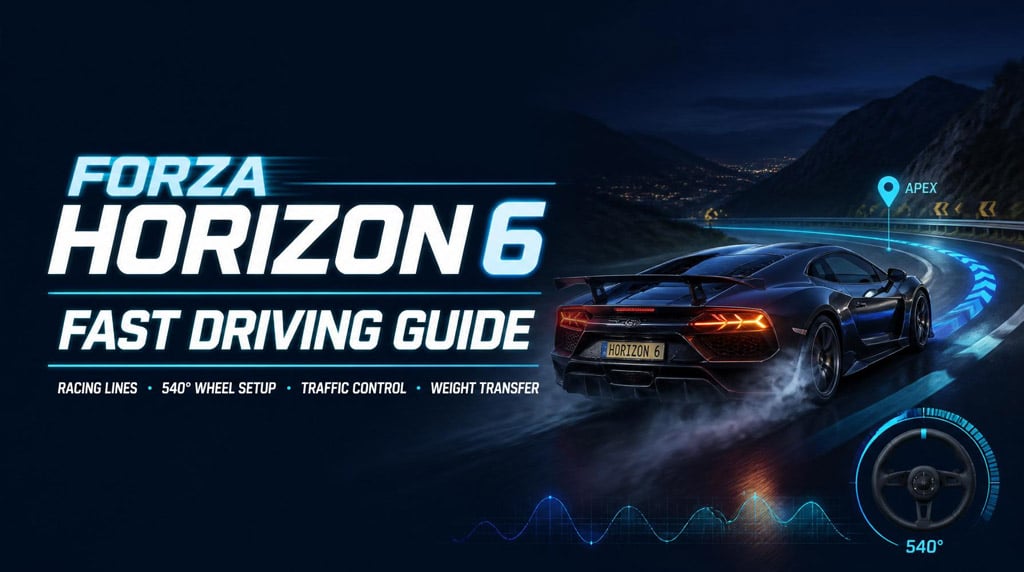
If Forza Horizon 6 feels slippery, slow to react, or impossible with traffic, the issue is usually not the car. It is your line, wheel setup, and weight transfer control.
Drive less reactively. Plan earlier. Use the road properly. That is where the speed comes from.
- Forza Horizon 6 Driving Fundamentals: Stop Reacting Late
- Best Racing Line for Forza Horizon 6 Roads
- Use Outside-Apex-Outside
- If Traffic Blocks the Line
- Best Wheel Rotation for Forza Horizon 6
- Why 540 Degrees Works
- Forza Horizon 6 Weight Transfer: The Real Speed Secret
- Clean Corner Formula
- Use Tire Audio to Find Grip
- Stock Cars Teach Faster Than Wild Tunes
- Controller vs Wheel: Same Rules, Different Inputs
- 10-Minute Practice Drill for Faster Driving
- Common Forza Horizon 6 Driving Mistakes
- FAQ
- What is the best wheel rotation for Forza Horizon 6?
- Why do I keep crashing into traffic in Forza Horizon 6?
- Why does my car understeer in Forza Horizon 6?
- Should I tune cars before learning to drive fast?
- Is Forza Horizon 6 better with a wheel or controller?
- Summary
Forza Horizon 6 Driving Fundamentals: Stop Reacting Late
Most crashes start before the obstacle appears.
If you drive down the middle of the road, you have no plan. When traffic appears, you panic-steer. At high speed, that fails.
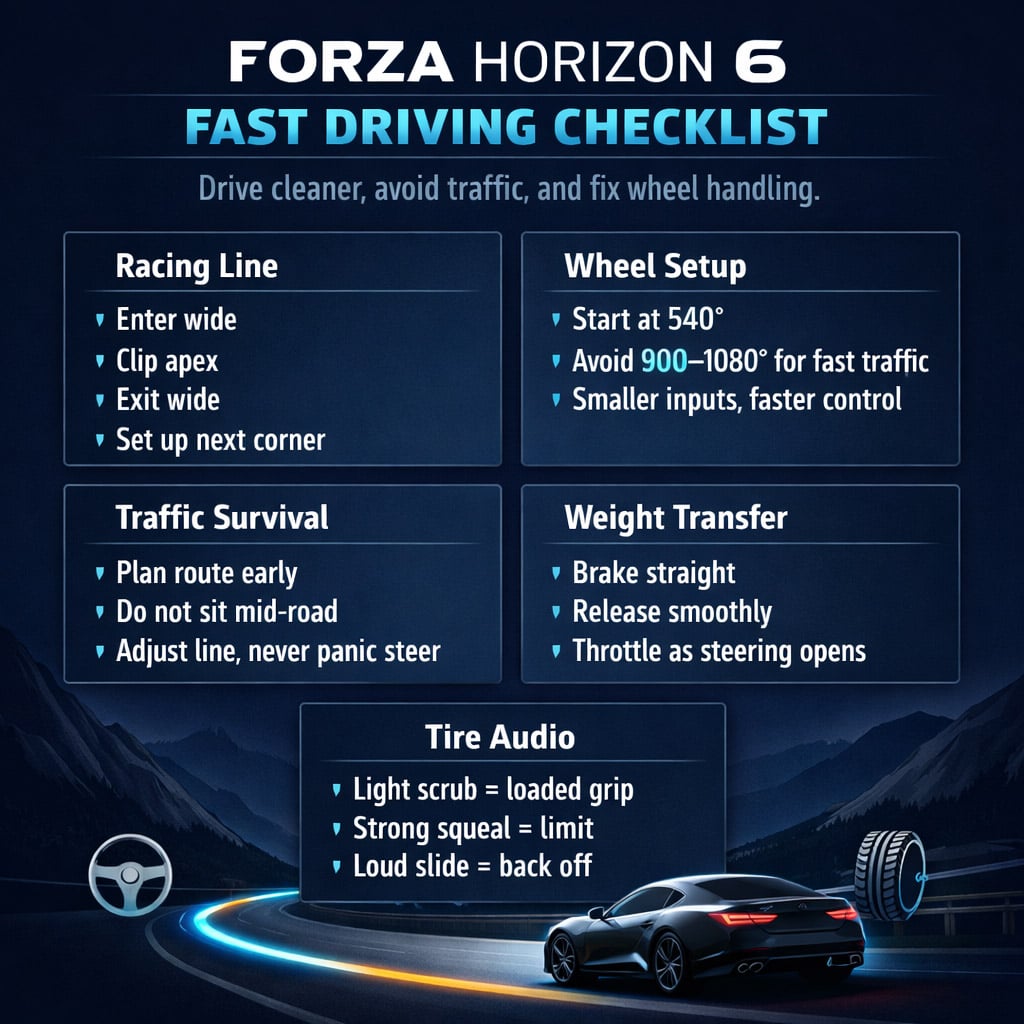
Use a racing line instead:
1. Enter wide
2. Aim for the apex
3. Let the car run wide on exit
4. Set up the next corner immediately
This creates a route. Traffic then becomes an adjustment, not a surprise.
| Bad Habit | Problem | Fix |
|---|---|---|
| Driving in the middle | No clear line | Use full road width |
| Dodging traffic late | Panic steering | Plan your route early |
| Turning too sharply | Overloads tires | Use smaller inputs |
| Full throttle mid-corner | Understeer or slide | Wait until exit opens |
| Ignoring tire sound | Misses grip feedback | Listen to tire load |
The goal is simple: know where the car is going before traffic forces a decision.
Best Racing Line for Forza Horizon 6 Roads
Forza Horizon 6 rewards flow. Treat roads like fast rally stages with traffic.
Use Outside-Apex-Outside
For a right-hand corner:
- Start on the left side
- Turn toward the inside apex
- Let the car exit back toward the left
For a left-hand corner:
- Start on the right side
- Clip the left apex
- Exit toward the right
This opens the corner and reduces steering angle. Less steering means more grip.
If Traffic Blocks the Line
Do not throw the car sideways. Adjust the line.
| Traffic Position | Best Response |
|---|---|
| Car on apex | Turn later and stay wider |
| Car on exit | Tighten the line earlier |
| Car in your lane before corner | Lift early, reposition |
| Traffic after blind crest | Stay stable, avoid sharp input |
| Mountain road traffic | Prioritize clean exit over apex |
If you already have a line, avoiding traffic takes one small correction. If you have no line, you are gambling.
Best Wheel Rotation for Forza Horizon 6
If Forza Horizon 6 feels bad on a wheel, check rotation first.
Many wheels default to 900–1080 degrees. That is too slow for fast road traffic, tight mountain sections, and sudden corrections.
Start with 540 degrees.
| Wheel Rotation | Feel | Use Case |
|---|---|---|
| 1080° | Too slow | Cruising only |
| 900° | Heavy, delayed | Casual road cars |
| 720° | Balanced but slower | Smooth driving |
| 540° | Best all-round | Fast road racing |
| 360° | Sharp | Drifting, aggressive driving |
| 270° or less | Twitchy | Advanced testing only |
Why 540 Degrees Works
At 540°, you can react fast without making the car twitchy. It gives enough steering range for precision but does not force you to spin the wheel like a bus driver.
If you see traffic but still cannot avoid it, your wheel rotation is probably too high.
Forza Horizon 6 Weight Transfer: The Real Speed Secret
The car has mass. Mass moves.
Brake, accelerate, or turn too aggressively, and the tires lose grip. Smooth inputs keep the car loaded and predictable.
| Input | Weight Moves To | Effect |
|---|---|---|
| Braking | Front tires | More turn-in, less rear stability |
| Acceleration | Rear tires | More traction, less front bite |
| Turning left | Right tires | Outside tires load up |
| Turning right | Left tires | Outside tires load up |
| Sudden steering | Outside tires instantly | Slide or understeer |
Clean Corner Formula
Use this every time:
1. Brake straight
2. Release brake smoothly
3. Turn in once
4. Let the car rotate
5. Throttle as steering opens
6. Use the full exit
If the car understeers, you asked too much from the front tires.
Fix it by:
- Braking earlier
- Entering wider
- Using less steering
- Waiting longer before full throttle
Understeer is not random. It is usually bad timing.
Use Tire Audio to Find Grip
Forza Horizon 6 tire audio is useful. Do not mute it under engine noise.
Tires tell you when grip is building, peaking, or disappearing.
| Sound | Meaning | Action |
|---|---|---|
| Light scrub | Tires are loaded | Hold input |
| Strong squeal | Near grip limit | Do not add steering |
| Loud slide | Grip breaking | Ease throttle or steering |
| Rear howl | Rear rotating | Countersteer smoothly |
| Sudden silence after slide | Tires lost grip | Let car settle |
In real karting and sim racing, tire sound is one of the fastest ways to judge pace. Same idea here.
A little tire noise is fast. Screaming tires usually mean you are overdriving.
Stock Cars Teach Faster Than Wild Tunes
Do not hide bad driving behind a tune.
Use a stock performance car first. Something balanced. A McLaren, Porsche, BMW M car, or similar road car works well.
| Why Stock Cars Help | Result |
|---|---|
| Predictable handling | Easier learning |
| Balanced grip | Mistakes are obvious |
| Normal power delivery | Cleaner throttle practice |
| Clear tire feedback | Better grip reading |
| No setup excuses | Faster improvement |
Tune after you know the problem.
If the car pushes wide, tune front grip.
If the rear snaps, tune stability.
If you do not know what is wrong, keep driving stock.
Controller vs Wheel: Same Rules, Different Inputs
The fundamentals do not change.
| Device | Main Issue | Fix |
|---|---|---|
| Wheel | Rotation too high | Start at 540° |
| Controller | Stick inputs too sharp | Use smoother pressure |
| Keyboard | Inputs are digital | Use assists and brake earlier |
On controller, stop flicking the stick. Feed in steering like pressure.
On wheel, stop fighting default settings. Lower rotation first.
10-Minute Practice Drill for Faster Driving
Do this before blaming the car.
1. Pick a flowing road.
2. Use a stock car.
3. Drive at 70–80% pace.
4. Focus only on outside-apex-outside.
5. Avoid traffic without panic steering.
6. Listen to tire noise.
7. Repeat at 90% pace.
8. Track crashes, not top speed.
What you are training:
| Skill | Why It Matters |
|---|---|
| Road positioning | Prevents late reactions |
| Steering smoothness | Keeps tires loaded |
| Traffic reading | Reduces crashes |
| Tire listening | Finds grip limit |
| Exit timing | Builds real speed |
Fast driving feels calm. If it feels frantic, you are late.
Common Forza Horizon 6 Driving Mistakes
| Mistake | Fix |
|---|---|
| Braking too late | Brake earlier, exit faster |
| Staying mid-road | Use proper racing lines |
| Overcorrecting slides | Countersteer earlier and less |
| Full throttle too early | Wait until wheel opens |
| Using 1080° rotation | Switch to 540° |
| Tuning immediately | Learn stock handling first |
The clean driver beats the messy fast driver over distance.
FAQ
What is the best wheel rotation for Forza Horizon 6?
540 degrees is the best starting point for most wheel users. It is responsive enough for traffic and tight roads without becoming twitchy.
Why do I keep crashing into traffic in Forza Horizon 6?
You are probably reacting too late. Build a racing line first, then adjust around traffic. Do not drive randomly down the middle of the road.
Why does my car understeer in Forza Horizon 6?
You are overloading the front tires. Brake earlier, enter wider, use less steering, and delay throttle until the car points toward the exit.
Should I tune cars before learning to drive fast?
No. Start with stock cars. They show your mistakes clearly. Tune only after you understand what the car is doing wrong.
Is Forza Horizon 6 better with a wheel or controller?
Both work. Wheel gives better feedback if set correctly. Controller is easier for quick corrections. The same rules apply: smooth inputs, clean lines, early planning.
Summary
Fast driving in Forza Horizon 6 is not about max power. It is about control.
Use outside-apex-outside lines.
Set your wheel to around 540 degrees.
Respect weight transfer.
Listen to tire audio.
Drive stock cars until your mistakes are obvious.
If you keep crashing, slow down earlier. Position better. Make smaller inputs.
That is how the game stops feeling random and starts feeling fast.
Most Popular Posts
- Forza Horizon 6 Gamescom 2026 Update, Season Roadmap, PS5 Release, and Best Prep Builds
- Forza Horizon 6 Must-Own Cars: Speed Traps, Drifting, PR Stunts, Rock Crawling & More
- Forza Horizon 6 Extreme R-Class Drift Builds: 5 Share Codes That Actually Score
- Forza Horizon 6 Best Drift Attack Cars and Builds for Every Class
- Forza Horizon 6 Budget Supercar: Best Builds, Rules, Scoring, and Winning Strategy
- Forza Horizon 6: How Tuned D-Class Cars Beat Stock S2 Supercars
Popular Category Lists
- ARC Raiders / (354)
- Grow a Garden / (294)
- CoD: Black Ops 7 / (167)
- Star Citizen / (163)
- MLB 26 / (159)
- Monopoly Go / (153)
- ARK Survival Ascended / (128)
- Steal a Brainrot / (99)
- Blox Fruits / (74)
- Adopt Me / (74)
- Forza Horizon 6 / (72)
- Sailor Piece / (68)
- Grow a Garden 2 / (68)
- Diablo IV / (62)
- CoD: BLACK OPS 6 / (55)
- Aion 2 / (52)
- Path of Exile 2 / (48)
- Monster Hunter Wilds / (46)
- Windrose / (44)
- Maplestory Classic / (42)