0
0 Created: Jun 25,2026 | Star Citizen
How to Unlock Esperia Glaive in Star Citizen: Endless Vanduul Swarm Guide + Star Strings Setup

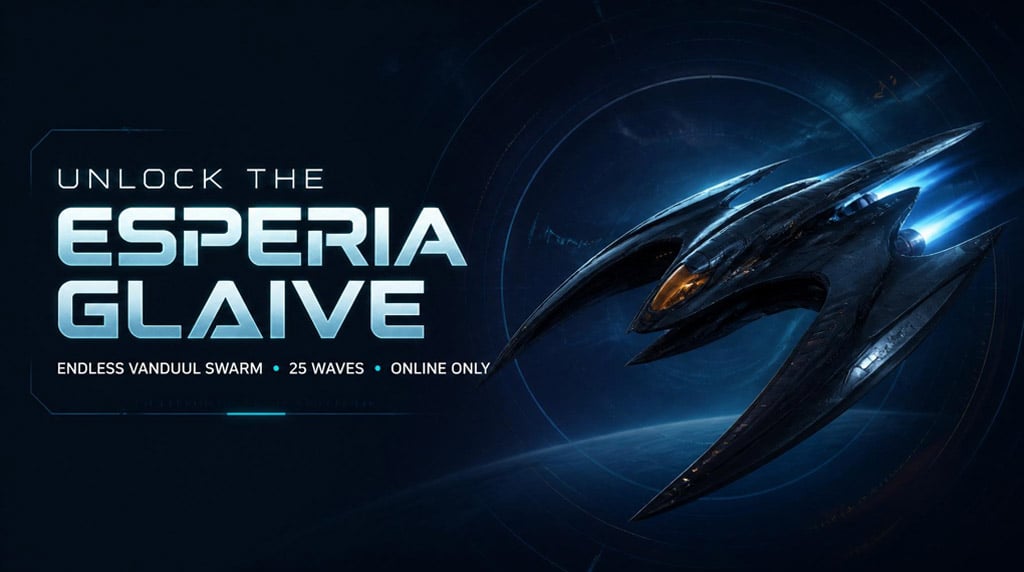
The Esperia Glaive is one of Star Citizen's stranger unlocks. You do not earn the ship for free. You earn the right to buy it.
That means one mistake can waste an entire run: playing Endless Vanduul Swarm offline. Offline clears do not count. We've seen players push past wave 25, even wave 40, then get nothing because they missed that detail.
- How to Unlock the Esperia Glaive in Star Citizen
- Step-by-Step Esperia Glaive Unlock Method
- 1. Open Arena Commander
- 2. Queue Online
- 3. Find a Lobby Fast
- 4. Clear at Least 25 Waves
- Best Survival Tips for Endless Vanduul Swarm
- Use a Ship You Actually Fly Well
- Grab Repair and Rearm Pickups
- Manage Missiles Properly
- Easy Method: Safe Spot Strategy
- Common Esperia Glaive Unlock Mistakes
- Star Strings: See Component Info and Blueprint Rewards
- How to Install Star Strings
- 1. Download the Latest Build
- 2. Find Your Star Citizen Folder
- 3. Install Star Strings
- 4. Updating an Existing Install
- 5. Check Language Setting
- What Star Strings Improves In-Game
- Fastest Prep Route for Alien Week
- FAQ
- How do you unlock the Esperia Glaive in Star Citizen?
- Do you get the Esperia Glaive for free?
- Does offline Endless Vanduul Swarm count?
- What should you do if matchmaking is empty?
- Is Star Strings safe to use?
- Summary
Here's the clean route: queue online, clear 25 waves, avoid dead matchmaking regions, then check your pledge access. After that, install Star Strings if you want clearer component grades and mission blueprint rewards in-game.
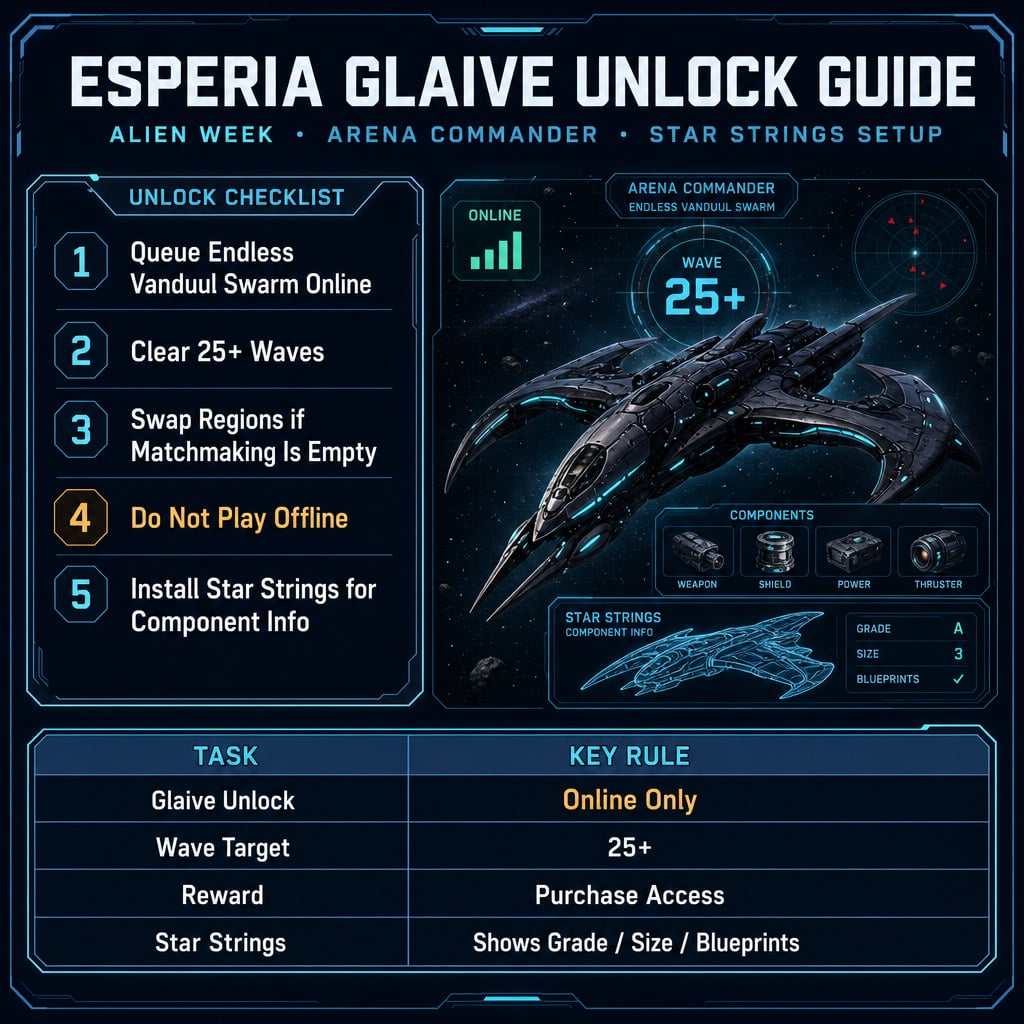
How to Unlock the Esperia Glaive in Star Citizen
The Glaive unlock is tied to Alien Week and the Arena Commander Alien Armada / Vanduul Swarm challenge.
You are not unlocking a free ship. You are unlocking purchase eligibility.
| Requirement | Details |
|---|---|
| Ship | Esperia Glaive |
| Event | Alien Week |
| Mode | Arena Commander |
| Challenge | Endless Vanduul Swarm |
| Target | Clear/survive 25 waves |
| Must Be Online? | Yes |
| Reward | Right to pledge/buy the Glaive |
| Biggest Mistake | Running it offline |
If your goal is only the unlock, do not overthink it. Get into an online lobby, survive the waves, and confirm account access afterward.
Step-by-Step Esperia Glaive Unlock Method
1. Open Arena Commander
From the main menu, go to:
Arena Commander → Endless Vanduul Swarm
Do not choose offline mode unless you only want practice.
2. Queue Online
This is the make-or-break step.
| Mode | Counts for Glaive Unlock? |
|---|---|
| Offline Endless Vanduul Swarm | No |
| Online Endless Vanduul Swarm | Yes |
| Online group with friends | Yes |
| Random online matchmaking | Yes, if the match starts properly |
If you finish 25 waves offline, the game may not reward anything. That is not a strategy. That is pain.
3. Find a Lobby Fast
If matchmaking stalls, switch regions manually.
Try this order:
1. Best
2. US
3. EU
4. Asia
5. Australia
If you sit in waiting for players too long, back out. Do not camp an empty queue. Region swapping is faster.
4. Clear at Least 25 Waves
The stated target is 25 waves. We recommend pushing a little past it if the lobby is stable.
Why? Star Citizen event tracking can be picky. A few extra minutes can save a second run.
Best Survival Tips for Endless Vanduul Swarm
You do not need elite PvP skills for this. You need consistency.
Use a Ship You Actually Fly Well
Pick comfort over theorycrafting.
Prioritize:
- Strong shields
- Good handling
- Reliable weapons
- Enough countermeasures
- A cockpit view you like
A meta ship you cannot control is worse than a familiar ship with lower paper DPS.
Grab Repair and Rearm Pickups
During the run, look for pickups.
| Pickup | Use |
|---|---|
| Repair | Fixes hull damage |
| Ammo / Rearm | Restores munitions |
| Fuel / Support | Helps sustain longer runs |
If you see a repair icon while damaged, take it. Waiting is how good runs collapse.
Manage Missiles Properly
Do not dump flares on panic.
Better habits:
- Break locks with movement first
- Use countermeasures when needed
- Refill when pickups appear
- Kill enemies applying missile pressure
If missiles keep wrecking you, stop tunnel-visioning targets. Survive first. Kill second.
Easy Method: Safe Spot Strategy
Some players use map geometry to reduce incoming fire. On maps like Winner's Circle, large structures can create blind spots where Vanduul ships struggle to hit you.
The basic method:
| Step | Action |
|---|---|
| 1 | Enter Endless Vanduul Swarm online |
| 2 | Fly to a large structure |
| 3 | Tuck into tight cover |
| 4 | Check if enemies can hit you |
| 5 | Wait through the required progress |
| 6 | Confirm the unlock afterward |
This is not glamorous. It is efficient.
One caveat: safe spots can change after patches. If enemies start landing shots, reposition or play the waves normally.
Common Esperia Glaive Unlock Mistakes
Most failed unlocks come from simple errors.
| Mistake | Result | Fix |
|---|---|---|
| Playing offline | No unlock | Queue online |
| Leaving before wave 25 | Requirement incomplete | Push past 25 waves |
| Waiting in dead matchmaking | Wasted time | Change region |
| Ignoring repairs | Death spiral | Grab repair pickups |
| Expecting a free Glaive | Disappointment | It unlocks purchase access |
| Burning all flares early | Missile deaths later | Use counters smartly |
The main rule: online or it does not matter.
Star Strings: See Component Info and Blueprint Rewards
Star Strings is a community language-pack tool for Star Citizen. It improves in-game labels so you can read useful item data faster.
It helps show:
- Component type
- Component size
- Component grade
- Mission blueprint rewards
- Clearer loot labels
This is a quality-of-life tool, not a combat cheat. It changes displayed text. It does not modify damage, aim, enemy visibility, inventory values, or server data.
How to Install Star Strings
1. Download the Latest Build
Download the latest Star Strings release from its official GitHub source.
Extract the archive.
You should see folders like:
- Data
- USER
- Readme / install files
2. Find Your Star Citizen Folder
Open the RSI Launcher.
Go to game settings and open the Star Citizen install directory.
Common examples:
C:\Program Files\Roberts Space Industries\StarCitizen
D:\Games\StarCitizen
Use your actual install path.
3. Install Star Strings
For a fresh install, copy these folders into your Star Citizen directory:
Folder | Destination |
|---|---|
USER | Star Citizen main folder |
Data | Star Citizen main folder |
If Windows asks to merge folders, allow it.
4. Updating an Existing Install
If you already use Star Strings, copy the new Data folder over the old one.
Choose:
Replace files in destination
That updates the labels without rebuilding everything.
5. Check Language Setting
Make sure your config includes:
g_language = English
If this line is missing, Star Strings may not load correctly.
What Star Strings Improves In-Game
| Situation | Without Star Strings | With Star Strings |
|---|---|---|
| Looting components | Vague names | Shows type / size / grade |
| Mission rewards | Blueprint unclear | Blueprint reward visible |
| Inventory sorting | More guessing | Faster decisions |
| Salvage runs | Slower item checks | Better loot filtering |
| Component comparison | External lookup needed | More info in-game |
If you loot a lot, salvage often, or farm missions, Star Strings saves time immediately.
Fastest Prep Route for Alien Week
Use this order:
| Step | Action |
|---|---|
| 1 | Install or update Star Strings |
| 2 | Restart Star Citizen |
| 3 | Set up your Arena Commander ship |
| 4 | Queue Endless Vanduul Swarm online |
| 5 | Swap regions if matchmaking is dead |
| 6 | Clear 25+ waves |
| 7 | Check Esperia Glaive pledge access |
This keeps the process clean. Better labels first. Unlock run second. Store check last.
FAQ
How do you unlock the Esperia Glaive in Star Citizen?
Complete the Alien Week Arena Commander challenge, usually Endless Vanduul Swarm, online. Clear at least 25 waves to unlock the right to pledge for the Esperia Glaive.
Do you get the Esperia Glaive for free?
No. The challenge unlocks purchase access, not a free ship. After completing the requirement, you still need to buy or pledge for it when available.
Does offline Endless Vanduul Swarm count?
No. Offline runs do not count for the Glaive unlock. Use offline only for practice. For the real unlock, queue online.
What should you do if matchmaking is empty?
Change server regions. Try Best, then manually check US, EU, Asia, and Australia. Do not waste time sitting in an empty queue.
Is Star Strings safe to use?
Star Strings is a language-pack modification. It changes text labels and does not alter gameplay values. Use the official source and keep it updated.
Summary
To unlock the Esperia Glaive in Star Citizen, run Endless Vanduul Swarm online during Alien Week and clear 25 waves. Do not play offline. Do not wait forever in dead matchmaking. Swap regions and keep the run moving.
For daily gameplay, install Star Strings. It makes component grades, sizes, types, and mission blueprint rewards easier to read. That means faster loot decisions and less tabbing out to external tools.
The efficient route is simple: update Star Strings, queue online, clear 25+ waves, then check Glaive pledge access.

Most Popular Posts
- Star Citizen 4.10 Quantum Drive Guide: Best Drives for Speed, Range, and Crafting
- Star Citizen Alpha 4.10 Guide: Recco Battaglia Missions, Siege of Orison, Regen Crisis
- Star Citizen 4.9.0: Fastest Way to Farm Size 3 NDB Repeaters - Combat Gauntlet 5 Guide
- Star Citizen 4.10 Weapons and Components Guide: Best Quantum Drives, Ballistics, Distortions, and Ship Loadouts
- Star Citizen 4.10 aUEC Ship Guide: Hull B, Aurora MR II, Golem OX, L22, UTV Prices & Locations
- Star Citizen Foundation Festival: Free Fly Ships, Rewards, Twitch Drops, and Best Starter Pack
Popular Category Lists
- ARC Raiders / (356)
- Grow a Garden / (295)
- CoD: Black Ops 7 / (167)
- Star Citizen / (163)
- MLB 26 / (159)
- Monopoly Go / (153)
- ARK Survival Ascended / (128)
- Steal a Brainrot / (99)
- Blox Fruits / (74)
- Adopt Me / (74)
- Forza Horizon 6 / (72)
- Sailor Piece / (68)
- Grow a Garden 2 / (68)
- Diablo IV / (62)
- CoD: BLACK OPS 6 / (55)
- Aion 2 / (54)
- Path of Exile 2 / (48)
- Monster Hunter Wilds / (46)
- Windrose / (44)
- COD: Modern Warfare 4 / (44)