0
0 Created: May 19,2026 | Star Citizen
Star Citizen 4.8 Workaround Guide for Route, Inventory, and Camera Bugs

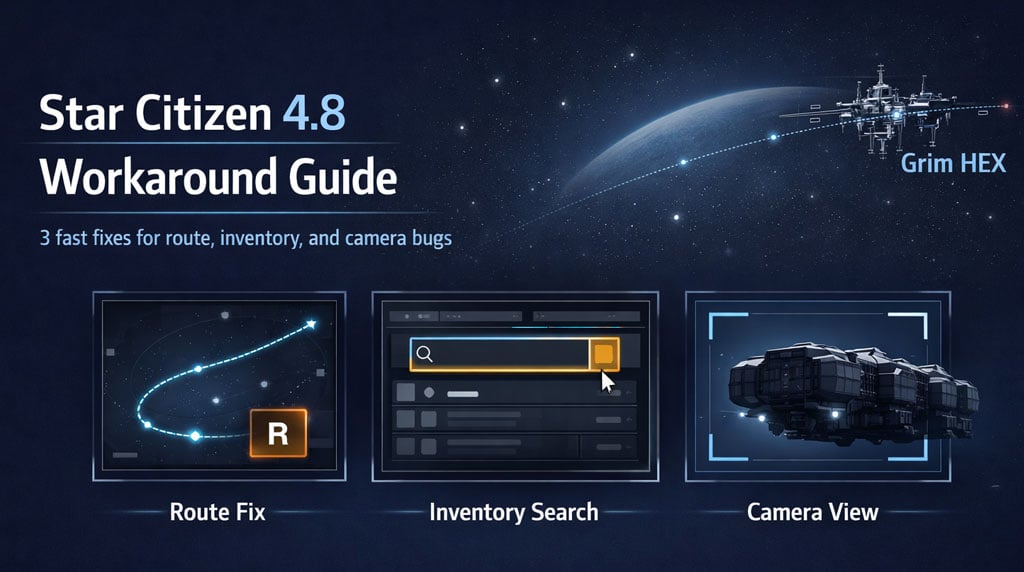
Star Citizen 4.8 has a few daily-use bugs that waste time fast. These three workarounds fix the ones we hit most: route plotting failing, inventory items not showing, and bad third-person camera angles on large ships.
- Quick Star Citizen 4.8 Workaround Table
- Fix 1: Route Button Not Working in Star Citizen 4.8
- Route Plotting Workaround
- Fix 2: Inventory Items Not Showing
- Missing Inventory Workaround
- Why This Matters
- Fix 3: Bad Third-Person Camera on Ironclad and Large Ships
- Custom Camera View Workaround
- Best Views to Save
- Best Use Cases for These 4.8 Fixes
- FAQ
- Why does the route button not work in Star Citizen 4.8?
- What should I do if an inventory item is missing?
- Are missing refined materials deleted?
- How do I fix the Ironclad third-person camera?
- Do saved camera views work on every ship?
- Summary
Quick Star Citizen 4.8 Workaround Table
| Problem | Fix | Result |
|---|---|---|
| Route button does nothing | Press R on the map | Route plots without clicking UI |
| Item missing from inventory | Use the search bar | Hidden item appears |
| Refined materials not listed | Search material name | Ore/material stack shows |
| Ironclad camera offset | Save a custom camera view | Better third-person angle |
| Large ship landing visibility | Save top-down view | Cleaner hangar/pad landings |
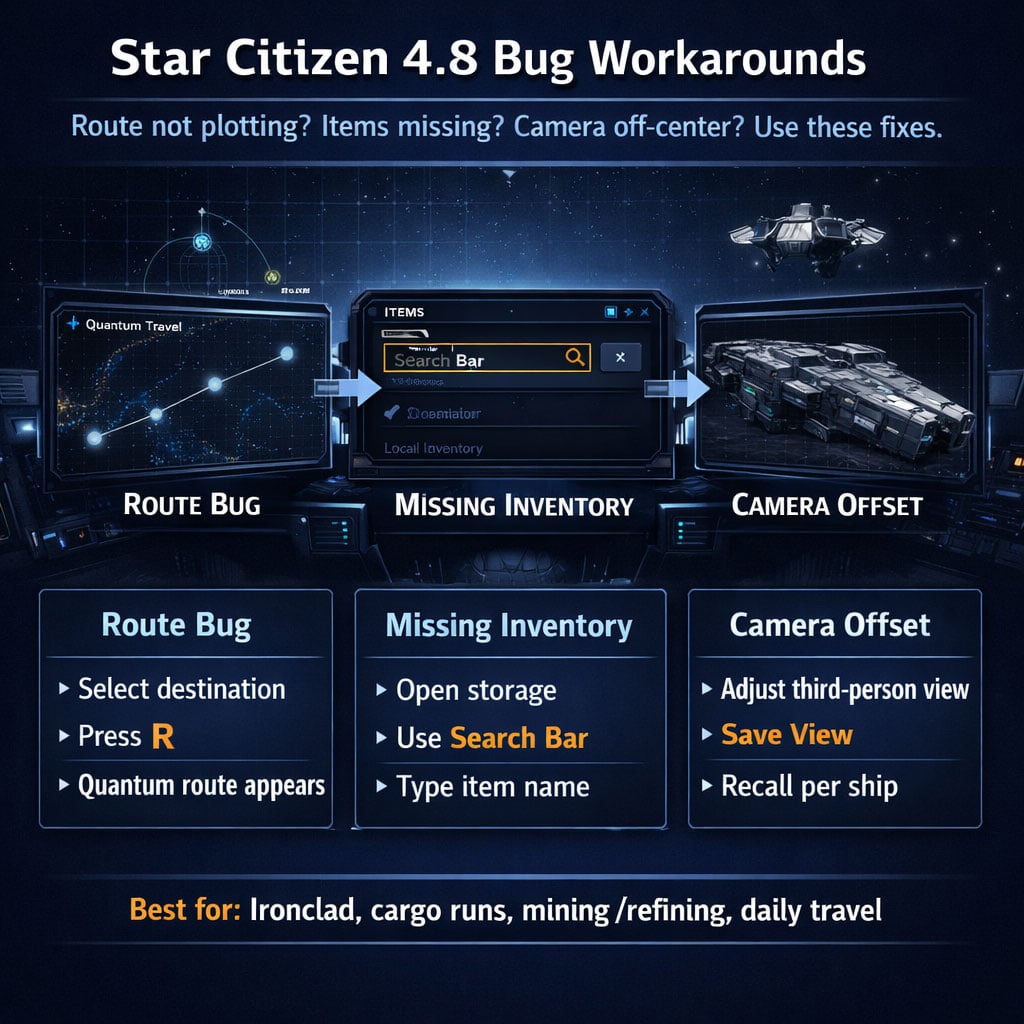
Fix 1: Route Button Not Working in Star Citizen 4.8
The star map sometimes lets you select a destination, but the Route button does nothing.
Do not reopen the map ten times. Use the hotkey.
Route Plotting Workaround
1. Open the star map.
2. Select your destination.
3. Press R.
4. Wait for the route line.
5. Quantum travel.
| Method | Reliability | Use Case |
|---|---|---|
| Click Route | Inconsistent | When UI behaves |
| Press R | Better | When route button fails |
If the destination is selected but no path appears, press R first. It is faster than fighting the map UI.
Fix 2: Inventory Items Not Showing
This one looks scary. You open storage and an item is missing.
Most of the time, it is not gone. The inventory list just fails to display it.
We have seen this with:
- Flight suits
- Refined materials
- Mined resources
- Cargo-related items
- Stored gear
Missing Inventory Workaround
1. Open inventory or storage access.
2. Use the search bar at the top.
3. Type part of the item name.
4. Move, equip, or box the item once it appears.
| Missing Item | Search Term | What Happens |
|---|---|---|
| Flight suit | fli | Flight suits appear |
| Refined ore | Ore name | Material stack appears |
| Cargo box | Cargo name / size | Box becomes searchable |
| Armor or gear | Item name | Hidden gear appears |
Do this before relogging. Do this before assuming the item got deleted.
Why This Matters
The visible list can lie. The search bar often still sees the item.
If you are moving refined materials into an 8 SCU box, search the material name directly. It saves a lot of pointless menu clicking.
Fix 3: Bad Third-Person Camera on Ironclad and Large Ships
Some large ships in 4.8 have awkward third-person camera placement. The Ironclad can sit off-center, which makes landing and clearance checks annoying.
The fix: set your own camera angle and save it.
Custom Camera View Workaround
Go to:
Options → Keybindings → Advanced Controls Customization → Camera
Check your exact binds. They can vary.
Common camera controls:
| Action | Typical Input Style | Purpose |
|---|---|---|
| Move camera forward/back | Shift + Numpad controls | Adjust distance |
| Move camera left/right | Ctrl + Numpad controls | Center ship |
| Move camera up/down | Alt / modifier + Numpad controls | Fix height |
| Save view | Camera save bind | Store angle |
| Recall view | Camera recall bind | Restore angle instantly |
Set the view once. Save it. Recall it when flying that ship.
Best Views to Save
| Saved View | Best For |
|---|---|
| Centered rear view | Normal third-person flight |
| Top-down view | Hangar and pad landing |
| Underside view | Vertical clearance checks |
| Cargo ramp view | Loading and unloading |
For big ships, a saved camera is not cosmetic. It is a handling tool.
Best Use Cases for These 4.8 Fixes
| Situation | Use This Fix |
|---|---|
| Quantum route will not calculate | Press R |
| Local inventory looks empty | Use search |
| Refined materials missing | Search exact material |
| Ironclad camera is off-center | Save custom view |
| Large ship landing feels blind | Use top-down saved view |
The rule is simple: if the UI bugs out, use hotkeys, search, and saved camera presets instead of repeating broken clicks.
FAQ
Why does the route button not work in Star Citizen 4.8?
The star map UI can fail to register the Route button. Select the destination and press R. That usually forces the route to plot.
What should I do if an inventory item is missing?
Use the search bar in inventory or storage. Search with a partial name like fli for flight suits or the exact name for refined materials.
Are missing refined materials deleted?
Usually no. They may be hidden from the visible list. Search the material name before relogging or assuming they are gone.
How do I fix the Ironclad third-person camera?
Adjust the third-person camera using your camera movement binds, then save the view under camera controls. Recall that saved view when flying the Ironclad.
Do saved camera views work on every ship?
You should set them per ship. A good view for the Ironclad will not fit a fighter, C2, or small hauler perfectly.
Summary
Use these three Star Citizen 4.8 workarounds daily:
- Route bug: select destination, press R.
- Inventory bug: search the item name.
- Camera bug: save custom third-person views.
Small fixes. Big time saved. Especially if you run cargo, mine/refine materials, or fly large ships like the Ironclad.

Most Popular Posts
- Star Citizen 4.9 Hull C Cargo Hauling Guide: Make Millions aUEC Without Autoload
- Star Citizen 4.9 Battaglia Missions: CQ7 Rifle Locations, Loot Routes & Bug Fixes
- Star Citizen 4.10 Quantum Drive Guide: Best Drives for Speed, Range, and Crafting
- Star Citizen 4.9 Rare Gun Attachments Farm: Echo Isles Loot Guide
- Star Citizen Alpha 4.10 Guide: Recco Battaglia Missions, Siege of Orison, Regen Crisis
- Star Citizen 4.10 PTU, 4.9 Hotfixes, Server Outage: What Actually Matters This Week
Popular Category Lists
- ARC Raiders / (354)
- Grow a Garden / (294)
- CoD: Black Ops 7 / (167)
- Star Citizen / (163)
- MLB 26 / (159)
- Monopoly Go / (153)
- ARK Survival Ascended / (128)
- Steal a Brainrot / (99)
- Blox Fruits / (74)
- Adopt Me / (74)
- Forza Horizon 6 / (72)
- Sailor Piece / (68)
- Grow a Garden 2 / (68)
- Diablo IV / (62)
- CoD: BLACK OPS 6 / (55)
- Aion 2 / (52)
- Path of Exile 2 / (48)
- Monster Hunter Wilds / (46)
- Windrose / (44)
- COD: Modern Warfare 4 / (43)