0
0 Created: Oct 28,2026 | Planet Zoo 2
Planet Zoo 2 Franchise Maps: Rolling Hills, Blueprint Codes & Highlands Saves

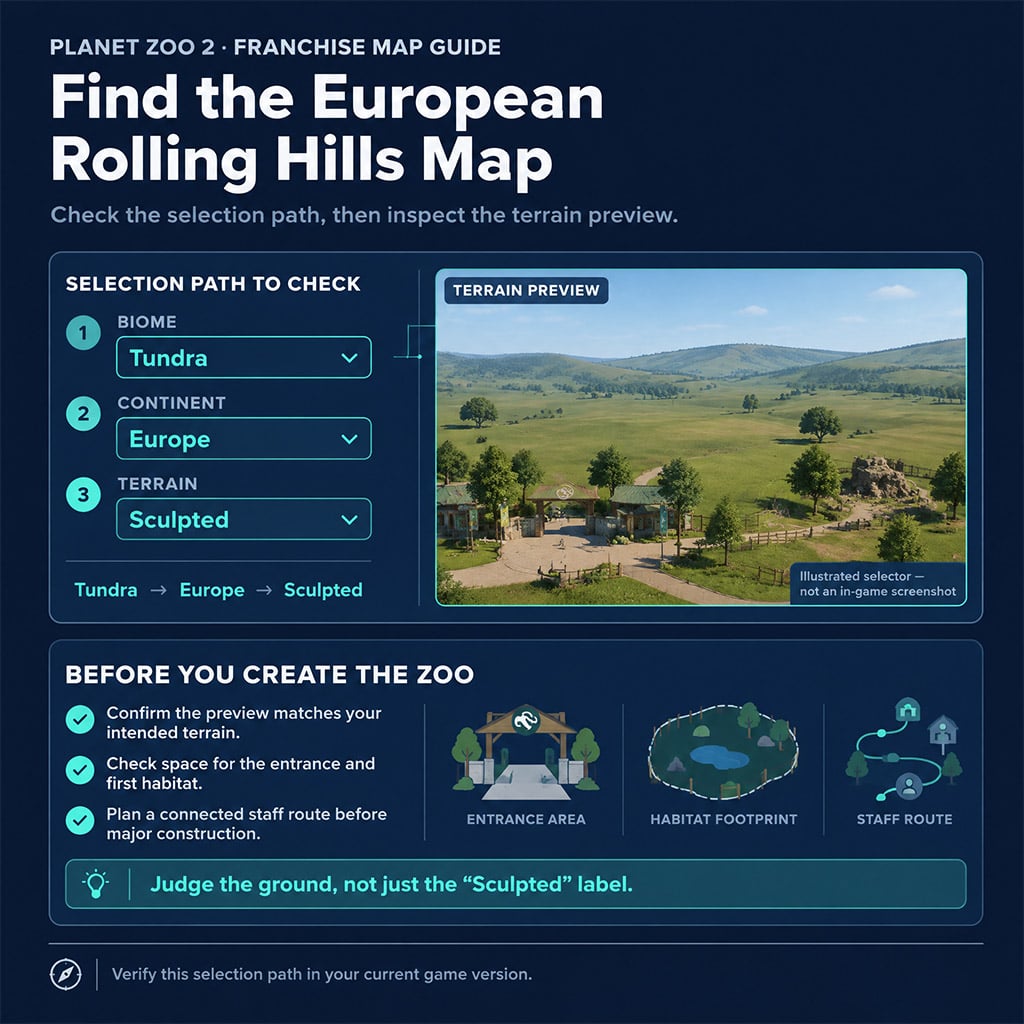
For European rolling hills, start by checking Tundra → Europe → Sculpted, then confirm the terrain preview before creating your Franchise zoo. For a Scottish Highlands download, check its content type and supported mode first: a zoo save is not something you place from the blueprint menu.
- Find the Right Franchise Map Before You Build
- Use These Map Labels as Search Aids
- Flat Versus Sculpted: Check the Opening Route
- Choose Blueprints by Function, Not Their Thumbnail
- Workshop Codes You Can Search Directly
- Treat Named Decorations as Search Candidates
- Test Animal Access Before Decorating Around It
- Handle the Scottish Highlands Download as a Separate Project
- Know What You Downloaded
- Fix Guest Entry Before Reshaping the Lake
- FAQ (Frequently Asked Questions)
- Why can't I find the European rolling-hills map?
- Is there a Sculpted Desert map in Planet Zoo 2?
- Can decorative bins replace working bins?
- Can I use the Scottish Highlands save in Franchise mode?
- Where do I find Planet Zoo 2 blueprint share codes?
Find the Right Franchise Map Before You Build
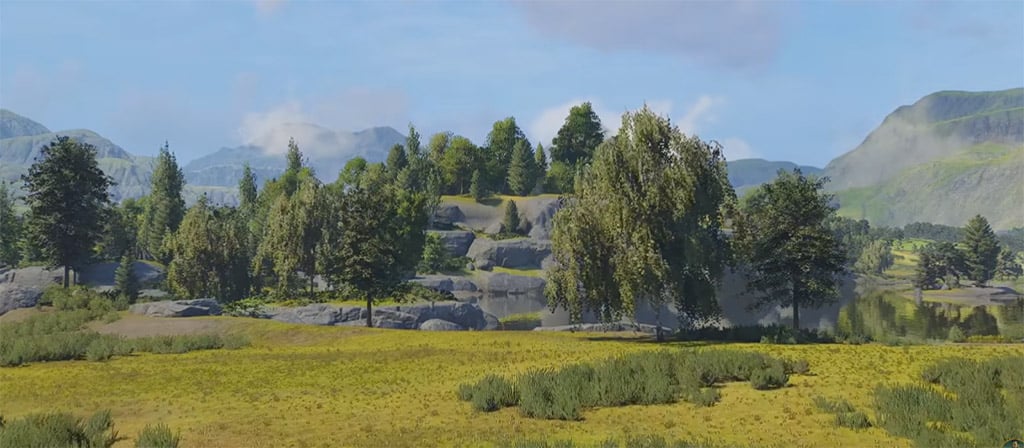
A missing terrain option does not automatically mean missing content. Change biome, continent, and terrain together, and judge the resulting preview—not the countryside name you expected.
We recommend choosing the site around your first habitat and entrance route. A dramatic backdrop is a poor trade if your opening layout needs immediate terrain work.
Use These Map Labels as Search Aids
These descriptive labels help organize your search; they are not an official, verified inventory of every current Franchise map.
| Biome | Map labels to look for | Selection to check |
|---|---|---|
| Temperate | Temperate Flat; Temperate Asia; Temperate Stately Home; Temperate Europe | Compare Flat with Sculpted; change continent for themed variants |
| Tropical | Tropical Flat; Tropical City; Tropical Asia | Compare Flat with Sculpted; inspect each available continent |
| Grassland | Grassland Flat; African Grassland; Pride Rock–style Grassland | Check Africa first for African scenery; compare other available continents |
| Desert | Desert | Inspect available terrain options; do not assume a Sculpted version exists |
| Taiga | Taiga Flat; Taiga Mountain Lake | Compare open ground against the lake layout |
| Tundra | Treeless Tundra; European Rolling Hills | Check Flat, then Europe → Sculpted for the rolling-hills candidate |
Pick from the actual preview, not this label list: similar names do not guarantee identical terrain or availability.
Flat Versus Sculpted: Check the Opening Route
Sculpted does not tell you how much usable flat ground surrounds the entrance. Inspect the local building area before rejecting a map—or committing to one.
Before substantial spending:
1. Place a short entrance path.
2. Mark your first habitat footprint.
3. Check a separate staff connection.
4. Leave room for a second habitat without rebuilding the entrance.
If those connections require extensive reshaping, choose another site. We favor a Flat variant for a management-first opening; use sculpted terrain when its existing features support your plan.
Buildability beats appearance.
Choose Blueprints by Function, Not Their Thumbnail
A detailed blueprint can contain scenery, working facilities, or both. Inspect its components before relying on it for waste disposal, education, animal care, or guest services.
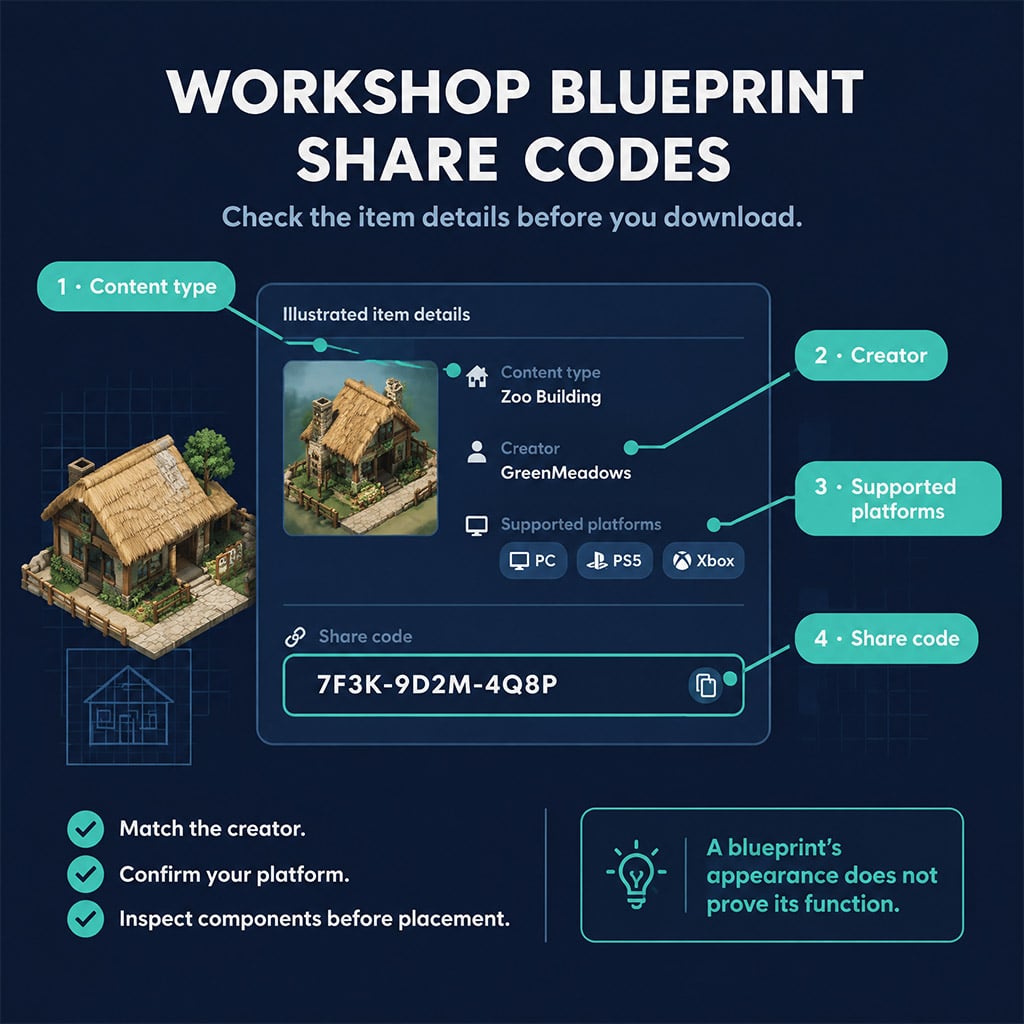
The official Planet Zoo 2 Workshop lists content type, creator, platform support, and share codes. Check those fields before downloading; a matching title alone is not enough.
Workshop Codes You Can Search Directly
These codes appear on the official Workshop listings and give you concrete alternatives to title-only searches.
| Blueprint | Creator | Share Code | Starting Use |
|---|---|---|---|
| Stone Cottage Trade Centre | boozlesims | 76T-GMD-1SY | Trade-centre building candidate |
| Trout Bridge by Adamup | Adamup | 7NW-01M-4C7 | Bridge-design candidate |
| Botanical Bird Conservatory – Tropical Aviary | zoibean | 5WT-39J-4ML | Aviary construction candidate |
| Moon Jelly Sanctuary – Glowing Exhibit Pavillon | zoibean | 2X4-H7H-PJM | Exhibit-building candidate |
Search by code, then inspect the contents: neither the title nor its rating proves that the placement works in your zoo.
Treat Named Decorations as Search Candidates
For entrance detail, search Optagle Bold by Lion Rider or Kitty Carts by Kevin. For backstage dressing, look for Backstage Clutter 1 and 2 by Puggy Boy; for signage, try Info Signs by Lion.
Their exact listings and functional components still need confirmation. Do not build your operating plan around the names.
Apply the same rule to Modern Bins by Bold and Centipede Tree Trunk Exhibit by Bearcat: inspect the selected objects and any species requirements. If a bin is scenery only, place a working bin nearby; if a sign lacks an education function, keep your working education setup.
A prop does not replace a facility.
Test Animal Access Before Decorating Around It
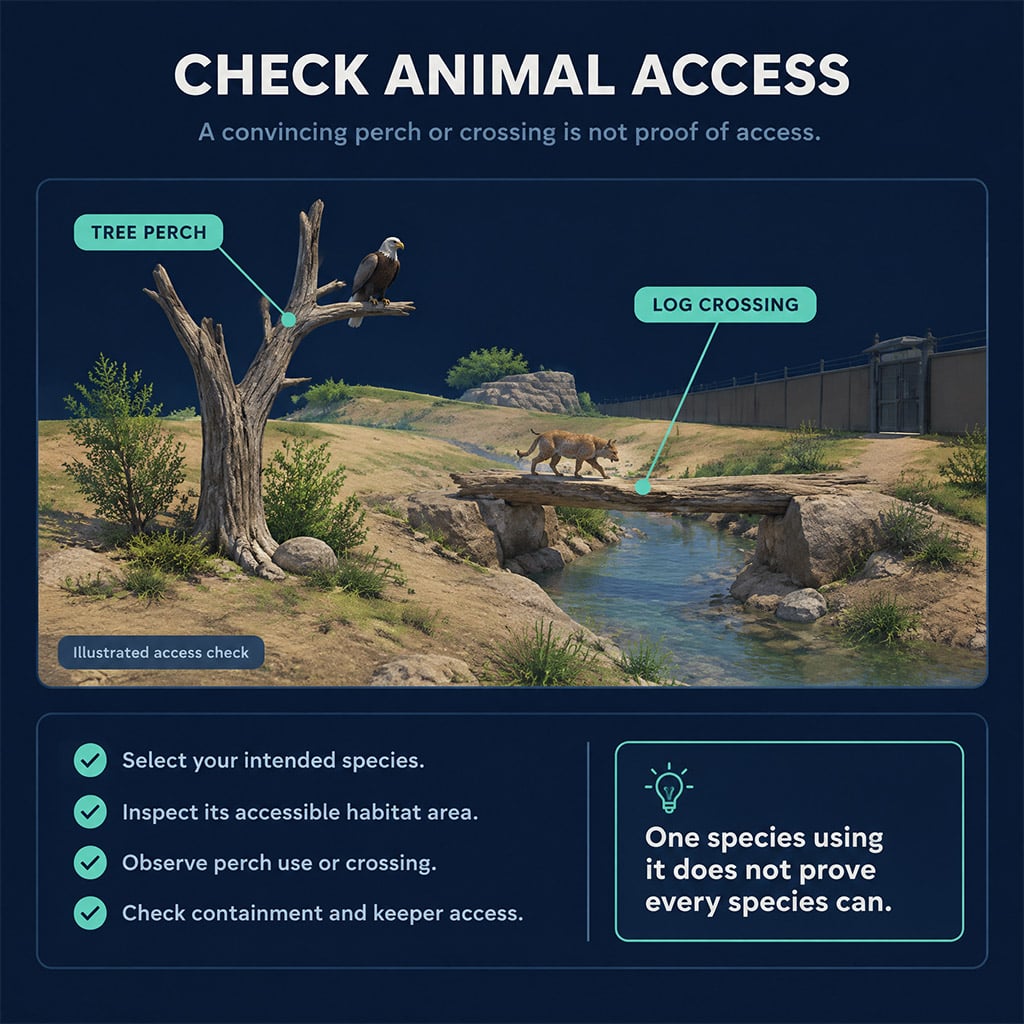
For large habitat pieces, search Dead Tree by King Terror, Wolf Forest by Arya Zed, or Rafiki's Baobab Tree by Akenatan Gaming. We recommend placing each in a separate test zoo before rebuilding your main habitat around it.
Use a species-specific check:
- Dead Tree: confirm your chosen bird can reach and use the intended perch.
- Wolf Forest: inspect animal access, containment, and keeper access; do not count a decorative log crossing as usable ground without checking.
- Baobab: inspect its actual footprint and clearance before placing surrounding paths or barriers.
One animal using a perch does not establish compatibility for every bird. Likewise, a convincing bridge shape does not prove traversability.
Handle the Scottish Highlands Download as a Separate Project
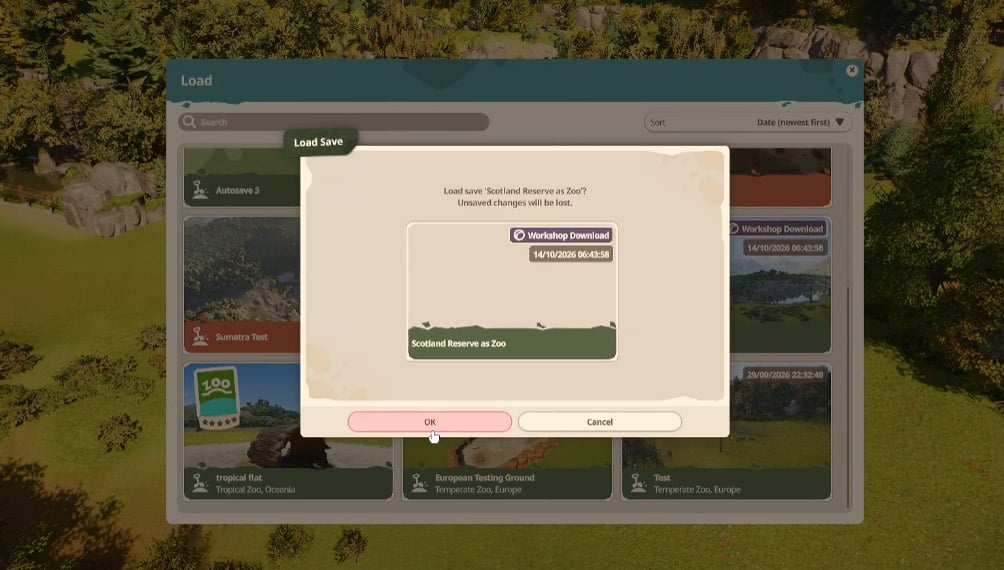
If the Highlands listing identifies it as a zoo save, open it through the supported zoo-loading workflow—not the blueprint placement menu. Franchise compatibility remains unconfirmed here, so do not assume the download becomes a new Franchise starting map.
We recommend preserving the original and making a separate working copy before changing terrain. That gives you a clean recovery point if entrances, paths, or dependencies fail.
Know What You Downloaded
Check the content type before troubleshooting the menu.
| Content Type | How You Use It | What It Changes |
|---|---|---|
| Starting map | Choose during zoo creation | Starting terrain and setting |
| Blueprint | Place inside an existing zoo | Objects or grouped construction |
| Zoo save | Open as a separate zoo | The loaded zoo state |
Never troubleshoot a save as a missing blueprint: first establish which workflow the listing supports.
Fix Guest Entry Before Reshaping the Lake
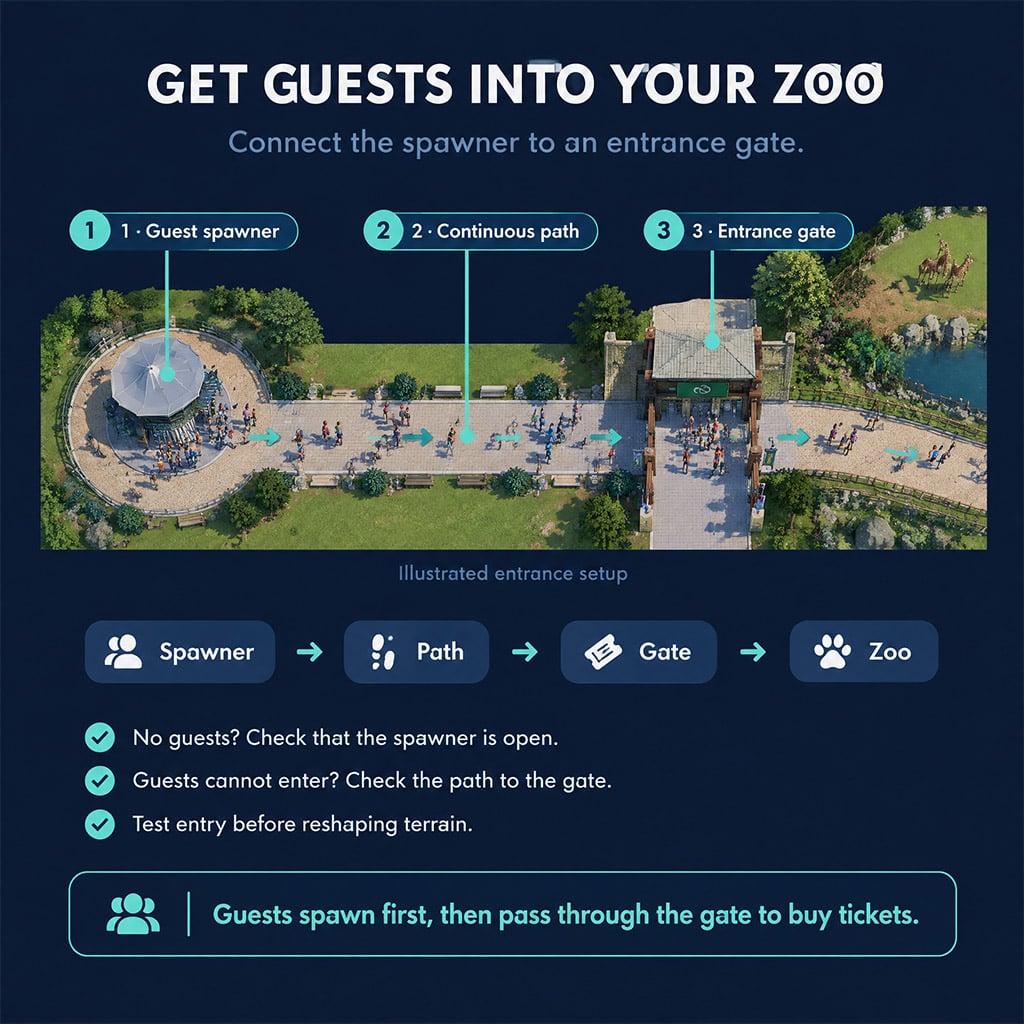
Frontier's building guide distinguishes Guest Spawners from Zoo Entrance Gates. Guests appear at a spawner, then must pass through an entrance gate to buy a ticket.
Both are found under Facilities → Services → Zoo Entrance.
Use this order:
1. Load the download in its supported mode.
2. Create a separate working copy.
3. Check existing spawners, gates, and path connections.
4. Confirm the intended spawner is open.
5. Run the simulation and watch guests reach the gate and enter.
6. Establish staff access and one functioning habitat before altering the shoreline.
If guests do not appear, inspect the spawner's open status first. If they appear but cannot enter, check the route to the gate before adding more scenery.
FAQ (Frequently Asked Questions)
Why can't I find the European rolling-hills map?
Start by checking Tundra → Europe → Sculpted, then inspect the preview. That selection path needs confirmation in your current game version; do not search only under Temperate because the terrain looks European.
Is there a Sculpted Desert map in Planet Zoo 2?
A Sculpted Desert variant is not verified here. Check the terrain options available after selecting Desert rather than planning around an assumed variant.
Can decorative bins replace working bins?
Scenery-only bins cannot replace working waste-disposal bins. Inspect the blueprint's components and retain functional bins wherever guests need them.
Can I use the Scottish Highlands save in Franchise mode?
Franchise compatibility is not confirmed here. Check the download's supported mode and content type, then open a separate copy before investing in the build.
Where do I find Planet Zoo 2 blueprint share codes?
Share codes appear on official Workshop item listings. Match the creator, content type, and supported platform before using a code; for example, Stone Cottage Trade Centre by boozlesims is 76T-GMD-1SY.

I’m Priya Raman, an Indian Content Strategist at GGWTB covering fantasy MMORPGs, classic online games, and guild-focused play. I plan coverage around class roles, group coordination, and long-term character growth. A strong solo build is only part of the picture—I focus on what you bring to a party and which investments stay useful as your guild takes on tougher content.
Most Popular Posts
- Planet Zoo 2 Beginner Guide: Everything Need To Know
- Planet Zoo 2 Cash & Conservation Credits Guide: Smarter Franchise Mode Starts
- Planet Zoo 2 Franchise Build Guide: Entrance, Meerkat Habitat & Budget Checks
- Planet Zoo 2 Franchise Maps: Rolling Hills, Blueprint Codes & Highlands Saves
Popular Category Lists
- ARC Raiders / (359)
- Grow a Garden / (295)
- CoD: Black Ops 7 / (167)
- Star Citizen / (163)
- MLB 26 / (159)
- Monopoly Go / (153)
- ARK Survival Ascended / (128)
- Steal a Brainrot / (99)
- Blox Fruits / (74)
- Adopt Me / (74)
- Forza Horizon 6 / (72)
- Sailor Piece / (68)
- Grow a Garden 2 / (68)
- Diablo IV / (62)
- CoD: BLACK OPS 6 / (55)
- Aion 2 / (55)
- Path of Exile 2 / (48)
- Monster Hunter Wilds / (46)
- Windrose / (44)
- Maplestory Classic / (44)