0
0 Created: Jun 4,2026 | Star Citizen
Star Citizen Beginner Guide: The 'Verse' | Section 2

Your first spawn in Star Citizen is not about rushing into space. It is about learning the tools you'll use every session: Hangar Storage, Mobiglas, Contracts, Fleet Manager, Vehicle Loadout Manager, And Third-person Camera.
Get this loop right early: Check Gear → Open Mobiglas → Review Contracts → Confirm Loadout → Deliver Ship → Retrieve Ship → Launch.
- 1. Spawning in Your Hangar
- Hangar Essentials
- Global Chat Controls
- 2. MobiGlas 101
- MobiGlas Apps That Matter
- 3. Home Screen: What to Check
- 4. Contracts: Best First Money
- Beginner Contract Ranking
- Contract Flow
- 5. Reputation & Wallet
- 6. Fleet Manager
- Fleet Manager vs Loadout Manager
- Ship Status Terms
- Clean Ship Retrieval Flow
- 7. Vehicle Loadout Manager
- Early Upgrade Priority
- 8. Local Inventory
- What to Carry
- 9. Third-Person View
- First Five-Minute Checklist
- FAQS
- Q1: What Should I Do First After Spawning In Star Citizen?
- Q2: How Do I Open Mobiglas?
- Q3: How Do I Hide Global Chat?
- Q4: What Are The Best Beginner Contracts?
- Q5: What Does Fleet Manager Do?
- Q6: What Does Vehicle Loadout Manager Do?
- Q7: Why Can't I Access All My Gear Everywhere?
- Q8: Should I Upgrade My Ship Immediately?
- Q9: How Do I Use Third-person View?
- End
1. Spawning in Your Hangar
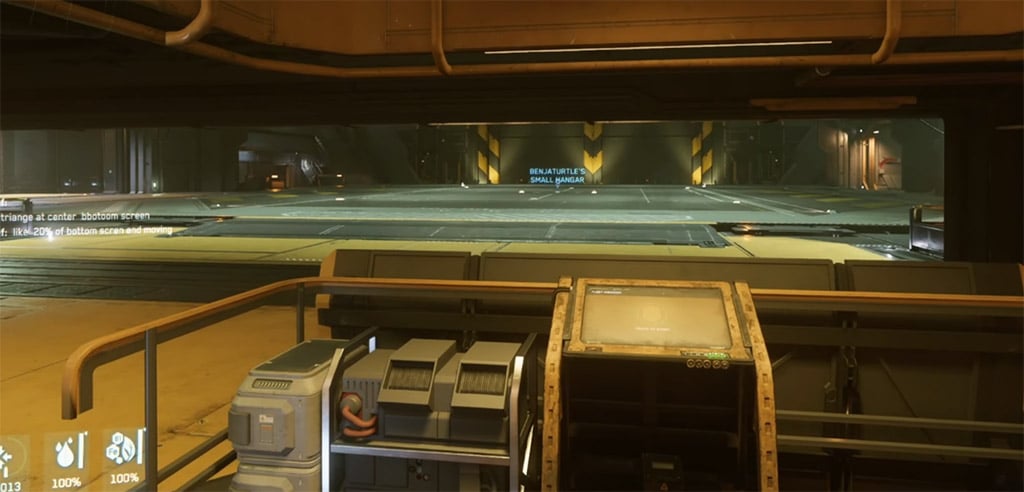
You usually spawn inside your personal hangar at your home location. This is your first base of operations.
Hangar Essentials
| Feature | Use | Veteran Tip |
|---|---|---|
| Main Hangar Floor | Ship spawn area | Your retrieved ship appears here |
| Storage Access | Local inventory | Check gear before calling your ship |
| Hangar Services / Fleet Kiosk | Ship management | Deliver, retrieve, or claim ships |
| Freight Elevator | Cargo handling | Important for hauling and physical cargo |
| Inactive Areas | Future features | Ignore for now |
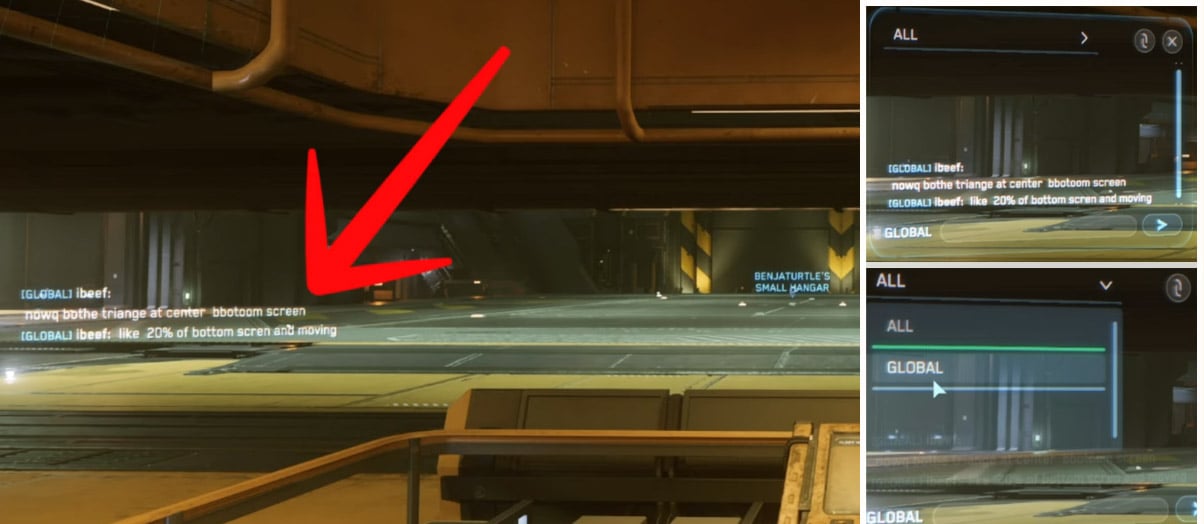
Global Chat Controls
| Key | Function |
|---|---|
| Enter | Open / close chat input |
| F12 | Hide / show chat |
| Channel Selector | Switch global, party, or other channels |
Use global chat for quick help or server issues. Hide it with F12 when it turns into noise.
Rule: Check storage before retrieving your ship. Most new players waste time spawning a ship, then realizing their armor, ammo, or supplies are still in local inventory.
2. MobiGlas 101
MobiGlas is your main operating system. If you do not understand it, Star Citizen feels ten times harder.
| Key | Action |
|---|---|
| F1 | Open MobiGlas |
| F2 | Often opens map / navigation functions |
| Esc | Back out or close menu |
MobiGlas Apps That Matter
| App | Use | Priority |
|---|---|---|
| Home | Location, credits, environment, status | High |
| Contracts | Mission board | Critical |
| Maps | Route planning | Critical |
| Comms | Chat, friends, party invites | Medium |
| Health | Oxygen, temperature, injuries, drug level | Medium |
| Reputation | Tracks faction/company standing | High |
| Wallet | Send credits to players | Medium |
| Vehicle Services | Refuel, repair, restock | Critical |
| Vehicle Loadout Manager | Edit ship parts and modules | High |
| Journal | Basic info | Low |
| Assets | Item tracking | Often unreliable |
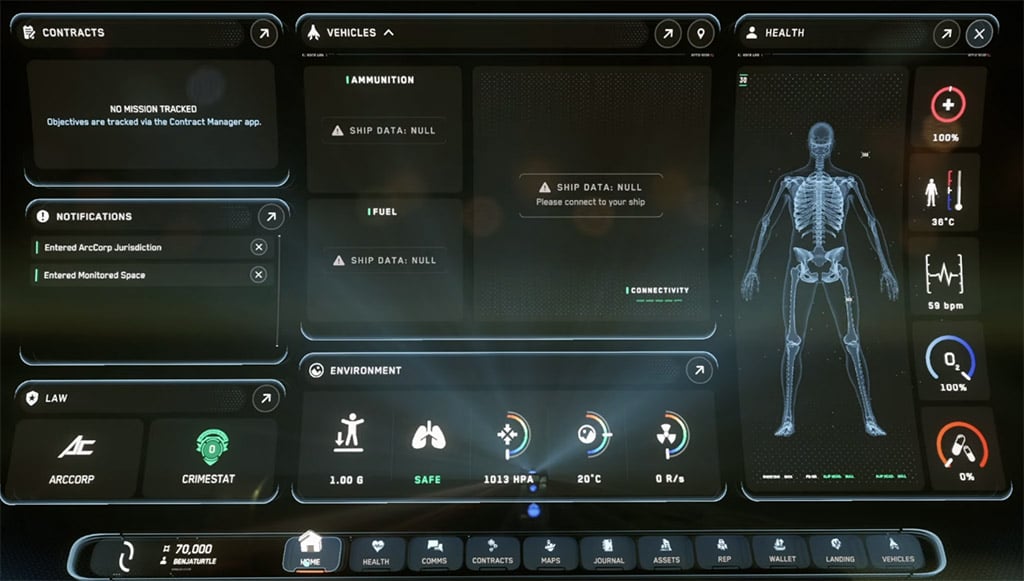
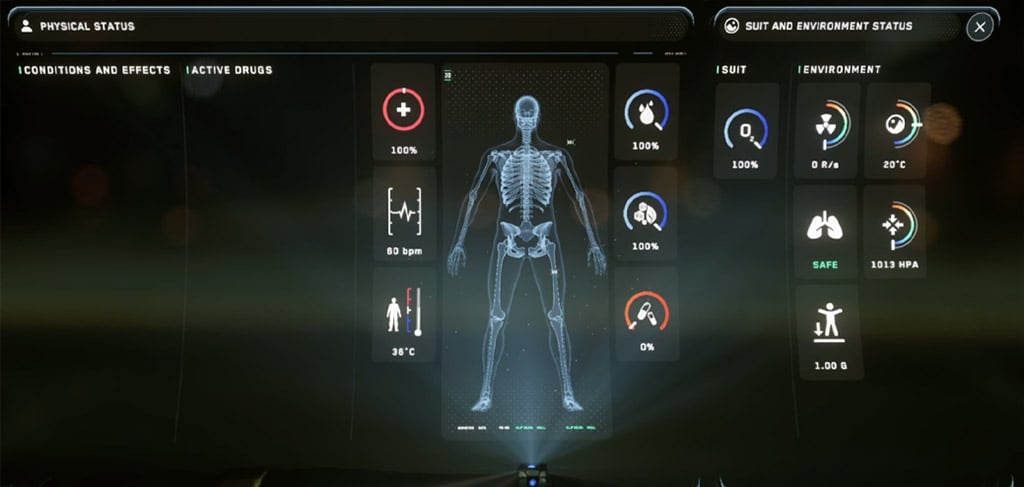
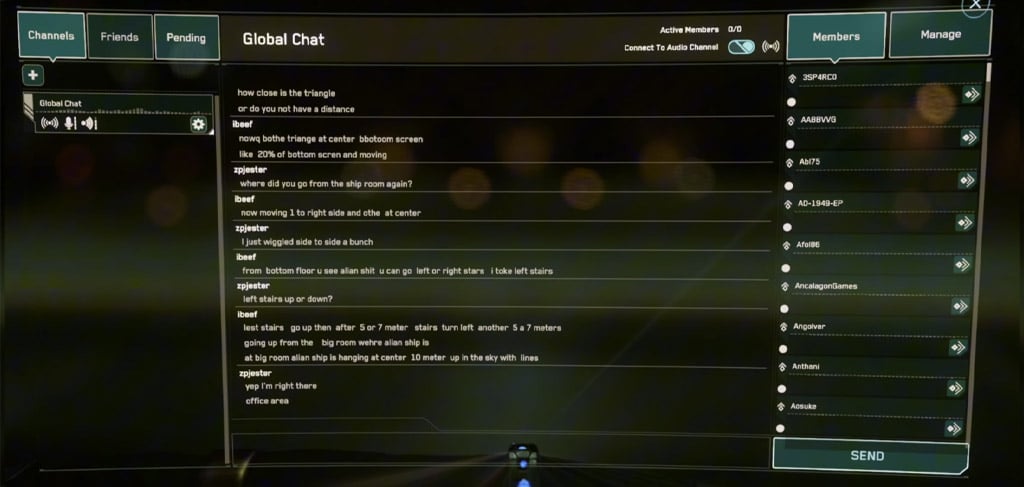
Focus on Contracts, Maps, Vehicle Services, and Vehicle Loadout Manager first.
3. Home Screen: What to Check
The MobiGlas Home screen tells you if your current environment is safe.
| Data | Meaning | Why You Care |
|---|---|---|
| Location | Current city, planet, or station | Confirms where you are |
| aUEC | Your credits | Gear, repairs, fuel |
| CrimeStat | Legal status | High CrimeStat can mean prison |
| Gravity | Local gravity | Affects movement/falls |
| Atmosphere | Breathable or unsafe | Helmet decision |
| Temperature | Heat/cold risk | Can injure you |
| Oxygen | Breathing status | Critical outside safe zones |
| Drug Level | Medication level | Relevant after healing |
Hard rule: if you leave a safe interior, wear a helmet. Many beginners die because they took it off in a city and forgot.
4. Contracts: Best First Money
Contracts are the cleanest beginner path for credits and reputation.
Beginner Contract Ranking
| Contract Type | Beginner Rating | Take It When |
|---|---|---|
| Courier / Delivery | Best | First missions, learning routes |
| Mercenary | Good | You have armor, gun, ammo, meds |
| Bounty Hunting | Medium | You can fly and fight |
| Investigation | Medium | You understand markers and search zones |
| Hauling | Medium | You understand cargo basics |
| Hand Mining | Niche | You want quiet surface work |
| Salvage | Ship-dependent | You own a salvage ship |
| Collection | Later | You know the system better |
Start with Courier / Delivery. It teaches elevators, landing, routing, pickups, and drop-offs without requiring combat.
Contract Flow
| Step | Action |
|---|---|
| 1 | Open MobiGlas |
| 2 | Go to Contracts |
| 3 | Pick a low-risk mission |
| 4 | Accept and track it |
| 5 | Use Maps for route |
| 6 | Complete objective |
| 7 | Get paid and build reputation |
If a contract marker bugs out, abandon it. Do not waste 30 minutes fighting alpha jank.
5. Reputation & Wallet
Reputation is long-term progression. Better rep usually means better contracts and higher payouts.
| Action | Result |
|---|---|
| Complete contracts | Reputation increases |
| Repeat work for one faction | Better jobs unlock |
| Commit crimes | Legal trouble / prison risk |
| Fail missions | Slower progression |
Wallet lets you send aUEC to other players. Use it to split payouts, pay rescue pilots, or fund group repairs.
6. Fleet Manager
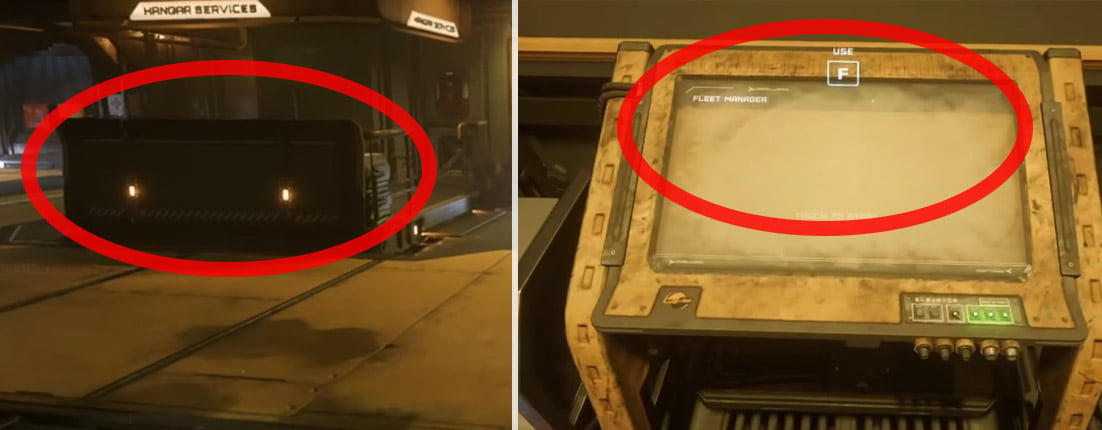
Fleet Manager is where you make ships available and spawn them.
Fleet Manager vs Loadout Manager
| System | Job |
|---|---|
| Fleet Manager | Deliver, retrieve, claim, spawn ships |
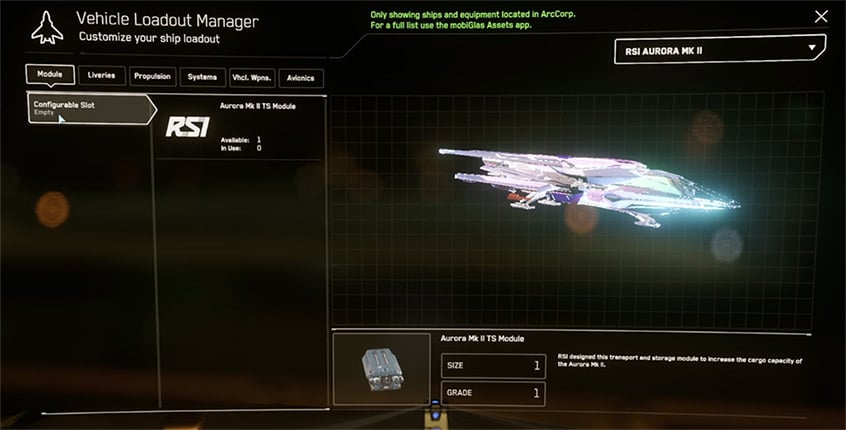
| Vehicle Loadout Manager | Change weapons, components, paints, modules |
Ship Status Terms
| Status | Meaning | Action |
|---|---|---|
| Deliverable | Can be brought here | Click Deliver |
| Stored | Already at this location | Retrieve |
| Retrieved | Spawned in hangar/pad | Board it |
| Claim Required | Lost/destroyed/unavailable | File claim |
| Not Local / Locked | Not stored here | Deliver or claim if available |
Clean Ship Retrieval Flow
| Step | Action |
|---|---|
| 1 | Check Storage Access |
| 2 | Open Vehicle Loadout Manager |
| 3 | Save any loadout changes |
| 4 | Open Fleet Manager |
| 5 | Deliver ship |
| 6 | Retrieve ship |
| 7 | Board and launch |
Retrieve last. That saves time and avoids backtracking.
7. Vehicle Loadout Manager
Use this to edit ship equipment before launch.
| Category | Examples | Priority |
|---|---|---|
| Modules | Cargo/utility modules | High for modular ships |
| Components | Shields, quantum drive, power plant, coolers | High |
| Weapons | Ship guns | High for combat |
| Propulsion | Travel/jump systems | Medium |
| Avionics | Radar systems | Medium |
| Liveries | Paints | Cosmetic |
Always hit Save Changes after editing. Pending changes do nothing until saved.
Early Upgrade Priority
| Priority | Upgrade | Why |
|---|---|---|
| 1 | Quantum Drive | Faster, less painful travel |
| 2 | Shields | More survival margin |
| 3 | Weapons | Better bounty/combat performance |
| 4 | Power/Coolers | Supports heavier builds |
| 5 | Paint | Looks nice, no combat value |
For your first session, do not obsess over meta builds. Learn takeoff, landing, routing, and refuel/repair first.
8. Local Inventory
Star Citizen uses location-based inventory. Gear stored at Area18 is not available at New Babbage unless you physically move it.
| Inventory Type | Meaning |
|---|---|
| Local Inventory | Stored at current city/station |
| Personal Inventory | Carried on your body |
| Ship Inventory | Stored in ship |
| Cargo Grid | Physical cargo boxes secured in ship |
What to Carry
| Activity | Bring |
|---|---|
| Basic travel | Undersuit, helmet |
| Delivery | Helmet, undersuit, light armor optional |
| Bunker / Mercenary | Armor, weapon, ammo, med supplies |
| Bounty Hunting | Ship-ready loadout, basic kit |
| Exploration | Food, drink, meds |
| Hauling | Minimal personal gear |
Travel light. New players lose gear because they carry everything just in case.
9. Third-Person View
Third-person is for awareness, ship inspection, screenshots, and checking your character. Use first-person for combat and looting.
| Control | Function |
|---|---|
| F4 | Toggle third-person |
| F4 again | Cycle camera distance |
| Hold Z + Mouse | Rotate camera |
| Release Z | Return body control |
| F4 + Numpad * | Reset camera |
If the camera gets weird, cycle F4 or reset it.
First Five-Minute Checklist
| Step | Do This |
|---|---|
| 1 | Hide chat with F12 if needed |
| 2 | Open MobiGlas with F1 |
| 3 | Check Home tab |
| 4 | Review Contracts |
| 5 | Check Maps |
| 6 | Open Storage Access |
| 7 | Confirm ship loadout |
| 8 | Deliver ship in Fleet Manager |
| 9 | Retrieve ship |
| 10 | Board and prep for launch |
FAQS
Q1: What Should I Do First After Spawning In Star Citizen?
Check MobiGlas, confirm your location, review contracts, check local storage, confirm ship loadout, then deliver and retrieve your ship.
Q2: How Do I Open Mobiglas?
Press F1. F2 often opens map or navigation-related MobiGlas functions.
Q3: How Do I Hide Global Chat?
Press F12. Press Enter to open or close chat input.
Q4: What Are The Best Beginner Contracts?
Courier and delivery contracts. They teach routing, landing, pickups, drop-offs, and basic mission flow without heavy combat.
Q5: What Does Fleet Manager Do?
Fleet Manager delivers, retrieves, claims, and spawns your ships at the current location.
Q6: What Does Vehicle Loadout Manager Do?
It edits ship weapons, components, modules, paints, propulsion, and avionics.
Q7: Why Can't I Access All My Gear Everywhere?
Inventory is local. Items stay at the city or station where they are stored unless you carry or transport them.
Q8: Should I Upgrade My Ship Immediately?
No. Learn the ship first. Later, upgrade quantum drive, shields, and weapons based on your gameplay.
Q9: How Do I Use Third-person View?
Press F4. Hold Z and move the mouse to rotate the camera. Press F4 again to cycle views or return to first-person.
Related: Star Citizen Beginner Guide (Section 3): Gather Gear & Gear Up
End
Learn the hangar and MobiGlas before chasing missions. The essential beginner loop is:
Storage → MobiGlas → Contracts → Loadout → Fleet Manager → Retrieve Ship → Launch
Master that flow and most early Star Citizen confusion disappears. Your ship matters, but knowing how to manage it matters more.
Most Popular Posts
- Star Citizen 4.10 Quantum Drive Guide: Best Drives for Speed, Range, and Crafting
- Star Citizen Alpha 4.10 Guide: Recco Battaglia Missions, Siege of Orison, Regen Crisis
- Star Citizen 4.9.0: Fastest Way to Farm Size 3 NDB Repeaters - Combat Gauntlet 5 Guide
- Star Citizen 4.10 Weapons and Components Guide: Best Quantum Drives, Ballistics, Distortions, and Ship Loadouts
- Star Citizen 4.10 aUEC Ship Guide: Hull B, Aurora MR II, Golem OX, L22, UTV Prices & Locations
- Star Citizen Foundation Festival: Free Fly Ships, Rewards, Twitch Drops, and Best Starter Pack
Popular Category Lists
- ARC Raiders / (356)
- Grow a Garden / (295)
- CoD: Black Ops 7 / (167)
- Star Citizen / (163)
- MLB 26 / (159)
- Monopoly Go / (153)
- ARK Survival Ascended / (128)
- Steal a Brainrot / (99)
- Blox Fruits / (74)
- Adopt Me / (74)
- Forza Horizon 6 / (72)
- Sailor Piece / (68)
- Grow a Garden 2 / (68)
- Diablo IV / (62)
- CoD: BLACK OPS 6 / (55)
- Aion 2 / (54)
- Path of Exile 2 / (48)
- Monster Hunter Wilds / (46)
- Windrose / (44)
- COD: Modern Warfare 4 / (44)