0
0 Created: Jan 7,2026 | CoD: Black Ops 7
Black Ops 7 Season 1 Reloaded: 70GB+ Patch, New Maps, Fallout Variant

Season 1 Reloaded isn't just a few new maps and a playlist refresh. What's turning heads is the patch size—some players are seeing a normal big update, while others are staring at a download that feels like a whole new game.
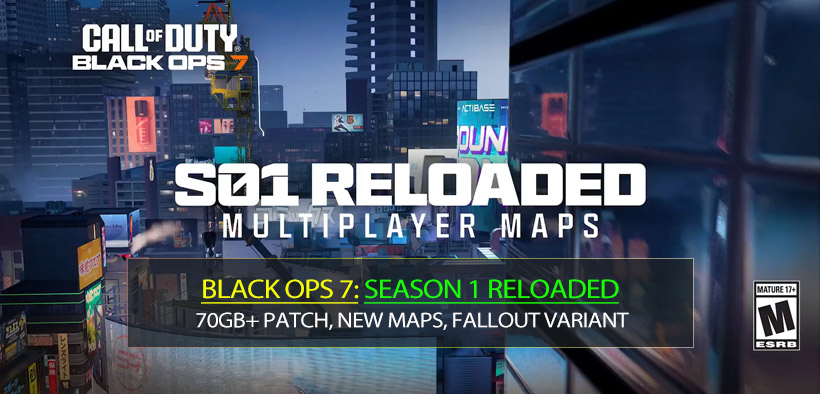
I've lived through enough Call of Duty patch days on both console and PC to know the pattern: when an update is this large, it's usually less about the visible content and more about how the game is packaged, rebuilt, and staged for what's next. Here's a practical, player-first breakdown of what's coming, why your download may look insane, and what to do before Thursday.
- What's in Season 1 Reloaded
- Content drop checklist
- The Patch Size Shock: why some players see 70GB and others see 170GB+
- What I've seen in real life (PC + console)
- Why patch sizes vary so wildly
- Does a huge patch mean Season 2 content is already inside?
- What this means for matchmaking, sweat levels, and map flow
- Matchmaking reality (especially right after content drops)
- Map impacts: new routes create new metas
- How to survive a massive preload without losing a whole evening
- Step-by-step checklist (PC + console)
- Storage planning: realistic numbers
- How I'd approach Reloaded on day one
- FAQ
- 1) Why is my friend's patch 70GB but mine is 175GB+?
- 2) Does a huge patch guarantee better FPS and fewer crashes?
- 3) If my console says it's copying forever, is it stuck?
- 4) Can I reduce install size?
- 5) Are timed variants (like crossover reskins) permanent?
- Summary
What's in Season 1 Reloaded
Reloaded updates typically add a concentrated bundle of content: maps, modes, events, and backend changes. This one follows that formula—but with a bigger-than-usual footprint.
Content drop checklist
Below is the cleanest way to track what you'll actually notice in-game versus what's likely under the hood.
| Area | What's arriving | What you'll feel immediately | Why it matters |
|---|---|---|---|
| Multiplayer | 3 new MP maps + 6v6 map variant(s) | New spawns, new power positions, new meta routes | Map flow changes can reshape weapon viability and streak pacing |
| Multiplayer | New LTMs | Faster matchmaking variety, short-term reward loops | LTMs often tie directly into event passes and weekly rewards |
| Zombies | Next survival map: Cosmodrome | New survival routing, new first-week tech | New maps shift loadouts, augments, and early-game strategy |
| Zombies | Directed Mode support for Astromeorum | Clearer objective guidance | Makes onboarding easier for squads and casual runs |
| All modes | Weekly challenges refresh | New XP/camo progression path | Keeps grind efficient if you time challenges with play sessions |
| Event | Fallout crossover window (timed) | Limited cosmetics + themed content | Timed content tends to drive map variants and LTMs |
A quick reality check: if you're expecting Reloaded to match a full season launch in volume, it won't. But if you're trying to understand why the patch is huge, the visible content list is only half the story.
The Patch Size Shock: why some players see 70GB and others see 170GB+
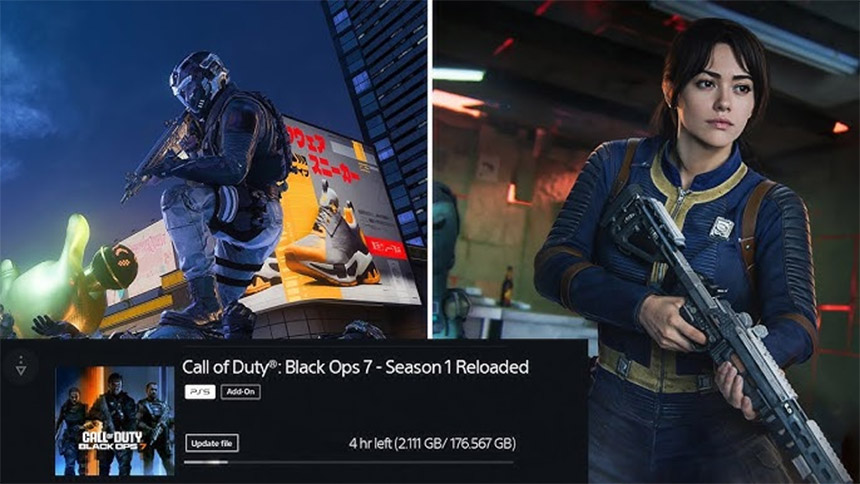
This is the part that confuses everyone because it looks inconsistent, and frankly, it is—depending on platform, install state, and how COD HQ rebuilds files.
What I've seen in real life (PC + console)
On my own setups, I've repeatedly run into this pattern:
- One platform downloads a reasonable patch.
- Another platform shows a massive preload that looks like it's reinstalling chunks of the game.
- After install, total size sometimes drops (file consolidation) or jumps (new packs auto-selected).
That's not you losing your mind—that's how modern containerized installs behave when devs reshuffle asset bundles.
Why patch sizes vary so wildly
Here are the most common causes, in plain language.
| Cause | What it looks like | Why it happens | What it means for you |
|---|---|---|---|
| File repack / chunk reallocation | Patch is huge even when content list is modest | Devs reorganize asset bundles; your system must replace big archives | Big download doesn't always equal big new content |
| Platform-specific packaging | Battle.net/console/Steam show different sizes | Each platform patches differently (delta patch vs full chunk replacement) | Your friend's patch size is not a reliable benchmark |
| Optional packs toggled on | Suddenly you're downloading extra MP/Zombies/HD textures | Updates can re-check defaults after a major patch | If storage is tight, you need to re-audit installed packs |
| Install corruption / mismatch | Patch tries to fix by redownloading large parts | Failed prior patch or missing files forces verification | Expect longer install + possible verify files step |
| Future staging (Season 2 prep) | Patch feels too big for Reloaded | Content may be partially staged ahead of time | Less downtime later, more pain now |
Does a huge patch mean Season 2 content is already inside?
Maybe partially—but don't treat that as guaranteed. In practice, large updates often include:
- engine-level fixes
- content hooks (event logic, storefront plumbing, UI)
- asset reshuffles to reduce fragmentation later
If you're hoping big patch = massive performance boost, that's possible but not automatic. I've had big patches that improved stability, and others that just moved the chaos to a different menu.
What this means for matchmaking, sweat levels, and map flow
When new maps and variants arrive, the first week usually plays out in a predictable arc.
Matchmaking reality (especially right after content drops)
- If you find lobbies suddenly feel tougher, then you're likely seeing returning core players queueing hard for new content and challenges.
- If you find lobbies temporarily feel easier, then you may be catching the wave of returning casuals sampling the update.
I've noticed that the post-holiday period tends to compress the skill distribution: fewer pure tourists, more regulars—so matches can feel sweatier even without any matchmaking change.
Map impacts: new routes create new metas
New maps and remasters change more than scenery:
- Sightlines alter AR vs SMG balance.
- Power positions create streak snowball points.
- Spawn logic gets stress-tested for the first 72 hours.
If you're a camo grinder, the new map week is often the best time to farm specific challenges because everyone is still learning lanes and timings.
How to survive a massive preload without losing a whole evening
This is the part most guides skip: the update isn't just download time—it's copying, unpacking, and shader rebuilds, especially on PC.
Step-by-step checklist (PC + console)
Use this as a pre-Thursday routine.
| Goal | Do this | Why it works |
|---|---|---|
| Avoid not enough space | Keep at least 2× the expected patch size free (yes, really) | Unpacking often needs temporary space |
| Prevent auto-installing extra packs | Re-check installed content packs (MP/Zombies/HD textures) | Updates sometimes re-enable defaults |
| Reduce first-boot stutter | Let shaders compile fully before matchmaking | Shader compilation mid-match can tank FPS |
| Lower crash risk (PC) | Update GPU drivers + disable unstable overclocks | New builds can be more sensitive to marginal OCs |
| Shorten install pain | Run Scan and Repair / Verify Files if the patch loops | Fixes mismatched archives that trigger re-downloads |
Storage planning: realistic numbers
Even if your download says 70GB, your device may need more headroom than that.
| Scenario | What you see | What you actually need free |
|---|---|---|
| Smooth delta patch | 40–80GB download | ~80–120GB free (download + unpack buffer) |
| Chunk replacement / repack | 100–200GB+ download | 150–250GB+ free (varies by platform) |
| Optional packs included | Why is it still downloading? | Add 20–60GB depending on textures/modes |
Not glamorous, but it saves you from the classic 99% installed → error → reinstall spiral.
How I'd approach Reloaded on day one
When the servers go live, I treat it like a mini-launch: test stability first, then chase progression.
1. Boot and stabilize
- Load into menus, let shaders finish, run one private match.
2. Map learning sprint
- Do 10 minutes of pure route testing: spawns, head glitches, cross-map timings.
3. Progression efficiency
- Stack weekly challenges with whatever the event pass requires.
4. Zombies first clear
- One info run (no sweating), then one optimized run after I understand the new map's risk points.
If you try to do all of that while your platform is still unpacking files in the background, you're basically volunteering for crashes.
FAQ
1) Why is my friend's patch 70GB but mine is 175GB+?
Different platforms and install states patch differently. If your build requires chunk replacement or you have extra packs enabled, your download can balloon even if the visible content is identical.
2) Does a huge patch guarantee better FPS and fewer crashes?
No guarantee. Big updates often include stability work, but performance gains depend on your hardware, drivers, and whether shader compilation and caching behave properly after the patch.
3) If my console says it's copying forever, is it stuck?
Not necessarily. Copy/unpack phases can take a long time, especially if storage is near full.
If you notice the progress bar isn't moving for 30–60 minutes, then check free space and restart the console once (not repeatedly).
4) Can I reduce install size?
Usually yes:
- Uninstall modes you don't play (e.g., remove Zombies or HD textures if you're MP-only).
- Re-check content packs after the update, because defaults can re-toggle.
5) Are timed variants (like crossover reskins) permanent?
Most event variants are time-limited.
If you care about practicing it long-term, then capture routes and callouts while it's live, because it may not remain in standard rotation.
Summary
Season 1 Reloaded is bringing meaningful playable content—new MP maps, variants, LTMs, Zombies additions, and event-driven progression—but the headline is the patch behavior. The massive size usually points to file repacks, platform patching differences, and staging for upcoming content, not just the visible map list.
If you take only a few actions: keep extra storage free, audit content packs, let shaders finish, and verify files if the patch loops. That's the difference between playing Thursday morning and spending Thursday evening watching a progress bar negotiate with reality.


The GGWTB Editorial Team features 10 full-time gaming editors and 23 specialist contributors, delivering hands-on tested walkthroughs, easter egg breakdowns, and game updates.
ELSA — who spearheads our in-depth COD: BLACK OPS 7, ARC Raiders guides, and patch notes—every guide is rigorously verified on live servers for accuracy.
Most Popular Posts
- Black Ops 7 Endgame Exotic Affinity Weapons Guide: Best Bonuses, Full Weapon List, and Farming Tips
- Black Ops 7 Season 1 Endgame Boss Fast Passing Guide: Colossus of Avalon & Toxic Tyrant Z‑Rex
- CoD BO7 Bot Lobbies Guide: Everything You Need To Know
- Black Ops 7 Endgame Skill Track Guides: Tactician + Bulldozer + Berserker
- Black Ops 7 Endgame Reloaded: Nightmare Boss, Exotic Upgrades, Best Skills & Fastest Progression
- Black Ops 7 Fast Weapon & Operator Leveling Max Mode-by-Mode Strategies
Popular Category Lists
- ARC Raiders / (356)
- Grow a Garden / (295)
- CoD: Black Ops 7 / (167)
- Star Citizen / (163)
- MLB 26 / (159)
- Monopoly Go / (153)
- ARK Survival Ascended / (128)
- Steal a Brainrot / (99)
- Blox Fruits / (74)
- Adopt Me / (74)
- Forza Horizon 6 / (72)
- Sailor Piece / (68)
- Grow a Garden 2 / (68)
- Diablo IV / (62)
- CoD: BLACK OPS 6 / (55)
- Aion 2 / (54)
- Path of Exile 2 / (48)
- Monster Hunter Wilds / (46)
- Windrose / (44)
- COD: Modern Warfare 4 / (44)