

ARC Raiders Twitch Drops

»
×
In Stock
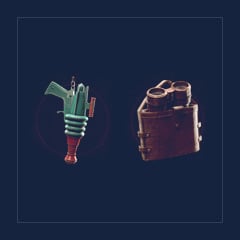
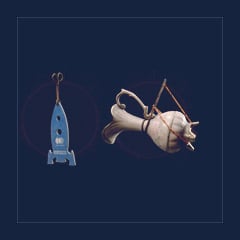
2 Rewards | Space Blaster, Binoculars

2 Rewards | Space Blaster, Binoculars

In Stock
2 Rewards | Purple Duffel Bag, Bastion Mace

2 Rewards | Purple Duffel Bag, Bastion Mace

In Stock
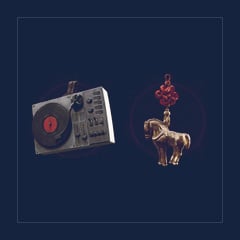
2 Rewards | Record Player, Royal Steed

2 Rewards | Record Player, Royal Steed

In Stock
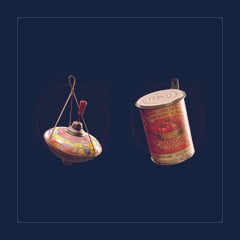
2 Rewards | Spinning Top, Canned Tomatoes

2 Rewards | Spinning Top, Canned Tomatoes

In Stock
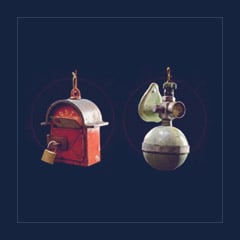
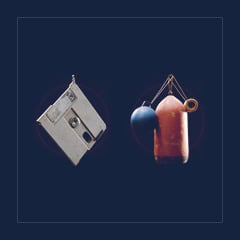
2 Rewards | Floppy Disk, Buoy

2 Rewards | Floppy Disk, Buoy

Ratings and Reviews

Average user rating
4.8 / 5
4.8 out of 5 (from 321 Customers ratings)

Rating breakdown

5 ★
Votes(276) / 86%
4 ★
Votes(25) / 7.8%
3 ★
Votes(11) / 3.4%
2 ★
Votes(5) / 1.6%
1 ★
Votes(4) / 1.2%
See All Reviews +
01Aug
MOPLIK
3 / 5

Price could be better Twitch Drops I bought anyway

31Jul
RHETT
4 / 5
⚡ Fast Delivery💰 Best Price🛡️ Safe Transaction❤️ Friendly Service

Quick Twitch Drops transaction, met expectations.

31Jul
ROBERTO
4 / 5
✅ Trusted Seller🛡️ Safe Transaction

Looks legit; Twitch Drops worked, but site UI messy

30Jul
JORDAN
5 / 5
⚡ Fast Delivery✅ Trusted Seller💰 Best Price🛡️ Safe Transaction❤️ Friendly Service

Delivered in seconds, no hassle at all.

28Jul
ZXQWE
5 / 5
✅ Trusted Seller💰 Best Price🛡️ Safe Transaction❤️ Friendly Service

Smooth purchase. Seller stayed online until completion.

Why Choosing GGWTB Buy Twitch Drops?

Did you miss a set of ARC Raiders Twitch Drops? Don't have time to watch and collect the hours needed to get the exclusive rewards you want? GGWTB is here to save the day by letting you buy ARC Raiders Twitch Drop sets you missed. Quick delivery with ARC Raiders Twitch Drops available for purchase.

With your purchase, you will receive: A Twitch account, which you can link to receive all items from the list below


  • Bobblehead Backpack Charm
  • Warm Up Emote
  • Vintage Mic
  • Eye Band


How to Get ARC Raiders Twitch Drops from Twitch


1. On twitch.tv, log out of your current account and log in to the purchased Twitch account.

2. If Twitch prompts for a verification code sent to the email, click “Remind me later” or close the prompt (“X”).

3. Go to https://www.twitch.tv/drops/inventory and click “Connect.”

4. You’ll be redirected to the official site where you need to sign in to your account.

5. Relaunch the game.

Why haven’t I received the rewards in-game?


Items usually arrive immediately, but there may be delays of up to 24 hours depending on the load on the game servers. Items can only be received once per account. If you have already received any items, you will not be able to receive them again; you will only receive new.
