0
0 Created: Apr 29,2026 | Star Citizen
Star Citizen 4.8 Insurance Guide: Why LTI Ships Matter Now

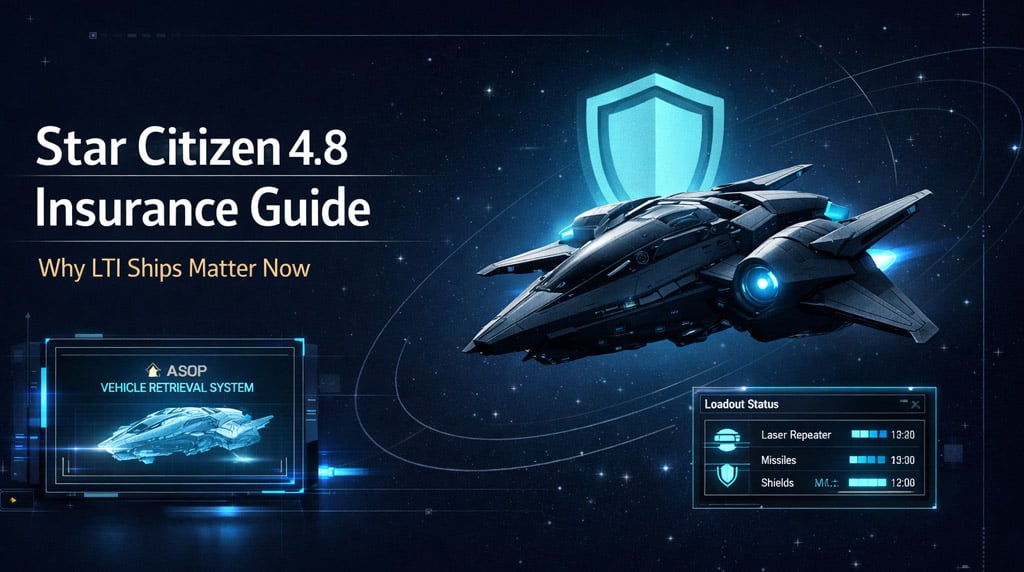
Star Citizen 4.8 makes ship insurance feel a lot more real. Claims are no longer just a quick reset after a bad fight, and custom loadouts now come with extra decisions. If you own LTI ships, this update finally gives them practical value beyond account bragging rights.
Below is a cleaner, player-focused guide to what changed, why it matters, and how we should adjust our habits before these systems settle into the live game.
- Star Citizen 4.8 Insurance Changes Explained
- Why LTI Ships Actually Matter in 4.8
- New ASOP Loadout Snapshot: What You Should Do
- Bricked Ships After Claiming
- Missiles and Rearming: The Hidden Cost
- 25-Ship Hangar Limit and Fleet Management
- Current 4.8 Bugs Worth Knowing
- Caterpillar Command Module: Useful, But Not Ready for Trust
- Javelin in 4.8: Impressive, Huge, and Clearly Unfinished
- Best Habits for Star Citizen 4.8
- FAQ
- Is LTI worth more in Star Citizen 4.8?
- Does LTI cover missiles?
- What is an ASOP loadout snapshot?
- What happens if I claim a ship and find the original?
- Should I pay for the premium claim?
- Why is the 25-ship hangar limit important?
- Is the Caterpillar command module safe to use?
- Are bunker missions reliable in 4.8?
- Summary
Star Citizen 4.8 Insurance Changes Explained
In earlier builds, claiming a ship felt generous. You could lose a ship, go to ASOP, claim it, and usually get your loadout back with very little friction.
In 4.8, that loop changes.
Now, after modifying your ship, you need to create a loadout snapshot at the ASOP terminal. If the ship gets destroyed, ASOP can offer you two choices:
| Claim Option | What You Get | Best For |
|---|---|---|
| Default claim | Base ship loadout | Cheap recovery or stock ships |
| Premium claim | Saved modified loadout | Expensive components or combat builds |
| Uninsured claim | Full timer, limited convenience | Ships without proper insurance |
| Expedited claim | Faster return for extra credits | Urgent recovery before group content |
This means your upgraded ship is no longer something you should casually throw away. If you fitted rare parts, expensive weapons, or a specific combat setup, you need to save that loadout before leaving the hangar.
If you forget the snapshot, then your recovery options may be worse than expected.
Why LTI Ships Actually Matter in 4.8
LTI, or Lifetime Insurance, has always been a hot topic in Star Citizen. For years, many players treated it as nice to have, but not essential.
4.8 changes that conversation.
LTI does not mean every item on your ship is free forever. It does not magically refill missiles or protect every loose item onboard. But it can reduce long-term friction around recovering the ship itself.
That matters more now because claims are becoming part of the economy.
| Item | Insurance Impact | Player Takeaway |
|---|---|---|
| Ship hull | Main insurance value | LTI helps most here |
| Custom components | May require premium claim | Save ASOP snapshots |
| Ship weapons | Tied to saved loadout behavior | Check before launch |
| Missiles | Not freely restored | Budget for rearming |
| FPS gear | Expected to matter more later | Do not overpack casually |
| Cargo and loose items | Risky during bugs | Avoid storing valuables blindly |
The practical value of LTI is not just free ship forever. It is time saved, credits saved, and less stress after a bad loss.
If you fly a daily driver with LTI, that ship becomes more dependable. If you lose a large uninsured ship, the claim timer can become painful. A non-insured capital ship can mean hours of waiting, which can kill an entire play session.
New ASOP Loadout Snapshot: What You Should Do
The ASOP terminal is now part of your pre-flight routine. We should stop thinking of it as only a claim kiosk.
Before leaving with a modified ship, use this checklist:
| Step | Action | Why It Matters |
|---|---|---|
| 1 | Change loadout in VLM | Set your build first |
| 2 | Check weapons and components | Avoid missing gear |
| 3 | Visit ASOP | Snapshot is handled there |
| 4 | Save the modified loadout | Enables premium recovery |
| 5 | Confirm missile count | Rearming is separate |
| 6 | Keep credits ready | Claims now have real cost |
If you are flying a cheap stock ship, this is less important. If you are flying a tuned fighter, mining ship, or multicrew combat ship, it matters a lot.
Our rule is simple: if the loadout would hurt to replace, snapshot it before takeoff.
Bricked Ships After Claiming
4.8 also introduces a new behavior for original ships after you claim a replacement. Instead of simply disappearing, the old ship can enter a bricking state.
In practice, this means the original ship may show warnings and become unusable after a short timer, around five minutes in some tests.
That creates a small recovery window.
| Recover First | Why |
|---|---|
| Mission cargo | May block contract progress |
| Refined materials | Can represent hours of work |
| Rare weapons or loot | Harder to replace |
| FPS gear | Cost adds up over time |
| Low-value boxes | Only if time allows |
If you find your old ship after claiming it, move quickly. Do not waste time admiring the damage. Grab what matters and get out before the ship bricks.
This is one of the better ideas in 4.8 because it makes insurance feel physical. The universe is not just deleting assets in the background. The old ship still exists for a moment, but it is no longer yours to operate forever.
Missiles and Rearming: The Hidden Cost
The biggest surprise for many pilots will be missiles.
Insurance does not cover missiles in the old free refill style. After a claim, you should expect to rearm separately.
That changes combat economics.
| Ship Type | Risk Level | Advice |
|---|---|---|
| Light fighter | Low to medium | Guns-only builds are cheaper |
| Missile boat | High | Track rearm costs carefully |
| Heavy fighter | High | Snapshot upgraded loadouts |
| Multicrew gunship | Very high | Share operating costs |
| Capital ship | Extreme | Treat it like a fleet operation |
If you run bounty missions or PvP, this matters. A bad night of repeated losses can drain credits fast.
The old space-sim rule fits perfectly here: never fly without a rebuy. In Star Citizen 4.8, we should update that to: never fly without a claim and rearm budget.
25-Ship Hangar Limit and Fleet Management
4.8 also adds a 25-ship limit at your hangar. The exact long-term design may change, but the current message is clear: we need to stage ships more carefully.
This limit can be annoying for large fleet owners, but it also makes the Vehicle Loadout Manager cleaner because it only shows ships at your current location.
A practical setup looks like this:
| Role | Recommended Local Count |
|---|---|
| Daily driver | 1–2 |
| Combat ships | 2–4 |
| Cargo ships | 1–3 |
| Mining ships | 1–2 |
| Salvage ships | 1–2 |
| Capital ships | Only when crew is ready |
| Specialty ships | Bring as needed |
If your hangar is full, treat it like a deployment list, not a showroom. Keep the ships you actually plan to use nearby. Leave the rest staged elsewhere.
The asset app still needs a proper search and filtering rework. As fleets get bigger and locations multiply, scrolling through old stations is not a good long-term solution.
Current 4.8 Bugs Worth Knowing
4.8 has some strong system changes, but the build still feels rough. If you are testing it now, expect problems.
| Issue | Impact | Workaround |
|---|---|---|
| EVA controls broken | Movement can feel chaotic | Use third person when needed |
| MOLE loadout issues | Mining setup may fail | Test before committing |
| Stored ship items vanish | Cargo or boxes can disappear | Avoid storing valuables |
| Freight elevator issues | Refined materials may show wrong | Verify before moving goods |
| Bunker missions bugged | Missions may not start | Avoid relying on them |
| Inventory quirks | Stack All can fail first try | Reopen inventory and retry |
From our testing mindset, this is still a build where you should experiment, not risk your whole evening's progress.
If you discover a bug with ship storage, cargo, or loadouts, assume it can happen again and plan around it.
Caterpillar Command Module: Useful, But Not Ready for Trust
The Caterpillar command module finally works, and that is a big deal. Detaching it feels genuinely cool, especially after waiting so long for the feature.
But it is not fully reliable yet.
The module can detach too easily, especially while leaving atmosphere. It also appears to have some life support weirdness during repeated attach-and-detach testing.
| Before Testing the Command Module | Reason |
|---|---|
| Wear a helmet | Life support may behave oddly |
| Leave atmosphere first | Reduces accidental chaos |
| Avoid valuable cargo | Detachment bugs can ruin runs |
| Track your main hull | You may lose the marker |
| Test in safe space | Do not learn under pressure |
The command module has real future potential. For now, treat it like a fun testing feature, not a dependable cargo strategy.
Javelin in 4.8: Impressive, Huge, and Clearly Unfinished
The Aegis Javelin appearing in 4.8 is exciting, but it looks unintended or unfinished. Some areas are textured and impressive, while others are missing floors, stairs, doors, lighting, or proper access routes.
Still, it gives us a useful preview of future capital ship gameplay.
| Area | Current State | What It Shows |
|---|---|---|
| Bridge | Incomplete | Not ready for normal use |
| Hangar | Large but rough | Can support serious ship operations |
| Corridors | Wide and direct | Easier than Idris navigation |
| Mess hall | More developed | Strong interior progress |
| Crew spaces | Partially built | Capital ships will be massive |
The main lesson is scale. The Javelin does not feel like a bigger fighter. It feels like a mobile base.
If this is where capital gameplay is heading, then big ships will require crews, planning, logistics, and internal security. Solo capital ownership may exist, but solo capital operation will be a different story.
Best Habits for Star Citizen 4.8
The safest way to approach 4.8 is to fly smart. The systems are moving in a more serious direction, but the build still has bugs.
Use this simple checklist:
| Habit | Why It Helps |
|---|---|
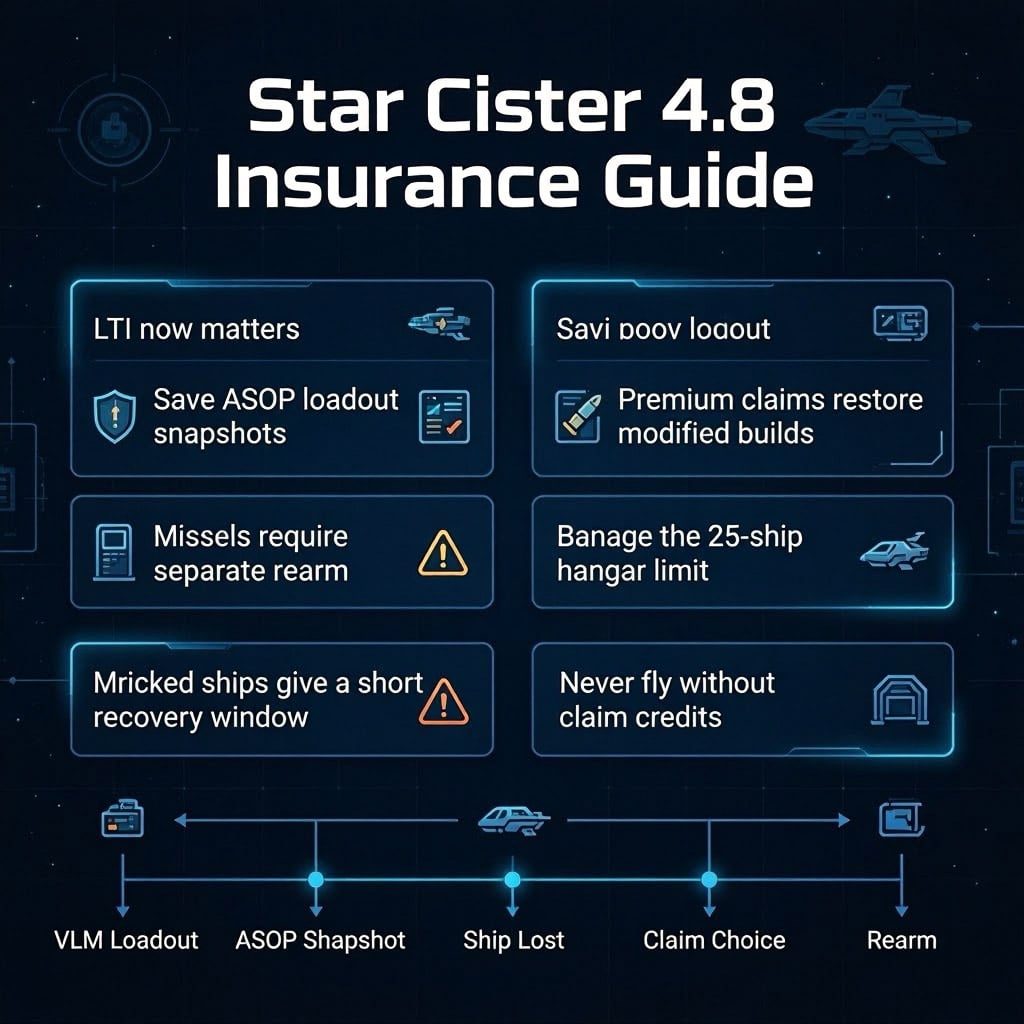
| Save ASOP loadout snapshots | Protects modified builds |
| Keep claim money ready | Prevents being stranded |
| Budget for missiles | Rearming is not free |
| Fly cheaper ships for risky tests | Limits losses |
| Avoid storing valuable loose items | Persistence can fail |
| Stage only useful ships | Helps with hangar limits |
| Test new features away from planets | Reduces avoidable chaos |
If you are testing for fun, fly whatever makes you smile. If you are trying to make progress, use ships you can afford to lose twice.
FAQ
Is LTI worth more in Star Citizen 4.8?
Yes. LTI appears more useful because insurance now matters more for ship recovery, claim friction, and long-term operating costs. It does not cover everything, but it makes insured ships feel more valuable.
Does LTI cover missiles?
No. Missiles are not automatically restored through insurance in the same way players may expect. You should plan to rearm separately.
What is an ASOP loadout snapshot?
An ASOP loadout snapshot saves your modified ship setup. If the ship is destroyed, you can pay a premium to recover that saved loadout instead of only claiming the base version.
What happens if I claim a ship and find the original?
The original ship may start bricking. You can have a short window to recover cargo or items before it becomes unusable.
Should I pay for the premium claim?
Pay for the premium claim if your ship had expensive or hard-to-replace parts. If it was stock or lightly modified, the default claim may be better.
Why is the 25-ship hangar limit important?
It forces better fleet staging. You need to decide which ships belong at your current location instead of keeping everything in one place.
Is the Caterpillar command module safe to use?
It works, but it is still risky. Test it away from planets, wear a helmet, and avoid using it with valuable cargo until it becomes more stable.
Are bunker missions reliable in 4.8?
Not right now. Some bunker missions may fail to start, so they are not the safest income source during testing.
Summary
Star Citizen 4.8 makes insurance more important, and that gives LTI ships real practical value. The new ASOP snapshot system, premium claims, missile rearming costs, bricked ships, and hangar limits all push us toward better preparation.
For players, the new rule is simple: save your loadout before launch, keep credits for claims and rearming, and do not fly anything you cannot afford to recover.
4.8 is still rough, but the direction is clear. Ship ownership is becoming less about collecting hulls and more about managing risk, cost, and readiness.

Most Popular Posts
- Star Citizen 4.9 Hull C Cargo Hauling Guide: Make Millions aUEC Without Autoload
- Star Citizen 4.9 Battaglia Missions: CQ7 Rifle Locations, Loot Routes & Bug Fixes
- Star Citizen 4.10 Quantum Drive Guide: Best Drives for Speed, Range, and Crafting
- Star Citizen 4.9 Rare Gun Attachments Farm: Echo Isles Loot Guide
- Star Citizen Alpha 4.10 Guide: Recco Battaglia Missions, Siege of Orison, Regen Crisis
- Star Citizen 4.10 PTU, 4.9 Hotfixes, Server Outage: What Actually Matters This Week
Popular Category Lists
- ARC Raiders / (354)
- Grow a Garden / (294)
- CoD: Black Ops 7 / (167)
- Star Citizen / (163)
- MLB 26 / (159)
- Monopoly Go / (153)
- ARK Survival Ascended / (128)
- Steal a Brainrot / (99)
- Blox Fruits / (74)
- Adopt Me / (74)
- Forza Horizon 6 / (72)
- Sailor Piece / (68)
- Grow a Garden 2 / (68)
- Diablo IV / (62)
- CoD: BLACK OPS 6 / (55)
- Aion 2 / (52)
- Path of Exile 2 / (48)
- Monster Hunter Wilds / (46)
- Windrose / (44)
- Maplestory Classic / (42)